@Daumantas well this is a bit silly I suppose since I live in the area and walk the dog there nearly every day but there is no cell tower where this gNB ID 4501 (Macro) - NR is listed.
My assumption is the actual tower is ~334m away from the listed site and ~590m from my location
I submitted a cellmapper support ticket, seems the zendesk service behind it is no longer active, so that went nowhere it seems I tried the “Move to Lat/Lng” option on the tower info panel so let’s see if that helps.
I believe only users with a certain amount of points can move cells. I’ve relocated the cell. If the cell icon is red, that means that Cell Mapper has automatically determined its location, and green cells mean that their location was manually set by the user.
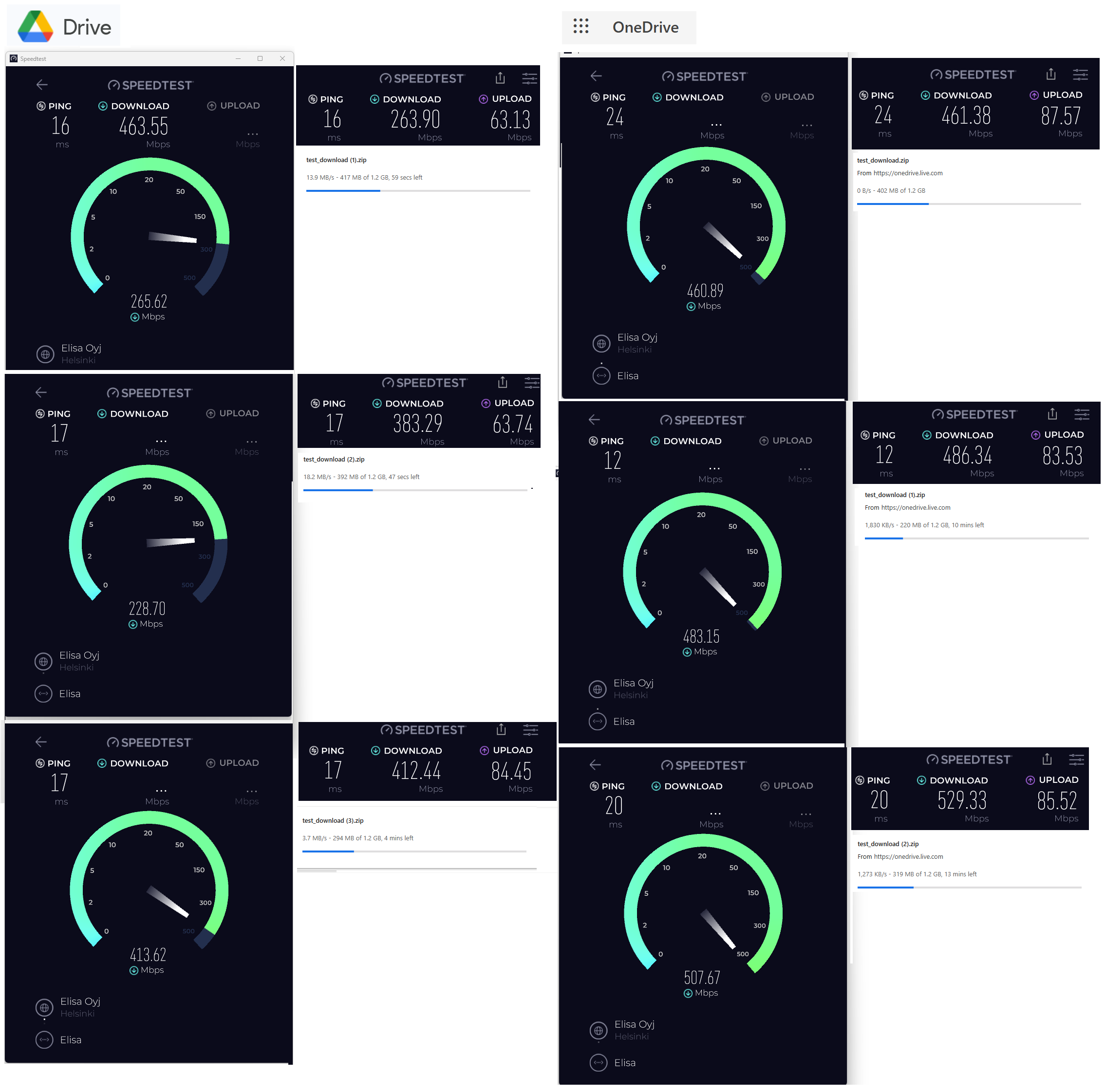
As for the file download tests, could you check the speed that the file itself downloads at?
I believe only users with a certain amount of points can move cells. I’ve relocated the cell. If the cell icon is red, that means that Cell Mapper has automatically determined its location, and green cells mean that their location was manually set by the user.
Thanks, excellent stuff I had posted a note on the correction on the Elisa ISP forums yesterday as well and someone replied that Cellmapper just seems broken right now, not anymore though
I noticed the default view on Cellmapper has a little radio icon over the green area where the tower actually is and the tower icon/details are to the left of that, I gues this is normal. I suppose the actual details of the tower should now be as follows:
Heiniemenpolku 7, 02940 Espoo, Finland
60.235143468333845, 24.720636618810758
As for the file download tests, could you check the speed that the file itself downloads at?
Ah yes my mistake, I should have had the downloads panel open. Here are some more results of the same file on Google and MSFT.
Apologies for the delay, missed your message.
I see someone has moved the tower to a different location, so your image is likely of a different carrier tower.
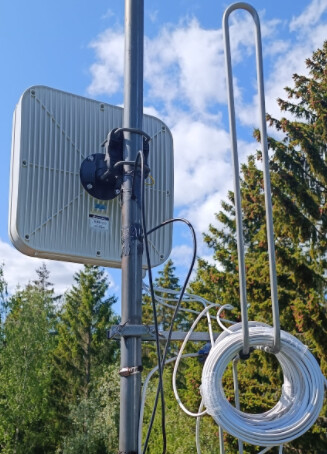
As for the antenna - yes, most antennas will need to be mounted on a pole, and this one is no exception. While I can’t guarantee that it will have a huge difference, it should increase signal strength and (hopefully) reduce noise. I would get an external antenna if you’re planning to keep the 5G solution long-term. Even if you switch to a different router, this antenna could still be reused. Just make sure to get the 5G variant, as the LTE variant will lack support for n78 band.
@Daumantas hi, no worries, there was no rush to reply. I had posted on the Elisa forums here in Finland and someone there who like you had the rights on cellmapper moved the tower so it’s now over by the Aurora school where the cell apparently has Elisa, DNA and Telia equipment and is ~465 meters away.
I am keeping the antenna idea in mind. The family have not been complaining about the connection, our son who plays multiplayer PC games most of all has not been complaining, and that is a new thing.
And yes a 5G a capable antenna, I think this QuWireless 5G/LT MIMO 4x4 example and I will investigate methods of positioning it and how to run the cables. Something to do over the summer perhaps.
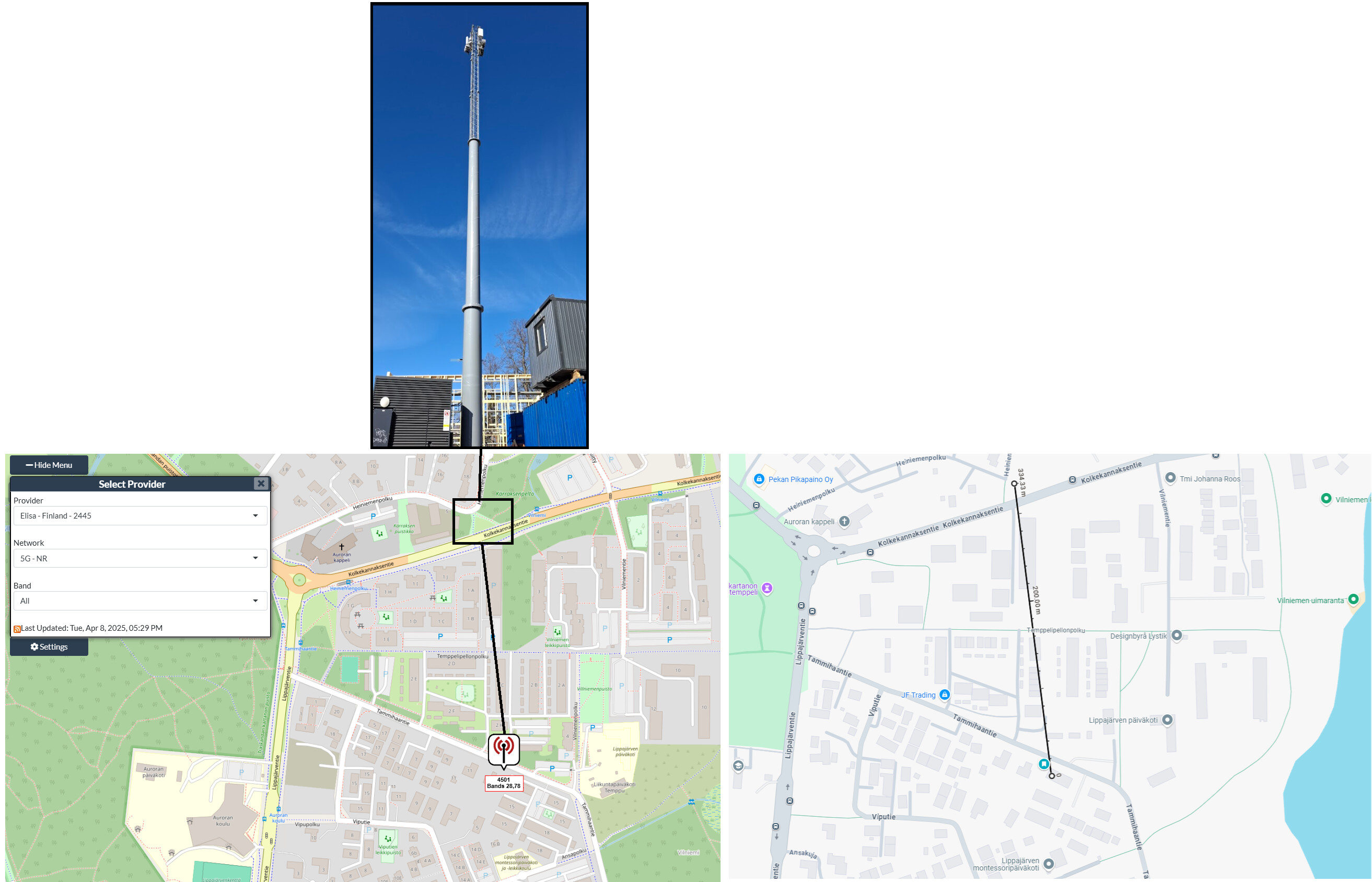
 I tried the “Move to Lat/Lng” option on the tower info panel so let’s see if that helps.
 I had posted a note on the correction on the Elisa ISP forums yesterday as well and someone replied that Cellmapper just seems broken right now, not anymore though