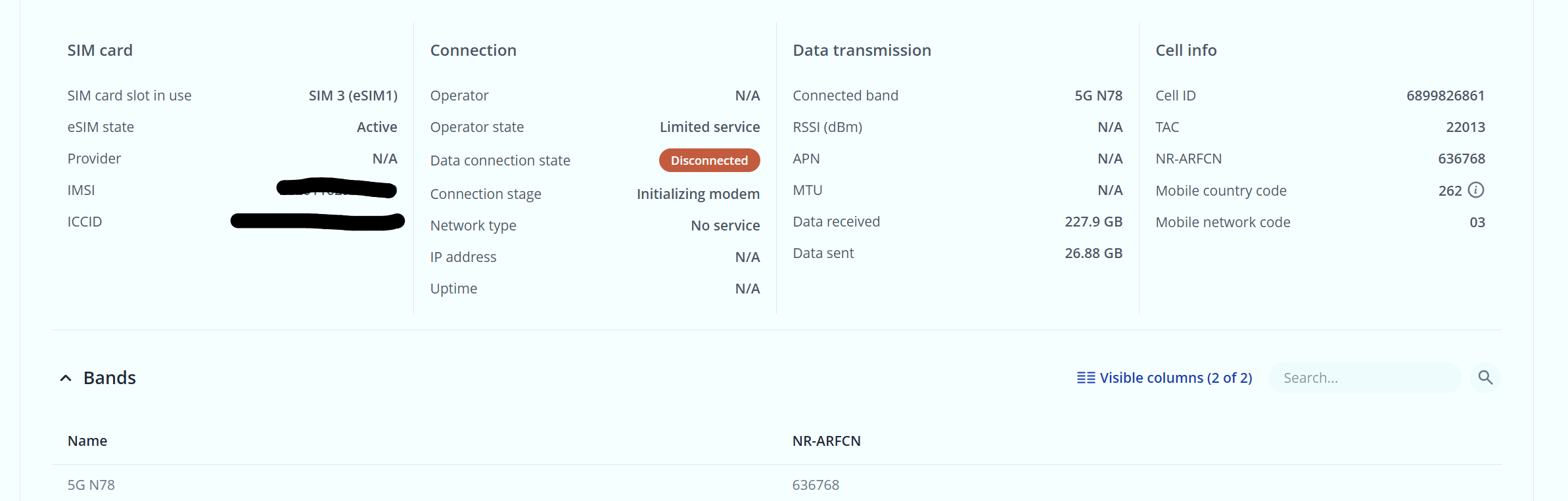
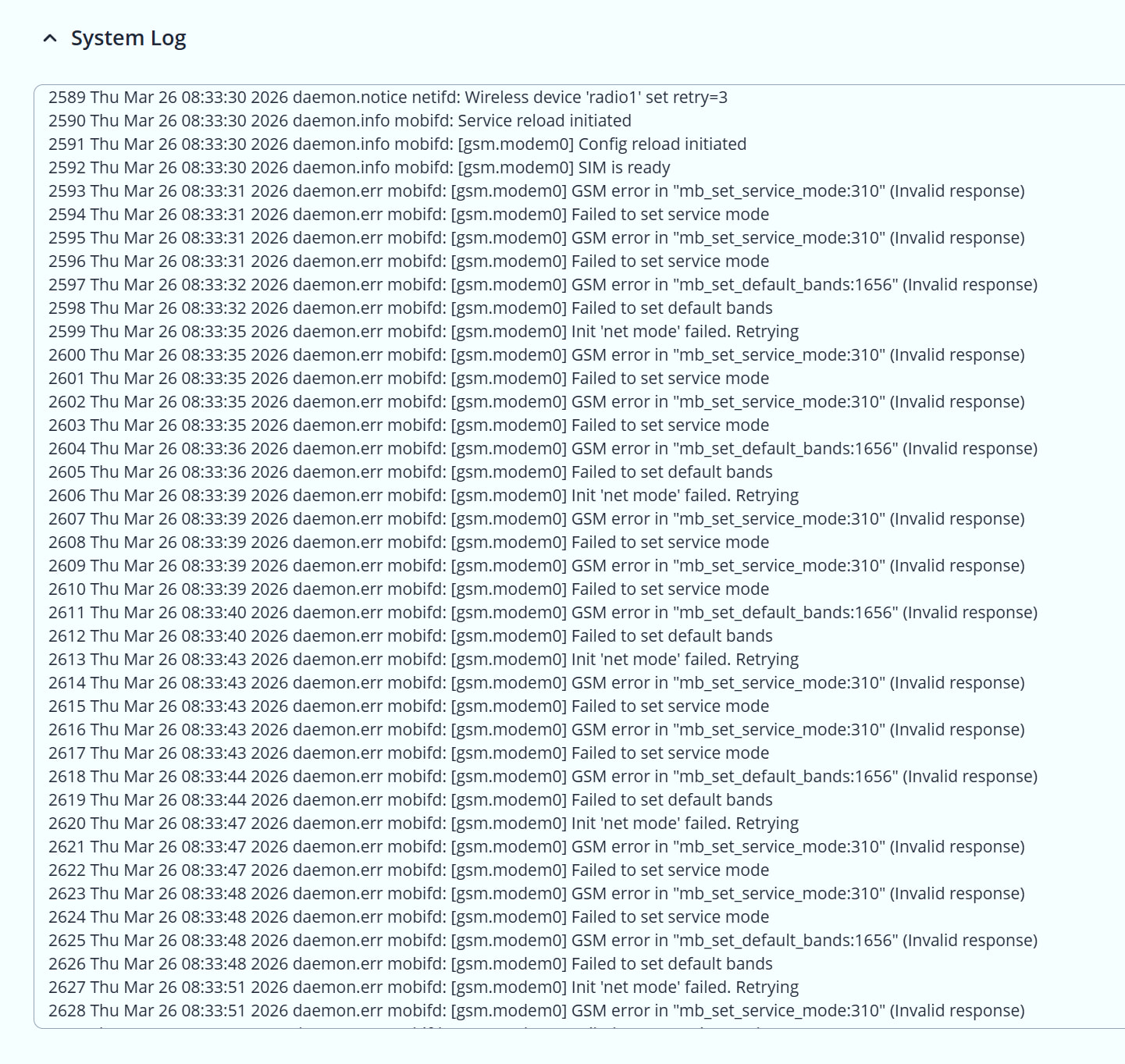
its a new RUTX50 with lastes Firmware Updates for Device and Modem.
Internal modem firmware version RG520NEBDCR03A05M4G
Device Firmware version RUTX_R_00.07.21.3
eSIM German Telekom
Operator state Limited service
Connection stage **Initializing modem
**
even if the Connection(SIM 3 (eSIM1)) is configured for Preferend network type 4g only. The Status view for mobile shows Connected band **5G N78.
**
we need a quick Solution. Downgrade Modem Firmware.
For troubleshooting purposes, we will require more sensitive information from your end, such as the troubleshoot file, which may contain passwords, public IP addresses, serial numbers, and such. To avoid leaking this information, we have sent you a form to fill out, which you will receive in your e-mail inbox that you have registered your account with in the forums. In the Ticket ID field of the form, please enter the ID of this thread, which is 18553.
isnt it possible to rename the old modem firmware(the working one) to the newest version and make it public for auto updating the modem firmware via the rut device itself?
Many of us waiting for a solution- please find a way to help us
We want to sincerely apologize for the experience you’ve had with your device and for the delays in getting back to you.
With the help of the information provided on our forum, our R&D team analyzed the situation and identified the issue, which was escalated to the modem manufacturer with critical priority. Now we’ve received a new firmware, which passed internal tests, so please test whenever possible.
If you are currently on modem firmware A05 (also soon there will be updates from older versions to newest A06 version as well - keep an eye on it), please update using the WebUI DFOTA method:
1. Navigate to System → Firmware → Update Firmware → Modem update.
2. Proceed with the update from the server.
You should be able to run on 5G again without the instability after this is applied.
If you encounter any issues after applying the update, please reply here and we’ll ensure it receives prompt attention.
Thank you for sticking with us this long, and we hope this puts things right.