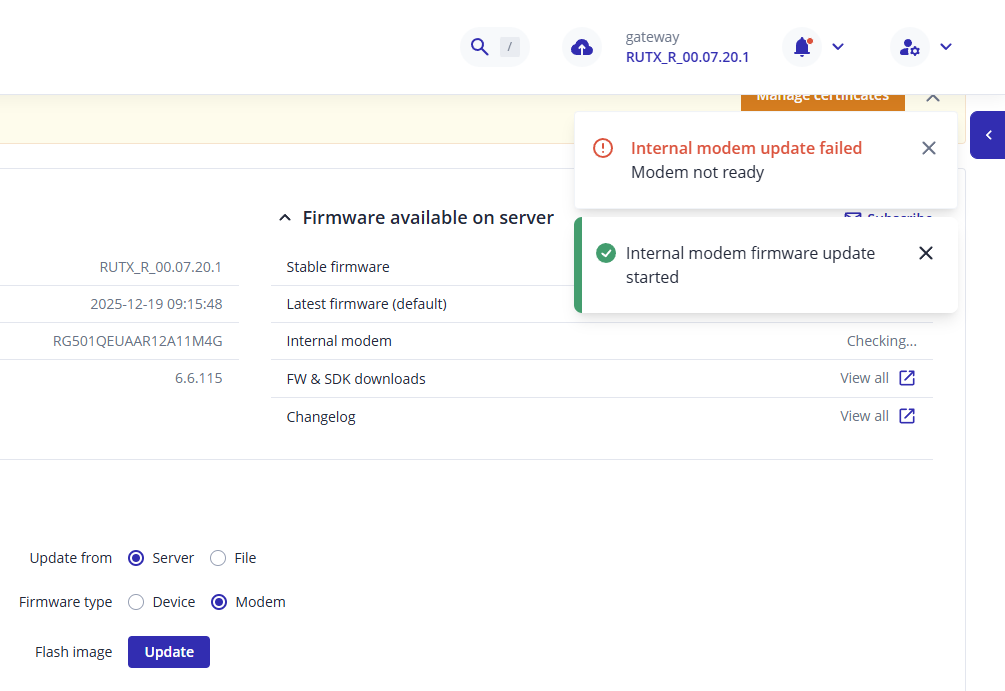
I try to update the firmware of the internal modem and it fails every time with a message that the modem is not ready.
The device updates fine the “Device” part of the firmware.
I’m running firmware RUTX_R_00.07.20.1 and internal modem version is RG501QEUAAR12A11M4G
Please help
Greetings,
Could you please clarify how you are attempting to update the modem firmware?
Additionally, are you experiencing any issues with mobile connectivity?
Best Regards,
Justinas
I try to update by visiting the web interface of the router.
No, I don’t have any connectivity issues.
Also I have done two “device” updates from the same web page that completed normally.
So, a new device firmware update appeared and it completed successfully.
Then I got the same message to update the modem.
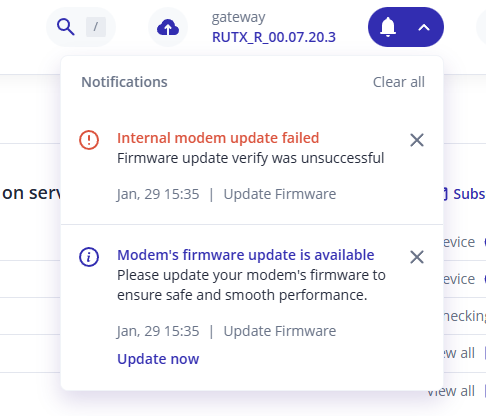
And now a different fail message appeared:
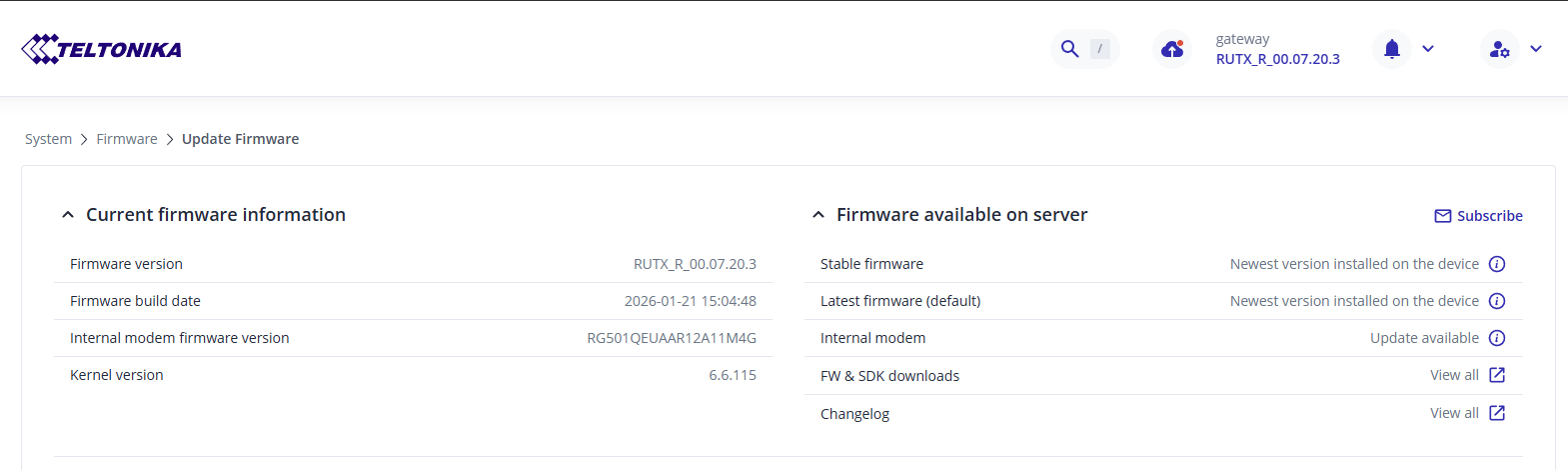
And this is my update page now
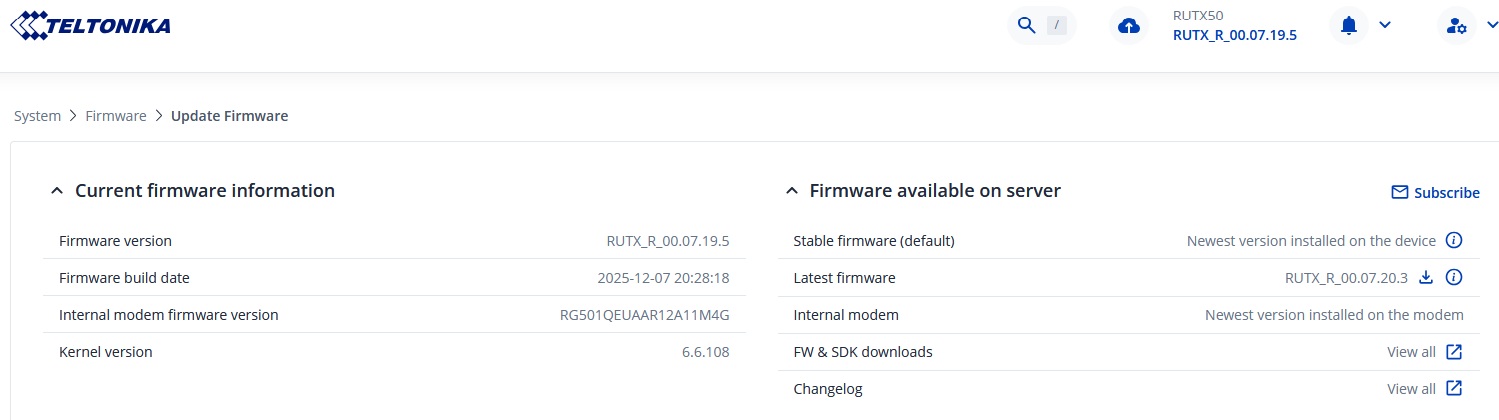
My RUTX50 is not telling me that there is a modem firmware update, but i’m on device firmware version 07.19.5 though.
Is there a new modem firmware available?
Is it only available to those with a younger device firmware version?
Device firmware upgrade firstly before a new modem firmware will be made available?
Modem FW is separate from device FW. So you can receive message that new modem FW available on older device FW too.
My RUTX50 is on device firmware version 07.19.5 and my modem’s firmware is the same as yours but the interface is not telling me that a modem firmware upgrade is available.
Is your RUTX50 telling you an upgrade for the modem is available in error when in actual fact there isn’t one, so it fails to upgrade!
I understand that device and modem firmware updates are two different things.
What’s not acceptable though, is for the device to advertise that there’s a new modem update I should do every time I log on the device, and then failing to perform the given update.
When I started this thread my RUTX50 had an older DEVICE firmware (7.20.1). Today I was offered to update the DEVICE firmware to the latest version. I did so, and now my DEVICE is on 7.20.3. Everything went smooth with that update. As it should.
Then as soon as I logged back in my RUTX50 I got (again) the message to update the MODEM. And it FAILS!
@akwe-xavante perhaps the new MODEM update appears after you update the DEVICE firmware ?
In your screenshot it’s clear that the latest DEVICE firmware for you is also 7.20.3 (the one I updated myself today)
So maybe after you update to 7.20.3 you’ll receive the message to update the modem as well ?
Or maybe this is a bug of the 7.20.x versions ? (To report that a MODEM update exists when it doesn’t ? )
I’ve chosen only to upgrade to “Stable Firmware Versions”, don’t know when the next stable version will be or what its version number will be. It’s possible that when i do upgrade to the next stable version i may get a message telling me a modem upgrade is available.
I’m sure a Teltonika engineer will clarify the situation shortly.
Greetings,
The notification you’re seeing may be related to a software migration issue from a previous generation. The modem firmware currently installed on your device is already the latest version.
As a next step, you may try reinstalling the firmware via the bootloader menu. Please note that this process will restore the device to factory default settings. After reinstalling, check whether you still receive notifications about an available modem firmware update.
You can find the instructions for reinstalling the firmware via the bootloader menu here:
RUTX50 Device Recovery Options - Teltonika Networks Wiki
Best Regards,
Justinas