RUTX50 disconnects wifi clients randomly

Hi together

I have a RUTX50 in use witch disconnects all wifi clients randomly

only a restart solve this Problem

This is what the logger shows:

Firmware is: RUTX_R_00.07.21.3

Did already factory resets but nothing changes.

I now reboot it all night but is there a reason for this behaviour?

Regards

Norbert

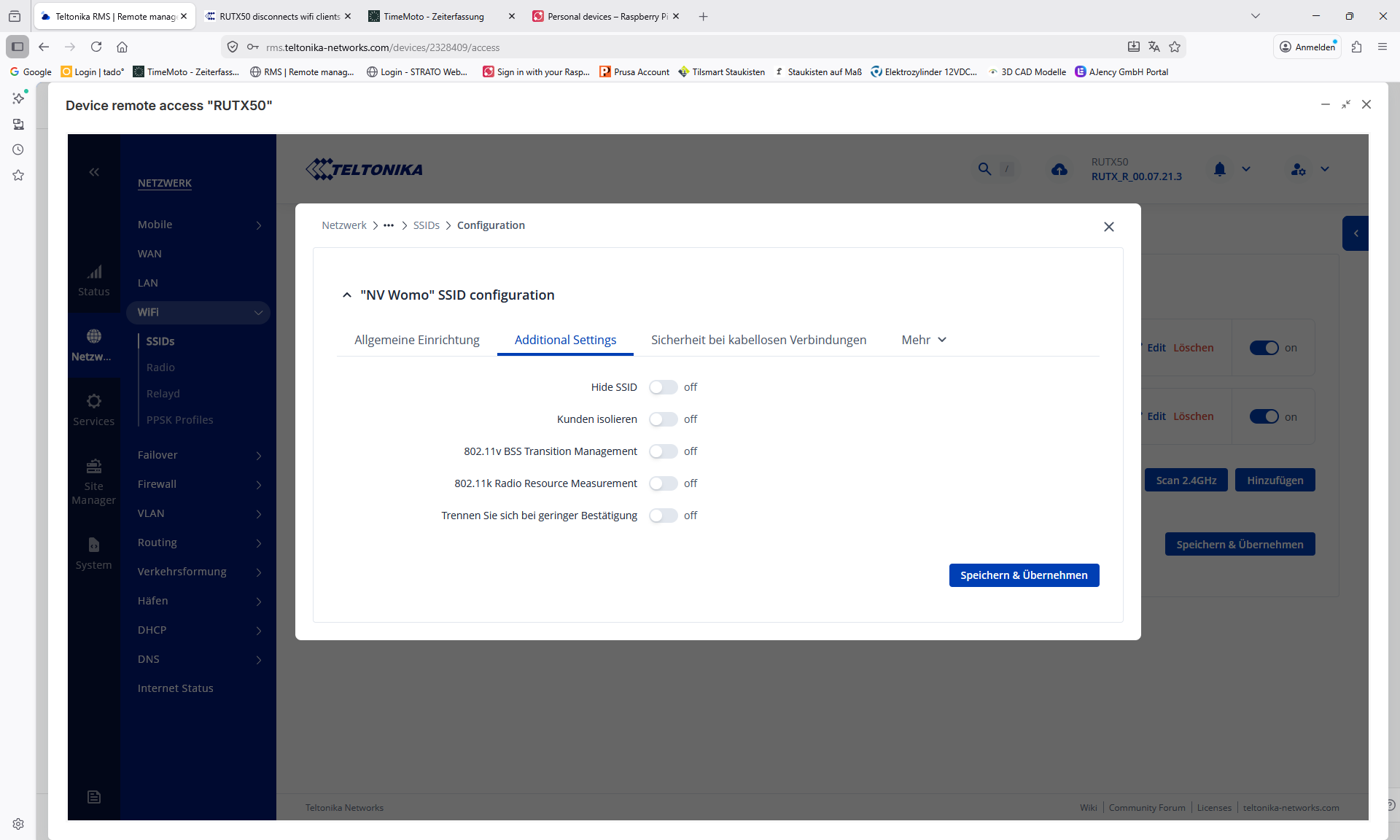
To solve this for myself i did the following:

For each WiFi access point visit Network > Wireless > EDIT > Additional Settings.

Disable “Disassociate on low Acknowledgment” save and apply.

Can’t remember whether i had to reboot the RUT or not.

This i tryed already…any other idea?

Network > Wireless > Radio > EDIT

For 5Ghz > Mode AC, Channel 36, Width 80Mhz, Transmit Power High (Max)

I saved and applied, but then had to reboot to actually apply the changes i think.

Will try it all and see what happens

Mostly it happens one or two times a week…..

Hello @veritruck,

Please let me know whether the issue has been resolved or if you still need any assistance.

Best regards,

Hi

until now no event.

I will wait if it comes back ore not and report than here.

Regards
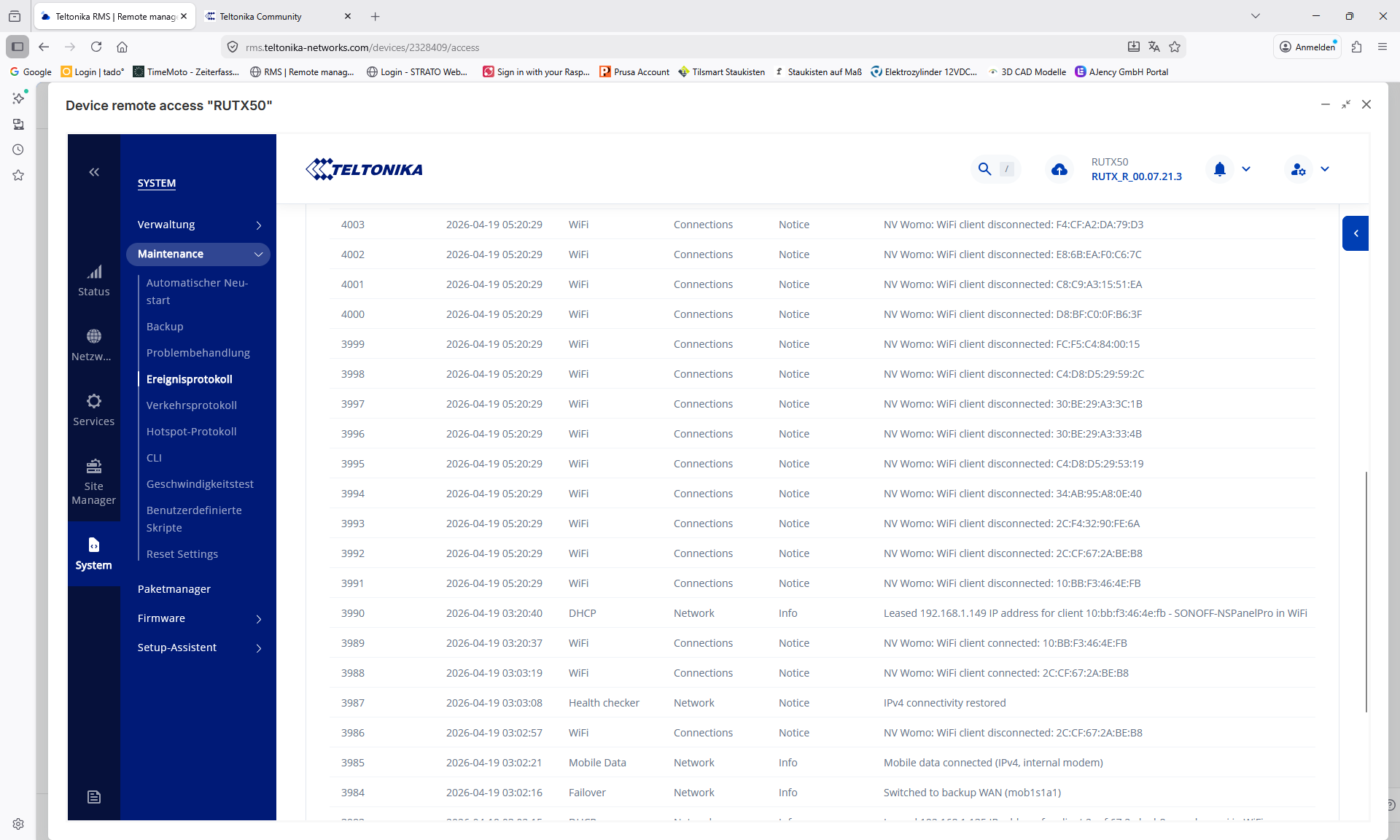
Hello together

a few days it stays stable.

now again the second cut in two days.

screenshot:

any ideas?

Hallo liebe Gemeinde.

Habe heute morgen das selbe Problem gehabt.

An den Einstellungen habe ich minimal was geändert, damit es soweit Original bleibt.

Jeden Morgen um 06:30 Uhr ist Neustart eingestellt.

5G Netz ist komplett deaktiviert und wird nicht genutzt.

@akwe-xavante habe deinen Tip befolgt.

Bin gespannt ob es was bringt.

Ach ja, ich habe für alle Fälle einen Neustart durchgeführt.

Soll ich von irgend etwas einen Screenshot hochladen?

LG

Greetings @veritruck,

I hope you are doing well.

To investigate this issue further, I would appreciate some additional information.

Based on the screenshots you provided, it appears that all disconnections occur simultaneously. Could you please confirm whether these disconnections happen at regular intervals (for example, every few hours)?

Additionally, could you navigate to Network → DHCP → Server Settings and check the configured lease time? If a fixed lease time is set (for example, 8 hours), it may be contributing to the behavior you are observing, as devices could be required to renew their leases at the same time.

I look forward to your reply.

Best regards,
V.