Device is using incorrect APN and/or is unable to find suitable bands to get a connection to the operator.
What are your signal strengths at the moment while this issue is occurring? If feasible, could you try a different SIM card just to see if the issue goes away? Perhaps try the same SIM card that is in the device with a phone, see if the issue persists?
The mast that i get connected to was changed for a new one Oct/Nov 25 and connectivity, although OK hasn’t been quite so reliable since. The winters wet weather may have contributed too.
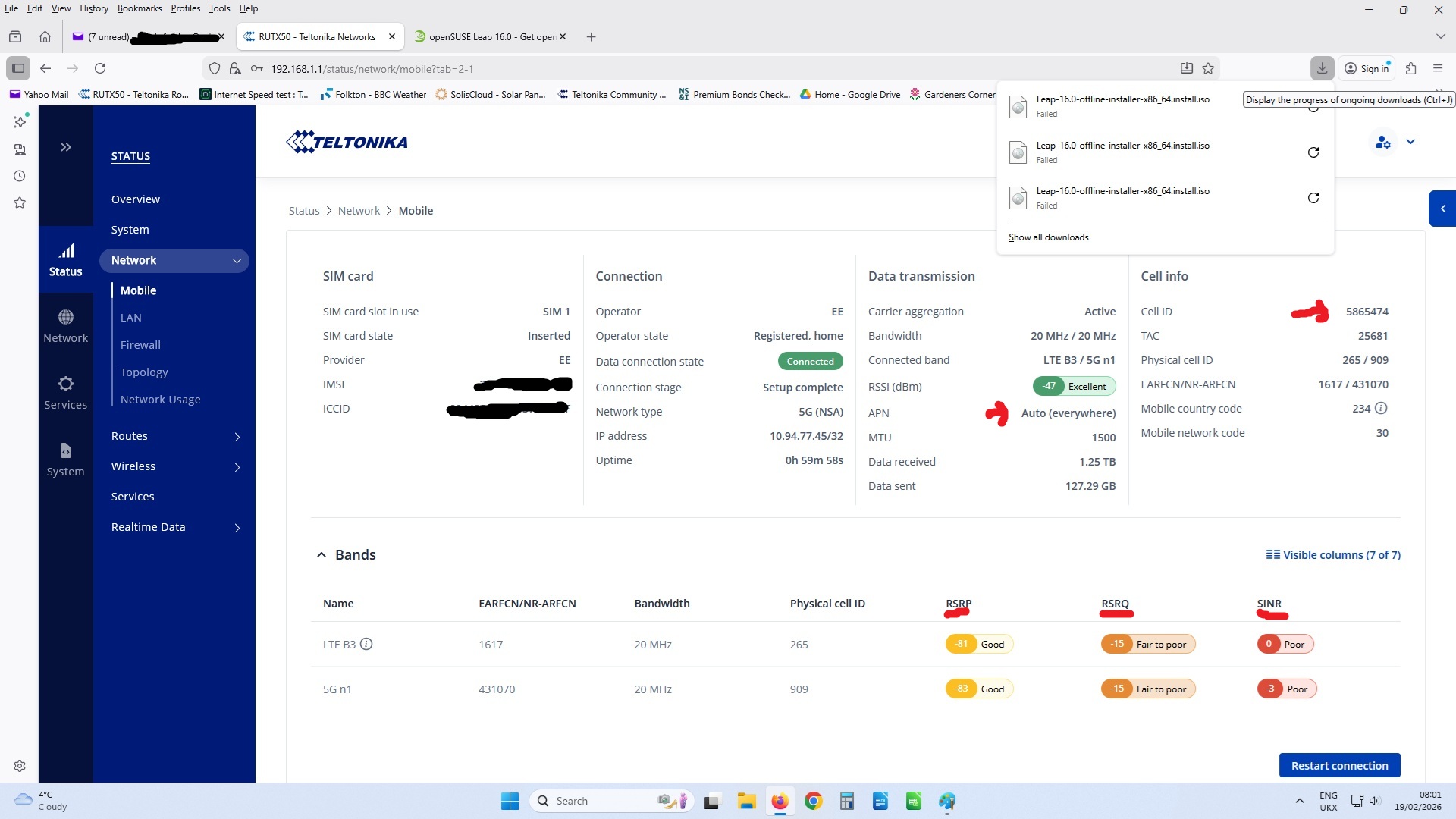
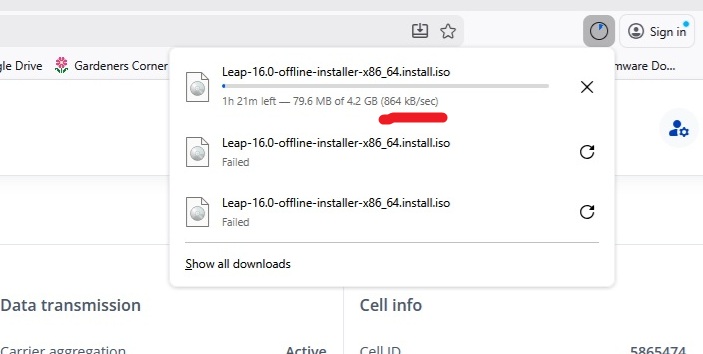
I’m with EE UK and i usually get an APN of Auto(Everywhere) but this last few days my APN is Auto(datasim.com), not seen this before. At the time of writing this post, my signal strengths and download speeds are what i’d expect them to be. However, a 5G n1 connection has become unreliable and large downloads (4 to 5GB) fail several times but streaming (Catchup TV and Netflix) are working fine.
My data sim expires 8th June and i am thinking of ditching and switching to possible Three. Looking at buying a one month only preloaded Three sim from scancom.
I’ll try putting my existing sim into my phone later today and vice versa.
I have now tried my EE UK data sim in my Samsung A56 and it works seamlessly.
I put my talkmobile (Vodafone) sim into the RUTX50 and i got the result i expected because the nearest Vodafone mast is too far away and obstructed by a heavy industry industrial estate.
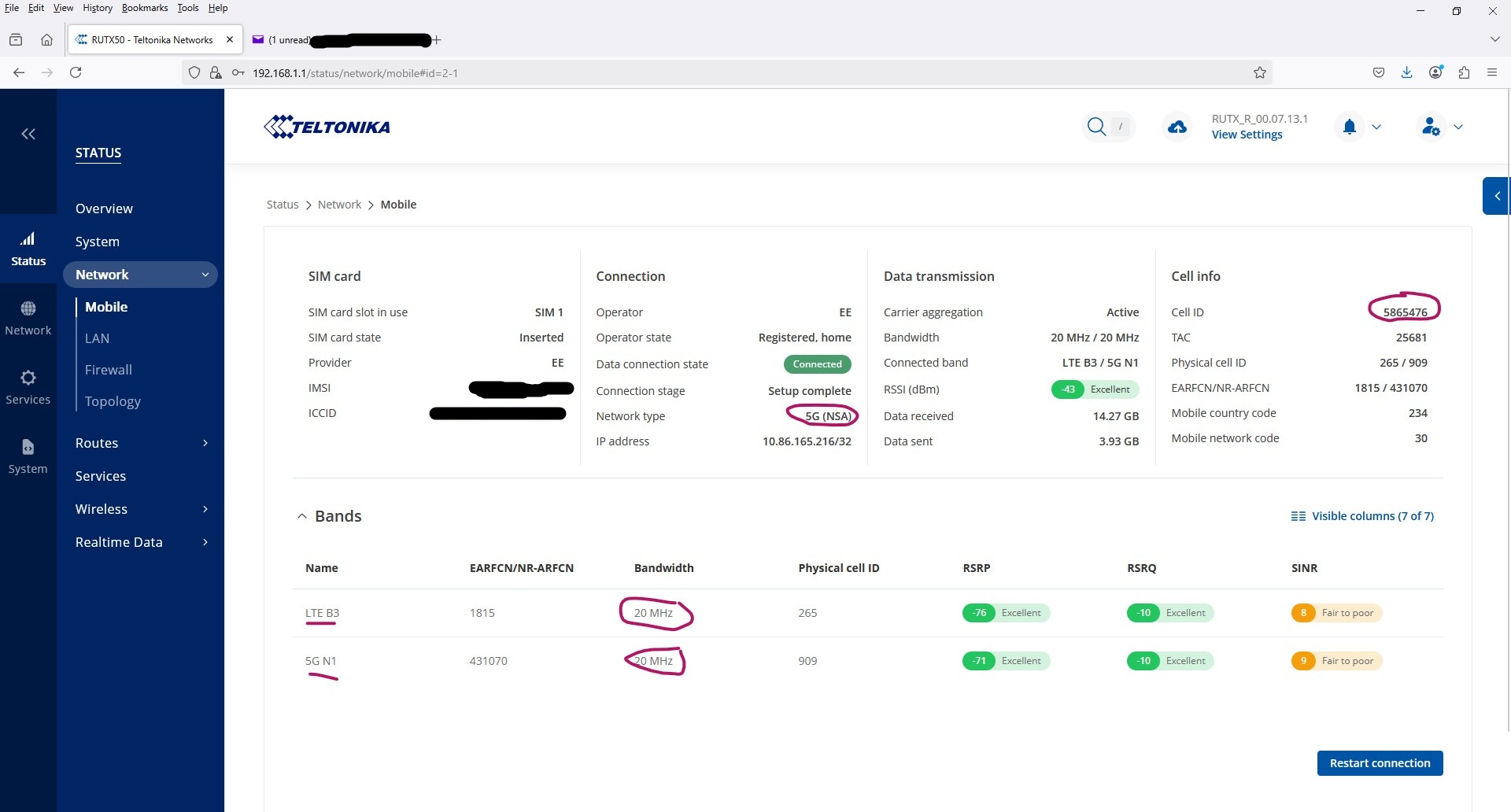
With the EE UK sim in the RUT, i have additionally noticed that when i download a big file, i initially have a B3 band as the primary band plus a secondary B3 band. When the router tries to switch the second B3 to a 5G N1 band the download fails and i have to restart the download, by which time the router has dropped the 5G N1 band and re-established a second B3 band.
Catchup TV and Netflix are unaffected, i’m guessing this is because these streaming services are buffered.
I propose that I collect the troubleshoot file from your device to see what’s going on. I have sent you a form to fill out, which you will receive in your e-mail inbox that you have registered your account with in the forums. In the Ticket ID field of the form, please enter the ID of this thread, which is 17769.
I’ve filled out the form as requested, sorry for the delay.
This morning, i attempted to download a large file and failed, after which i created a troubleshoot file for you.
My B3 and 5G n1 RSRP are usually “Excellent”, my RSRQ are usually “Good” and my SINR are usually “fair to poor”. MY Auto APN would always be auto(anywhere) but recently i’ve noticed it changes to auto(datasim.com) on a regular basis. The mast i get a connection to has also been changing, whereas normally i always get the same mast every time. Normally when i download a large file it downloads quickly at anything between 4 and 9MB/s but recently my download speed has been crippled and i can no longer download large files at all.
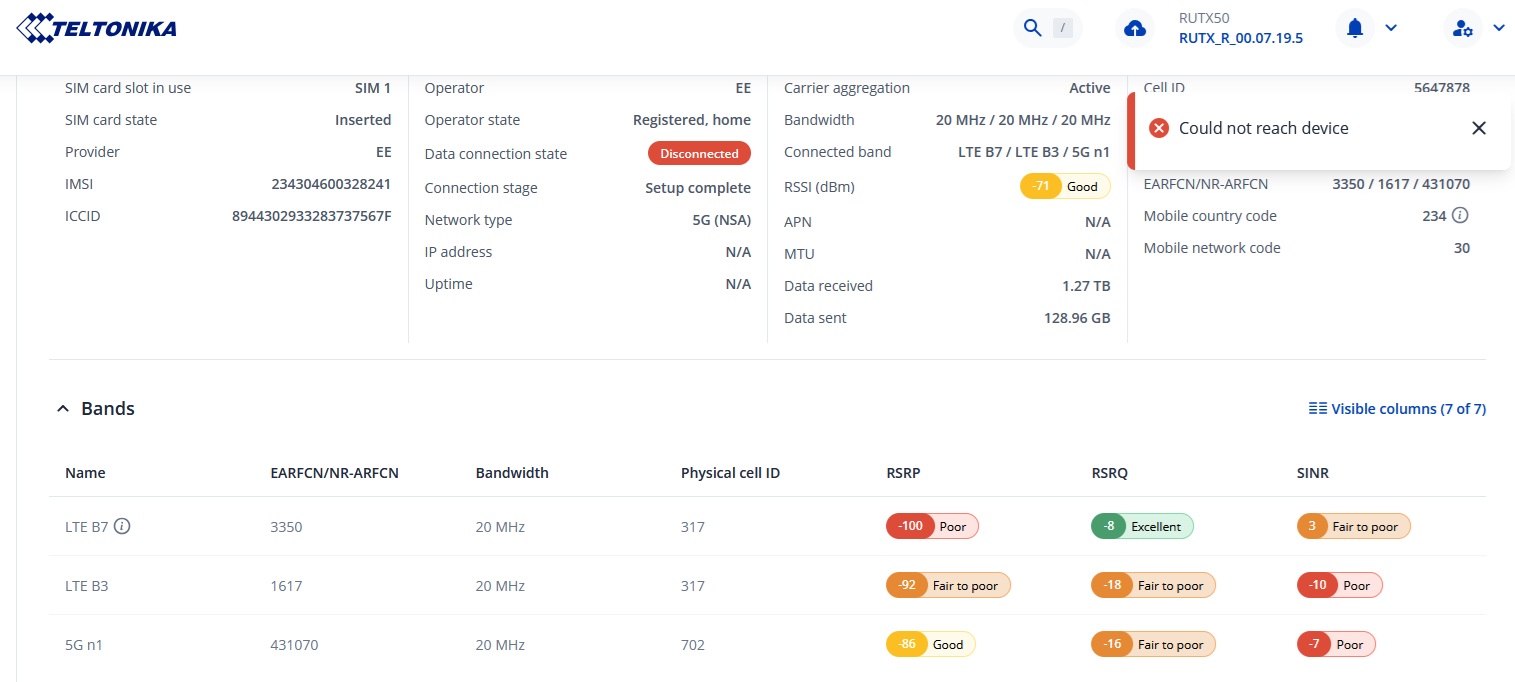
Getting a lot of this happening today. A reboot is the only way to get back online. Restarting the connection consistently fails with the message “Could Not Reach Device”