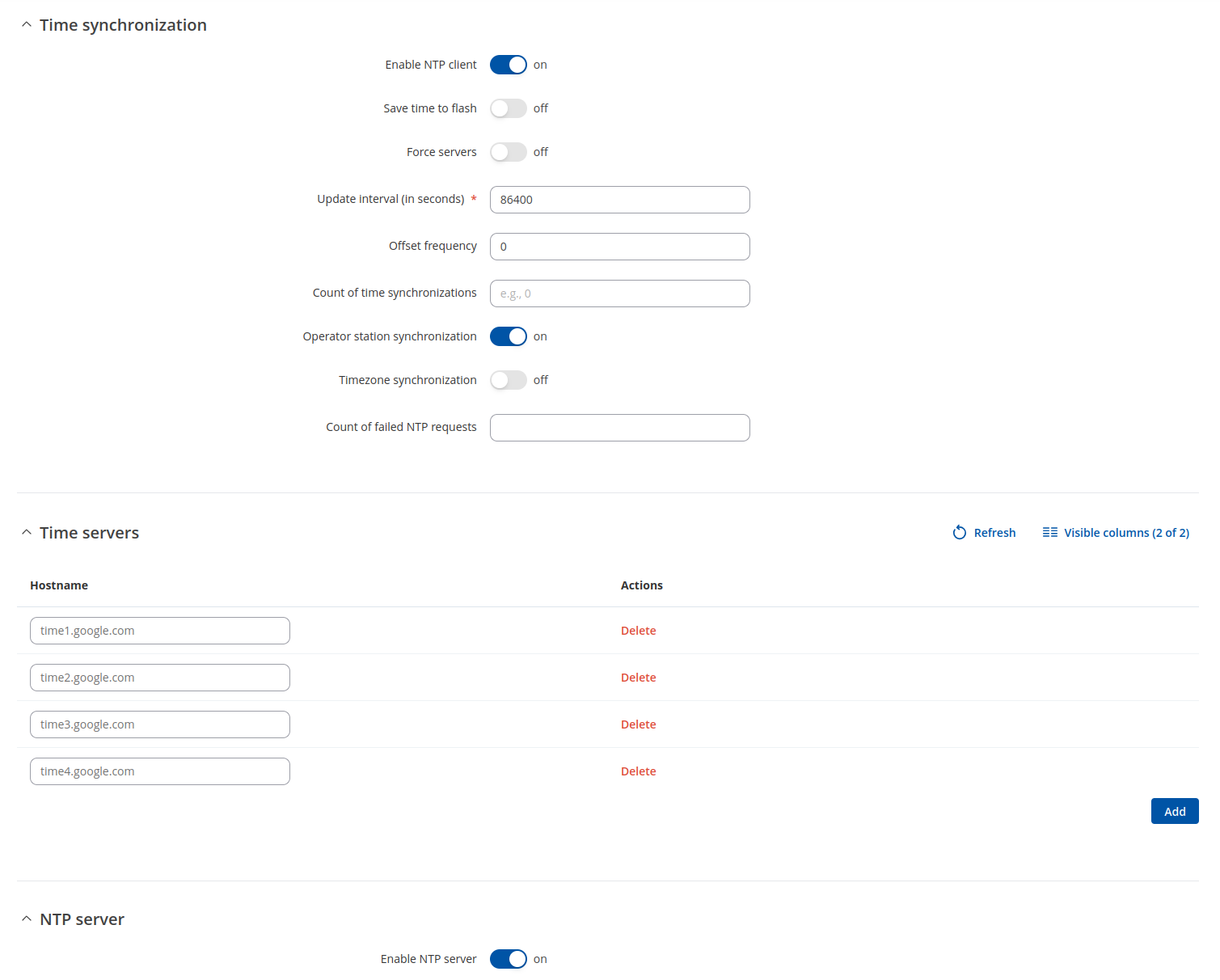
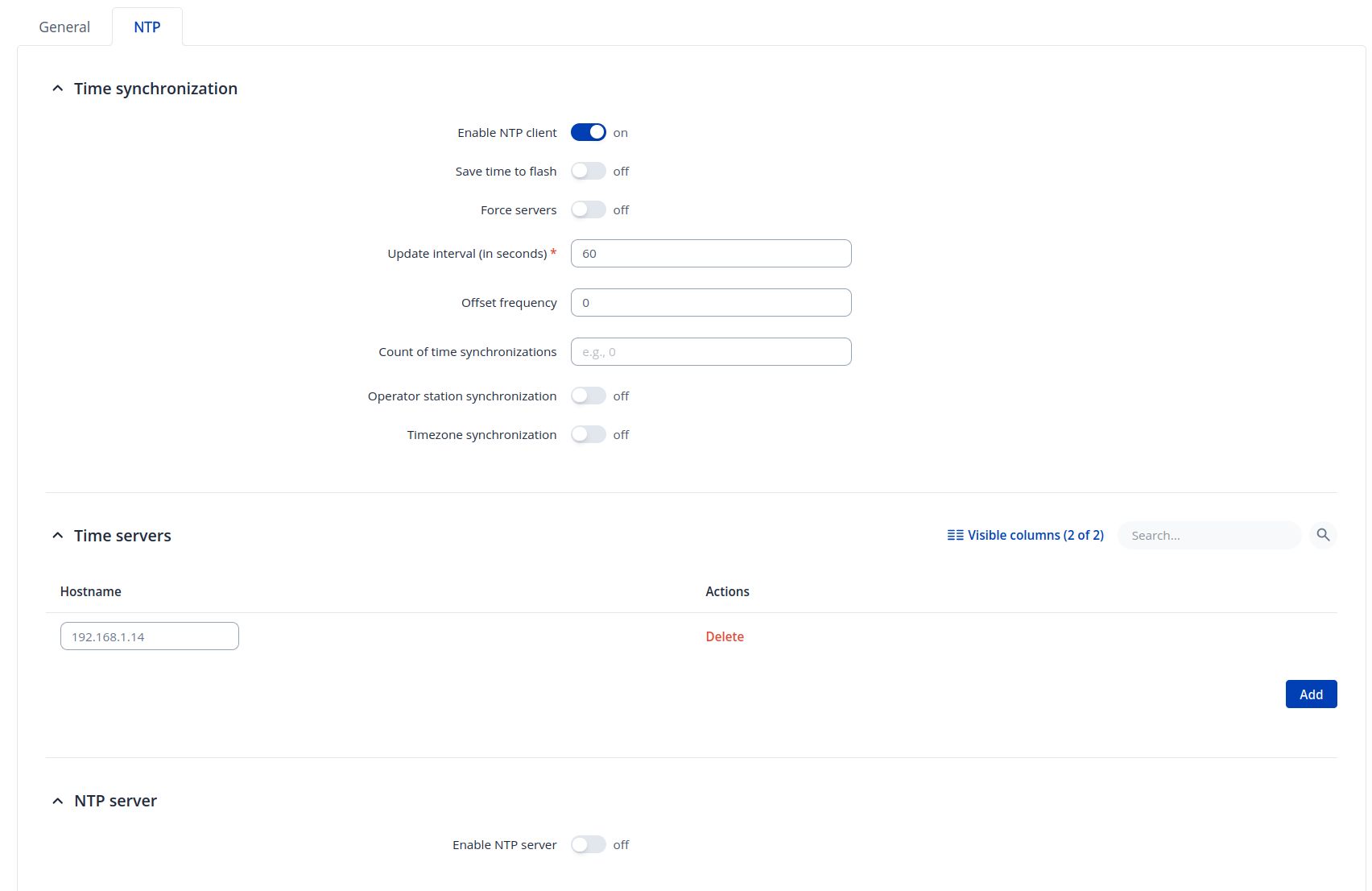
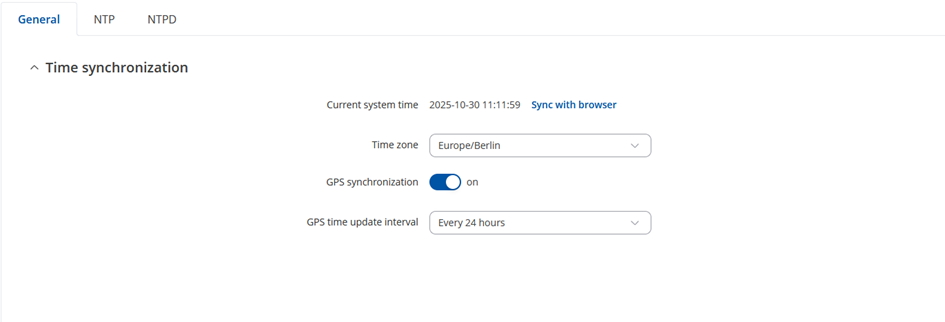
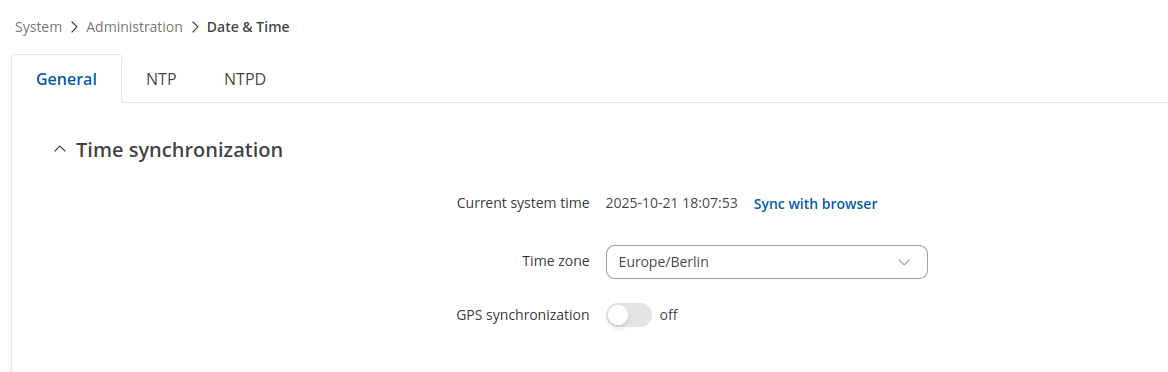
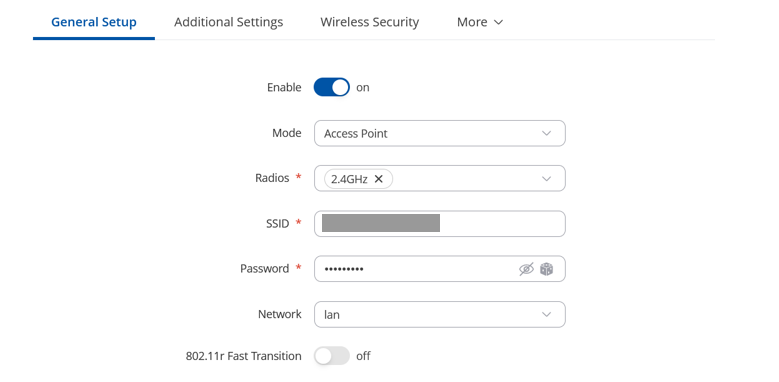
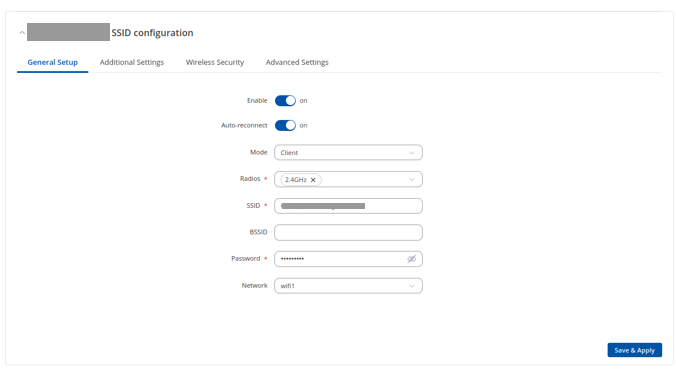
We are using two RUTX50 routers (firmware: RUTX_R_00.07.10.2). The first router is set up as an Access Point; the second as a Client. For our application, we need time synchronization between the two devices.
The Access Point router successfully receives the current and correct time from the GPS and has an NTP server running. However, the Client router does not have a GPS antenna connected, and its current system time is completely incorrect.
My question: How can I synchronize the Client router’s “current system time” using the Access Point router as the time source? Are there any methods or best practices for achieving this setup?
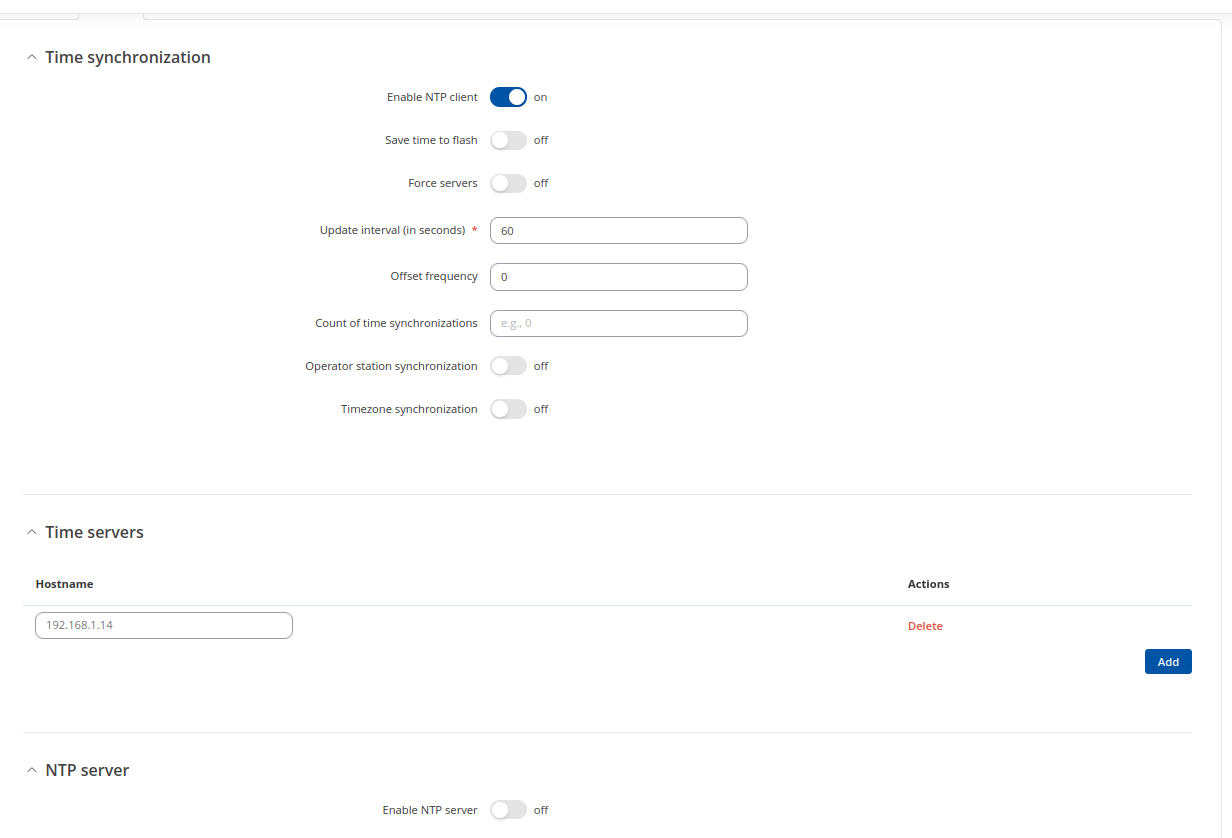
Thank you very much for the quick response. I tested exactly this setting. I activated an NTP client on the client router and additionally added “192.168.1.1” as the time server. On the access point router, I started the NTP server by setting “Enable Server” to ON. Are there any other settings I should be aware of? Thank you for your assistance!
Thank you for your support. I have already tried setting the value to 60 seconds (minimum), but the system time still does not update as expected. Are any firewall settings required, or are there additional parameters I should consider?
Is entered IP address of NTP server is correct? Also double check if correct timezone is set. Because when I tested on Client device only date and time gets set, but timezone stays unchanged.
The IP address of the NTP server is definitely an important point. How can I check it? Isn’t it typically 192.168.1.1?
I’m connecting the two routers not via cable but only over Wi-Fi. When I connect a laptop to the network (Wi-Fi), I can synchronize the time correctly using chrony and the IP address 192.168.1.1.
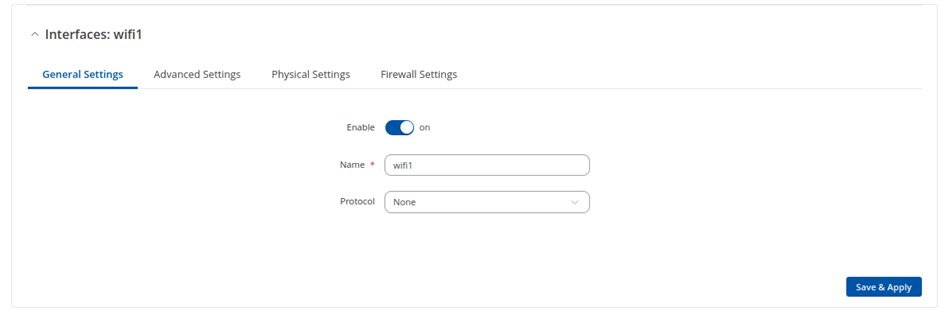
However, it didn’t work for me with exactly the same settings as you. Here are my current configurations and the mismatch current system time.
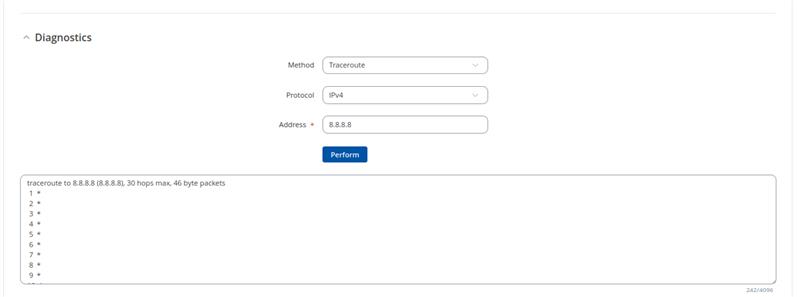
However, both routers don’t have an Internet connection and are operated as an isolated network (island mode). So, traceroute to 8.8.8.8 won’t work in this setup.
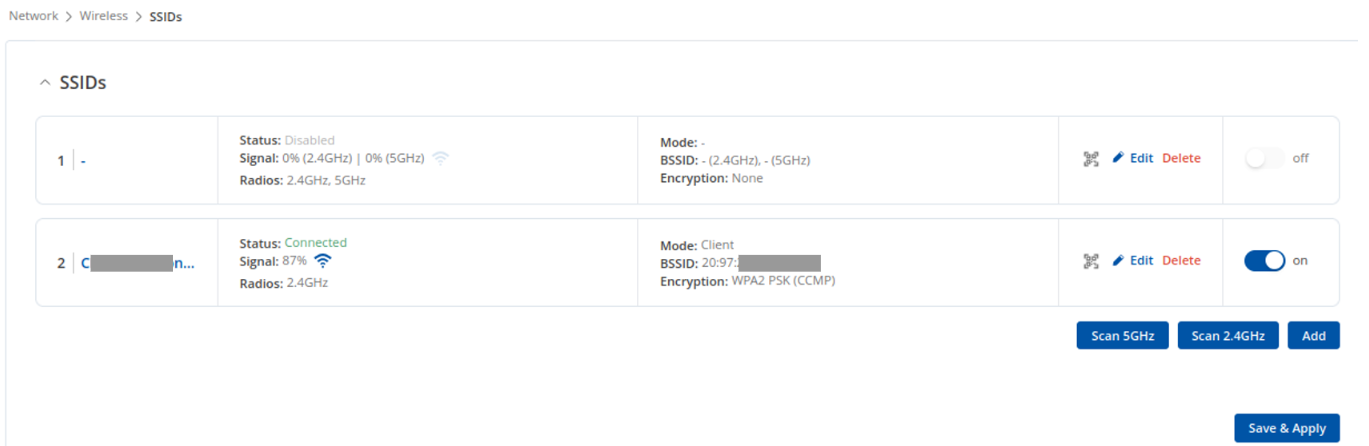
I’ve attached two pictures that show the routers are indeed connected to each other.
I want to clarify a few things. When you send pings from the client to the server (192.168.1.14), are they successful? Does the client and the router with the access point have different subnets on the LAN interface? If they do overlap, please change one of them to a different subnet.
You can do so by following these inctructions:
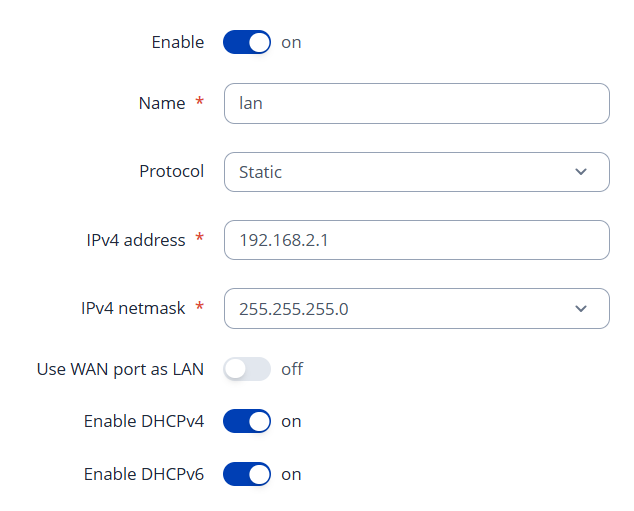
Go to Network → LAN, click Edit on the lan interface.
And change the IPv4 address (e.g. 192.168.2.1)
Hi Justinas, thanks for your response. Unfortunately, the router is not reachable during the ping attempts. However, the routers are shown as connected. Is the network assignment correct? Router Access Point: Network –> lan
Changing the IP address of the Access Point router to 192.168.2.1 did not resolve the issue either. Are there any firewall adjustments necessary to enable successful ping responses?
For troubleshooting purposes, we will require more sensitive information from your end, such as the troubleshoot file, which may contain passwords, public IP addresses, serial numbers, and such. To avoid leaking this information, we have sent you a form to fill out, which you will receive in your e-mail inbox that you have registered your account with in the forums. In the Ticket ID field of the form, please enter the ID of this thread, which is 16170.