Sveiki ,RUTX50 daznai atsijungia nuo N40 5G daznio kur problema? Hello, the RUTX50 often disconnects from the N40 5G frequency, where is the problem?
Greetings, @atas ,
Welcome to Teltonika Community!
Thank you for reaching out regarding the frequent disconnections from the 5G n40 band on your RUTX50 router.
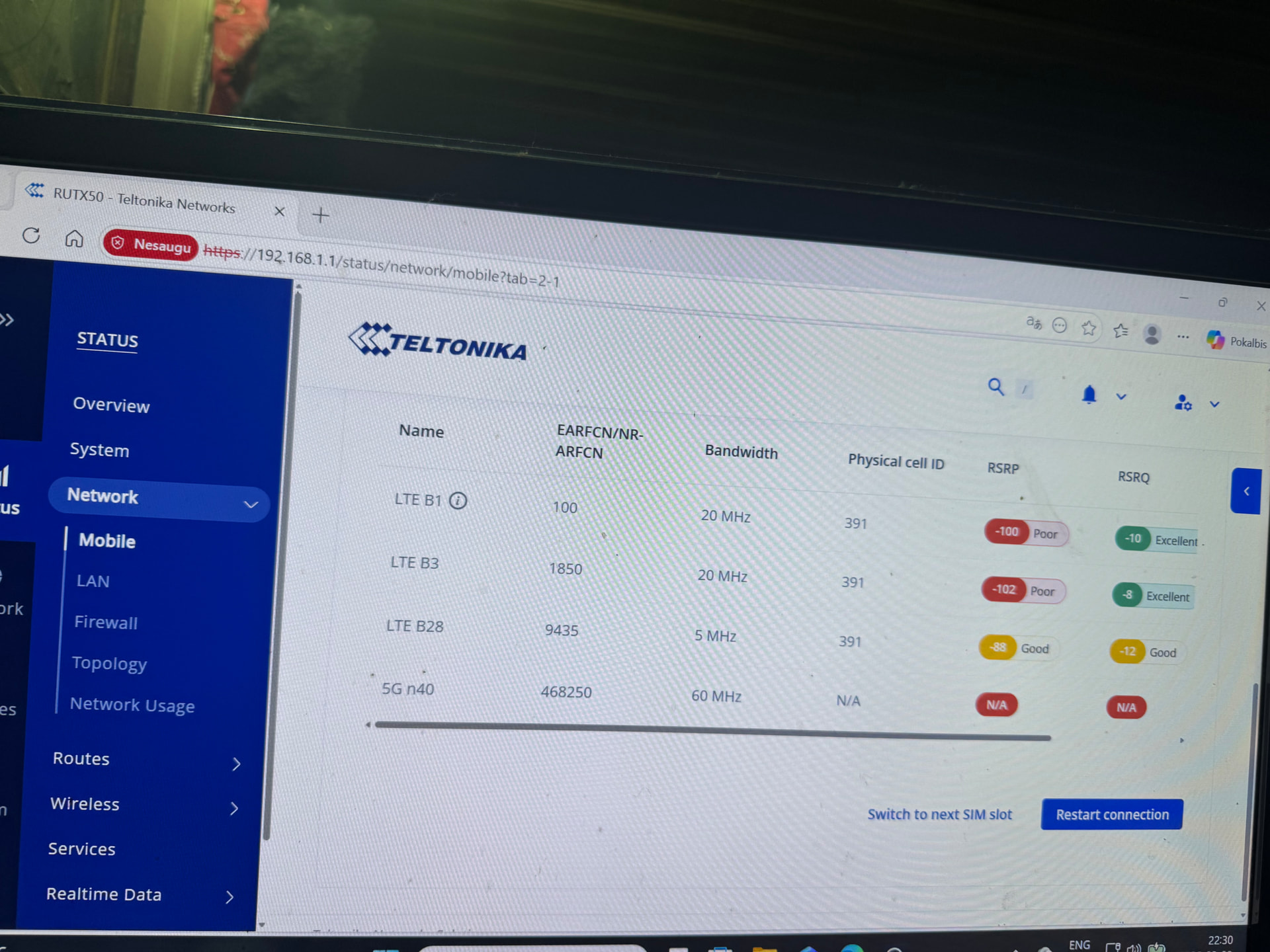
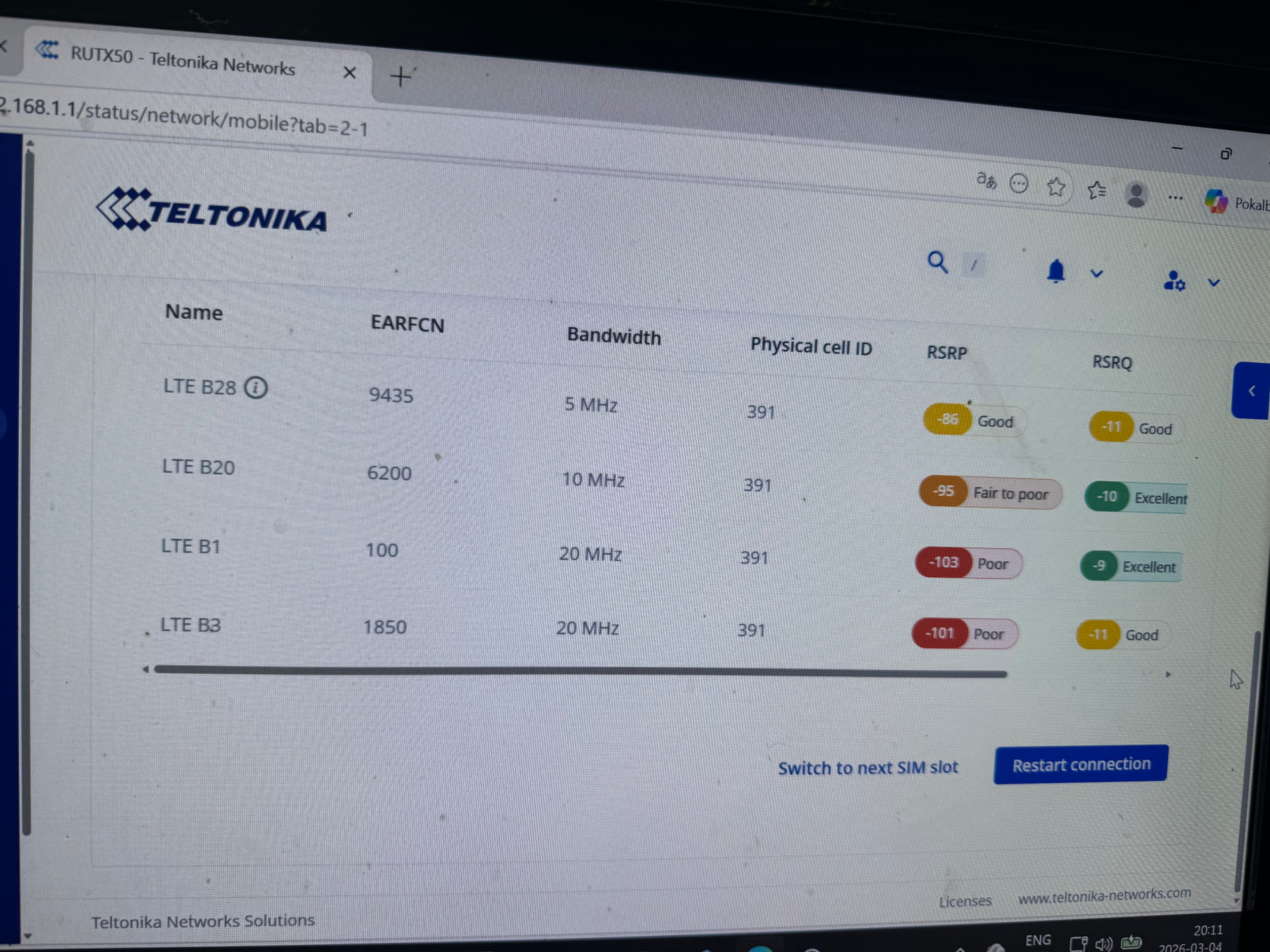
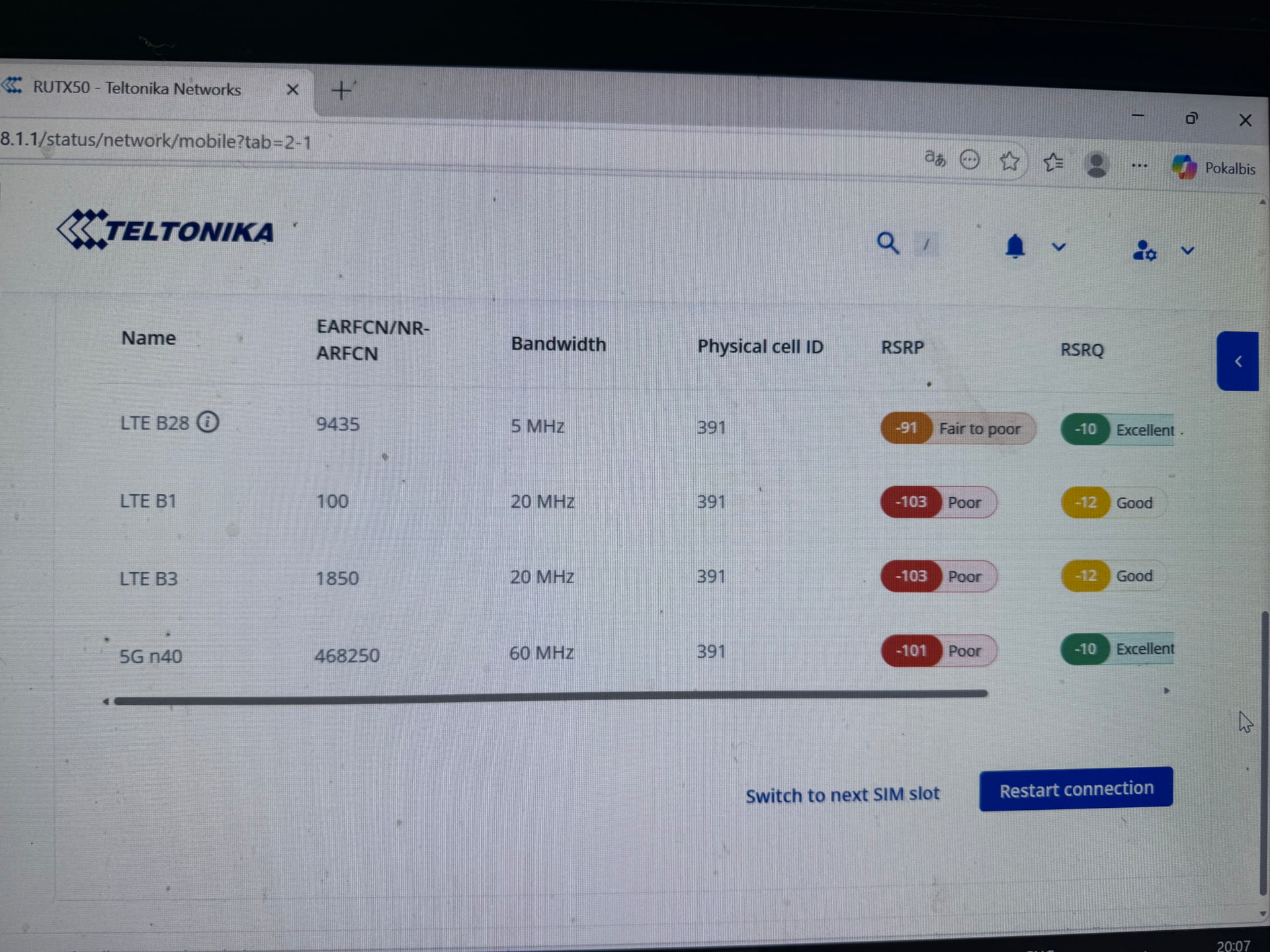
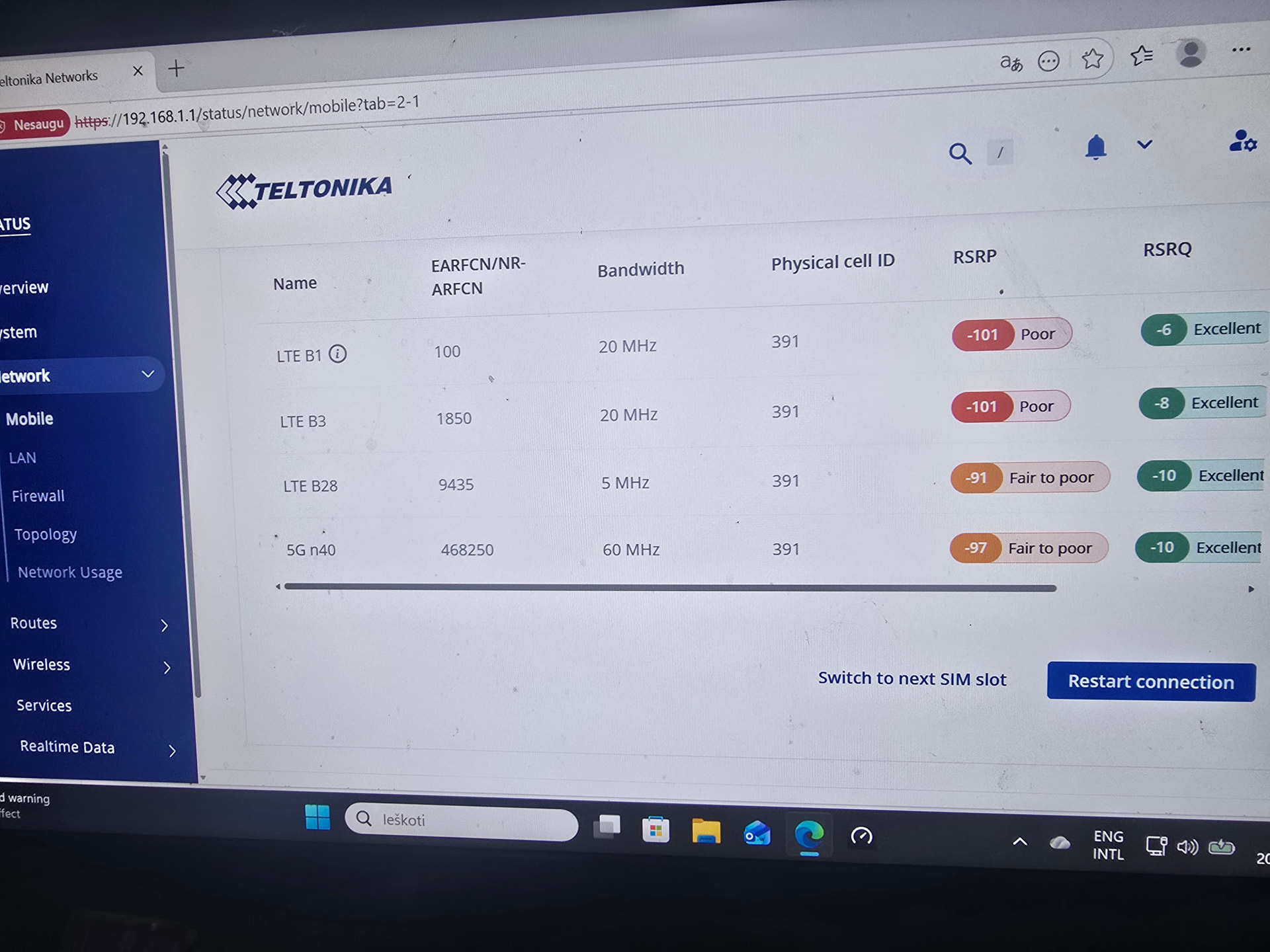
After reviewing your screenshots, I can see the following:
• All bands (LTE B1, B3, B28, and 5G n40) are connected to the same physical cell tower (Cell ID: 391).
• The 5G n40 RSRP signal is consistently weak - ranging between -97 dBm and -101 dBm (“Poor” / “Fair to poor”), and in some captures it shows N/A, meaning the modem has dropped the 5G connection entirely.
• The LTE anchor bands (B1, B3) are also showing poor RSRP values (-100 to -103 dBm), which can destabilize the 5G NSA connection since 5G NSA depends on a stable LTE anchor.
The root cause is insufficient 5G signal strength at your location. Since the RUTX50 operates in 5G NSA (Non-Standalone) mode, it requires a reliable LTE anchor band to maintain the 5G layer. When either the anchor LTE signal or the 5G n40 signal drops below the modem’s threshold, the router falls back to LTE-only.
Please follow the troubleshooting steps below:
- Improve antenna placement / use external antennas
The most impactful step is to improve the physical signal. RSRP values below -100 dBm are generally considered poor and will lead to unstable connections. Consider:
• Moving the router closer to a window or exterior wall facing the cell tower.
• Using high-gain directional external antennas pointed toward the tower.
• The RUTX50 has dedicated 5G antenna ports - ensure all antenna connectors are firmly attached and that you are using antennas rated for the n40 band (2300 MHz).
- Lock to a stable LTE anchor band
Looking at your screenshots, LTE B28 (EARFCN 9435) consistently shows the best RSRP (-86 to -91 dBm, “Good” / “Fair to poor”) compared to B1 and B3 which are at -100 to -103 dBm. Using B28 as the primary anchor band may give the 5G NSA connection a more stable foundation.
To configure band locking please refer to this wiki article:
a. Log in to the router WebUI and go to Network → Mobile → Connection.
b. Set Preferred network type to “4G+5G”.
c. Set Band selection to “Manual”.
d. Under LTE bands, select B28 (and optionally B20 if available on your SIM).
e. Under 5G bands, select n40.
f. Click Save & Apply.
This prevents the modem from anchoring on the weak B1/B3 bands, which may reduce stability.
- Enable low signal reconnect
This feature will automatically reset the modem connection when signal drops below a defined threshold, helping the router recover faster rather than staying stuck in a degraded state.
a. Go to Network → Mobile → Connection → Low signal reconnect.
b. Enable the feature.
c. Set the Reset threshold (e.g., -105 dBm).
d. Set the Reset timeout (e.g., 300 seconds).
e. Save & Apply.
- Check firmware version
Please ensure your RUTX50 is running the latest firmware, as Teltonika regularly releases updates that improve modem stability and 5G NSA behaviour. You can check and update the firmware via System → Firmware.
The latest firmware can be found at:
- Consider fallback to LTE-only if 5G is not critical
If stable connectivity is more important than maximum speed, and the 5G signal at your location is consistently poor, you may consider setting Preferred network type to “4G only” with band lock to B28 (and B20 if available). This will give you a more stable LTE connection without the modem repeatedly trying and dropping the 5G layer.
This can be configured at: Network → Mobile → Connection → Preferred network type.
If after following the above steps the issue persists, please let me know.
Best regards,
V.
Thanks for the advice. The modem works with outdoor antennas, it is a pity that there is no setting to block the modem so that it does not automatically select a band and constantly works with the same bands N40+B28+B3+B1