RUTx14 SMS Output control

Hi,

I want to control output with SMS in way that if I send an SMS “reset_all” it will trigger output to be high for 10 seconds, then go low again.

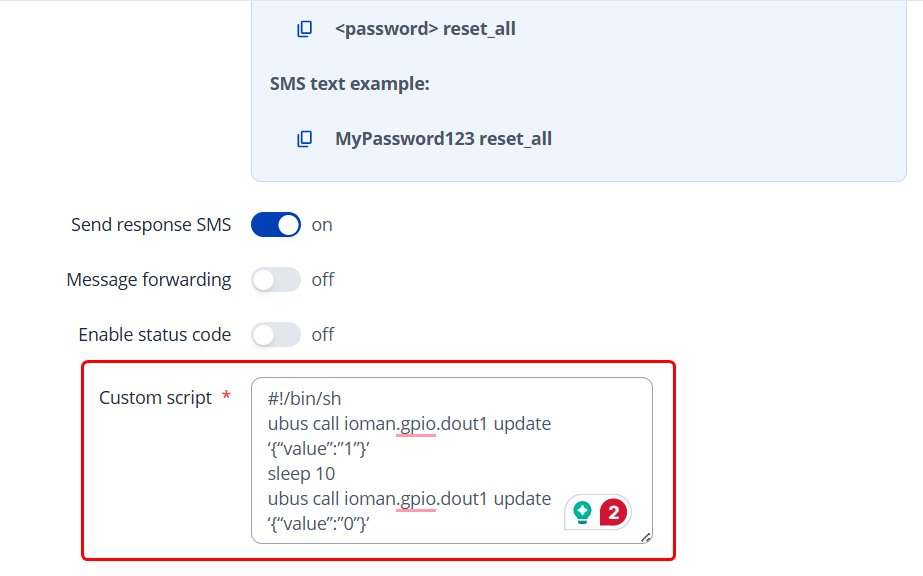
I tried to use “Execute custom script” with data that i found online:

#!/bin/sh
ubus call ioman.gpio.dout1 update ‘{“value”:”1”}’
sleep 10
ubus call ioman.gpio.dout1 update ‘{“value”:”0”}’

Can you point me how could i achieve this solution?

Hello,

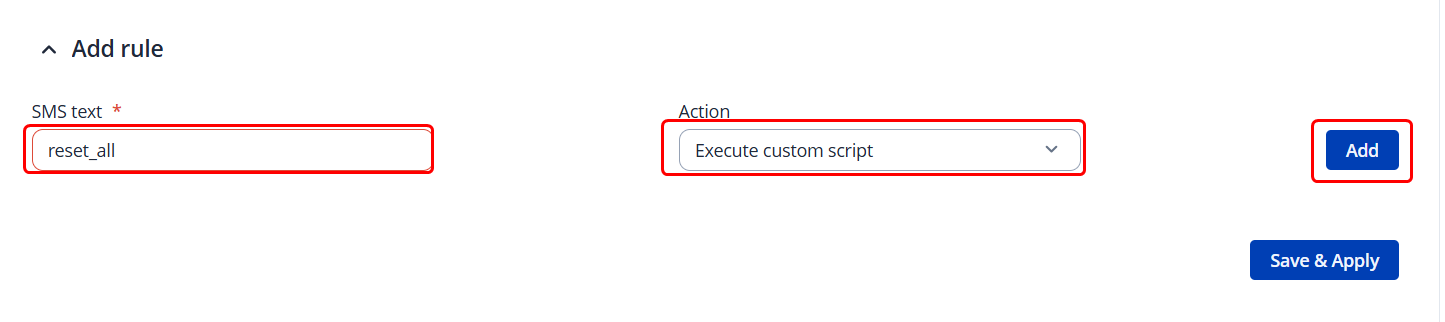
If you head to the WebUI → Services → Mobile Utilities → SMS Utilities; Scroll all the way down to the creation of a new SMS command:

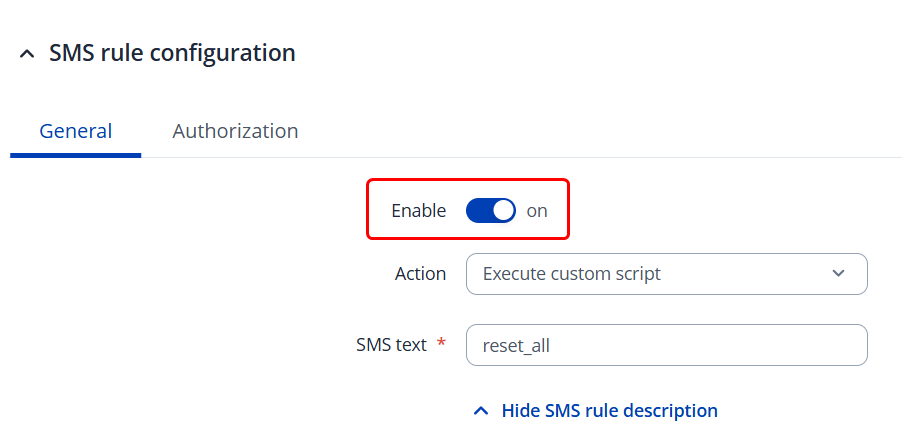
And edit your command like so:


Then just hit “Save & Apply”. Your command should now be available.

Regards,
M.

Can you confirm me that those commands are working?

I cant get any change at the output.

Hello there,

As we don’t provide support with custom scripts, I’m unable to help you out here.

However, I have a guess that it may not be working due to the fact that SMS messages may have troubles running the script. Instead, I suggest creating a script file within your device, editing it, inputting these commands, and then running the script file itself via a command instead of the commands themselves.

Please also double-check whether these commands are working properly by running them manually in the SSH.
Regards,
M.

This topic was automatically closed after 60 days. New replies are no longer allowed.