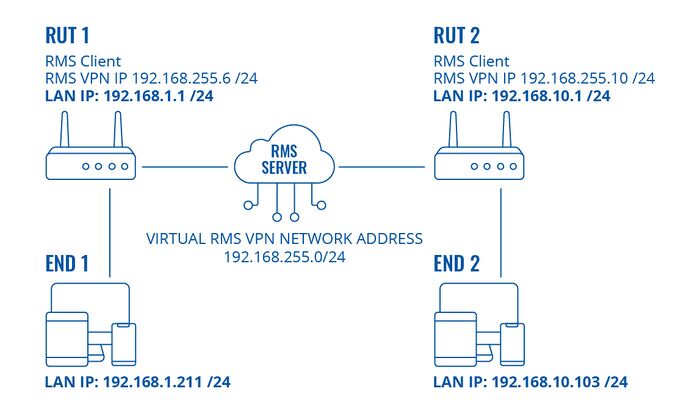
I am using a RUTX12 via LTE (with CGNAT) as modem and router (192.168.1.1).
In its LAN (non DHCP) I have 3 devices (192.168.1.11/ 12/ 13).
I need remote access to the adminpanel of these devices.
RMS Connect doesn’t work, because the adminpanel needs several ports.
I am trying RMS VPNHub with Teltonika VPN Client.
I have saved the devices as routes.
I can access the RUTX12 via VPNHub IP (192.168.255.6),
But I can’t access the devices via the LAN IPs.
My PC has a different IP range (192.168.178.x)
You can find information on current resources if you go to RMS Administration → Companies View company details, in the screen there, you can see available credits and data. Please advise if you have any.
I also wanted to clarify whether you have any firewall rules that may be blocking access from the VPN subnet to the LAN subnet?
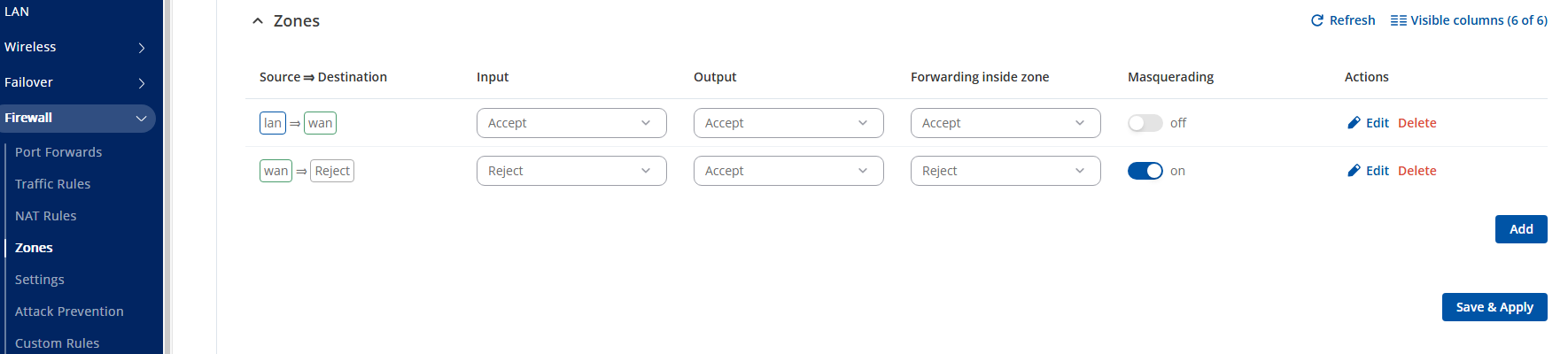
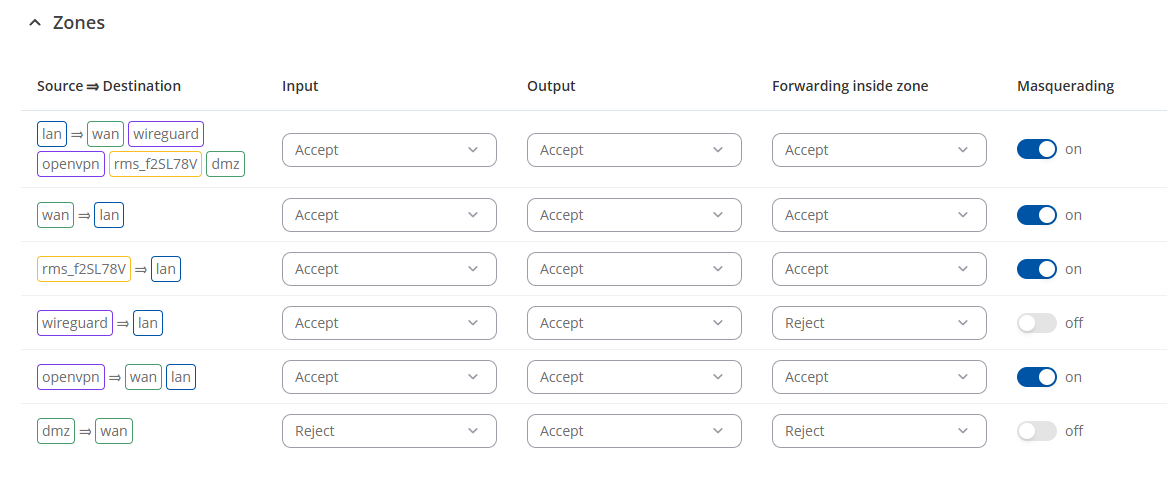
Also, I wanted you to enable/disable Masquerading in firewall zones.
Can you access the end devices directly, without involving our router? Please advise of what these end devices are.
I am using latest FW RUTX_R_00.07.16.3 and I also do have RMS credits.
The devices behind the RUTX12 are Huawei SmartLogger 3000A. They are fully functional and I can get a short connections via “RMS Connect - remote access”, too. But I need a VPN solution.
I did follow the guideline for RMS VPN Hubs and I can connect successfully, I can see the routes I set up to the devices. But I can not get a connection by using the LAN IP. I can only connect to the RUTX12 by using RMS VPN IP. After any changes I usually also restart the VPNHub.
I am a bit confused in the firewall/ masquerading settings. Is there a way for you to check remotely my setup?
To clarify: Can you also advise whether you currently have RMS credits/data?
You advised me of the credits, however i was inquiring also whether you have any data. That’s why i provided a link on the differences, as you need different resources for different tasks. In specific, for RMS vpn hubs, you would need to have data. Please advise if you have any in your account.
“But I can not get a connection by using the LAN IP. I can only connect to the RUTX12 by using RMS VPN IP” Can you clarify this part for me. By Lan IP you mean the IP adress of the end device? And what you mean by RMS vpn IP?
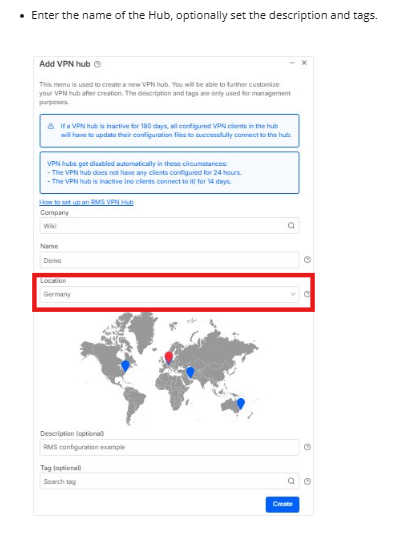
Please also advise, when you create the VPN hubs, which location do you use for the VPN?
Masquerading settings can be found in WEBUI Network → Firewall → Zones
At the start of the guide, in the third picture, as if when you are setting VPN hubs up, you get to a screen where you need to choose the location your VPN will be using :
Do you use any different location, or Germany when setting up Hubs?
Can you also advise, to what interface the [rms_f2SL78V] is assigned? This interface is automatically created by the device when you establish an RMS VPN Hub and typically carries the VPN subnet IP addresses.
Can you also advise what forwarding rules you have created in WEBUI. Send a screenshot from your created firewall rules, while hiding sensitive data.
Also, when you edit the lan zone, allow forwarding to RMS VPN zone (rms_f2SL78V).
Ensure in each zone that Input, Output, and Forwarding inside zone are set to Accept.
thank you. I managed to connect yesterday through VPN Hub!
But I am facing now a new issue. Since I upgraded to the latest FW “RUTX_R_00.07.16.3” … 2 days ago, the device keeps going offline for a very long period.
I had previously the last stable “FW RUTX_R_00.07.15.4” installed and it was online 24/7…
Unfortunately the Router is 900km from me, so I can’t check it physically.
Do you have any other way to reach the device remotely? As if such a connection was not setup in advance, I would recommend in the first place just to unregister, and then register the device again, with the correct details.
If the device remains offline, please advise firstly if you are not our of credits, and the one you have assigned didn’t run out.
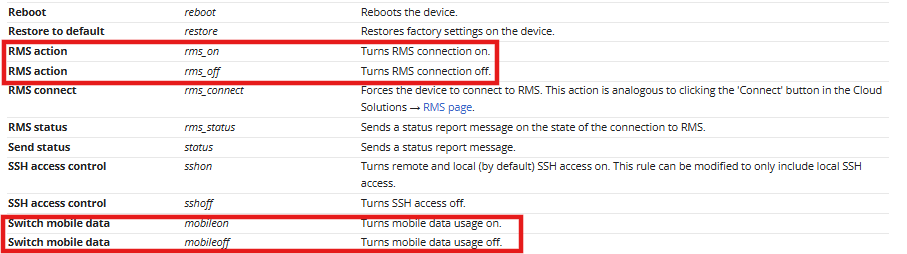
Another tool that may assist you, would be utilizing mobile utilities. You can send a text message to the device’s Sim card, to have it perform certain functions : RUTX12 Mobile Utilities - Teltonika Networks Wiki
In your case, you can utilize restarting the RMS connection, and restarting mobile connection.