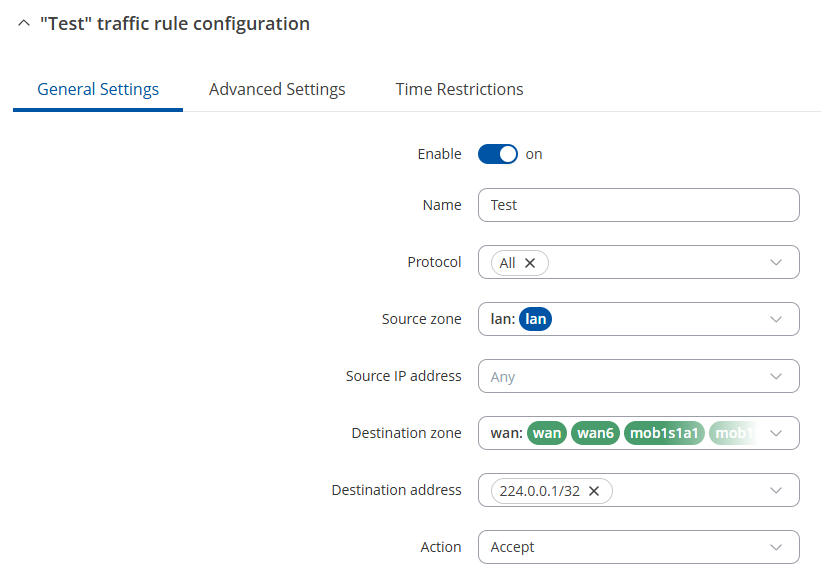
Have been trying to forward WAN multicast traffic to LAN, but so far trials have not been succesull. WLAn WAN in client to WLAN AP which is sending multicast traffic on 224.0.0.1. Seeing this traffic with WireShark fine. I have added Teltonika X11 WLAN client to this network, but never seeing any multicast traffic forwarded to LAN network.
I have tried IGMP Proxy, upstream WAN and WAN Zone. Made dedicated Zone to to this WAN. Allowed Firewall USD traffic from WAN to LAN… what else, I don’t even remeber. But no WAN multicast traffic ever seen in LAN, though.
Is WLAN WAN multicast traffic possible to route/proxy to LAN? What would be exact steps and setting that need to be in place?
This will accept LAN → WAN traffic to the 224.0.0.1 IP, which, in essence, should allow you to start seeing the traffic as you’d like.
If the above still doesn’t work, I’ve sent you a form to fill out so we can continue our conversation in private, to avoid accidentally leaking any sensitive information. In the Ticket ID field, simply enter the thread’s number, which is 14327.