Hi,
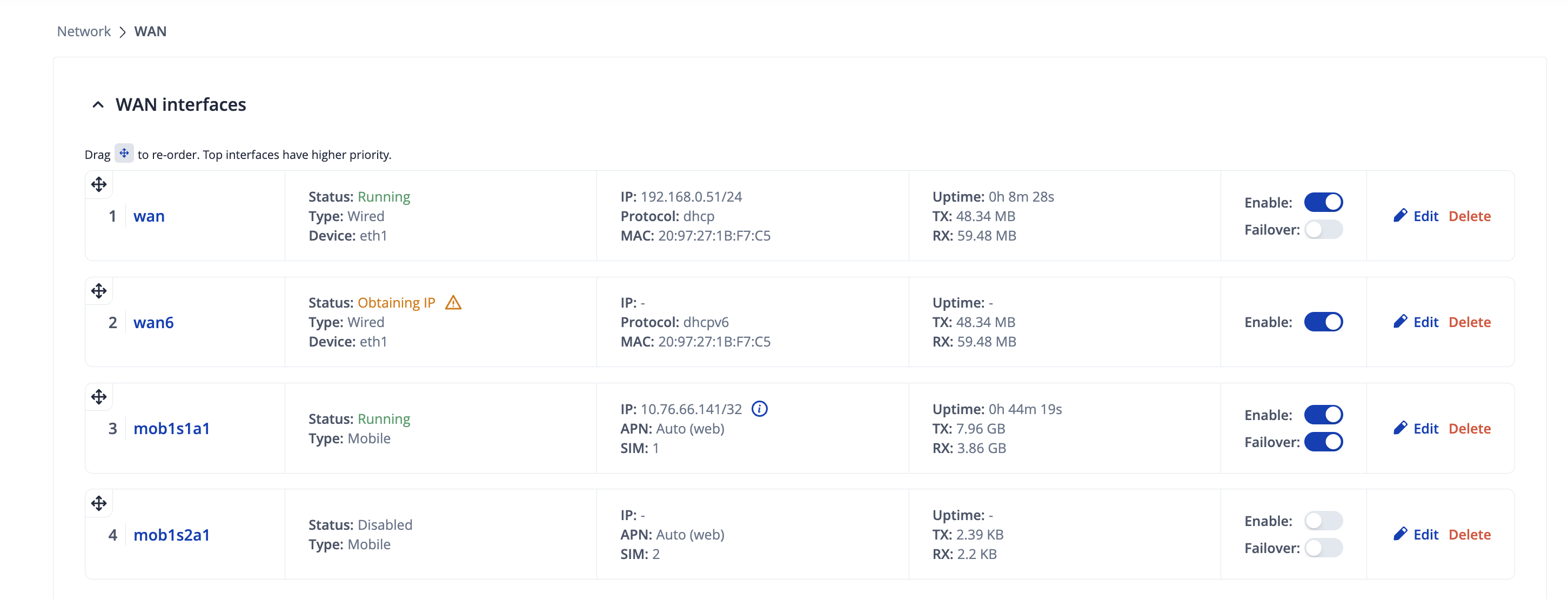
our RUTX09 is configured to use wired WAN connection for internex access. We have inserted and configured a SIM and set the “Failover” switch to on.
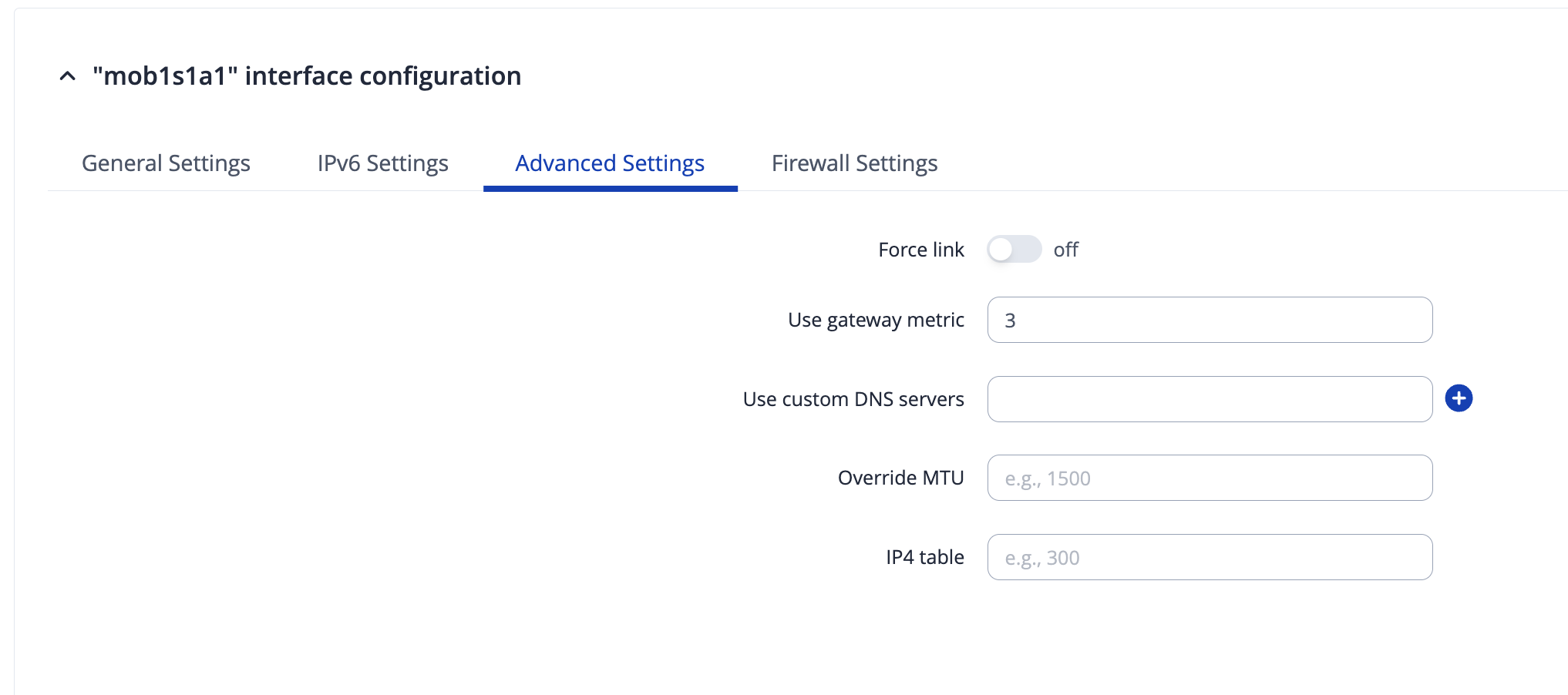
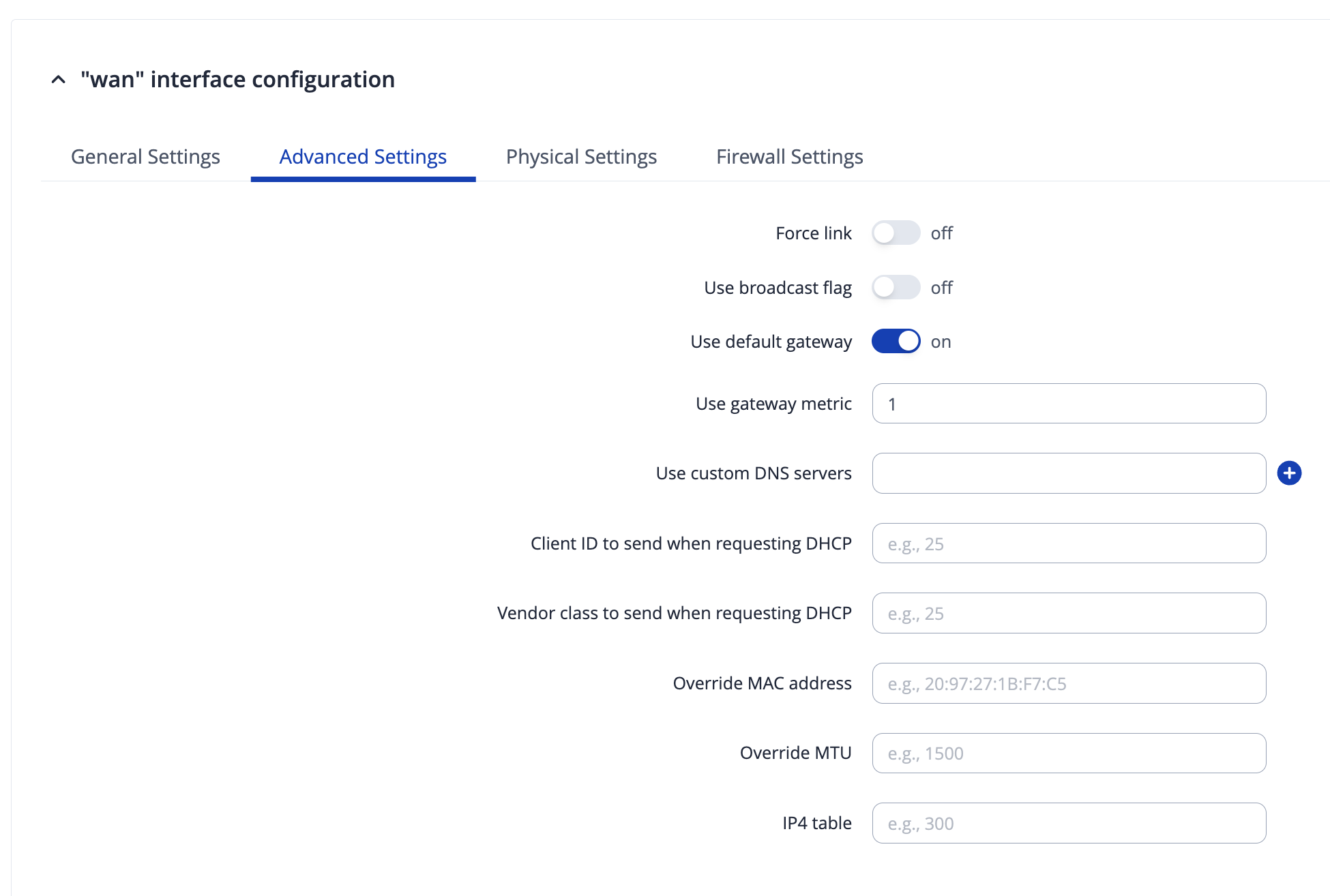
WAN has metric 1, mobile has metric 3.
If I disconnect WAN, failover works, if I reconnect, data goes via WAN again. Fine so far.
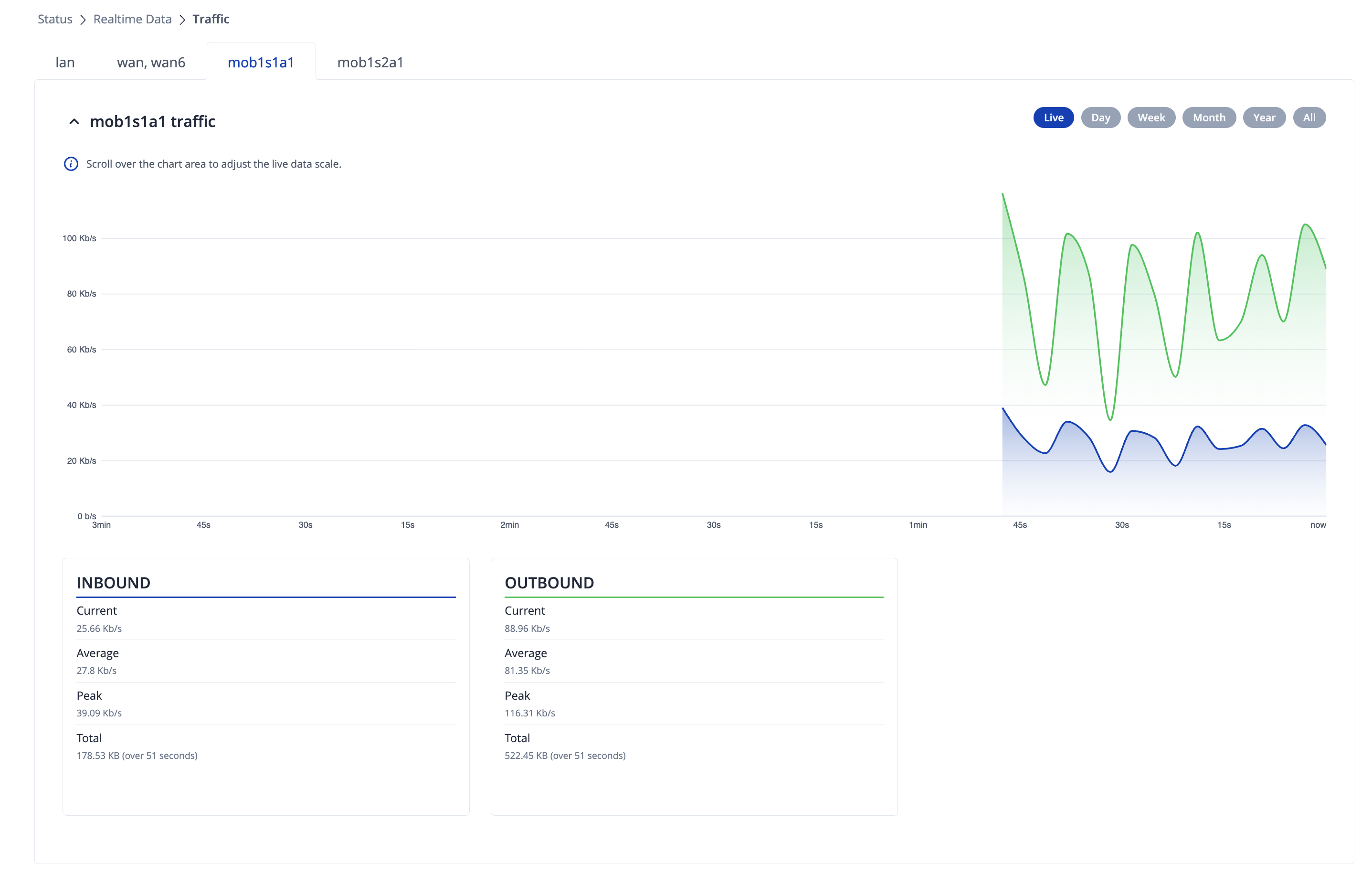
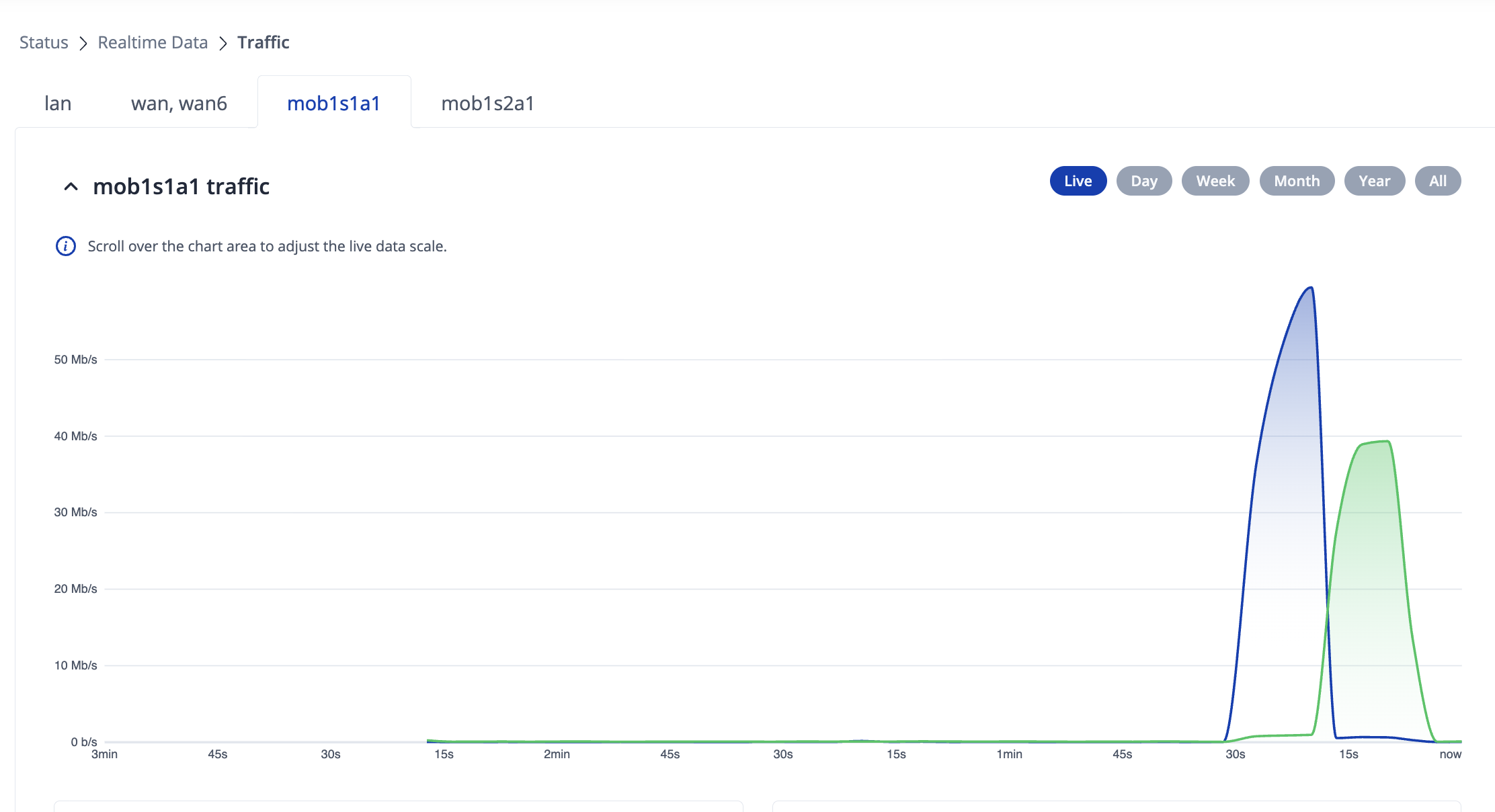
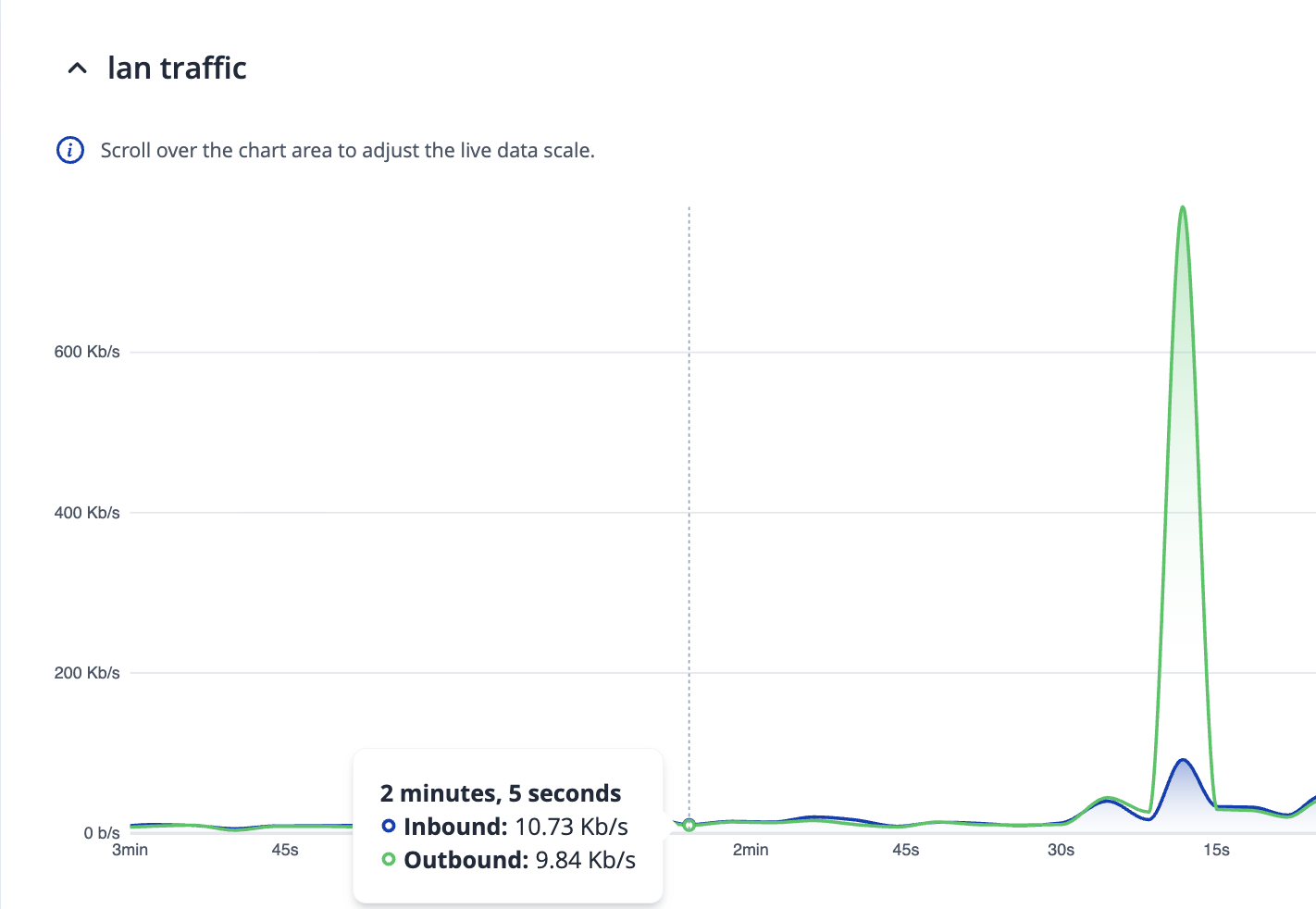
However, the mobile connection is permanently using data (see screenshot from the Realtime view). Why is this and how can I disable? This is consuming significant amount of data from our plan which we should not do.
I can provide more screenshots / configuration settings as needed.
WAN Failover needs to be enabled as well. Even though the WAN is running, there is no “failover” event to force the routing table to update (is my basic understanding). Rebooting the router would also effectively refresh the routing table.
Things are getting worse now. I wanted to disable the mobile network mob1s1a1 (just the switch in the “WAN interfaces” screen from Enable to Disable and clicked on Save.
This caused the router to go offline and did not come online again, even if WAN still is active and available.
Even a power cycle did not restore functionality. As this is a remote device we are stuck now. It’s bricked basically. No device behind the router comes online, and it does not register at the RMS backend.
Anyone from Teltonika here and available to support?
First and foremost, if the device is no longer reachable in any way, it will be impossible for us to troubleshoot this issue. Or do you still have physical access somehow?
Disabling the mobile interface has most likely caused the device to lose internet connection completely; therefore, you lost the remote access. My guess would be that the WAN interface wasn’t/isn’t providing any internet connectivity to your device, hence the data usage on your mobile interface. Of course, we would have to test by sending a ping directly from the WAN interface, if you get some type of access to the SSH for example, you can send a command such as ping -I eth0 8.8.8.8
If pings don’t go through, there’s the solution to your issue - the WAN interface isn’t providing any internet.
Right now, the device is unreachable. I will be on-site tomorrow so we can investigate further.
However:
The WAN port is connected to a router (as it was always) and Internet connectivity is given. But the RUTX09 seems to be bricked. We even have powercycled it yesterday but it stayed offline.
We have had a similar situation last week with another device (also RUTX09) where we just enabled Failover for mobile SIM and after clicking Save the router went offline and also was bricked.
There must be a serious flaw in the firmware I guess, because this should NEVER happen, even after a power cycle it should operate normally again.
Can you plan some time for tomorrow so we can investigate and solve this issue?
When you mention the word “bricked” - it would pretty much mean that you’re unable to access the device completely, whether it’d be through LAN or remotely. We have to ensure whether it’s the case when connecting through LAN to be sure.
I have a feeling that the default failover configuration settings could be a little too strong for the connection quality that you might be getting. In other words, some pings may not be going through due to a weak signal or such, and therefore, failover happens, resulting in these disconnections. Of course, we’d have to double-check everything to be sure.
Could you confirm the firmware version that is currently in use on your devices?
maybe we can connect to the router tomorrow and see whether we can reach it. However, if a router is not able to connect to the Teltonika RMS (when it’s WAN port is fully provisioned with a working wired Internet connection), as well as it does not do any networking anymore (devices behind the RUTX09 can’t connect to the Internet anymore), I might consider it bricked, as it does not restore itself anymore.
Regarding your comment: there is no weak signal, the connection for the WAN port is symmetric high speed business Internet, that works.
Regarding Firmware: I have upgraded both, Device and Mobile Firmware yesterday to the latest available version (RUTX_R_00.07.18.3) before this happened.
The other device (which got bricked last week) had a slightly older FW version installed (RUTX_R_00.07.15.1).
Time works for me. However, we’ll have to move to a different channel to continue our discussion and/or share remote session details so I can get on and take a look. I’ve sent you a form to fill out, which you’ll receive to your e-mail that you’ve registered your forum account on. In the Ticket ID section, please fill in the following ID: 16368
The WAN interface was not getting internet, due to WAN6 interface being enabled and interfering with the connection.
After disabling the WAN6 interface, the connection has been restored.
We then enabled “Failover” for the WAN interface (mob1s1a1 already had it enabled)
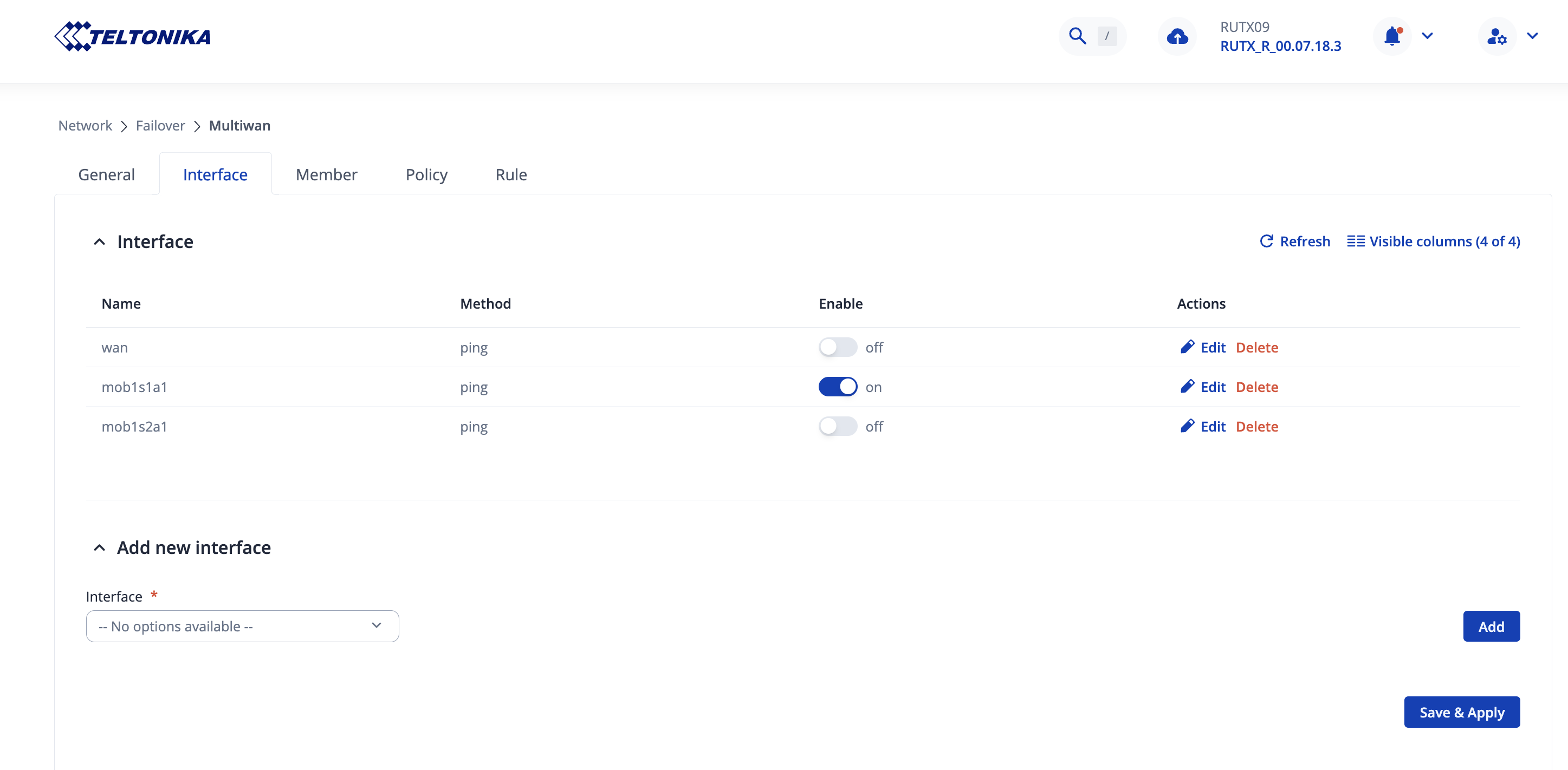
We went to Network → Failover → Multiwan; We pressed “Edit” on both, the WAN & mob1s1a1 interfaces, and enabled all of the drop-down options for “Flush connections”.
We then went to the “Members” tab & edited the mob1s1a1_members_balance “Metric” value to be “2” instead of “1”
Finally, we restarted the Firewall through the SSH by running the command /etc/init.d/firewall restart and we re-tested.
Quick summary of the solution - I’ve checked through the IP route tables and saw that your mobile interface was using IPv6, which seemed to have messed with the priorities of the metrics. We headed to the Network → WAN page to edit the mob1s1a1 interface and changed the PDP Type to IPv4 instead of IPv4/IPv6, and the results were instantly positive.