I am in UK using a Smarty SIM. Smarty uses the three network. Auto APN selects three.co.uk When EU roaming Smarty requires a different APN mob.asn.net when I disable auto APN the router will not allow an input to add an APN. Firmware 07.15.4
Hi,
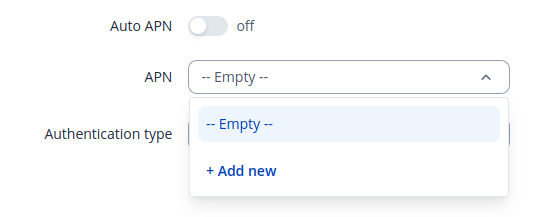
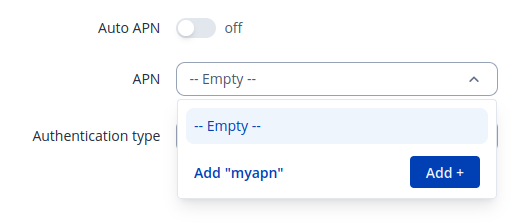
Go to Network->Mobile->General page scroll to interface configuration section. Turn off Auto APN and below APN field should be shown. Click on it and droplist with available APNs will be shown click on + Add new button and enter your APN, press Enter or click on Add + button.
Great, thanks.
Thanks, that did the trick!