The RUTM 54 itself has Internet access (via eSIM), a client is connected via LAN cable and also has Internet access.
Under Network | Wireless | SSIDs, there are two entries for WiFi 2.4 GHz and 5 GHz, status is “Running,” 2.4 GHz has a signal strength of 92%, 5 GHz has a signal strength of 0%.
All end devices (tablets, mobile phones) can see the WiFi and connect to it, but cannot access the Internet.
Is this apparent for 1 of the 2 Wi-Fi’s, or for both of them? In other words, do both Wi-Fi networks fail to provide internet connectivity to your end devices?
Have you changed any Wi-Fi-related settings besides the SSID names and the passwords?
For troubleshooting purposes, we will require more sensitive information from your end, such as the troubleshoot file, which may contain passwords, public IP addresses, serial numbers, and such. To avoid leaking this information, we have sent you a form to fill out, which you will receive in your e-mail inbox that you have registered your account with in the forums. In the Ticket ID field of the form, please enter the ID of this thread, which is 15916. When you fill out the form, I will write you an email with the instructions on how to get the information that I need to troubleshoot further. You will be able to attach the files to the reply to the email.
hard to say. Sometimes it works, sometimes we lose internet connection. But we can not identify the reason for that. We changed the eSIM, that improves the connectivity. So the loss is temporarily for a few seconds. Because we are standing at the same camping ground we hab´ve no possibility for testing the mobile connection. After November 5th we change the camping ground an will see, what happens then.
We will give you feedback at this time if it is o.k. for you?
By the way is there a shortcut or switch to activate/deactivate the WiFi (to reduce radiation in our caravan over night)?
Thanks for your support and patience
Best Regards
Ilpern
Hello Justinas,
thanks a lot for your answer. This feature seems to be perfect for our purpose.
We changed the eSIM, it works is we have good mobile connection, but regularlywe came into throttling. So we will change to Starlink and have to configure the RUTM in two diferent ways: connection via Starlink by LAN-Cable and by WiFi. We would be very glad, if you can support us in this.
And we also would be happy, if you help us to configure the juggler. Do you have a suggestion for how to do the configuration together?
Thanks a lot in advance
Best regards
Ilpern
Setting up an internet connection via Starlink should be straightforward. Simply connect a LAN cable from the Starlink router to the WAN port of the RUTM54. Just ensure that the Starlink router and the RUTM54 use different LAN IP addresses.
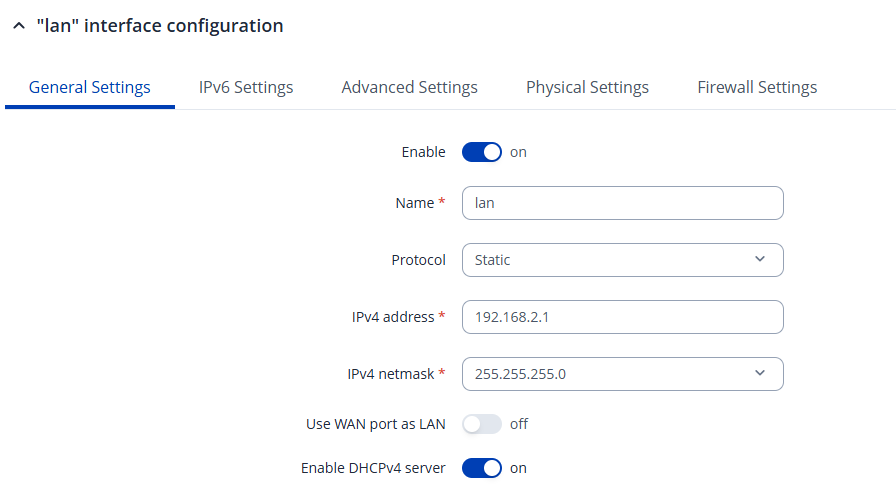
To change the LAN IP address on the RUTM54, go to Network → LAN, then click Edit on the LAN interface. You can set the LAN IP to 192.168.2.1, which will place the two routers on separate subnets.
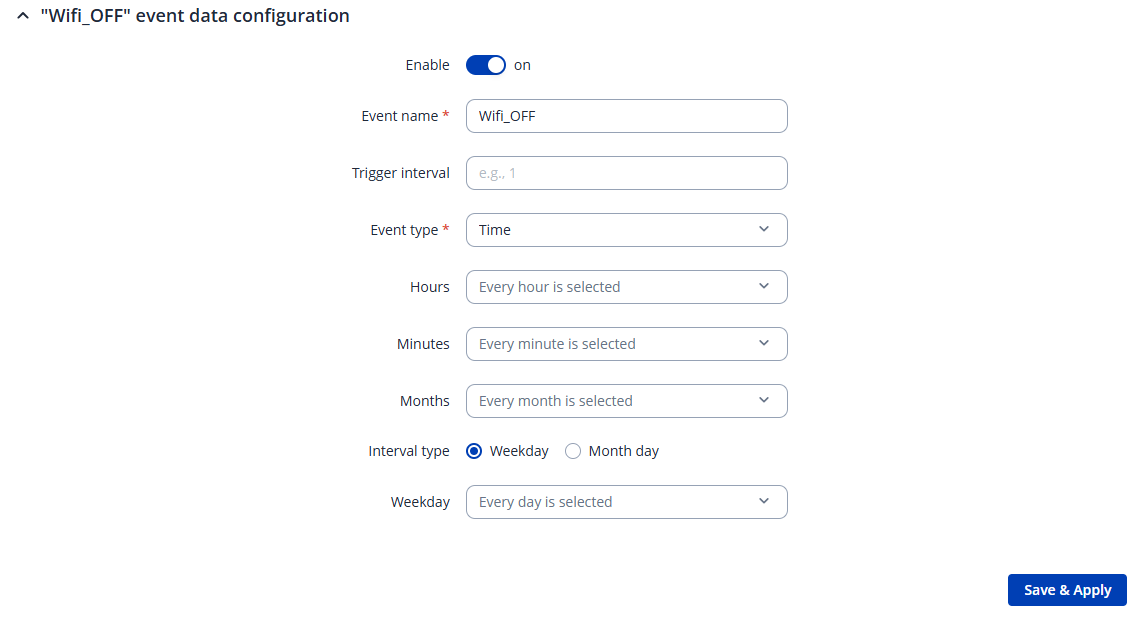
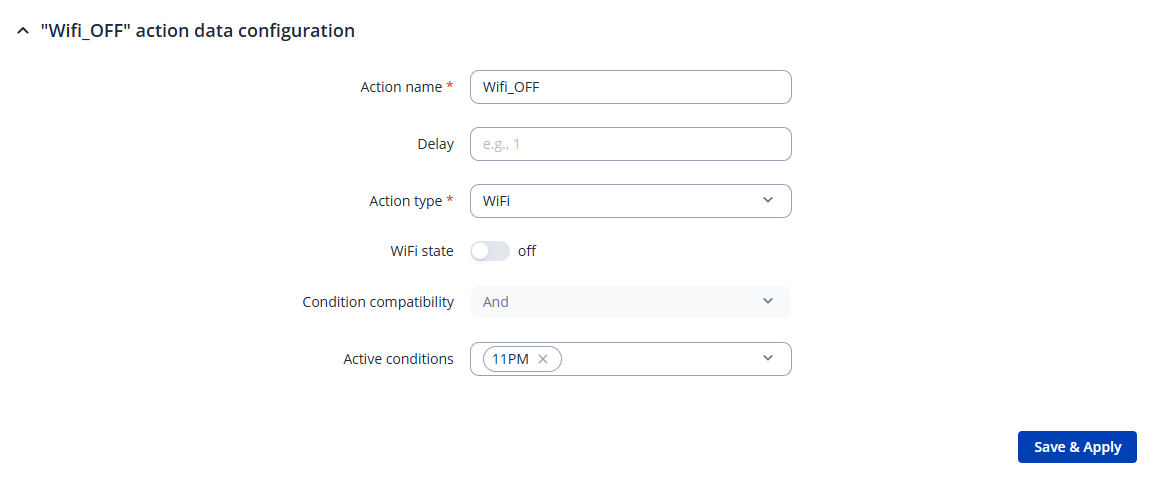
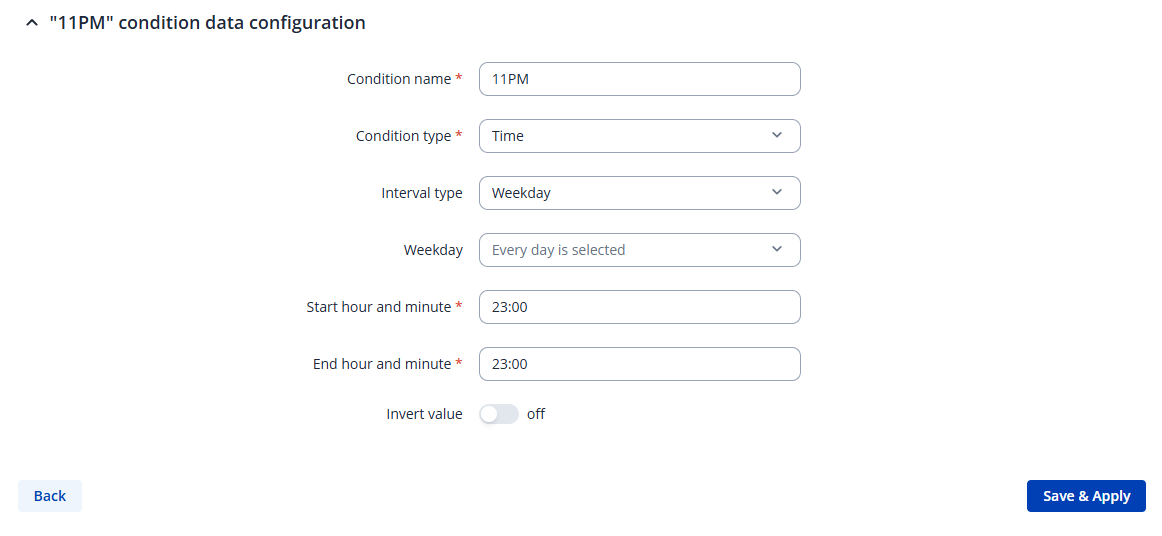
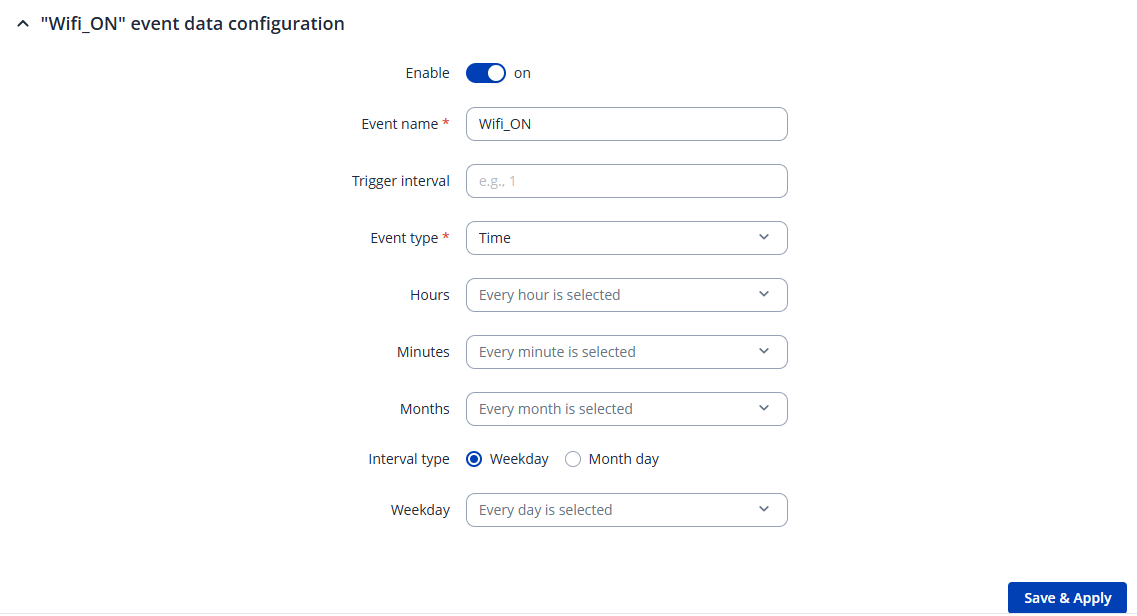
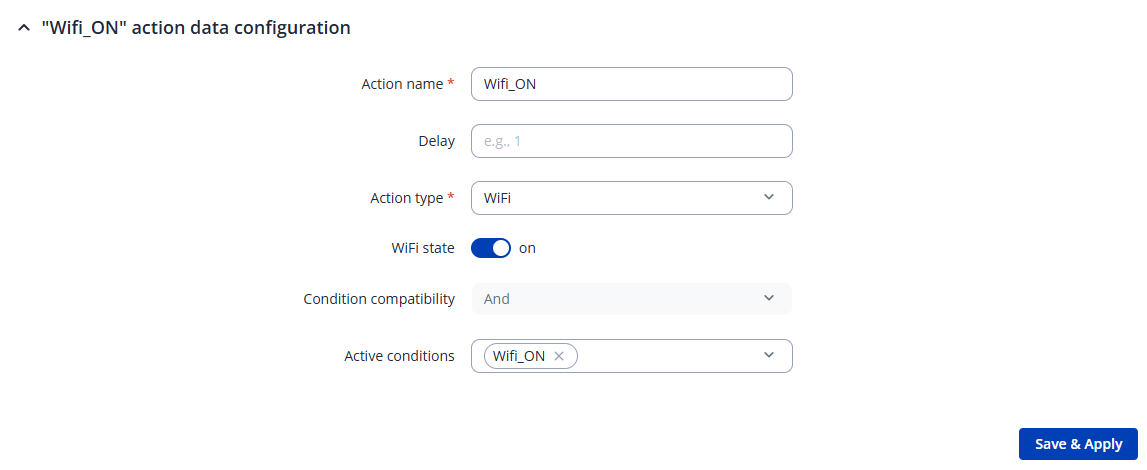
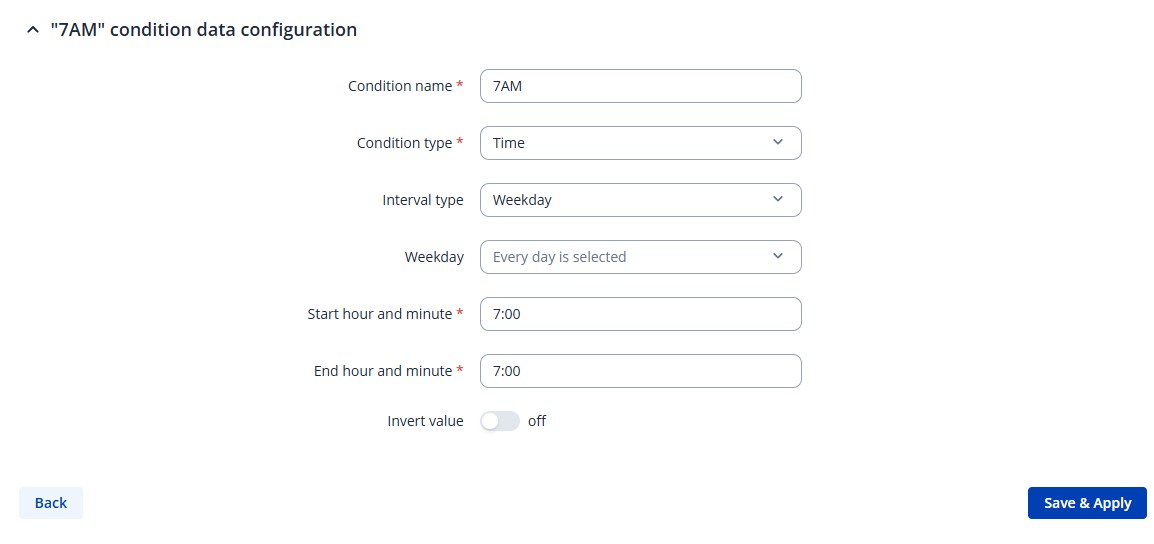
Below is an example configuration if you want the WiFi to turn off at 23:00 and on again at 07:00.
Before starting, make sure that the system time currently displayed is correct under System → Administration → Date & Time, if not, click Sync with browser and make sure the NTP client is enabled.
Next, navigate to Services → Event Juggler.
Click Add and create an event to turn the WiFi off at 23:00, as shown in the screenshots.
Hello Justinas,
thanks a lot for your quick response.
Looks fine, i think it will help. I will try according to your advise and only come back to if i am struggeling.
Thanks and Best regards
Ilpern