I purchased a RUTM50 to use as a backup internet over 5G. I signed up for a static IP address with our mobile provider, Telus (Canada).
I was instructed to set APN “staticipwest.telus.com” to receive a Public Static IP. When I tested the SIM card with a iPad, it received the IP address Telus provided. However, when I inserted the SIM into RUTM50, network status stays “disconnected”. 5G LED is blinking and no LED on SIM1.
When I set Operator selection mode to “Manual” and scan operators then select Telus, it briefly connected to Telus and received the IP then immediately disconnected again. Since then I can’t get it connected at all.
It connects only when I set the APN to Auto but then it receives a private IP address.
I downloaded the troubleshoot file after the router had the IP briefly.
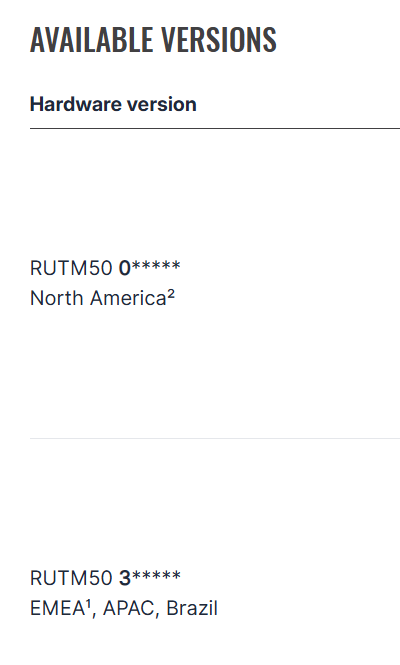
First, could you please clarify what product code your RUTM50 has? This can be found under the WebUI → Status → System - there’s a product code for North America & for EMEA (Europe) - if yours is an EMEA product code, it would make sense as to why it’s not connecting:
It finally got connected last Saturday but then got disconnected again 10 hours later. It won’t connect again this morning through APN staticipwest.telus.com. It still connects through sp.telus.com without a problem.
Telus instructed me to use staticipwest APN for a static IP address.
I purchased this unit through “novotech” specifically because it’s certified for North America.
No. “sp.telus.com” won’t get me a public IP address. it connects fine but it assigns a private IP address.
After fiddling with it a bit, I figured the problems were coming from the unstable 5G connection. Once I set it to 4G Only, it connected immediately and received the static IP.
Now I changed back to 5G/4G Auto with manual 5G mode and bandwidth, according to the screenshot I took when it was connected to 5G once. It’s currently connected with the IP. Fingers crossed.
Thanks for clarifying. If you encounter further 5G instabilities, do let me know, as I may be able to do try & do a modem firmware upgrade on your device to see if that improves the situation.
it’s been up last 24 hours since i changed it to manual mode. even it connects immediately when i restart connection to test. i’m running firmware RUTM_R_00.07.20.3.