I’m trying to bridge a lan port with the wan port to give that lan port access to the ‘office’ network but keep it separated from the tt lan. Try to setup a separate vlan’s for wan and lan but wan is missing from the port based vlan menu? why?
If I understand your use case correctly, your office network is connected to the WAN port of the RUTM08, and you would like devices connected to a specific LAN port (for example, LAN port 4) to obtain an IP address from the office network and be isolated from devices on the RUTM08 LAN network. Is that correct?
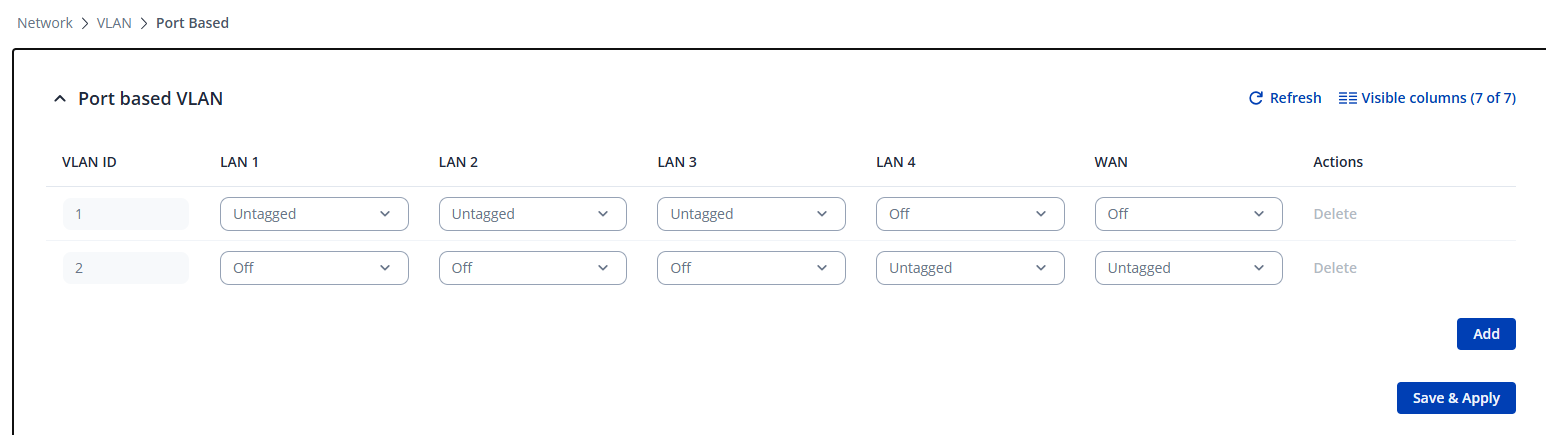
If so, there is no need to create a separate VLAN for LAN port 4. Instead, you can bridge this port with the WAN interface. To do this, navigate to Network → VLAN → Port Based. On VLAN ID 1 (LAN Interface), set LAN 4 to Off, and on VLAN ID 2 (WAN Interface), set LAN 4 to Untagged, as shown in the image below.
That is exactly what I’m trying to do. But the WAN port is missing from the port based vlan menu. How can I get the WAN port in this menu?
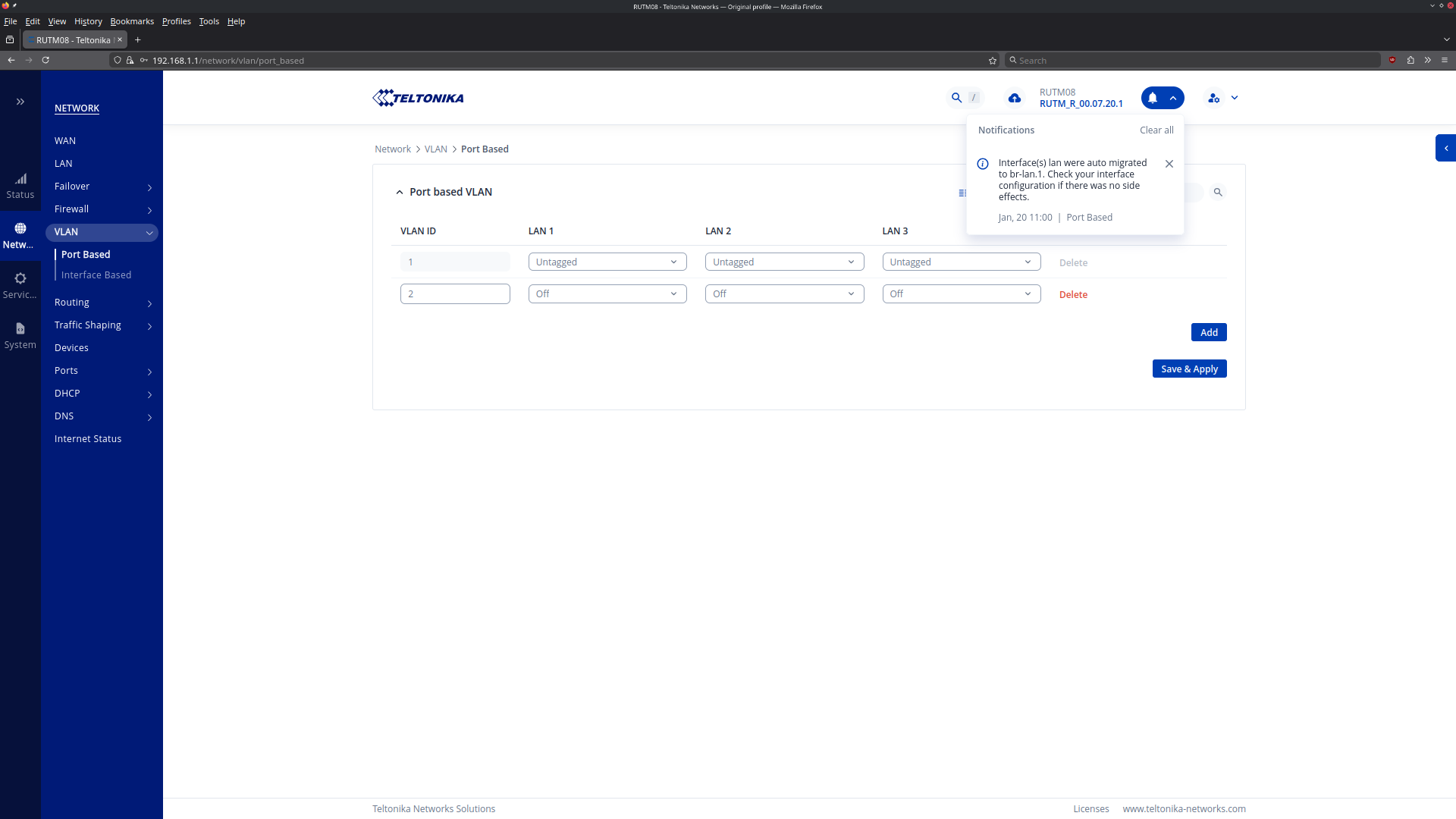
The ported based vlan is not populated with vlanid 1&2. I can create them but still the WAN port is missing. Also the RUTM08 has only 4 ports of which 1 port is designated WAN by default.
Could you please clarify which firmware version is currently running on the RUTM08? Additionally, could you send a screenshot of the Network → VLAN → Port Based page?
I would also like to use this solution. I am experiencing the same error. I have installed the latest firmware RUTM_R_00.07.20.3 and am also unable to select the WAN port.
For testing purposes, could you please try downgrading your device’s firmware to the latest stable version, which is currently RUTX_R_00.07.19.4_WEBUI.bin ?
Please note that performing a firmware downgrade will remove any existing configuration on the device. To avoid losing your settings, I recommend creating a backup beforehand. You can do this by navigating to System → Maintenance → Backup and clicking the download button.
You can find the firmware files for the RUTX08 here:
Once the downgrade is complete, please let me know the outcome of the test. This information will help us continue the investigation more effectively.
I downgraded my RUTM08 to the stable version RUTX_R_00.07.19.4.
The error is identical. LAN 1-3 are available for selection, but WAN is still missing .
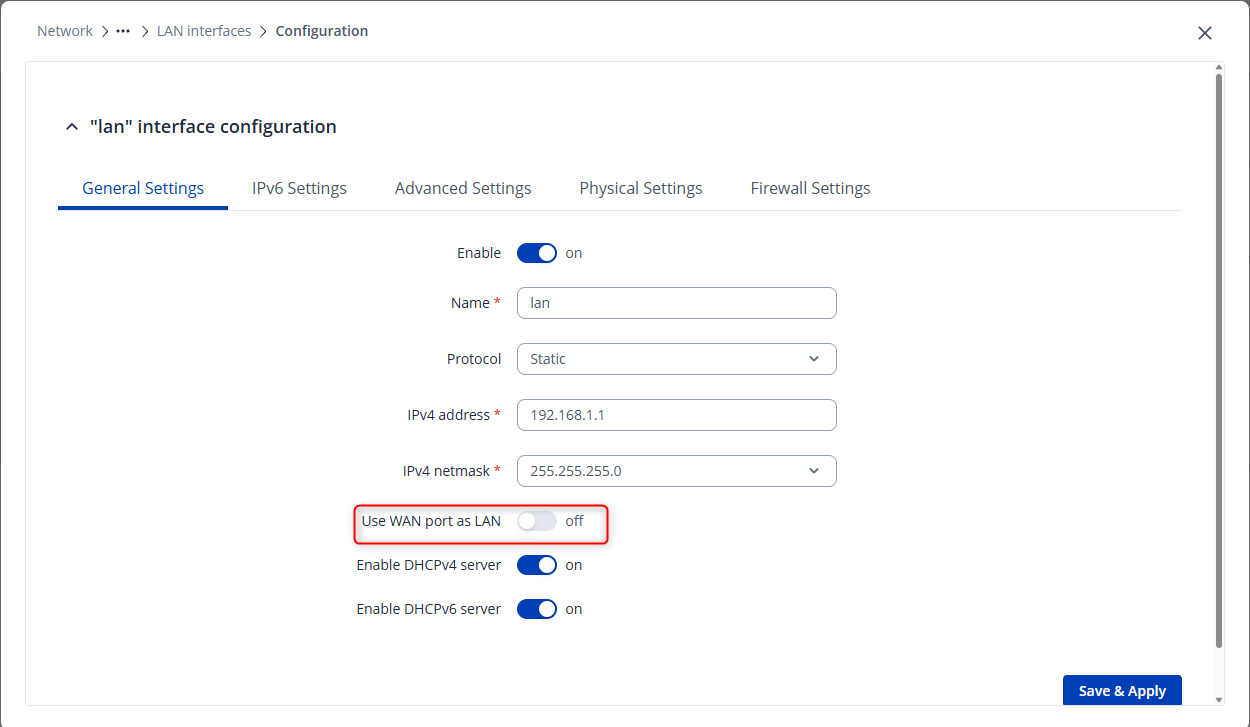
To make the WAN port visible, you need to edit your LAN interface and enable the Use WAN port as LAN option. To do this, navigate to Network → LAN , edit the interface, and enable the toggle that allows the WAN port to be used as LAN, as shown in the screenshot.
Once this setting is enabled, go to Network → VLAN → Port based and click the Add button. You should then be able to see all LAN ports along with the WAN port.
Please let me know if you need any additional assistance.