I have a RUTC50 now for some time and it keeps dropping mobile connection while it says it is still connected and there is nothing wrong with the SIM Card.
I checked the SIM Card in my own phone and it stays connected for hours. I even swapped different SIM Cards and the problem of the RUTC50 disconnecting stays.
What is weird when the problem occurs is the following:
-The RUT always says it is still connected
-On my laptop I can also still access some websites perfectly fine, but most I cannot access.
-On my phone I can access no web pages at all, but pinging them works sometimes.
-I also have a VPN connected and that connection stays up. I can even always remotely connect to devices on my RUT network.
Completely removing the VPN from the RUT does not solve the problem, so not a VPN problem.
-I believed it was a DNS problem so I changed the DNS in all possible ways I could, but nothing worked.
-I tried different APN’s but all of them end up with the same issue.
-It is not a WiFi problem, since a direct ethernet has the same problem.
-It is not a wireless connection problem, the connection says it is strong.
-Multiple factory resets all ended up with the same problem again after a few hours / minutes / days. And I needed to reconfigure everything…
-A reboot solves the issue, but then again after some time I run into it again.
-Constantly changing the APN name also solves the issue for some time.
-It is all set to ipv4 and ipv6 is shut off.
-Setting the modem to 4G only also does not solve the issue.
I tried adding another wifi router behind the RUT so the RUT only needed to connect a mobile link to that router. But the problem was still there.
It seems to have become worse since the latest updates, I am on the latest version now.
I wonder what is going on…
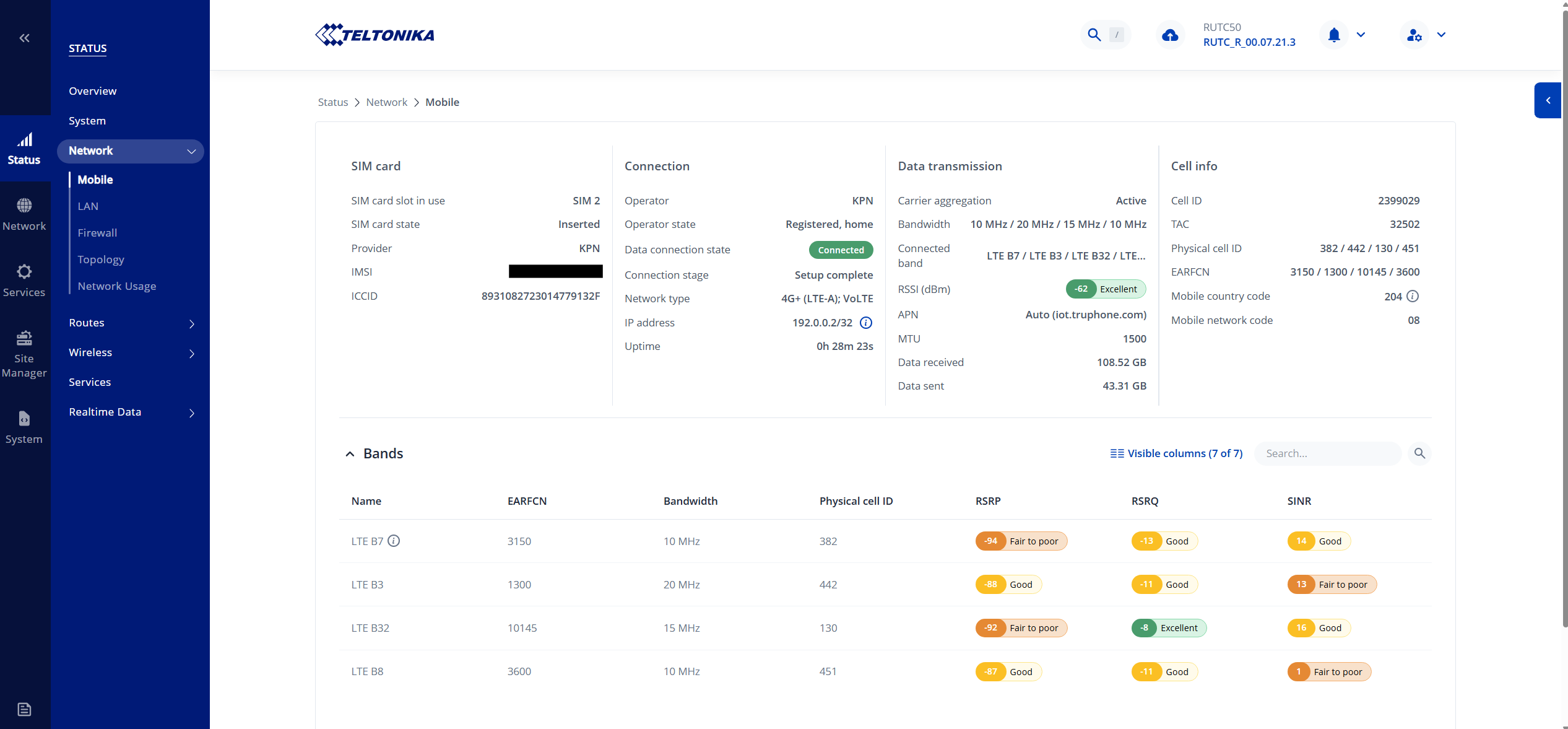
Can you post us a screenshot of the following page, hiding your IMSI number. Are you using the provided antennas or an antenna of your own? Have you updated both firmwares, there are two to do?
Sorry for the late response, I was out of office for some time but now I am back.
Today I experienced the issue again, hereby the screenshot you requested.
When it dropped today I could still ping addresses via the RUTC50 CLI but I was not able to connect to the internet or ping addresses via devices connected on the LAN.
After half an hour it worked again after I switched the RUT off and on.
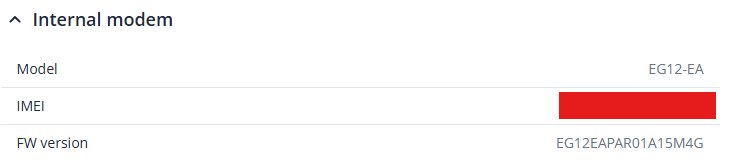
Device and modem are both updated to the latest version.
Are you using the original antennas, or are you using one of your own?
Update BOTH firmwares, there are two different firmwares to update? You are now on an older firmware.
Is this router in a building or in a vehicle, metal box?
Go to: Network > Mobile > Connection …… This is what i would do to get started, re-enable 5G and disable VoLTE, disable bands B7 and B32 and restart.
You are connected to a mast with the ID: 2399029 (Top Right of your screenshot) hop over to cellmapper.net using the websites tools work ot which mast you are connected to. Using the menu select from the options available to display on the map all your nearby masts.
Which mast are you connected to, how far away is it? In which direction is it?
Imagin direct line of sight between the routers antennas and the mast, whats in the way in the building(s) and in the wider landscape by way of other buildings, power lines, trees, hills etc?