HI all. Im pretty new here. Ive been reading though a few topics and found a few issues im having but topics are closed so i cant ask more. I have a few issues, ill list them all.
Branding
My .svg image doesnt display. I add my .svg but it is named different. i change the index.html to point to my file but the link is still broken. Seems like the index.html is not used. Could there be additional files that need editing. a quick search shows more locations of the tlt_networks_logo but im not able to find the tlt_networks_logo_white.svg like the readme says.
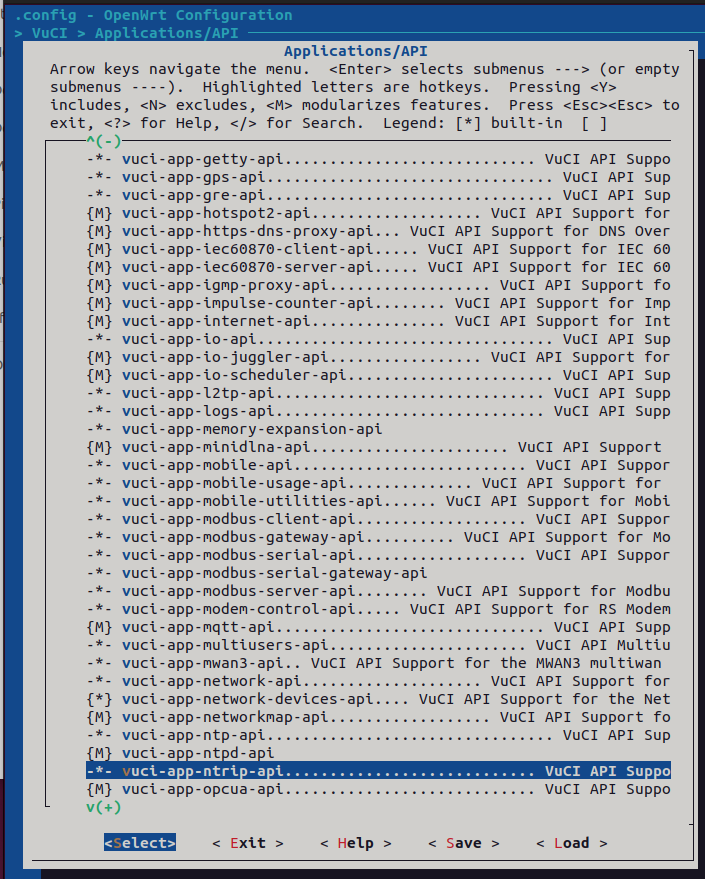
After changing packages to either N or M, they still are in my firmware image. Adding a package i want to include with Y, is still not included by default. Like the changes ive made in the make menuconfig are ignored.
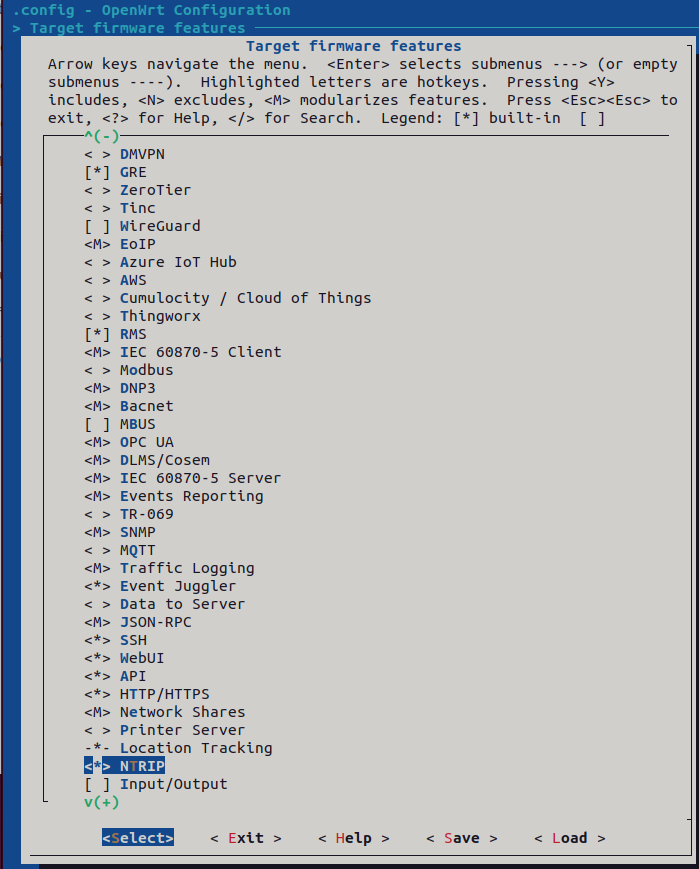
Im trying to build a firmware with NTRIP package install as default, with the base requirements to use wifi and modem, SIM cards etc. I only want the users to see under services, RMC and NTRIP.
Thanks, I did read that post. what I dont know is did they change their logo name to match the default name of tlt_networks_logo? I can add my logos the the stated locations and updated the index.html but they are not used. changing the index.html to my logo and leaving the default images in place will not have any effect, therefore i dont think that html is used for the login page.
Ive also read this, you need a bit of knowledge and use of the search as these instructions, as stated were written for older version of the SDK and do not match the file locations with 7.19.x
It would be helpful if you have an updated version of this.
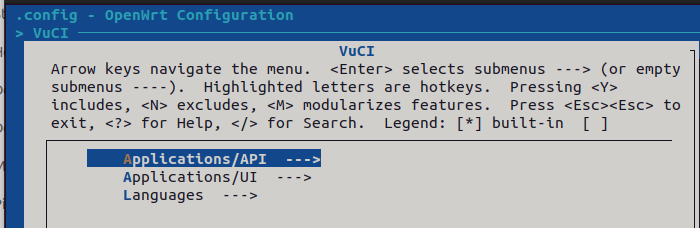
in terminal run, ./scripts/dockerbuild make menuconfig
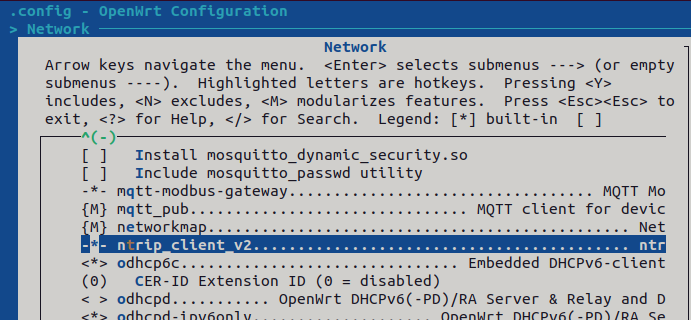
Set packages as Y in install, N to remove, M to include as a package/add on in the following locations. For my build, im focusing on NTRIP Package to be included by default.
Hi. For my svg images to load, i had to change some info in the header of the svg and then add mime mapping for svg images as mine was showing in browser dev tools as text/html. This seemed to work but took me a while to get there.
also note that you use one image for both the login page and the main pages post login. The login page was automatically be inverted to display on the blue background when it loads.