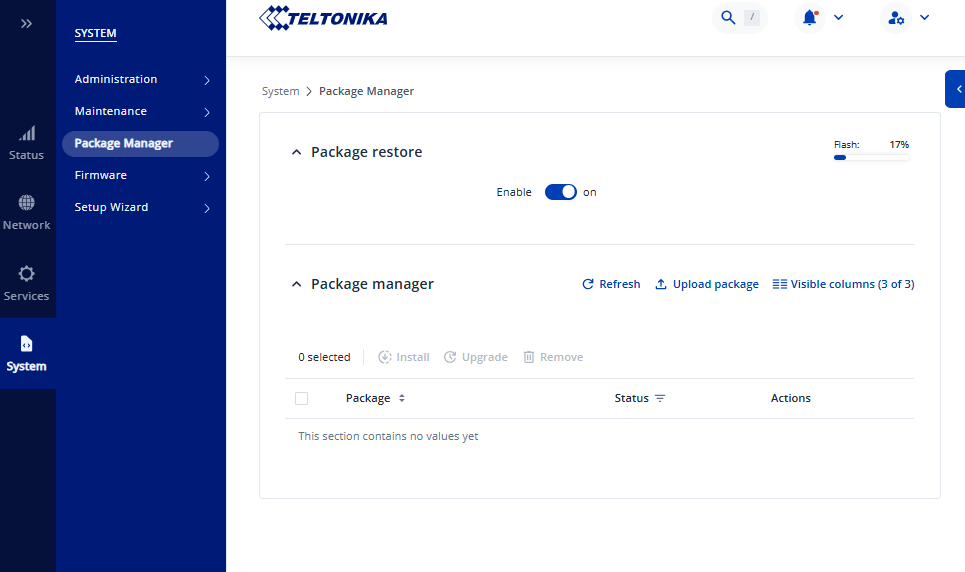
Hi, I am in the process of updating the firmware on a number of RUT956’s. After updating from RUT9M_R_00.07.07.3 to RUT9M_R_00.07.17.5 (latest stable as of writing) I attempted to install an MQTT client via Package Manager (as it’s required for several scripts we run on the RUT956’s), but unfortunately the Package Manager appears to be broken, it presents no packages, and clicking update does nothing:
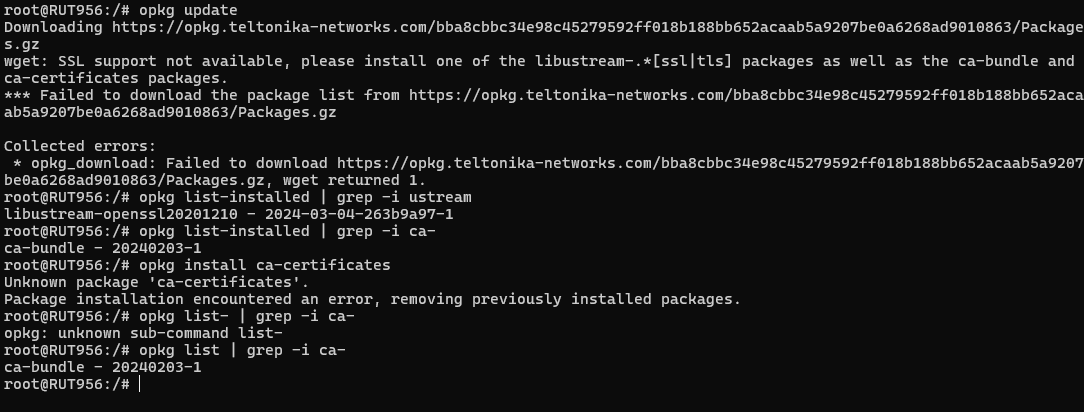
Upon attempting to run opkg update over ssh, I am presented with an error stating that SSL support is not available (and I am obviously unable to install the additional packages the error calls for using opkg alone):
I should note that performing a factory reset on the router at this point does resolve the issue, but this is not a workable solution as most of the routers we’ll be updating will be updated remotely (performing a factory reset will render them inoperable and inaccessible due to APN and SSH settings not being properly configured).
Lastly, I’ve confirmed that, prior to the update, opkg worked normally (so this would appear to be a problem with the migration of settings from old→new firmwares):
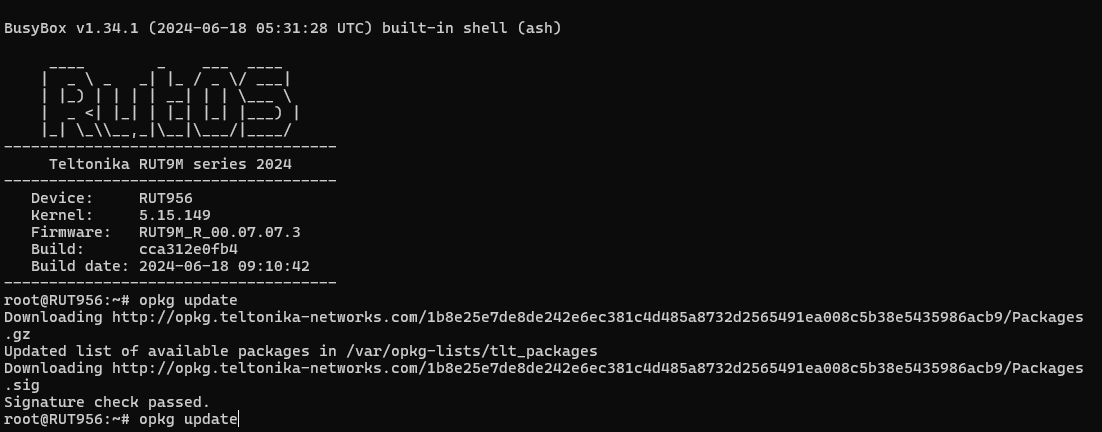
I notice that the opkg repo has changed from http→https between firmware versions (likely related), I’m guessing that editing/resetting one of the related config files in /etc will resolve this, I’m just not seeing anything that jumps out so far.