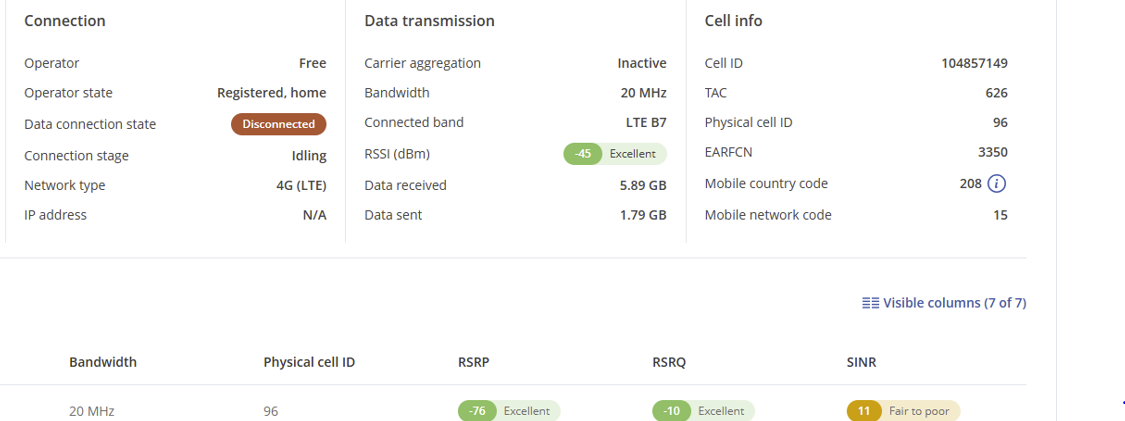
The router has very good signal and is registered with the provider, but it is not possible to reconnect.
The only way to re-establish a data connection is a manual reboot.
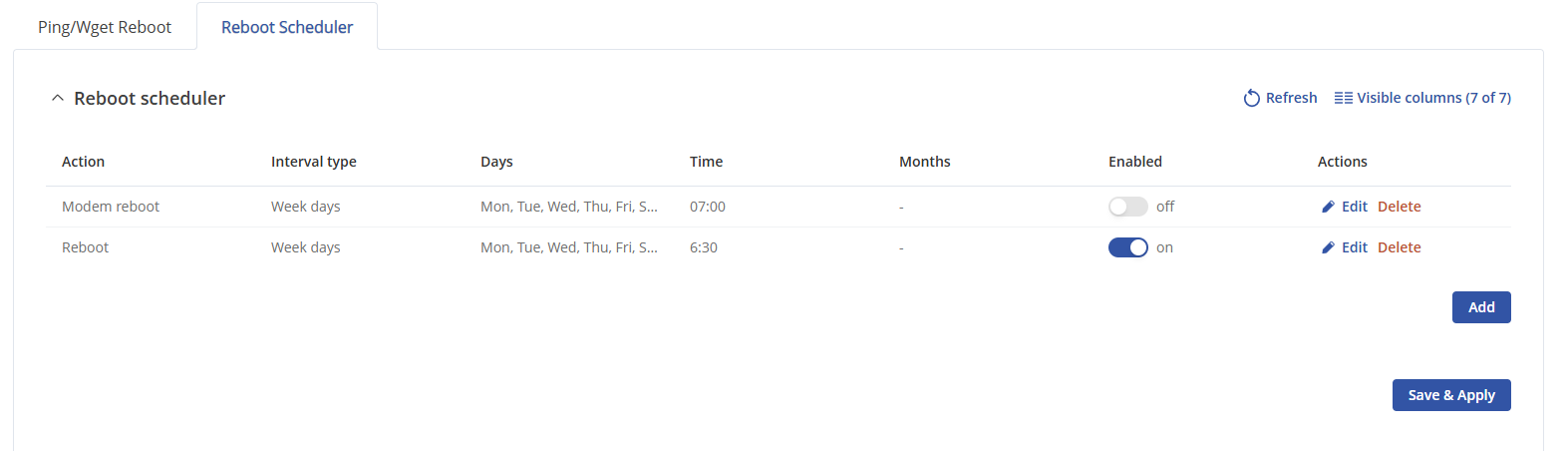
I have tried to set the router to automatically reboot every morning, but strangely this does not help…but the manual reboot does!
The firmware on the router is RUT9M_00M_00.07.15.2, the modem firmware is EG25GGCR07A02M1G_30.203.30.203
The software says “Newest version installed on the modem”
I hope there is an easy solution to this, as I urgently need the data connection for my work
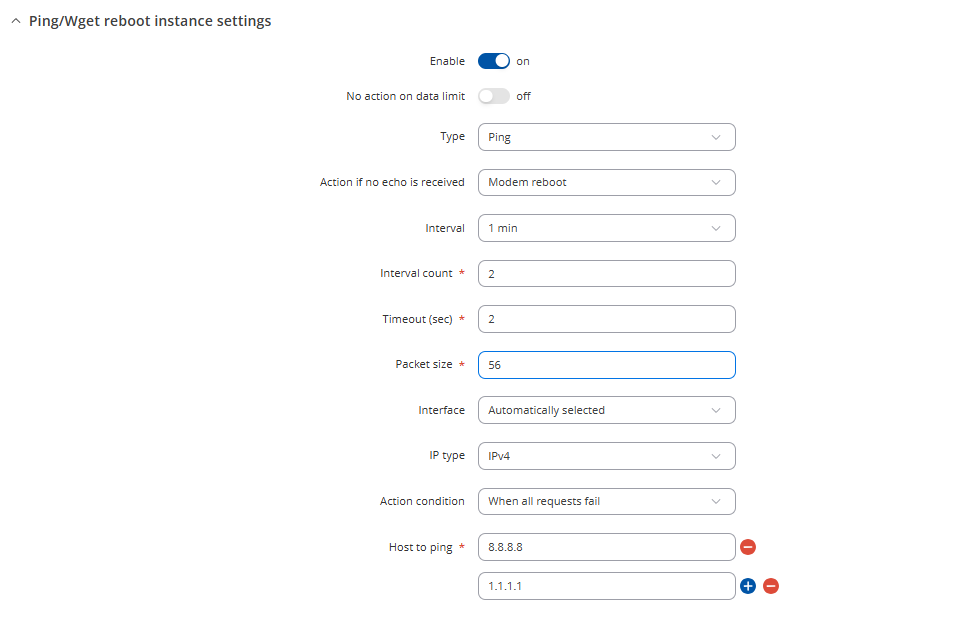
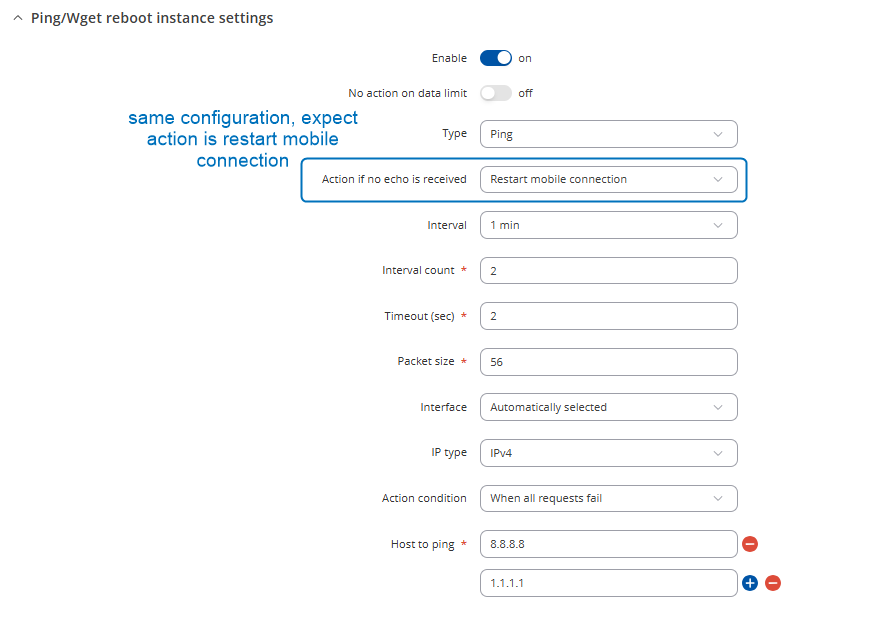
Could you please confirm, have you tried using the Auto Reboot with the action set to Modem Reboot or Mobile Connection Restart, instead of performing a scheduled device reboot (see the picture below)?
Also, could you let me know whether this issue started occurring recently after a firmware update, or was it also noticeable with previous firmware versions?
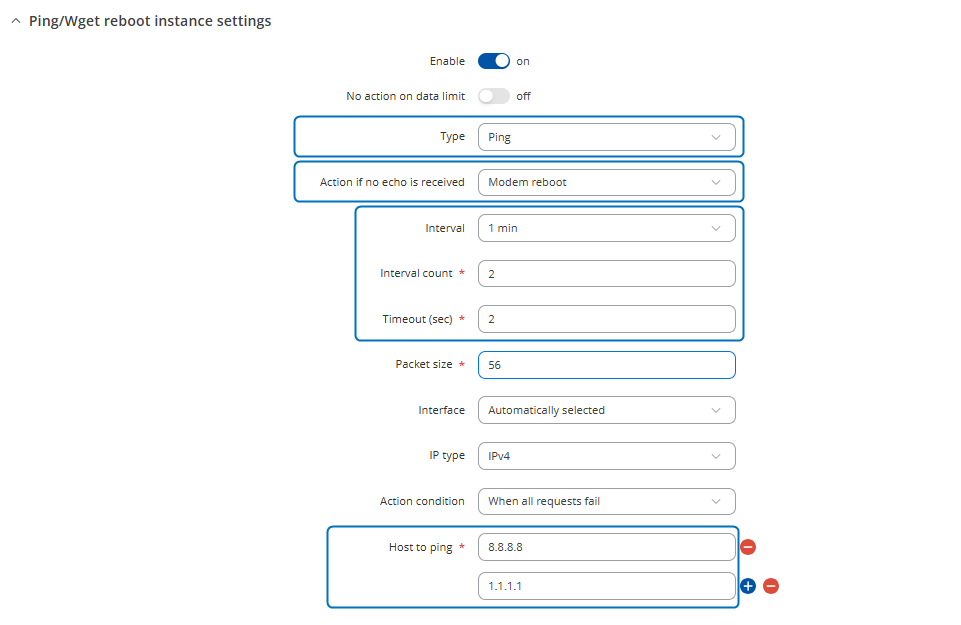
Ping/Wget Reboot functions periodically send ICMP ping requests or HTTP/HTTPS (Wget) requests to a specified IP address or domain and wait for a response. If no response is received, the device will retry a defined number of times at a set interval. If there’s still no response after those retries, the router will automatically execute the selected action. This is typically used to detect a loss of internet connectivity or an unreachable remote host and react accordingly.
Reboot Scheduler, on the other hand, is a time-based action that reboots the device at a specific scheduled time, no matter what the network conditions are. It’s mainly used as a preventative or maintenance measure.
I hope this clarifies the main differences between them and let me know if the issue still persists.
Thanks for your explanation, I (kind of) understand the difference: Ping/Wget Reboot checks in a set period if internet is there, and if not, it will take the set action. (But which action is required?) Reboot Scheduler will only automatically reboot the system at a set time.
But I still do not understand why the modem goas on “idling” in the first place, and why I could not manually reconnect?
And why a manual reboot cures the problem, whereas the automatic reboot does not?
And I do not know how I should set my system to cure the problem potentially, so that I could check tomorrow morning If the solution works?
It would be very nice if you could give me some advise how i should adjust the settings.
To determine the possible issue’s root cause, additional troubleshooting privately would be required if the auto ping reboot wouldn’t bring any of the improvement.
I’m leaving a screenshots below on suggested ping reboot configurations.
The router is online now in the morning, but I still observe some unusual behaviour of the modem.
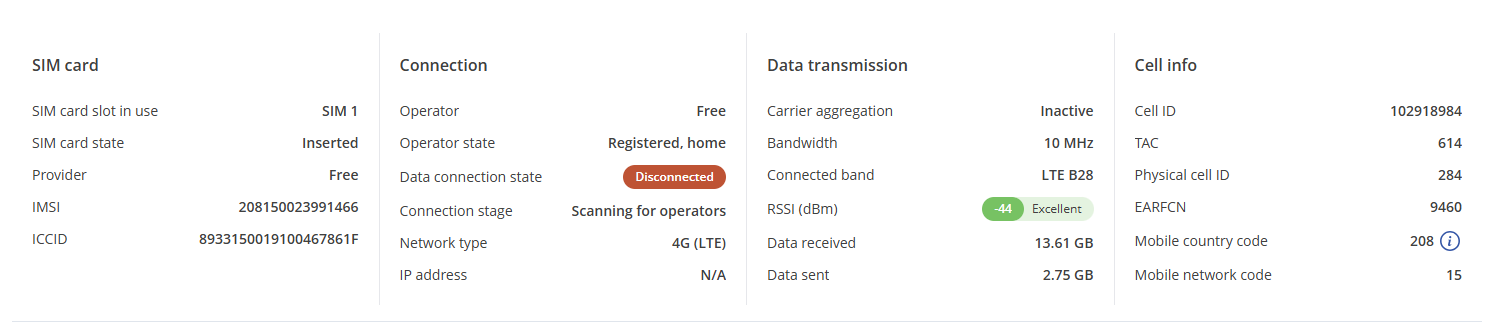
Sometimes I have a very weak connection, despite strong signal and SNR-data, but when I try to reconnect I get silly messages of the modem, like showing registered and name the operator, but at the same time scanning for operators and no connection (see screenshot)
Thank you for the update. In this case, I believe to assist you effectively, we’ll need to continue this process privately, because sensitive/publicly unshareable information needs to be gathered. You should find a support request form in the inbox of the email address you used for your forum registration. Kindly fill out the form, and please reference Ticket ID: 14557 when submitting it. Once the form is completed, we’ll contact you directly via email to investigate the issue in detail and help work towards a solution.