I have a few spare routers I am checking are working and one is being problematic when attempting to join RMS.
From looking online the problem may be because the router has been added to a different company/RMS account.
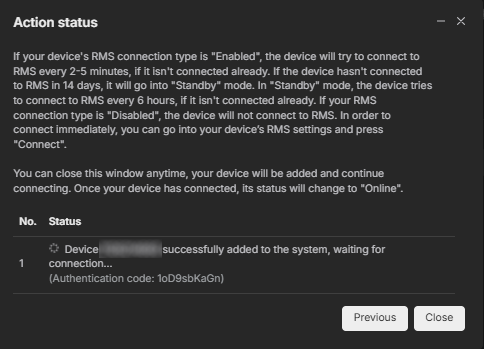
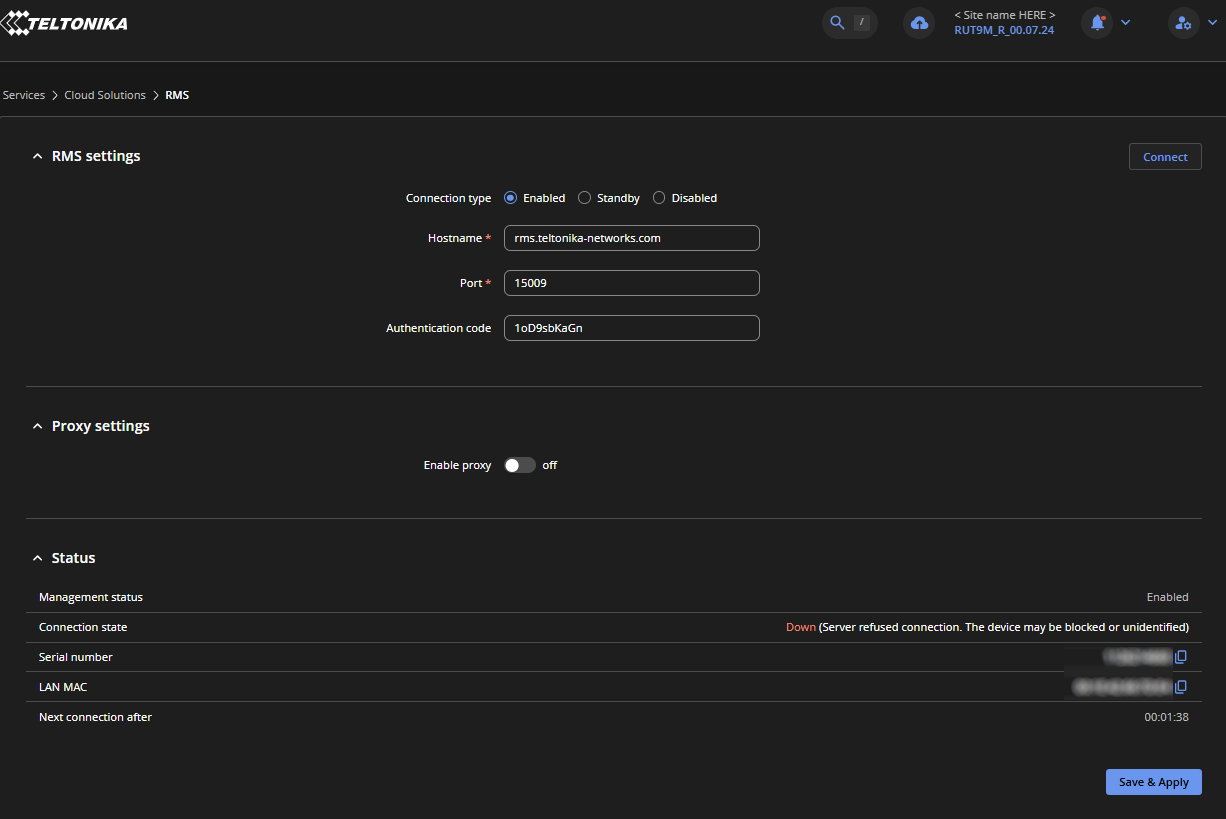
Everything works fine I add the router, add the S/N, MAC & PW and it appears to authenticate OK, the only thing I see which was what prompted me to look in to it is shows an “Authentication code” on the RMS portal, which I have tried adding to the same named field in the router but there is no communication.
I have read this can happen when the router has been added to another RMS portal and I know of one user who thought he knew what he was doing and he created his own RMS account and added two routers.
The one has been removed after I painfully discovered his personal account!
Is there anything you Admins can do or check to firstly, confirm if the router has been added to a different RMS portal and secondly, if this is the case remove it so I can get it on our portal to use again.
Please PM if any router details are required.
Below are a couple of screen shots I took during the connecting to RMS process.
Thank you for reaching out, and apologies for the delayed response!
To answer your question: a device can still be added to RMS even if it was previously linked to another account, which is why the authentication code is required during setup. While the RMS support team can verify if a router is active on another account in special cases, that is not what is causing your error here.
To help identify the root cause of the connection issue, please verify the following:
After entering the authentication code in the device’s WebUI, ensure you click Save & Apply at the bottom right before attempting to reconnect.
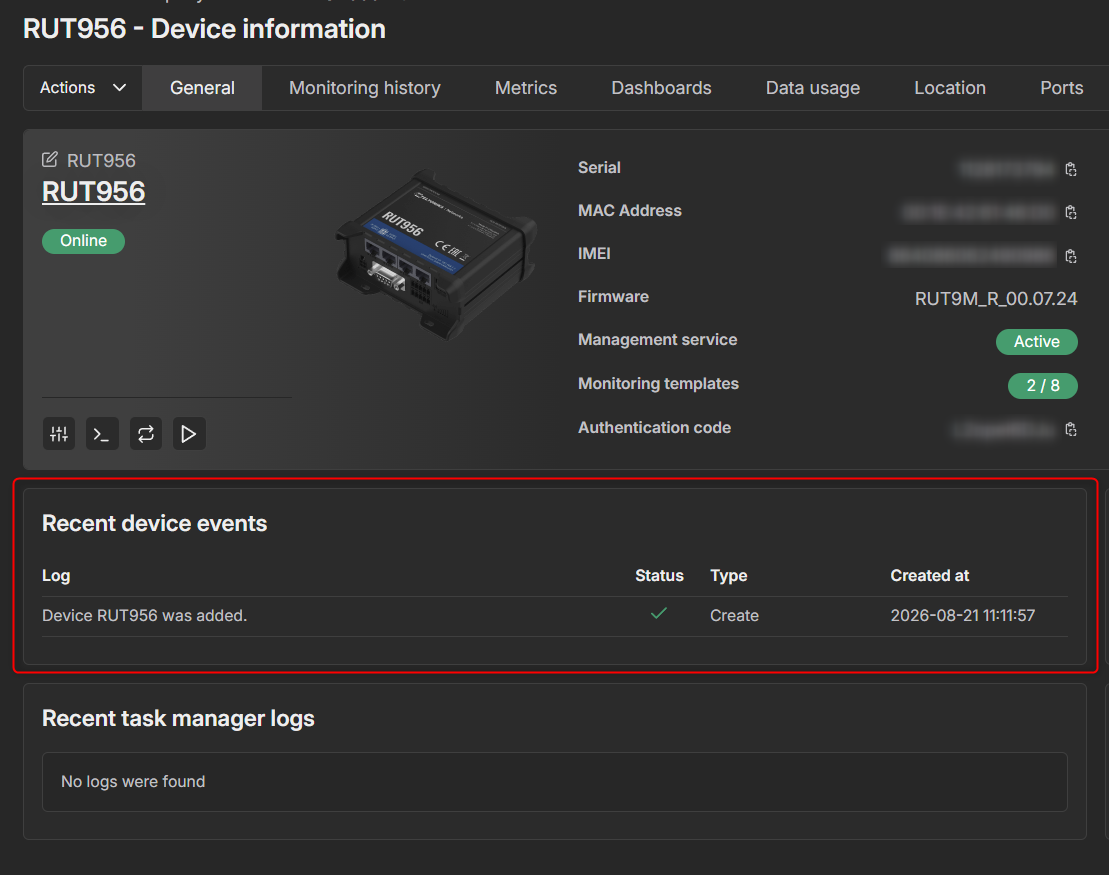
Check Error Logs:
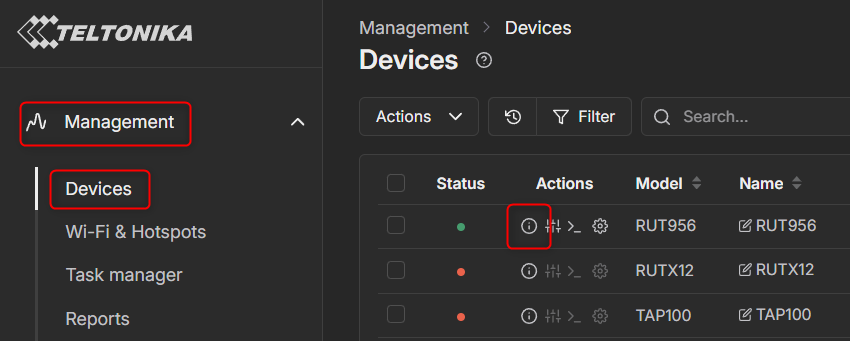
Navigate to Management > Devices on the left sidebar in RMS.
Locate your RUT956, hover over the information icon (i in a circle), and click it to open device details: