Greetings, Melowson,
Thank you for your message,
It is possible to configure the RUT955 so that it uses WiFi as the primary WAN and mobile as a failover. It can also work as a client (station/WiFi WAN) and access point at the same time. To achieve this, you should follow the setup below.
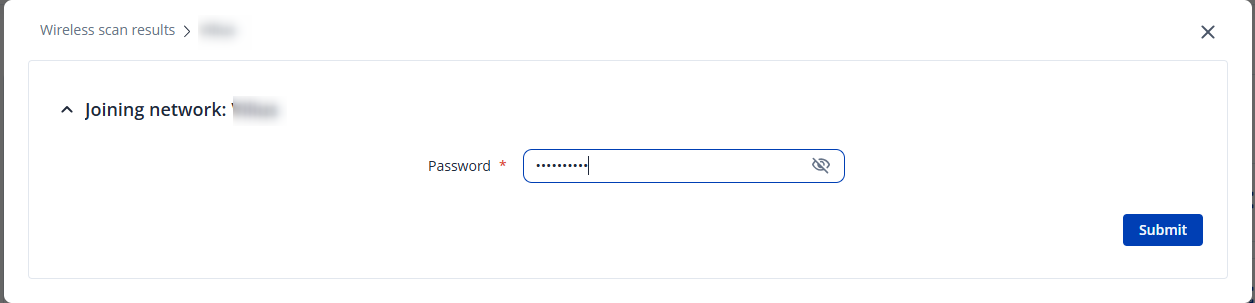
First, you will need to set up a wireless client. Basically, you need to scan for available networks and connect to your WiFi as a client.
Note: If the network is not available (e.g., it is a hidden network), you can connect to it manually by adding it based on its SSID.
To achieve this, you will need to:
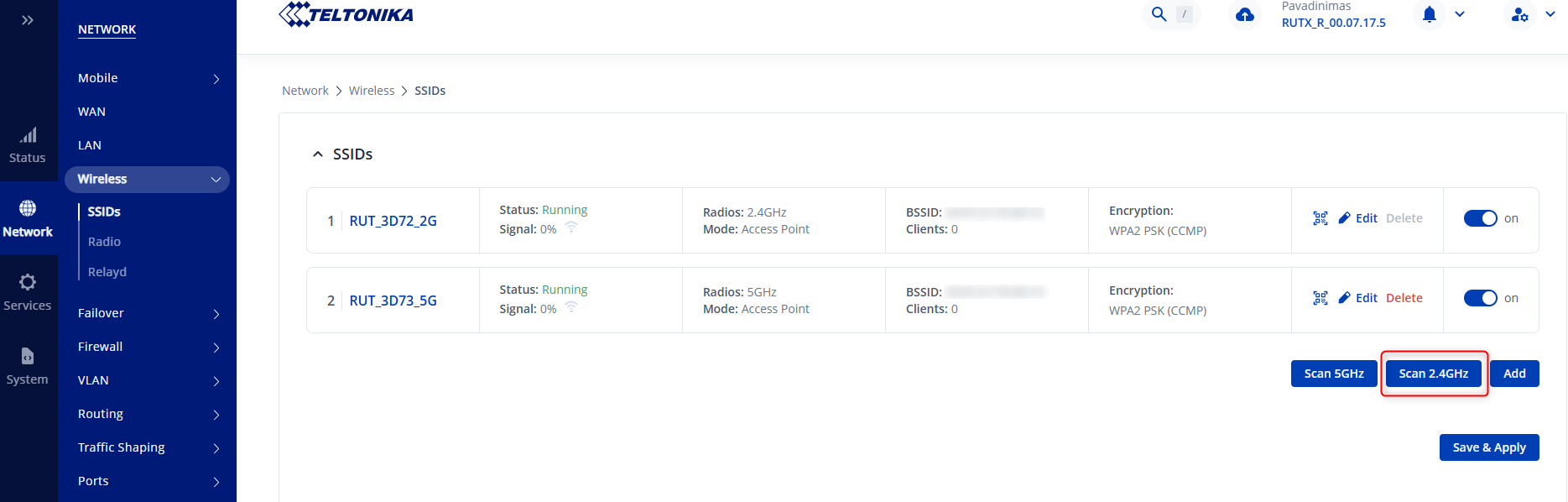
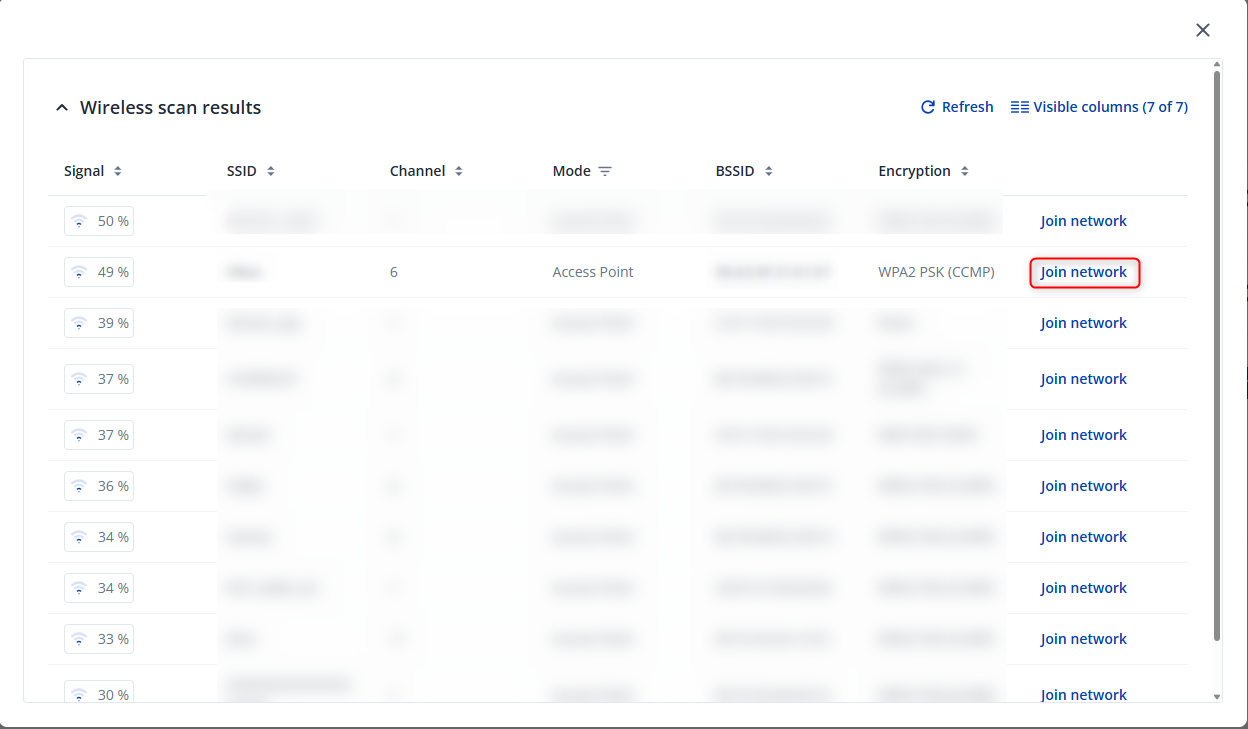
- Go to Network → Wireless and scan for 2.4 GHz networks. Once the scan is completed, it should show all your available networks.
- Make sure to set the mode to “Client” and click on “Save & Apply”
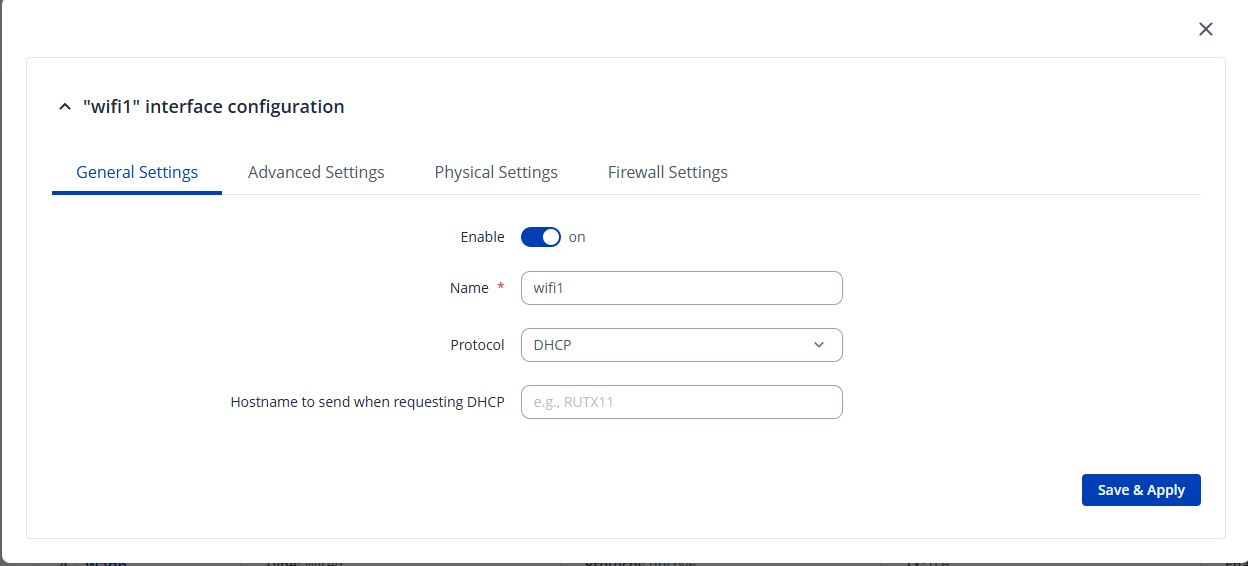
Next we will need to finish setting up wireless WAN interface. In the next configuration window, most of the time you can leave the interface on DHCP, however if the DHCP server is not enabled on the wireless network, that you’re connecting to, then you might want to opt out for static configuration instead.
Once these steps are done, your router will have access to the internet as a WiFi client.
Note: If you’re using the default LAN subnet of 192.168.1.0/24, you need to make sure that the wireless network subnet you’re connecting to is different from the default (e.g., 192.168.5.0/24). In my setup, I will be using the default LAN subnet, and the wireless network that I am trying to connect to as a client is 10.0.0.0/24.
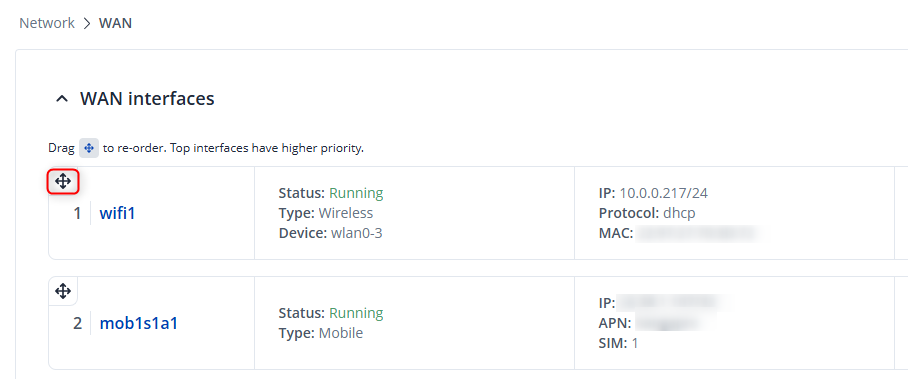
Next, go to Network → WAN and set the priorities of the interfaces. In your case, the WiFi interface should be first, and failover should be enabled. The second priority should be your mobile interface. To change the priority, simply click on the top left corner of the interface and drag it to a higher priority (I have attached a screenshot for visualization). This will ensure that if the WiFi connection drops, your mobile interface will provide internet access.
Once these steps are completed, you will need to configure a guest WiFi. In my example I am using 192.168.5.0/24 subnet for my new guest network. You can set it up by following this example:
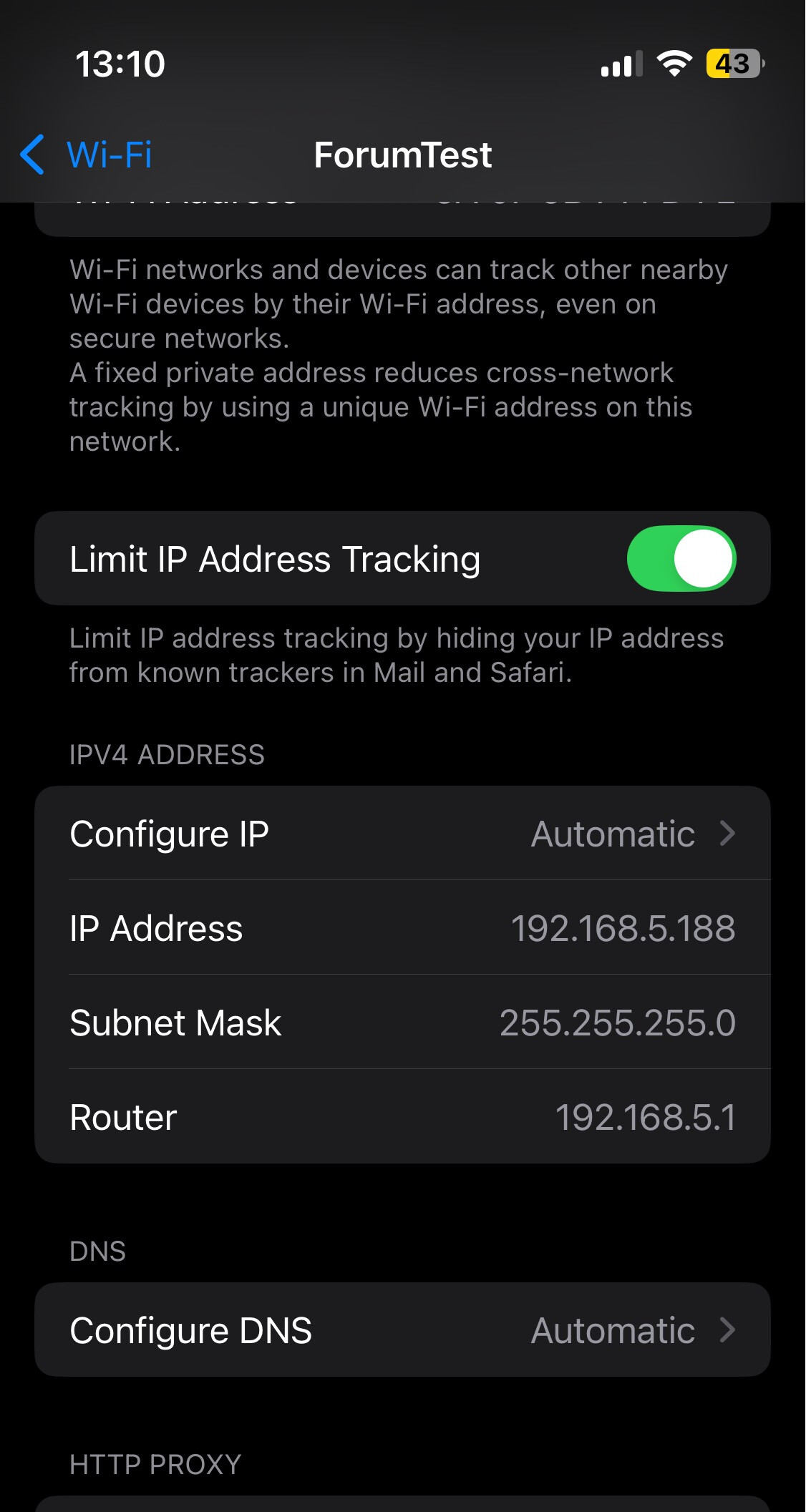
Once the guest WiFI is set up, you should be able to connect to the guest WiFi with various devices, and those devices will be on the new LAN interface network.
As shown in the screenshot, the device is connected to the 192.168.5.0/24 network.
I hope this helps! In case you need any additional assistance, just let me know!
Kind regards,
V.