thank you for your answer.
The computer connected to RUT955 is a Microsoft Surface Pro 2 with a screen resolution of 1920 x 1080, landscape format. WebUI is running under Firefox version 123.0 (64-bit), the most actual version.
I have encountered this problem the first time with RUT955 FW version 00.07.05. In earlier versions everything was o.k.
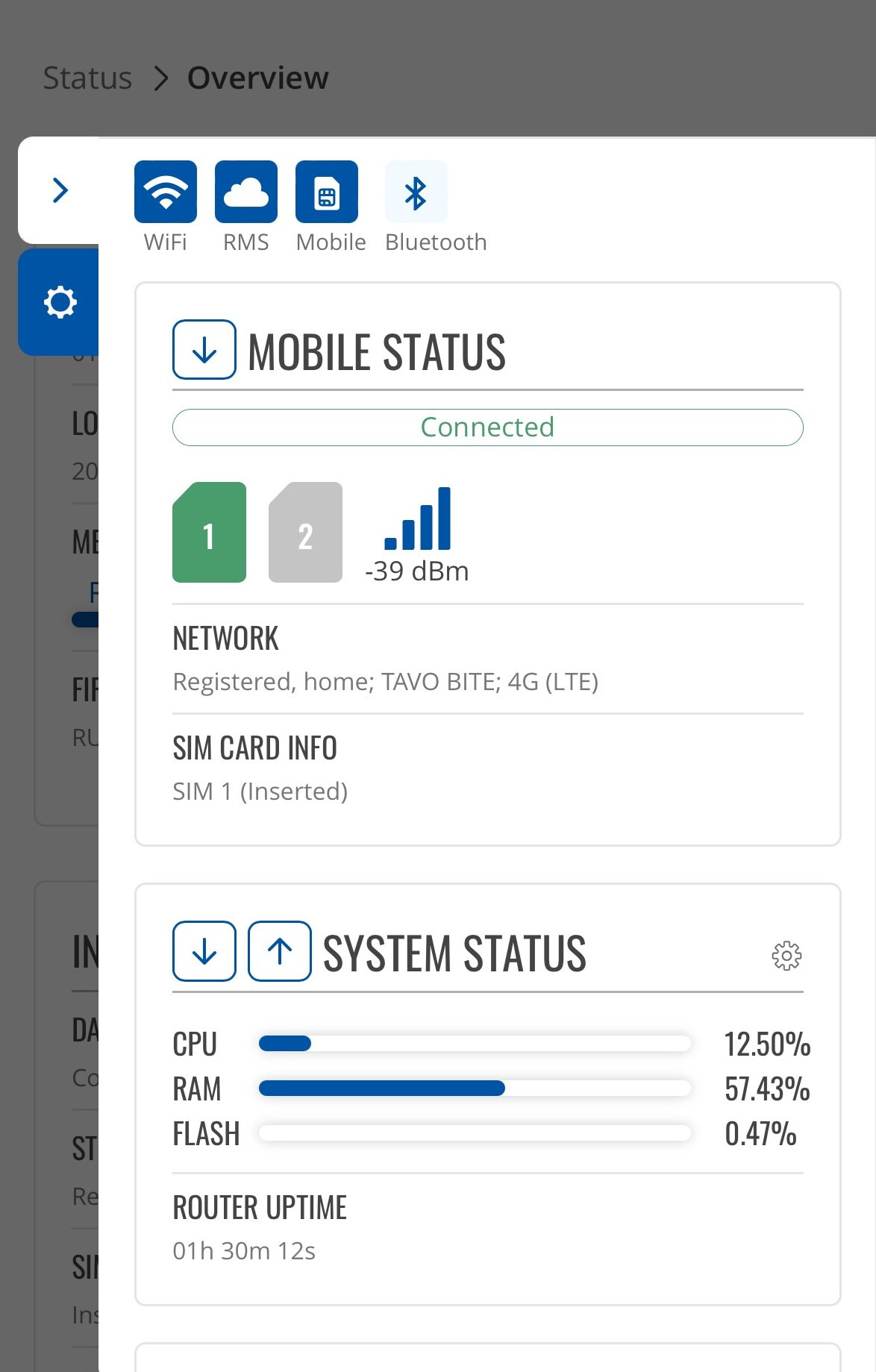
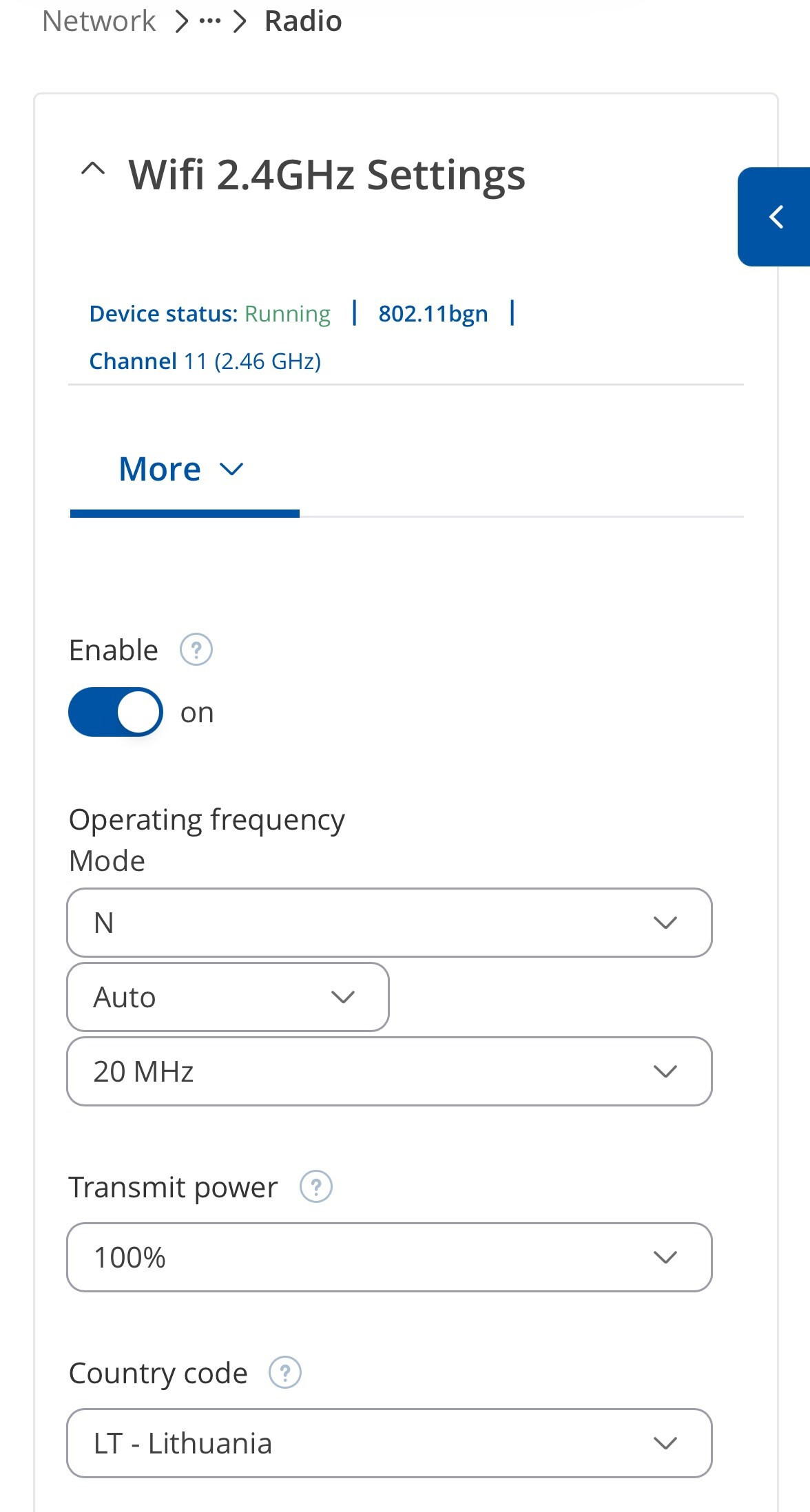
In addition I have checked both cases with my mobile phone. By he way, I didn’t use my mobile phone before to configure RUT955 - it looks good.
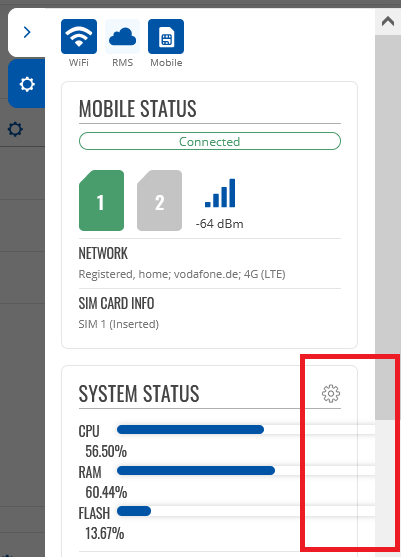
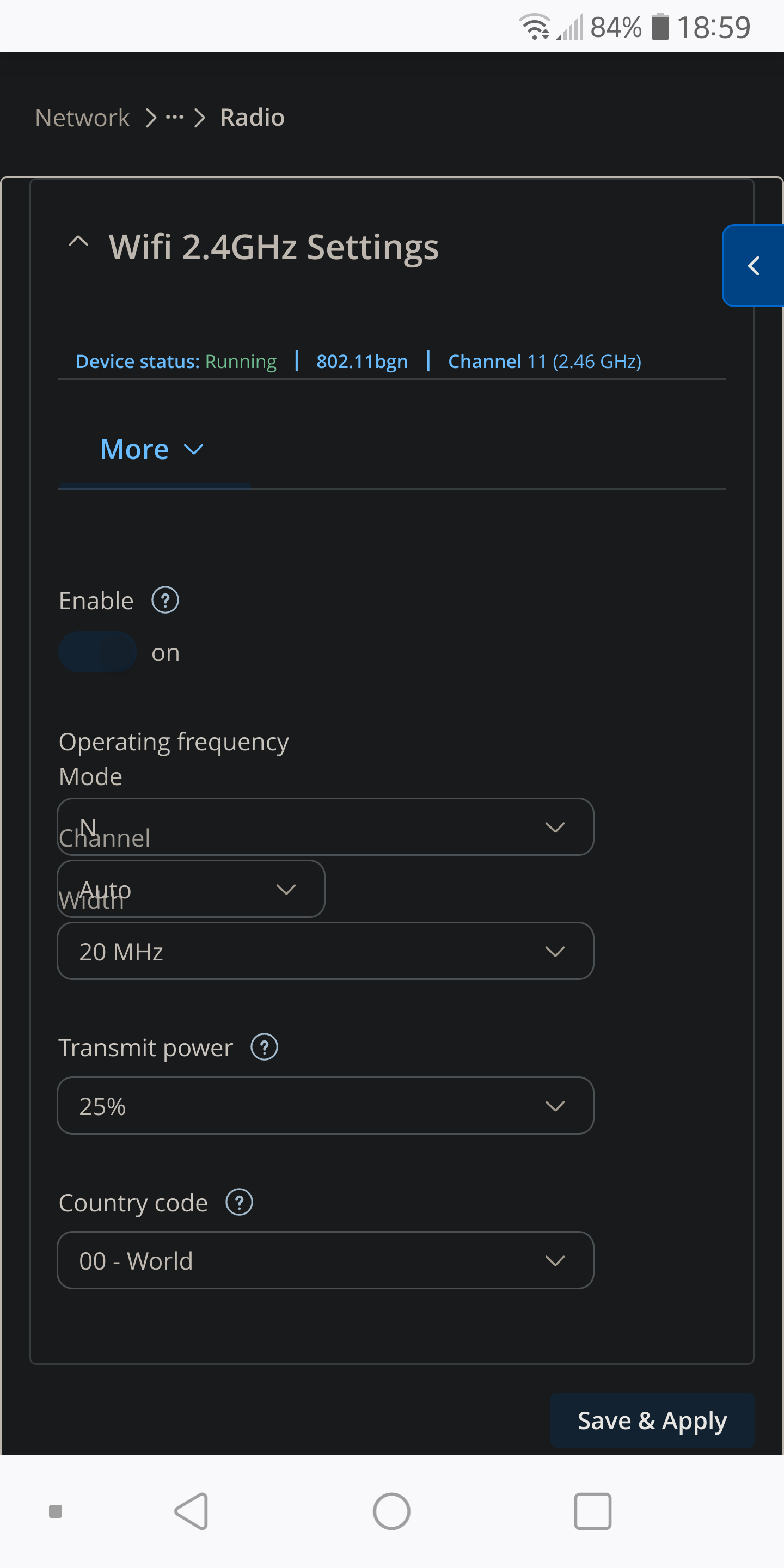
The first case is rendered correctly, while the second case looks like this.
Could you try clearing the cache of your browser or try using a private window on Firefox to check if the issue could be related to the older WebUI data present in cache?
If the issue does not reproduce in private window, then you could clear the cache for the RUT955 WebUI and everything should work fine. Alternatively, could you try other browsers to check if they show the same behavior?
I’ve tried various devices and various resolutions, yet could not reproduce either of these issues.
Could you clarify what scaling settings are used on the surface device?
thanks for your reply.
I tried everything concerning resolution and private window, and my cache is flushed after each Firefox session. Also I cleared cache especially for RUT955 WebUI. Nothing changed.
The recommended scaling is 150%. I changed it to 100%, 125% and 175%. Nothing changed. The rendering for both cases remain as described above.
In addition I tested Microsoft Edge (I used it the first time, just from scratch, skipping everything requested by Microsoft). The rendering now was o.k. for both cases described above.
Does Teltonika use Firefox browser in test department and quality assurance?
Hello Daumantas,
does Teltonika use Firefox browser in test department and quality assurance?
Is there a chance to avoid this error in future RUT955 FW versions?
Thanks and BR Guenther
We test various browsers before releases.
I’ve double-checked with Firefox as well, but once again could not replicate the issue. It’s hard to say what could be causing the issue, as we are unable to reproduce it locally. Could you make sure that Firefox is up to date on your side?
Other than that, it does not seem like this issue creates any usability issues or is very wide-spread. In case someone else also manages to replicate the issue, please create another forum post so we can look into it deeper. Thank you.
Good morning, Daumantas,
thank you for your reply.
As I wrote earlier, my FireFox is up to date and caches are flushed.
You are right, this rendering issue is not nice, yet does not prevent configuring the router.
That’s why I agree if we shelve this issue.
Thanks and BR Guenther