This is a follow up for the support call I made yesterday.
What I want to do: I am running an NTRIP Caster program on a PC connected to an RUT951. I want the PC to have the Public IP of the mob1 WAN connection and i want the RUT951 to pass ALL port traffic straight through and have the PC firewall control incoming ports (or at least the ranges the NTRIP clients like to use to connect).
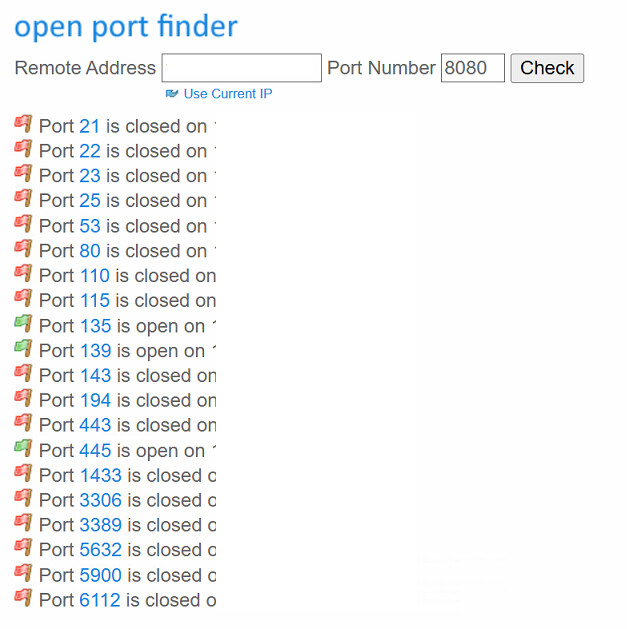
I have tried both Bridge and Passthrough with no success of any port reporting as open on yougetsignal.com open port finder.
Here is what we set with support yesterday:
Have an RUT951 set as Passthrough on mob1. SIM has a Public IP.
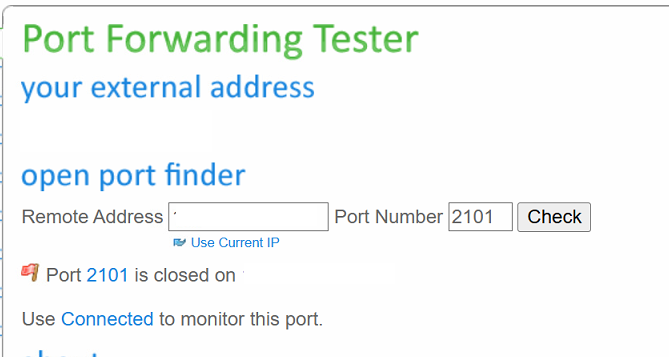
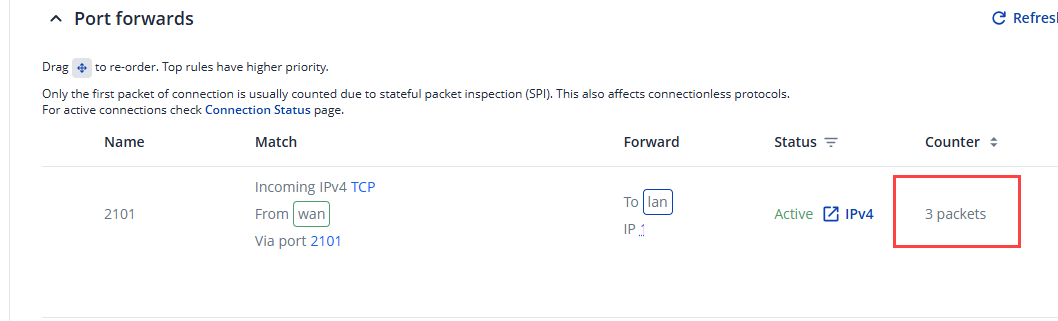
I have tried with firmware 7.21.1 with same results. I have noticed when I check the port is open in Port forwarding tester the packets from the website show in the port forwarding section.
I will add the new firmware appears to have passthrough with Disable DHCPv4 on now gives me the public IP not a 169.254.x.x address that the 7.20 version did.
Make sure that WAN failover is turned off and mobile is set as main WAN in the Network → WAN page.
Make sure that DHCP server is enabled on menu Network → LAN.
Then in the Network → WAN → Interfaces:MOB1S1A1 page select Mode: Passthrough in the mobile configuration section. You will then see an additional configuration field for entering a MAC address appear. Enter your PC network interface MAC address, use colons to separate digit groups. In windows you can find your interface’s MAC address by typing this command in CMD: getmac /v /fo list
Set your PC to obtain IP address automatically. Go to the Ethernet Settings → Change adapter options → Ethernet NIC properties → Internet Protocol Version 4 (TCP/IPv4) → Obtain an IP address automatically.
Reboot RUT device.
PC whose MAC address was set in Passthrough settings, should get routers WAN IP address. All other devices connected to LAN port, will get LAN pool IP address and should be able to access internet too.
Please move mob1s1a1 interface to the top of the list, by simply dragging it so it would be set as 1 in the list.
Please try to reproduce these steps and let me know how it goes.
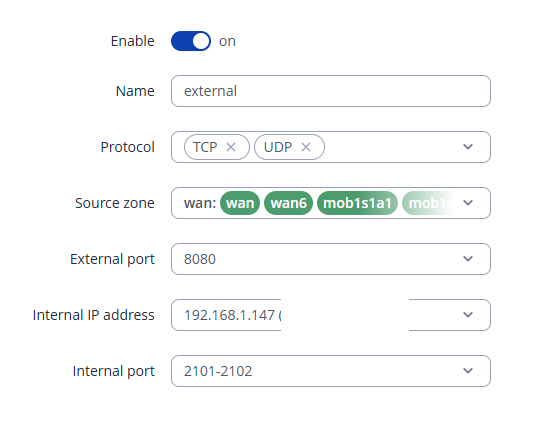
As my Images show I have indeed set it up in that manner. I do resolve the IP address I want.
I cannot get ports to open. As I showed above in the images, I should have port 2101 open. The firewall in the PC is turned OFF to test this. The RUT951 appears to not be letting incoming port traffic in
For troubleshooting purposes, we will require more sensitive information from your end, such as the troubleshoot file, which may contain passwords, public IP addresses, serial numbers, and such. To avoid leaking this information, we have sent you a form to fill out, which you will receive in your e-mail inbox that you have registered your account with in the forums. In the Ticket ID field of the form, please enter the ID of this thread, which is 18063.
Since it looks to be a 24hr turnaround per post due to timezones could you try and ask me for as much things as you can in the one post so we can reduce the back and forth. For example, your post above asked me to perform a setup I had already provided pictures of in my original post.
We have not yet received the completed form from you. I have resent it for your convenience. Please ensure that you enter 18063 in the Ticket ID field when submitting the form.
If you encounter any issues while filling it out, please let me know.
am I supposed to be getting something more substantial than Email, Username, Case No., and fault explanation? after I fill in those four boxes it next shows the thank you banner.
Here is a brief summary of our remote session. During the session, we reviewed the configuration of Passthrough mode. The initial issue was that port 2101 remained closed despite disabling the firewall on the Windows PC. I was able to open the port using the CLI with the following command:
After executing this command and removing the previously configured port forward rule, the port was successfully opened, and the device became reachable.
For now, the initial issue has been resolved. If you have any additional questions or need further assistance, please do not hesitate to reach out.