Dear Experts,
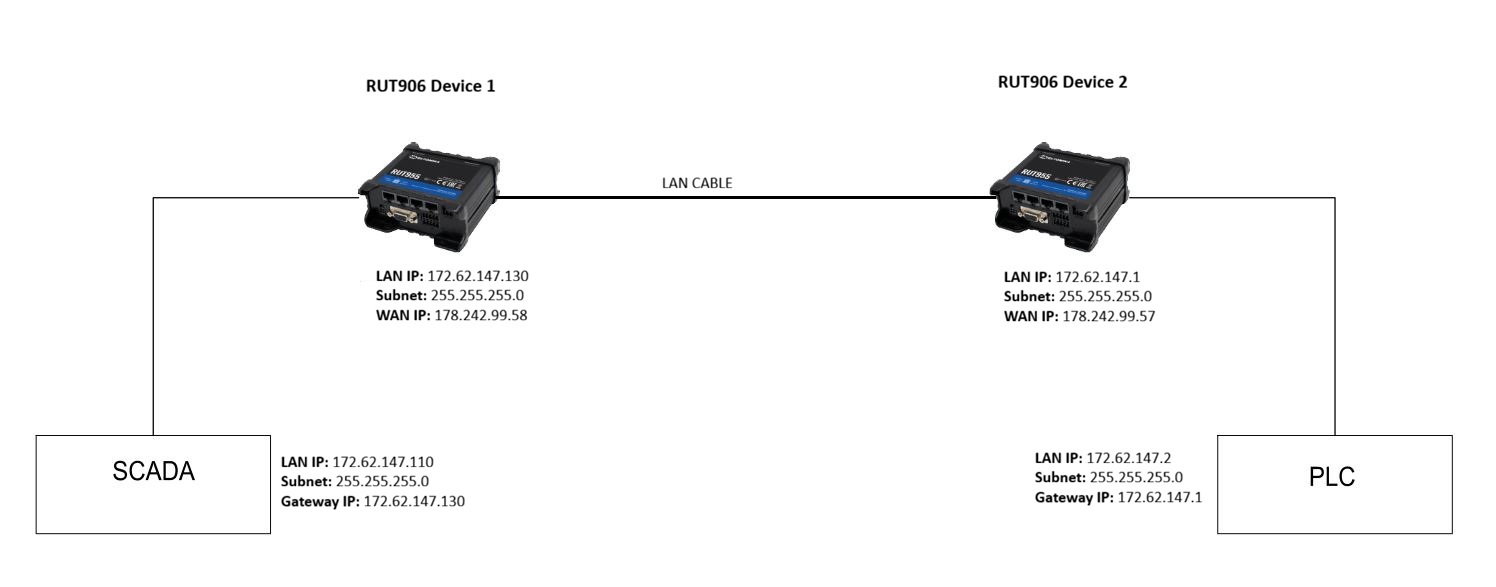
I am trying to create a network between 2 RUT906 devices with firmware version RUT9M_R_00.07.18.3 according to the attached architecture.
My simple architecture is as follows:
The purpose of the LAN cable between the routers is:
1- To allow Device 2 to access the device connected to Device 1.
2- To allow Device 1 to access the device connected to Device 2.
Currently, the cable is connected as LAN to LAN. Since both devices have mobile connectivity, I couldn’t connect them as WAN to WAN.
I think we can solve this using a VPN connection without the cable, but how can we do it without a VPN connection?
Both routers are in identical subnets, and routing will not function properly:
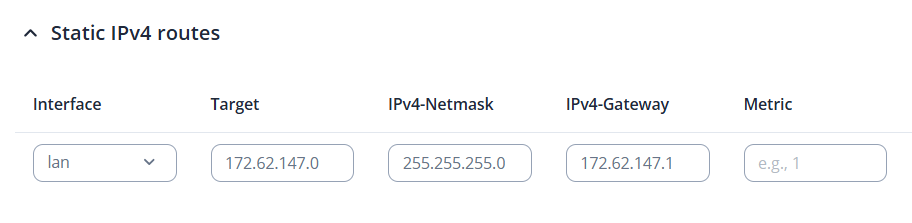
Use 172.62.147.x for the RUT906 Device 1 (change the SCADA accordingly if it’s not on DHCP, same with the gateway IP addresses)
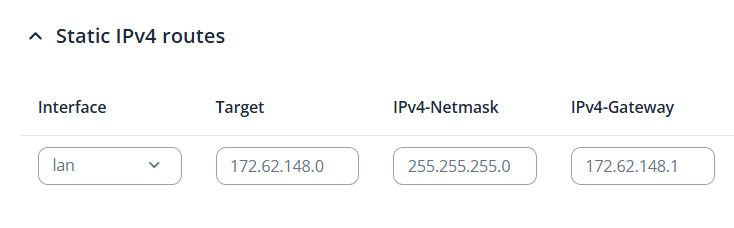
Use 172.62.148.x for the RUT906 Device 2 (change the PLC accordingly if it’s not on DHCP, same with the gateway IP addresses)
2.Add a Static route under Network → Routing → Static Routes on the RUT906 Device 1:
Please refer to @Matas reply, he provided the required static routes for this setup. One important note: on Device 2, the gateway should be 172.62.147.130, as this is the LAN IP address configured on your router.
You’ll need to configure a port forwarding rule on Device 2:
Go to Network → Firewall → Port Forwards and create a rule similar to the one shown in the pictures below.
The external port can be any unused port (not occupied by other services).
The internal port should match the port used by the device you want to reach.
In my example, the device would be accessible via WAN_IP:8080
If this still doesn’t work, navigate to Network → Firewall → Zones and enable Masquerading for the LAN zone. This ensures the return traffic is routed correctly back through Device 2