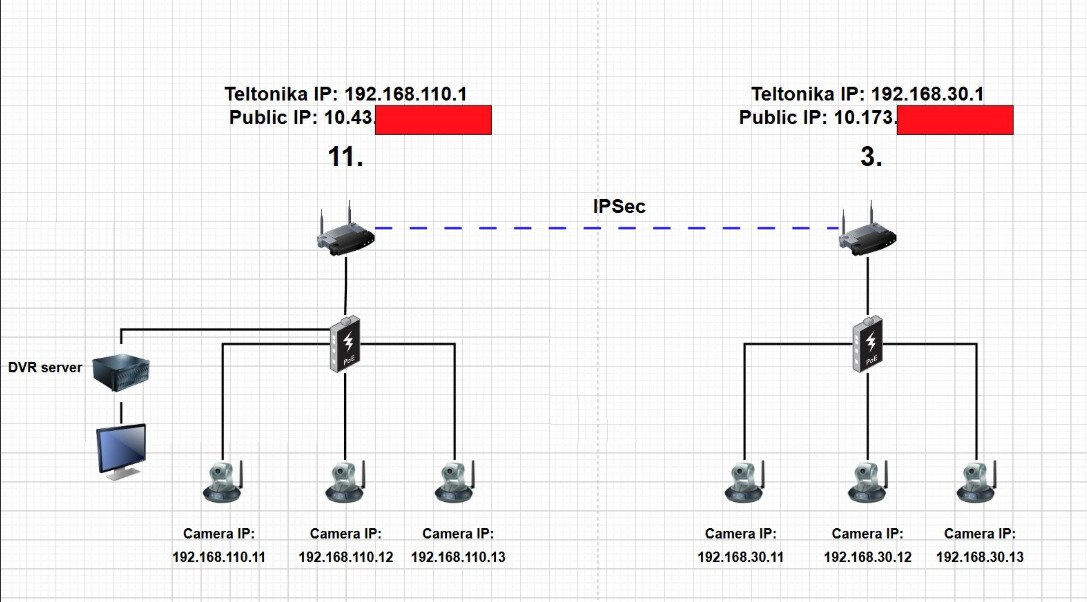
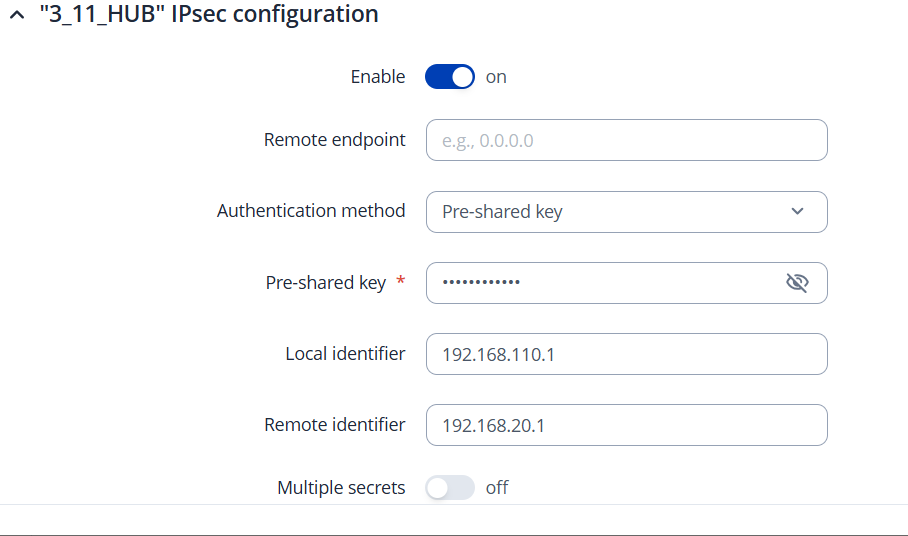
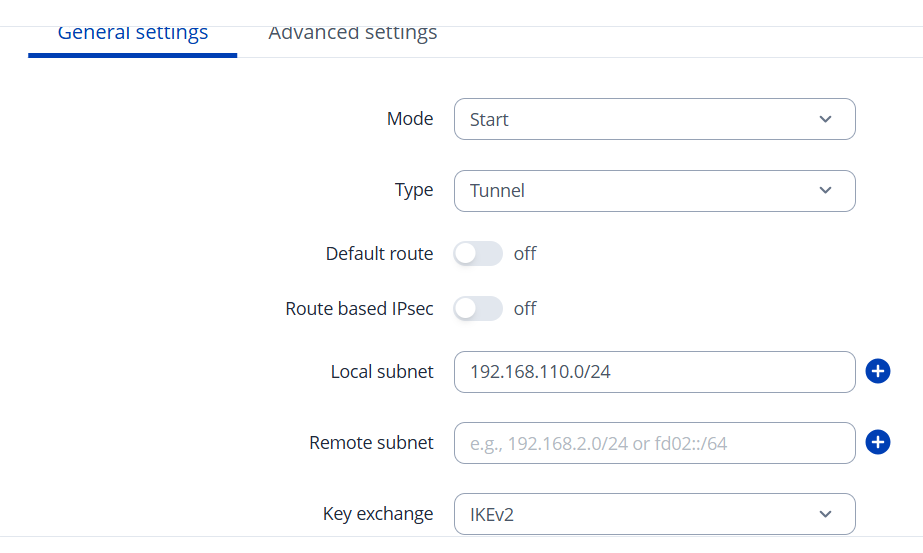
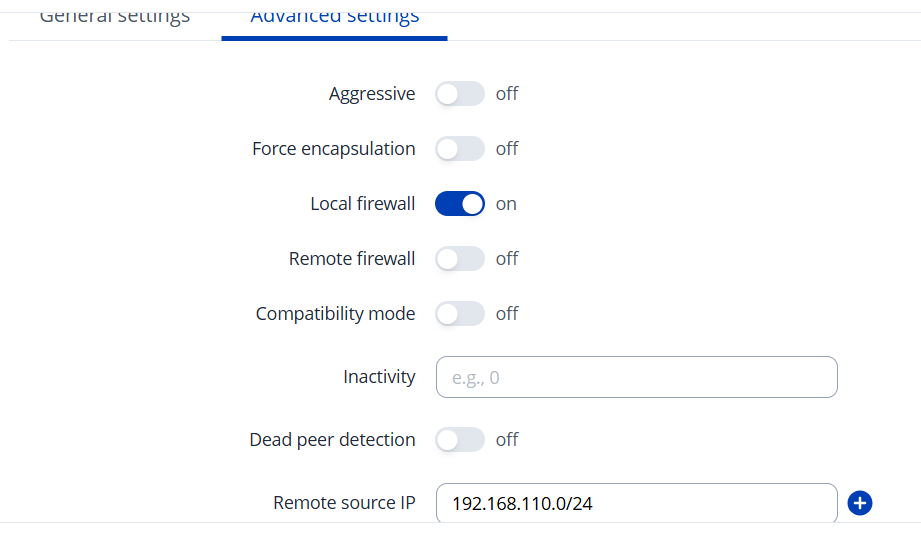
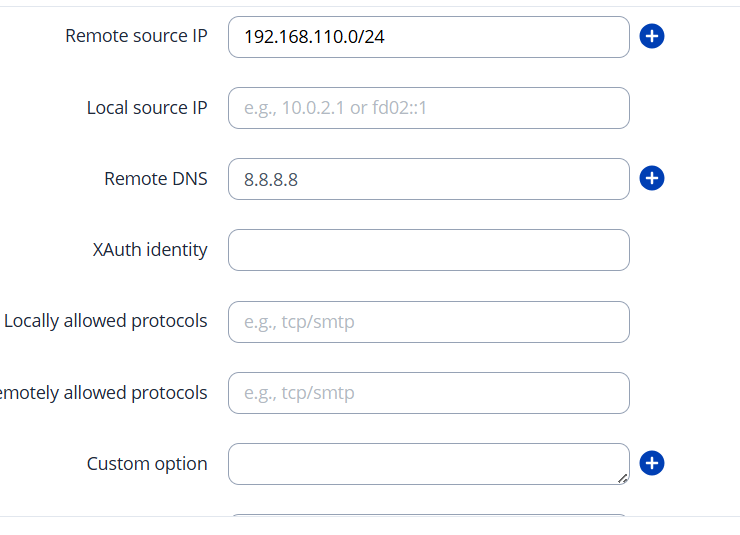
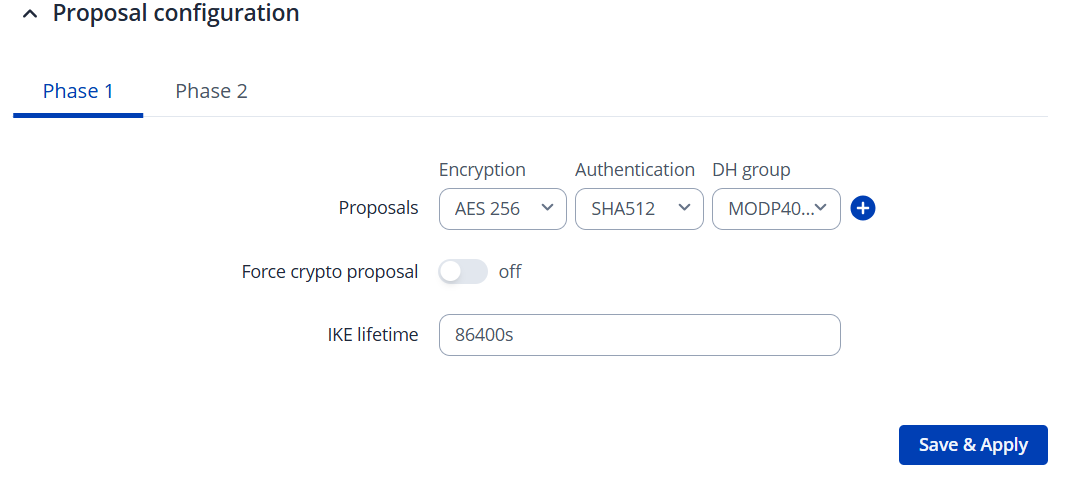
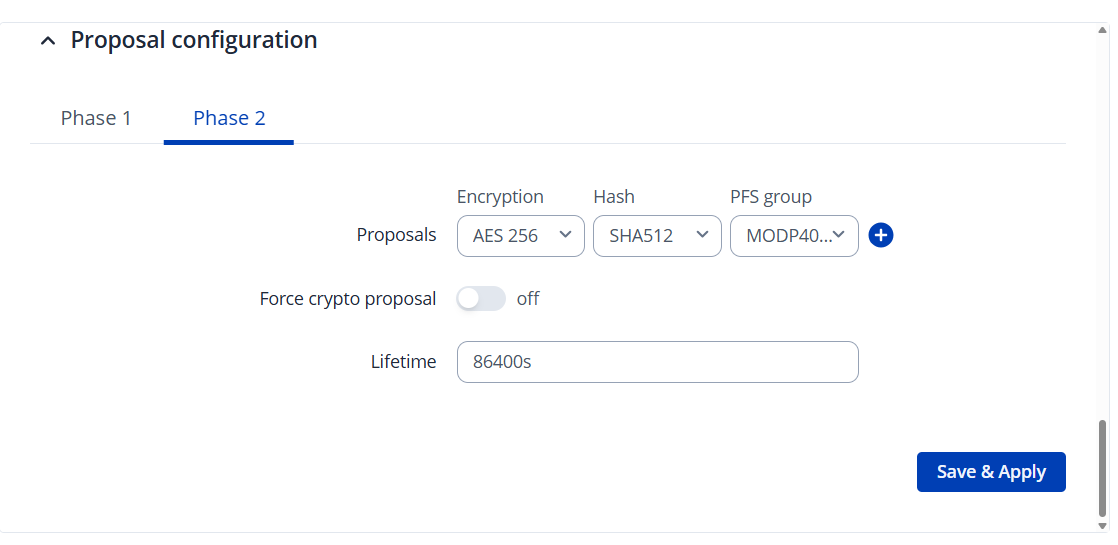
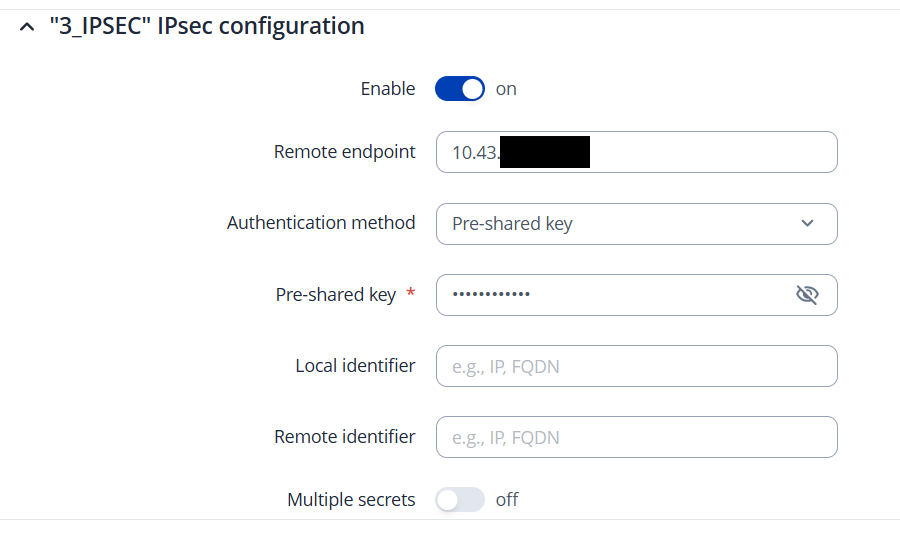
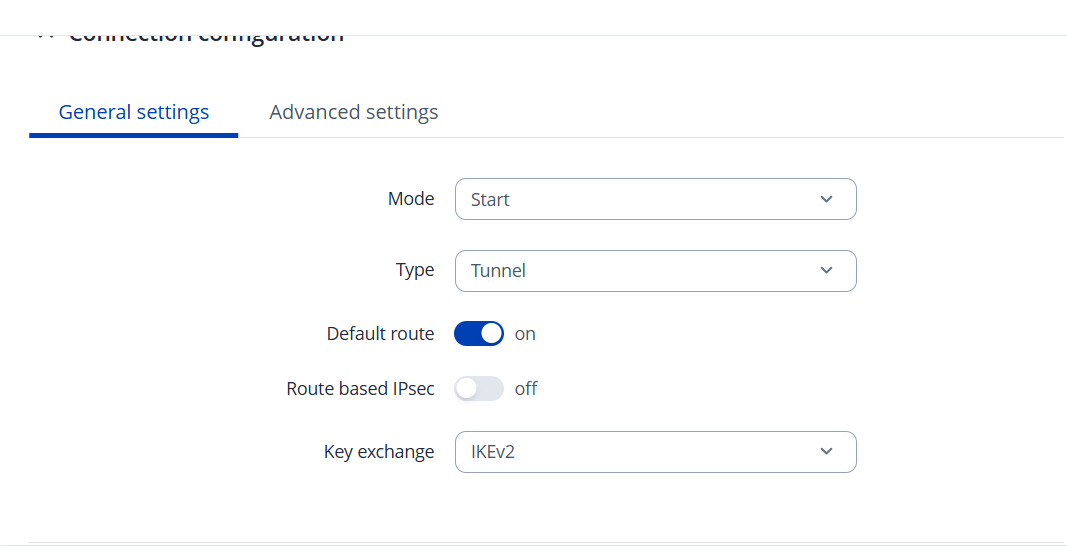
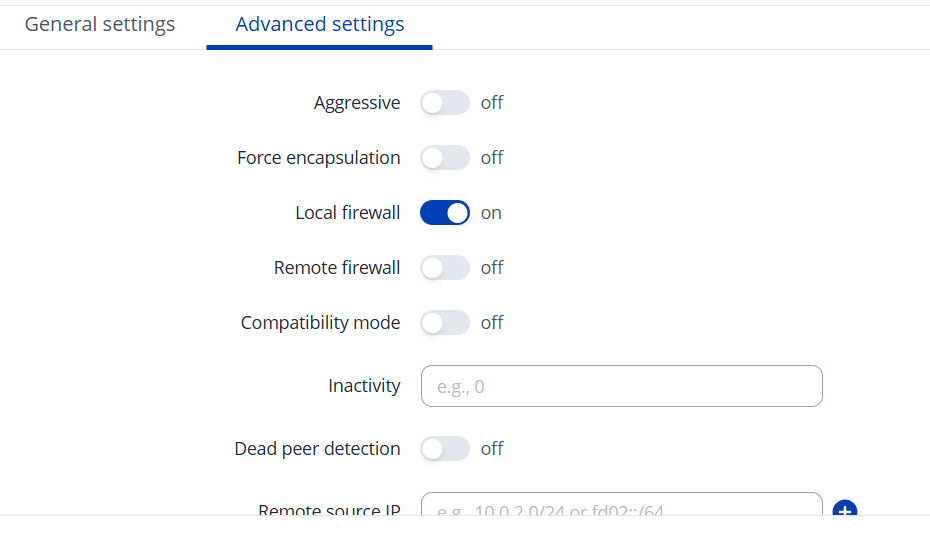
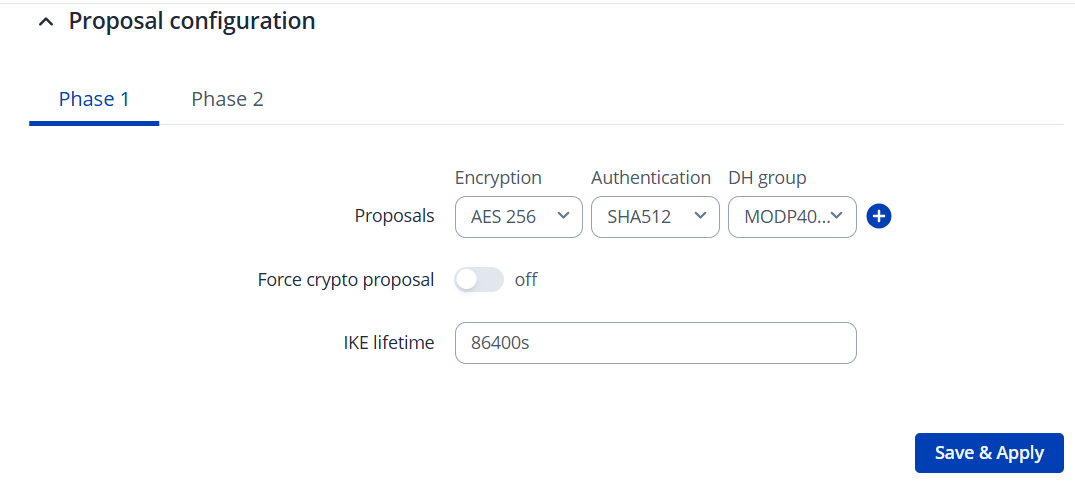
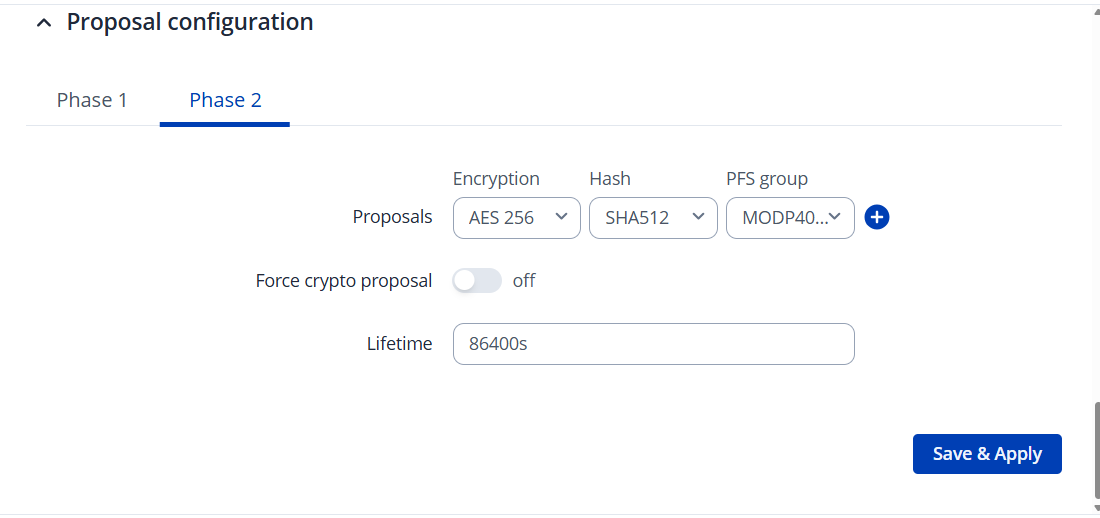
The problem is on the “HUB” end of the tunnel the status is up and on the “SPOKE” end the status stays disconnected and we cant find the solution to get these communicating.
Thank you for the detailed screenshots of your configuration.
From what I can see in your IPsec setup the addresses that you put as public IP seems to be private in order for this setup to work you need at least one public IP address, to check your public IP address you can simply go to whatismyipaddress.com . Additionally, there are no remote endpoint and subnet defined in the “hub”, and in the “spoke” there are no local and remote identifiers configured. For an IPsec tunnel to be established and for traffic to route properly, both sides must correctly identify one another and have matching addressing and subnet settings. Without these key parameters, the tunnel cannot form correctly.
Specifically:
The hub must have the remote endpoint (public IP of the spoke) defined.
Both sides should have matching Local identifier and Remote identifier values that correspond to each other’s LAN IPs or identifiers.
Local subnet and Remote subnet fields should reflect the networks you intend to connect on each side.
For reference and guidance, you can review the official IPsec configuration example here:
This example includes complete settings for both ends of a tunnel, including identifiers, subnets, and relevant fields required for a successful tunnel.
A few additional considerations that often help with troubleshooting IPsec tunnels:
Make sure the encryption and hashing proposals (Phase 1 and Phase 2) match exactly on both sides of the tunnel. Mismatched proposals are a common cause of IPsec negotiation failure.
Once configured, you can verify tunnel status using ipsec status or ipsec statusall via the CLI to confirm a successful IKE/IKEv2 negotiation.
Please update your configuration to include the missing identifiers and subnet definitions, and let me know how it goes.