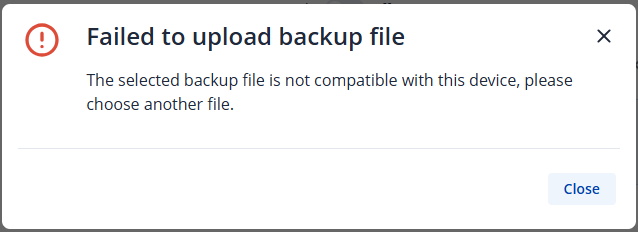
I’m having a problem with my new RUT241. The device came with firmware RUT2M_R_00.07.15.4.
I used the “Backup” function to restore the settings from another RUT241 device with the same firmware version, and then upgraded the firmware to version RUT2M_R_00.07.21.3. Unfortunately, all of the settings were lost, and there’s no way to restore the same backup. Even if I restore the firmware to RUT2M_R_00.07.15.4, I receive the same error message.
I am attaching the message from the system log and a screenshot of the error:
System log: 629 Wed Apr 8 11:20:00 2026 daemon.err uhttpd[10210]: tar: etc/config/fstab: not found in archive
When creating or restoring a backup, it is important to ensure that the product codes match. This means that both routers must have the same product code.
You can verify the product code in the device WebUI by navigating to: Status > System .
If the product codes do not match, the backup cannot be used. In this case, you will need to create a new backup and reconfigure the device accordingly.
Kind regards,
Žilvinas.
I think we misunderstood each other. First, I restored the backup with the factory firmware version (RUT2M_R_00.07.15.4), which suggests the product code matched. Next, I updated the firmware, losing the entire restored configuration.
Currently, it’s impossible to restore a backup for either RUT2M_R_00.07.15.4 or RUT2M_R_00.07.21.3.
To help us investigate the issue more thoroughly, we may require some additional information from your side, such as a troubleshoot file. Please note that this file may contain sensitive information, including passwords, public IP addresses, serial numbers, and similar data.
To ensure your information is handled securely and confidentially, we have sent you a form to the email address associated with your forum account. Once you receive it, we kindly ask you to complete and submit the form at your convenience.
In the Ticket ID field, please enter the following thread ID: 18784.
If you do not receive the email or need any assistance with the process, please feel free to let us know we will be happy to help.