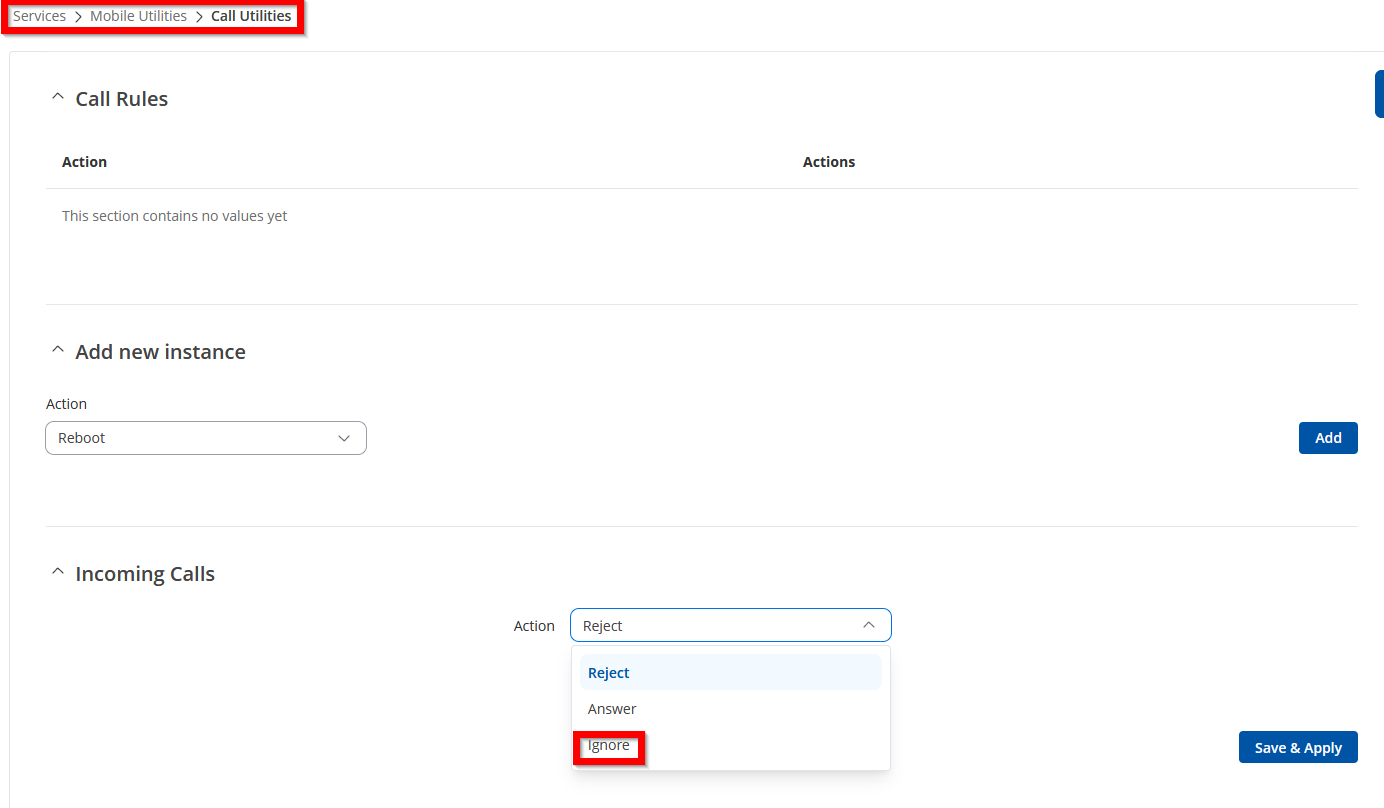
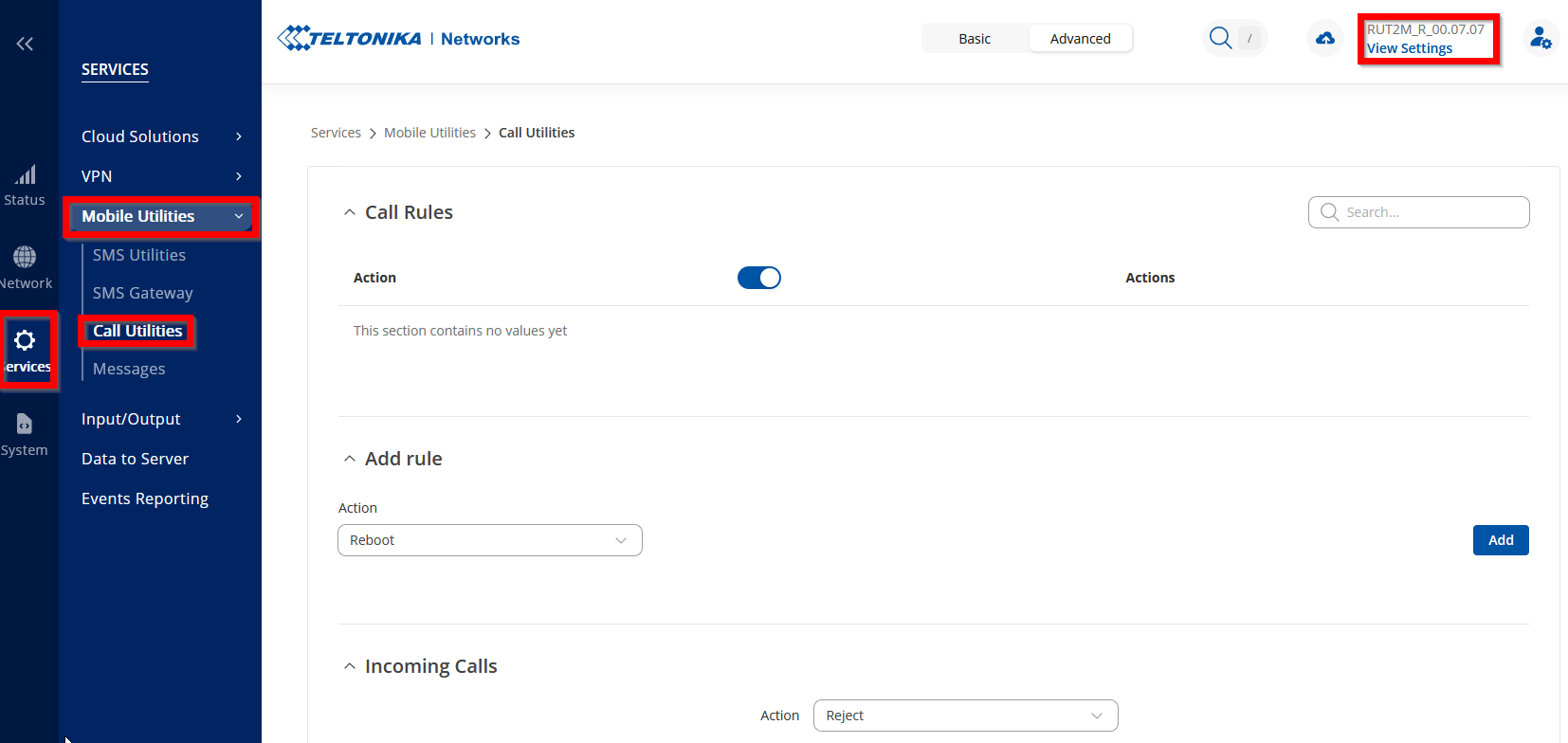
To resolve the issue, try rebooting your router. Since it seems to be a WebUI problem, here’s an example of how it should appear with this firmware and where you can find it.
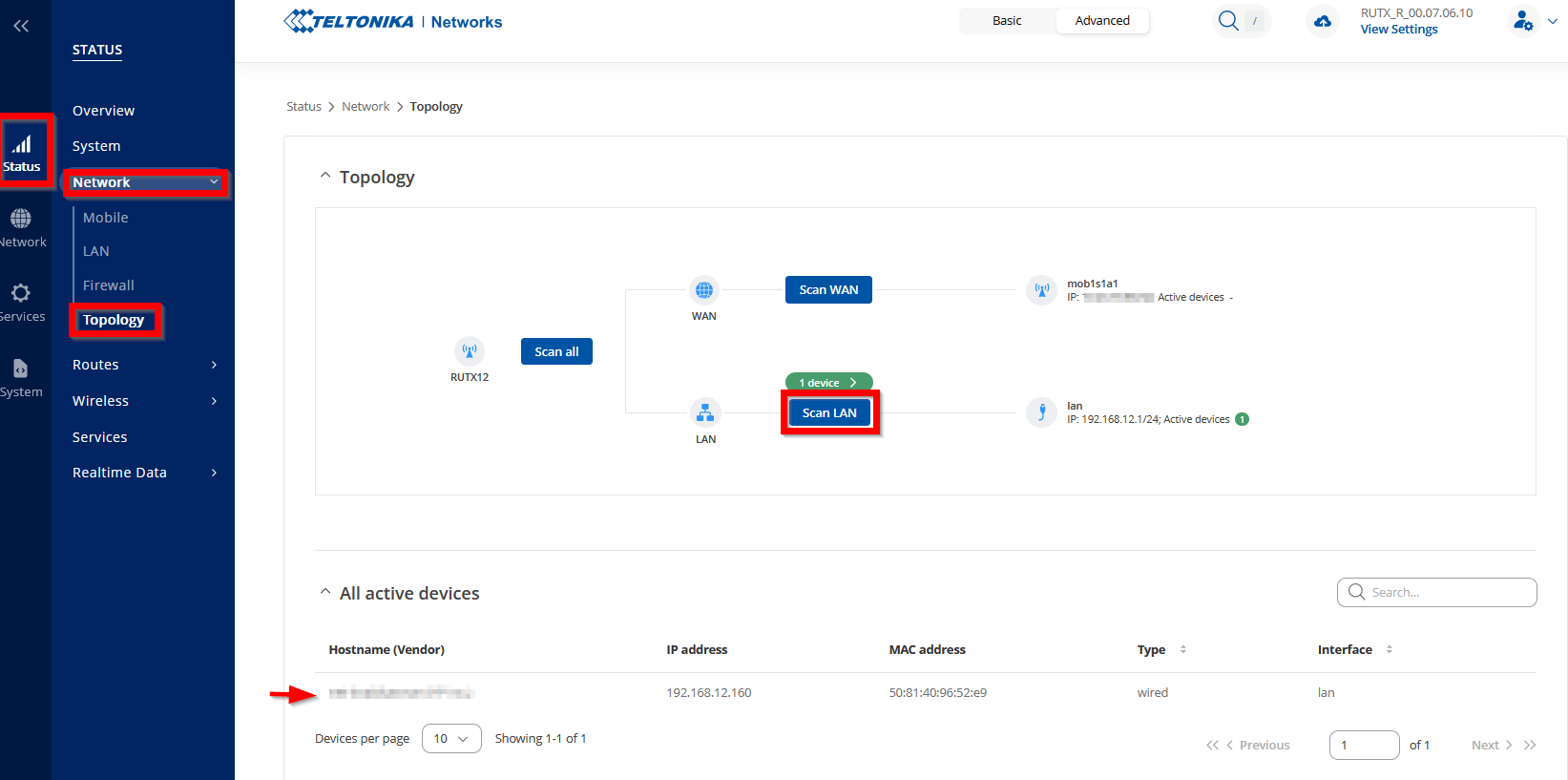
To address this issue, we have the Topology map feature available. You can access it by navigating to Status → Network → Topology. To scan the network for currently connected devices, simply press “Scan”.