On new RUT241 with FW 07.20.5 we can’t access router over HTTP on private APN. With same cofiguratin on FW 07.04.5 it is posible. Where is the problem?
Greetings,
Starting from firmware version 07.15, connection attempts via HTTP get redirected to HTTPS by default.
Please navigate to System → Administration → Access control, click edit on HTTPS, and disable the “Redirect to HTTPS” option.
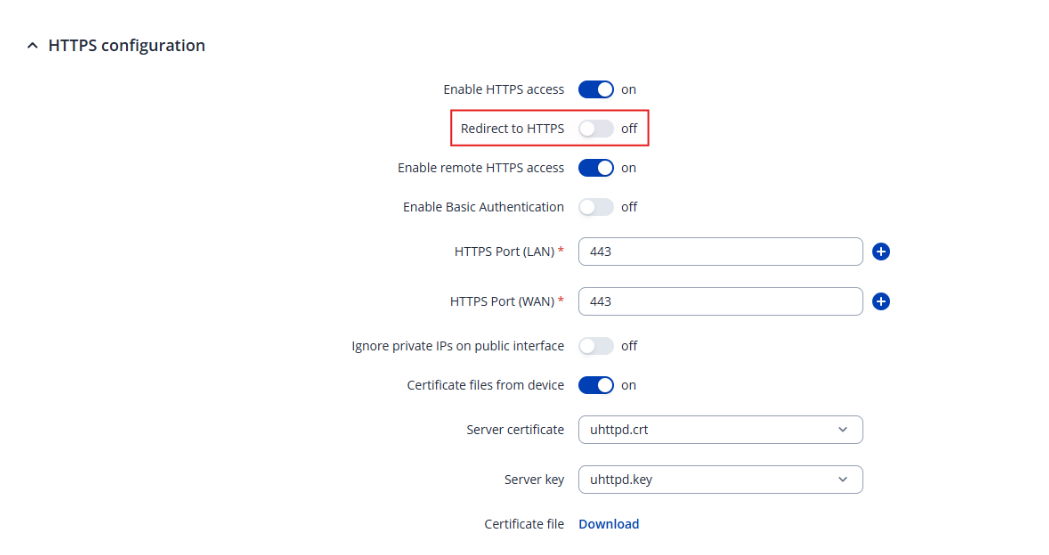
If this doesn’t help, please clarify how are you accessing the device? Is it locally or remotely?
Best Regards,
Justinas
Hi,
no it doesn’t help. We are accessing the divice remotely. We have over 150 of tem from first (RUT500,955,240,241,TRB142..). We have problems with access control on latest FW.
Our routers get static IP over radius server on private APN.
Best regards,
Miha
Greetings,
Is the issue limited to HTTP, or are you also unable to access the devices for example via SSH?
Please check System → Administration → Access Control and confirm whether remote HTTP access is enabled there.
Also, are you attempting to access the devices through a web browser using the router’s public IP address or some other way?
Did you upgrade the firmware while keeping the existing settings? If so, I recommend performing a factory reset and reconfiguring the device from scratch. Since that was a significant version jump, software migration issues may be causing the problem.
Best Regards,
Justinas
hi,
I can access the device over SSH remotely.
Yes I’am attempting to access the device over browser using router’s IP address.
First I try with existing firmware, then I upgrade to the latest one without success.
regards,
Miha
Hi,
I found my problem! It was problem with browser “CHROME”, I tried with “EDGE” now access work.
Thanks, for your help!
Best regards,
Miha