Hi - I have a RUT241 eSIM recently purchased from Solwise in the UK.
I have it installed in a motorhome vehicle and it all works well with an eSIM for iinternet access.
I also have a dog with a mobile tracker attached to her collar (https://tractive.com/) This device allows me to find my dog if it ever runs off. The tracker has a power saving mode which switches the tracker GPS off when within range of user specified WiFI signals. This works fine with my home wifi but I’m unable to get it to detect the WiFi being provided by the RUT241.
The tracker only works with WiFi standard 802.11b which I understand is now classed as old and legacy. The specification for the RUT241 states that it does support the 802.11b standard WiFi.
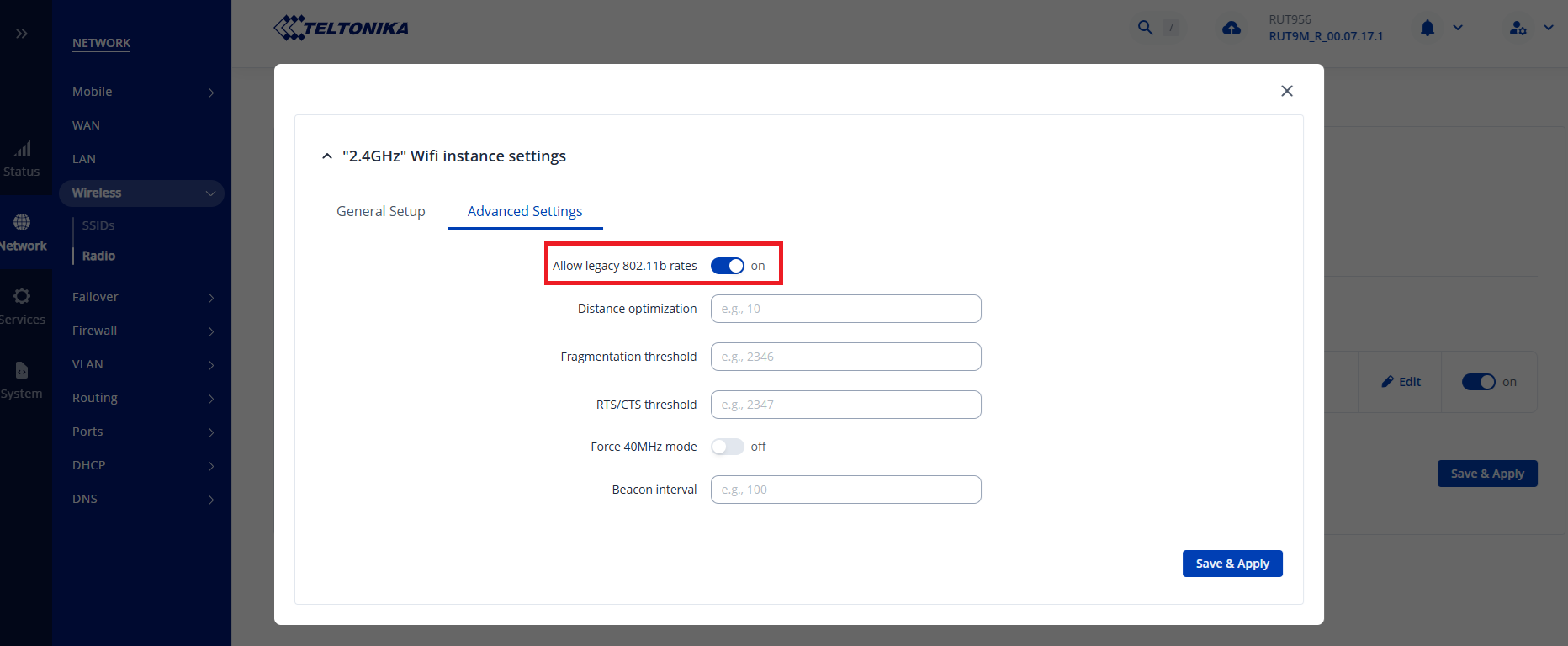
I’ve enabled “b” by switching on “Legacy mode” in the Radio part of the router’s configuration but still the tracker cannot detect the WiFI signal.
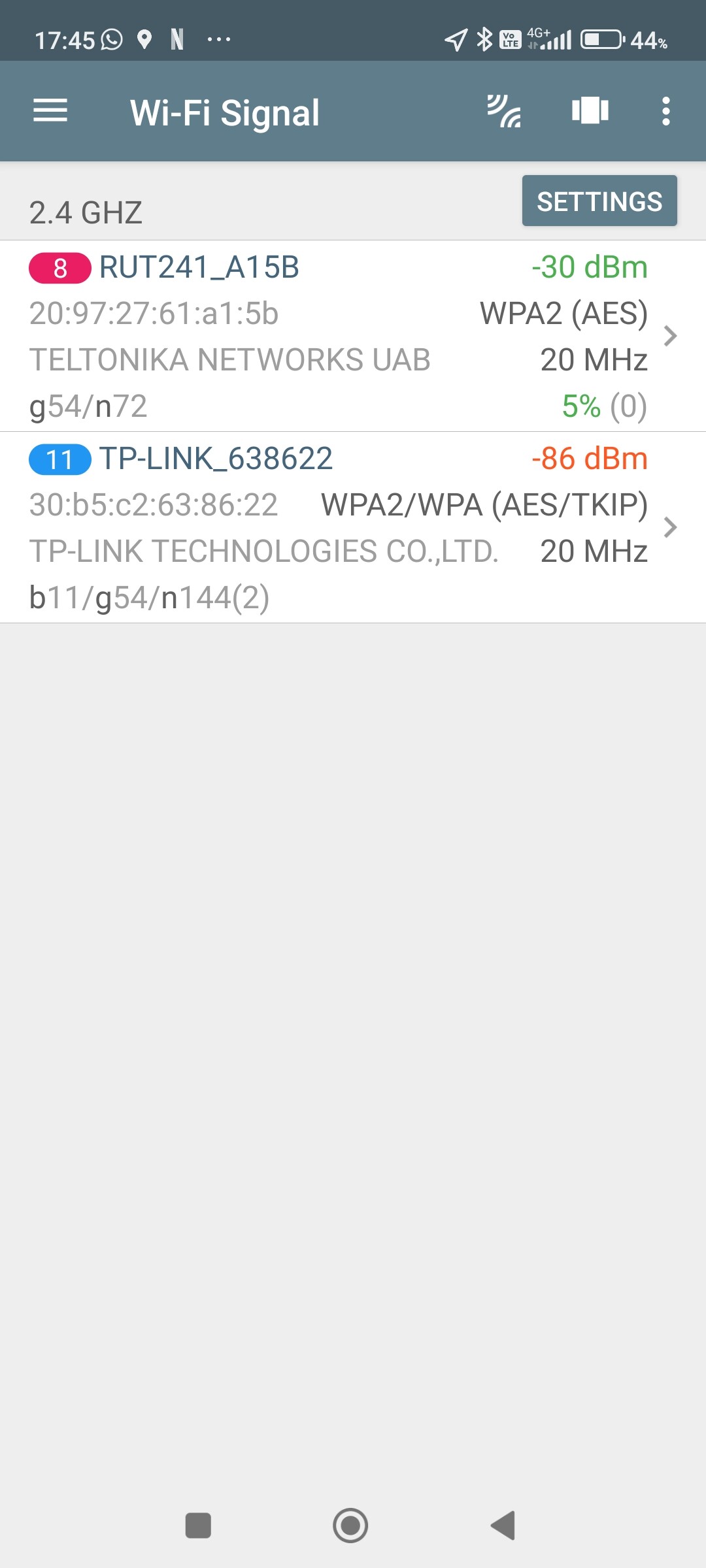
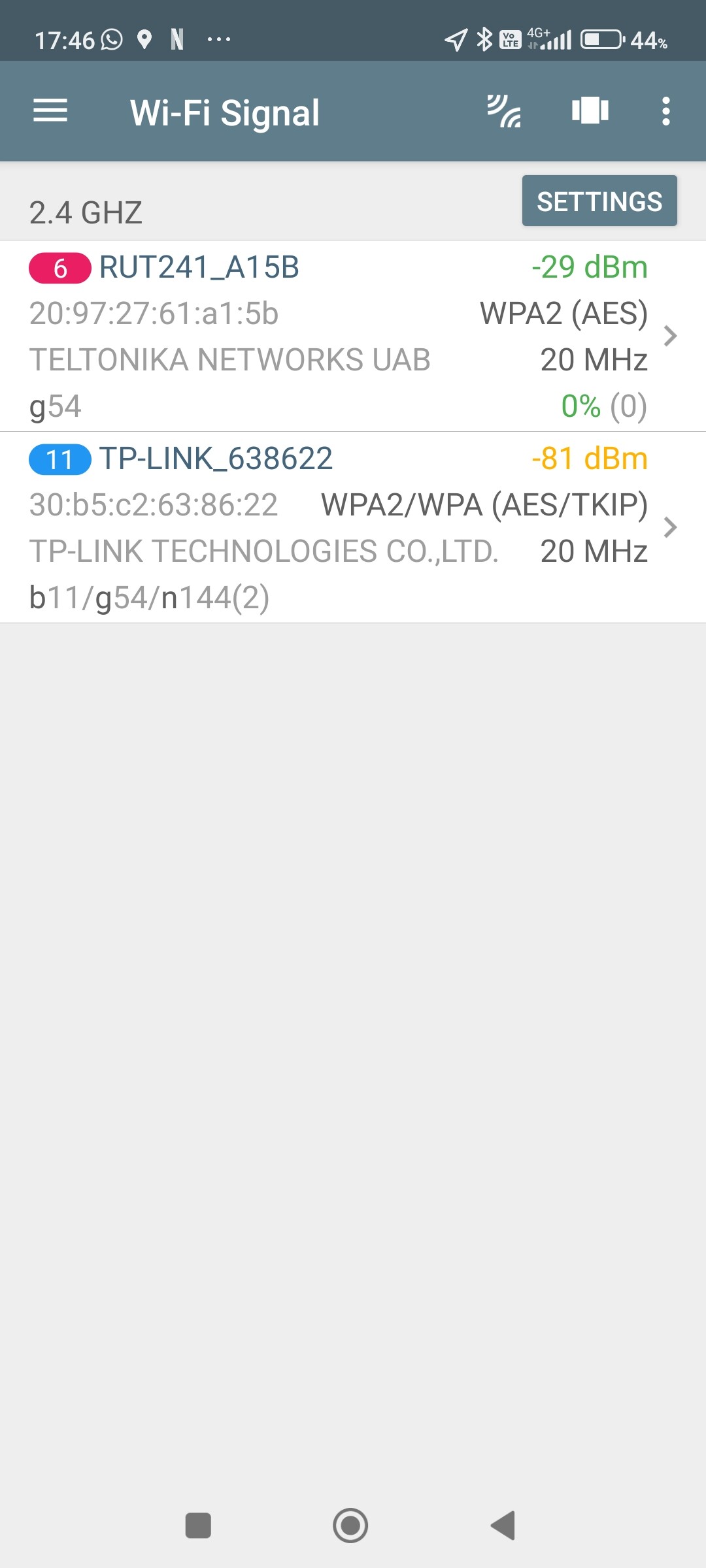
This appears to show that in ‘N’ mode the router supports 802.11g and n standard but in ‘legacy’ mode it just supports 802.11g. In neither modes is 802.1b supported.
I’ve attached screen grabs from the network tool and tried to upload a troubleshooting file from the router but got a message that said new users cannot upload attachments. The router is currently on firmware version RUT 2M_R_00.07.17
Any help or suggestions to get this working would be most welcome by me and my dog.
Yes I’ve tried it with legacy rates on and off but it made no difference. Net analyzer still doesn’t see any ‘b’ standard and the tracker cannot see the WiFI SSID with legacy rates on or off.
I noticed that your router is running 7.17 firmware. Since this version was removed from production due to some issues, I recommend updating your device to 7.17.1 and checking if the issue still occurs. You can download latest firmware from our wiki here: RUT241 Firmware Downloads - Teltonika Networks Wiki.
I have sent a form to the email you used to register on the community forum. If the issue occurs again, please fill out this form, and I will contact you privately for further troubleshooting, including collecting sensitive information such as the troubleshoot file. For the ticket ID please use “15264”.