I’m attempting to set this up for a friend but can’t seem to get the router to connect to the aerial (via Ethernet) so she can pick up the wifi in our marina. As a temporary measure I’m using the router’s mobile aerials to connect - but this is quite a poor signal. I’ve configured the aerial, set up as a repeater, scanned, found the WiFi and put in the password - so I assumed that was connected ok. I thought I’d configured the router ok but just can’t seem to get it to work with the patriot db aerial. Any hints would be appreciated
Hi there,
So if I understood correct, Wi-Fi doesn’t look to be working with that specific aerial, or not at all? What is the status of your Wi-Fi interface? (Found under Network → Wireless → SSIDs)
Are you connected but not receiving internet? Or are unable to connect at all? What firmware version do you have installed currently?
Regards,
M.
Thanks for getting back.
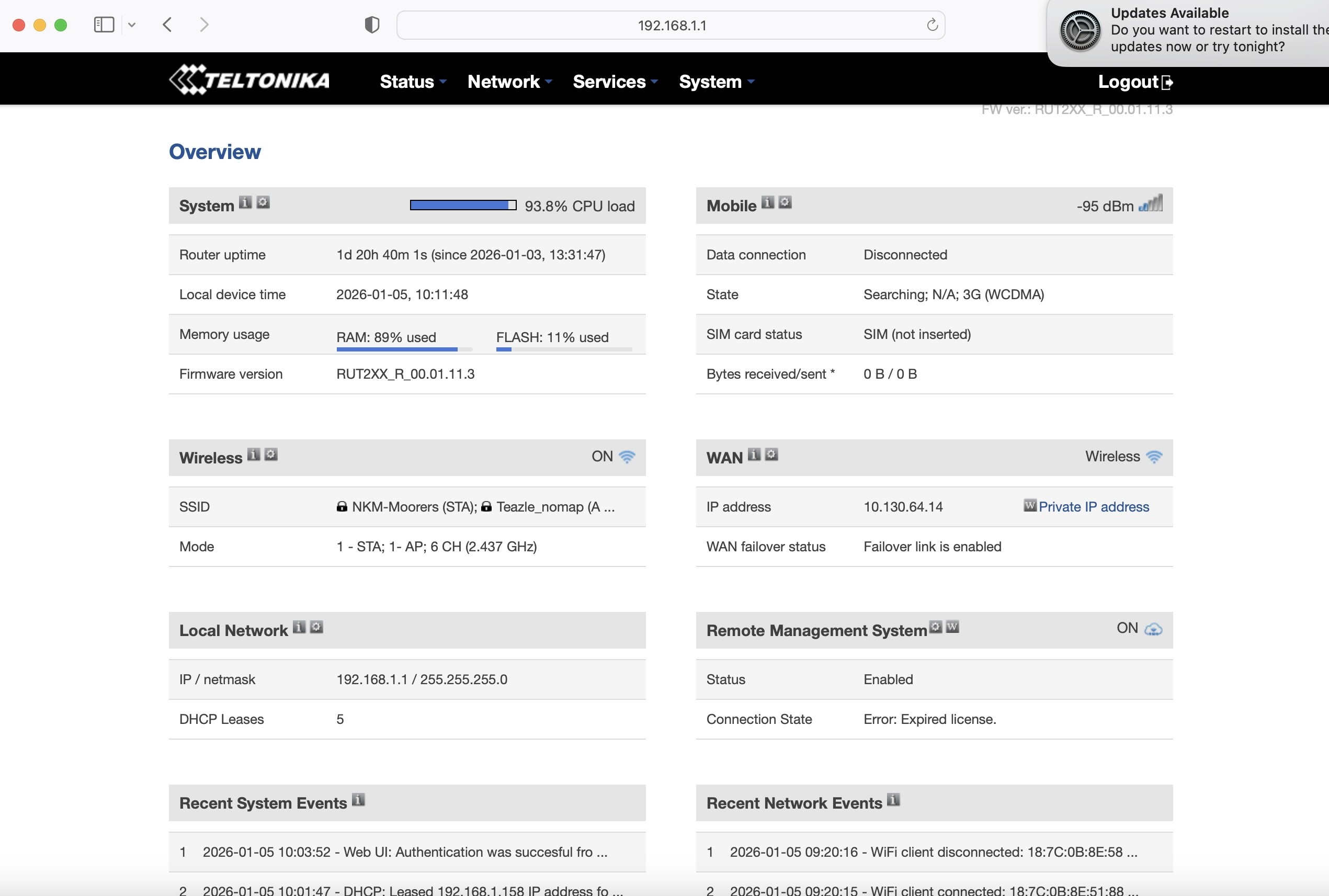
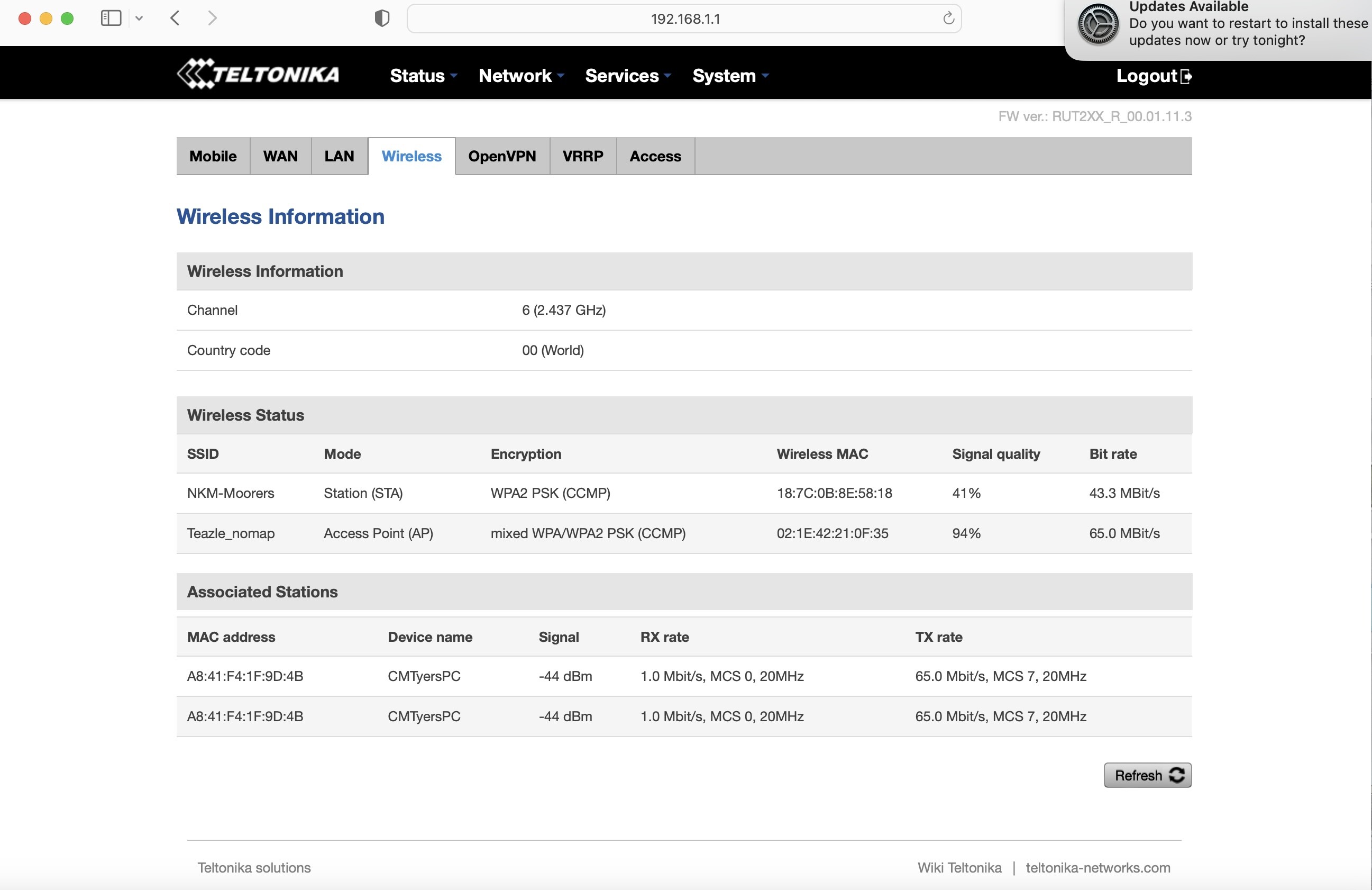
Yes, wifi doesn’t appear to be working with the Patriot db aerial. I have temporarily set up the router to pick up the marina wifi signal direct - though this is weak (as I assume the two aerials are really meant to pick up a mobile signal not wifi).
I can connect to the router. As far as the wireless interface status (I will try and attach screenshots) and firmware (RUT2XX_R_00.01.11.3) - the firmware will be pretty old, as it was originally set up about 5 years ago.
FYI:
WAN operation mode set to:
Main - wifi
second - wired
No sim installed presently - so mobile not required.
(I did wonder if the main should be set to ‘wired’ as the aerial is connected via LAN Ethernet cable?).
Cheers
Thanks again for your response.
B.
PS - something odd today when I was over checking the router with my friend - it appeared that only one of us could connect to the router simultaneously (ie. when I was connected he couldn’t connect and visa versa).
Thanks for giving me some more information, before we proceed any further, I’d 100% recommend looking into getting a firmware upgrade, which you can find here: https://wiki.teltonika-networks.com/view/RUT240_Firmware_Downloads
As for the upgrade in the WebUI, it can be found under System → Firmware
When it comes to upgrading, I’d recommend upgrading to the latest available version to rule out firmware-related issue factors. Now one thing to note - you will first have to upgrade to the latest legacy firmware and then proceed with upgrading to the latest normal firmware version. **More so, make sure that you are not keeping the settings after the upgrade, so make sure to disable this option when upgrading: **
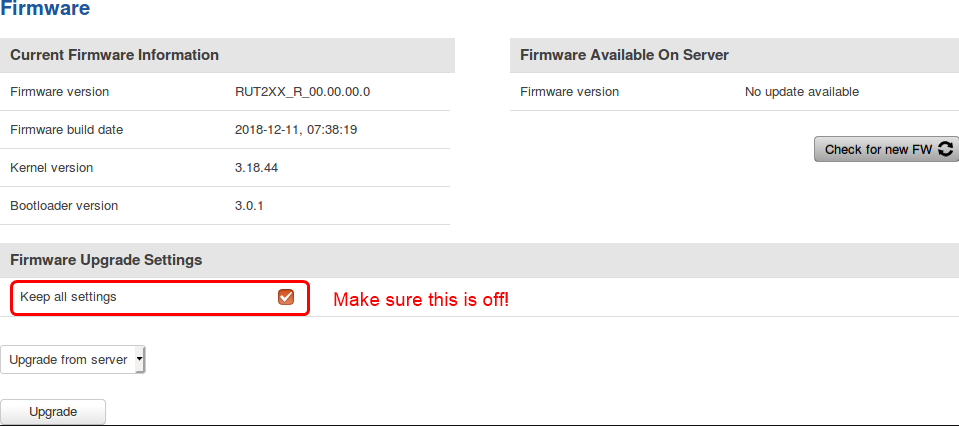
The reason we’re un-checking the “Keep all settings” option is due to the fact that we want to avoid migrating old configurations/settings/files, etc. from the legacy firmware to the new firmware, as it may very well cause issues, this means that all of your current configurations will be gone and you’ll have to re-configure your device, including the password for logging in.
Let me know if following this procedure helps you to resolve the issue.
Regards,
M.
This topic was automatically closed after 60 days. New replies are no longer allowed.