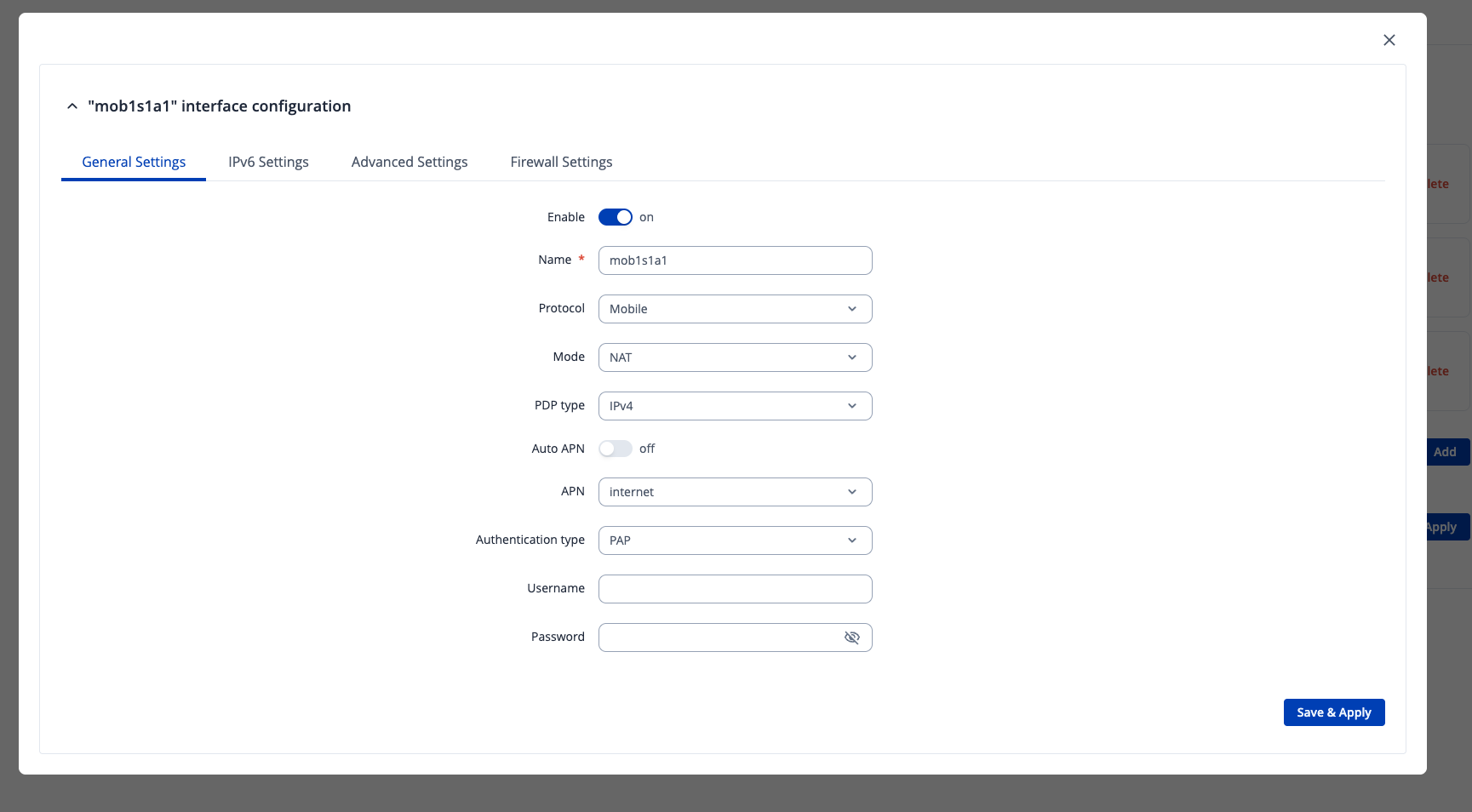
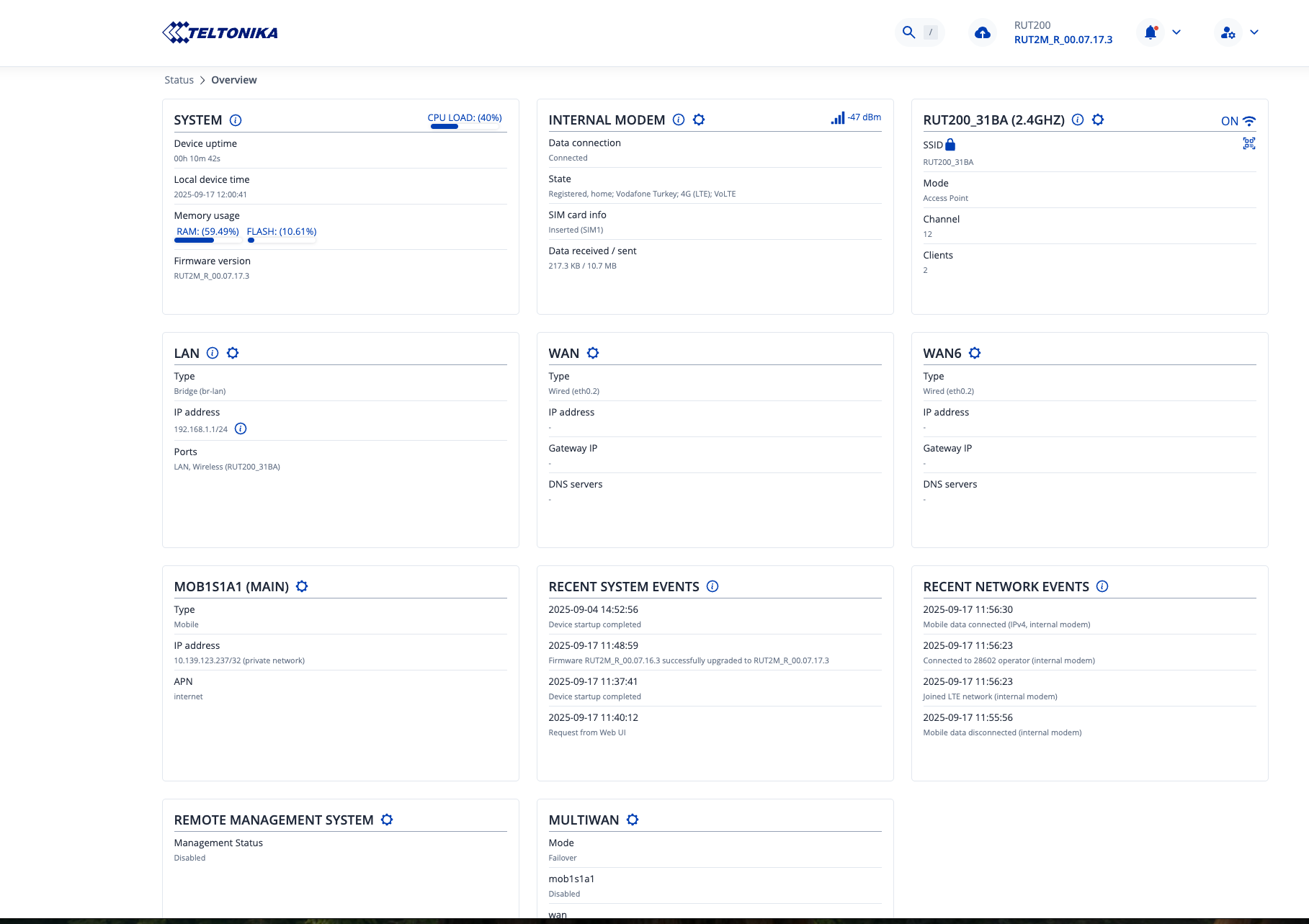
I have brand new Rut 200. I have upgraded it to latest firmware.
I use it with sim card as 4g router.
It connects to internet, and it updates packages without any problem.
But, Lan connected devices, or wireless connected devices can not access to the internet?
Should I configure special route rule?
Hi…
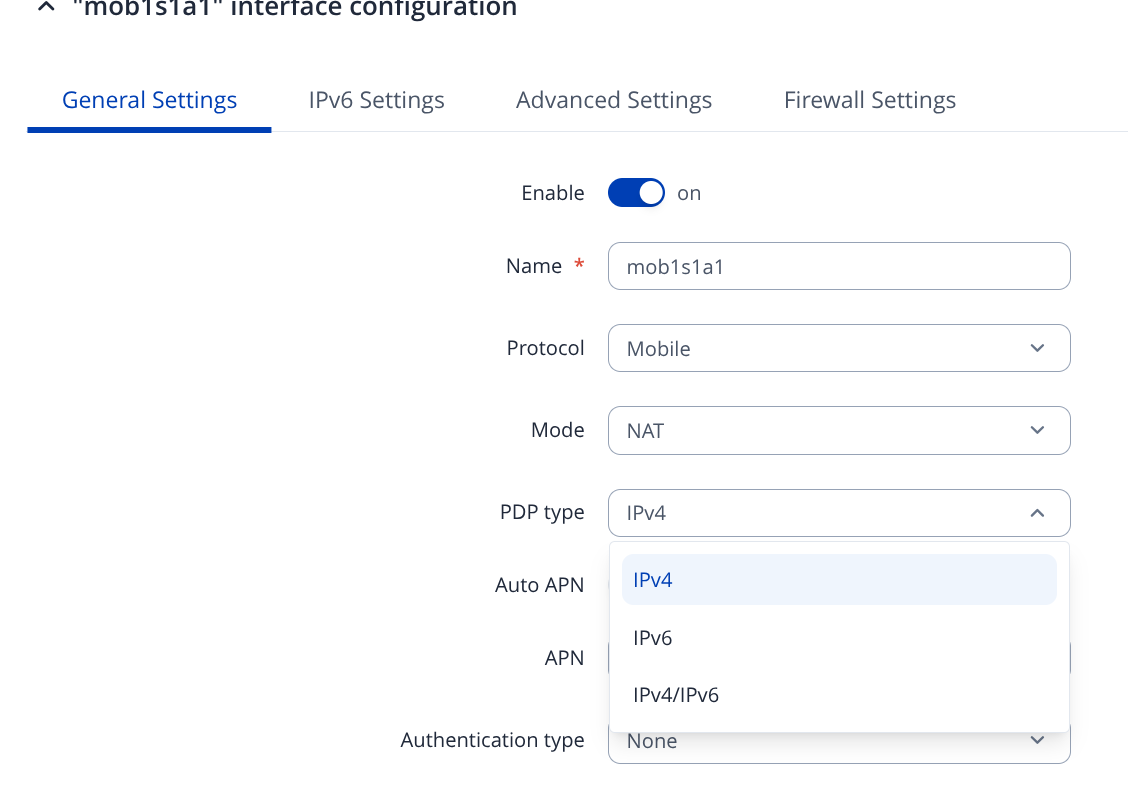
Are you using ipv6 at mobile sim cards? Try do disable it.
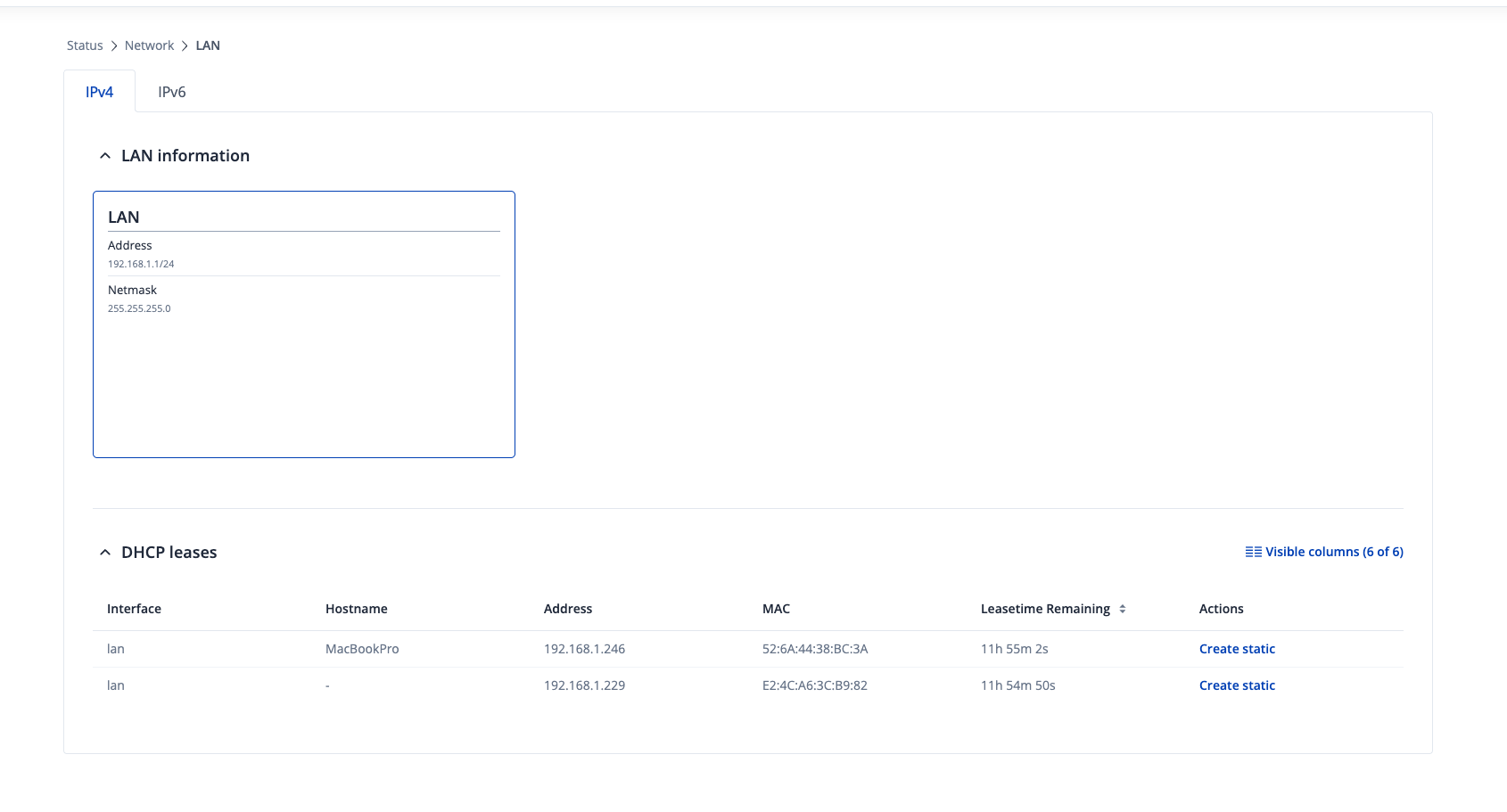
Also… Can you see your land devices at dhcp server of the rut200?
Greetings,
Could you please clarify, did you change any settings on the router when the devices stopped getting internet connection or did they just not work initially when you setup the device?
Furthermore please try the things that @Marcelo.Barros suggested, changing the PDP type to IPv4 could help. As well as checking the DHCP leases, is a good thing to do.
Best Regards,
Justinas
Hi Marcelo,
Thank you for your detailed reply.
I will change the PDP type to IPv4, and I will try to connect again.
I can see the dhcp clients on the screen.
Hi @Justinas and @Marcelo.Barros ,
I have changed regarding settings but the result same. No access to the internet from dhcp clients
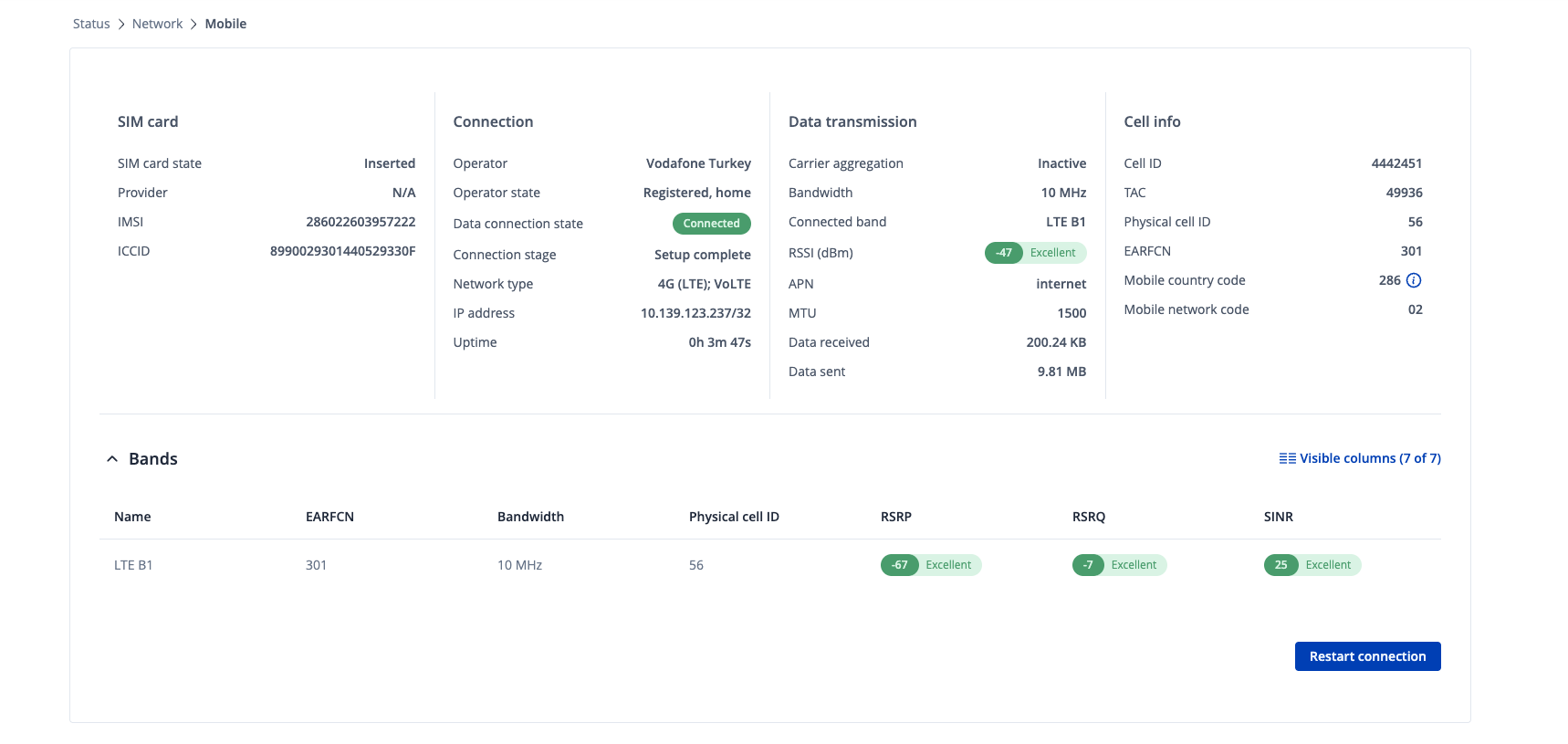
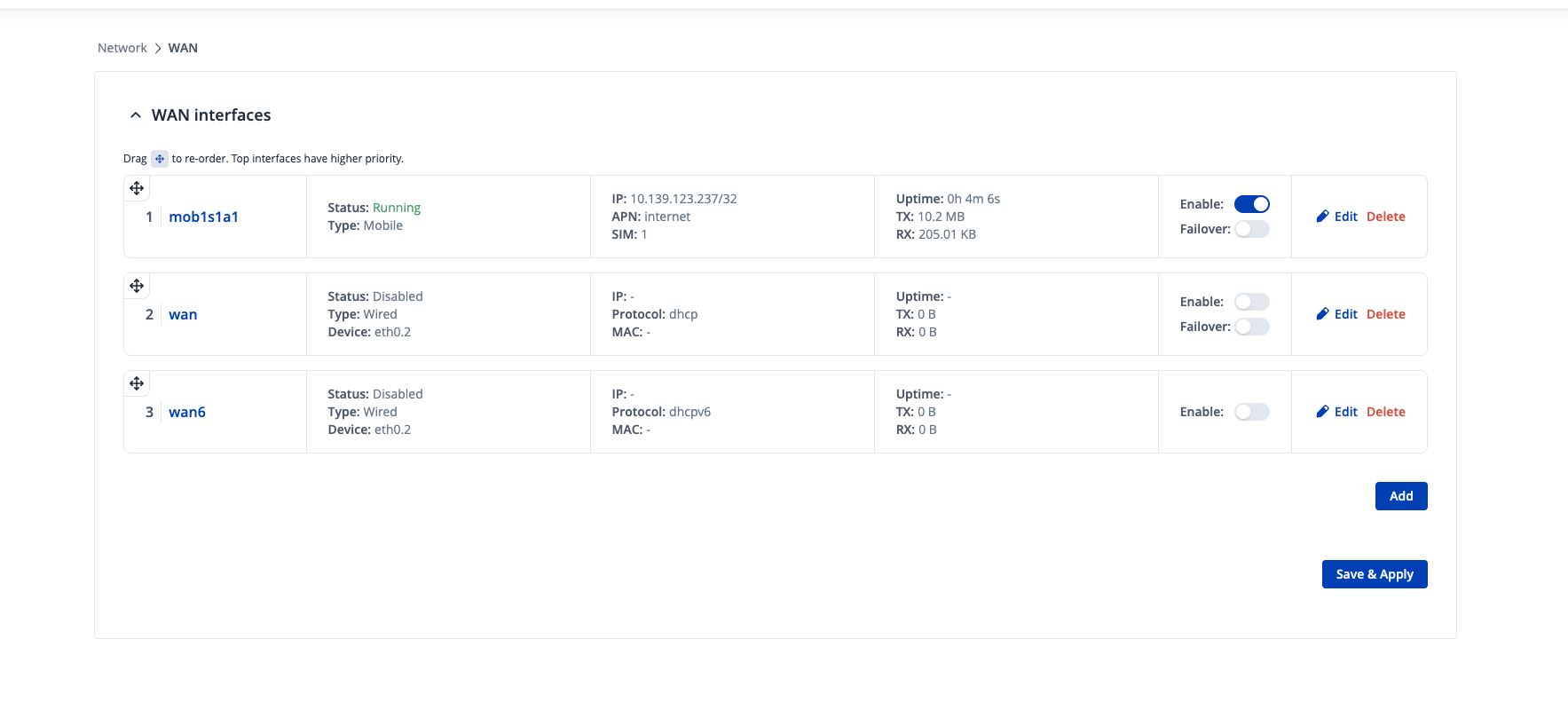
The device(Rut200modem-router) can access the internet itself)
But other connected client devices can not access the internet.
I have added screenshots below.
Hello,
For troubleshooting purposes, we will require more sensitive information from your end, such as the troubleshoot file, which may contain passwords, public IP addresses, serial numbers, and such. To avoid leaking this information, we have sent you a form to fill out, which you will receive in your e-mail inbox that you have registered your account with in the forums. In the Ticket ID field of the form, please enter the ID of this thread, which is 15567.
We will need you to send us a troubleshoot file from the device privately, so
To get a troubleshoot file:
- Log in to WebUI
- Press on System → Maintenance → Troubleshoot
- Scroll down to Troubleshoot section and press “Download”
To help us troubleshoot, we need to rule out a potential routing issue on the end devices. This can sometimes occur if a device has multiple network connections (like Wi-Fi and a VPN active at the same time).
Could you please run the appropriate command below on a computer connected to the router’s LAN or WLAN network?
Please copy the entire output and send it to us in a private message.
Thank you,
Justinas
I sent the output.
But, how I can send the troubleshoot file?
Thank you for the reply, I will soon reach out to you via email and you will be able to attach the file to the email when you reply to me.
Best Regards,
Justinas
Greetings,
The issue has been solved, it was the fault of the SIM card. With another SIM, the internet works properly.
Best Regards,
Justinas
Thank you @Justinas
It was really interesting problem for me.
Thank you for your quick and efficient support.
Best Regards
Osman