I have a Teltonika router connected via IPsec (IKEv2/strongSwan) to a Palo Alto firewall.
The VPN should provide access to two remote networks:
10.173.7.0/24
10.40.1.0/24
The Palo Alto has Proxy IDs configured for both subnets, and the IPsec tunnel comes up successfully.
The problem is that only one subnet works at a time:
If 10.173.7.0/24 is listed first, traffic to 10.173.7.0/24 works, but 10.40.1.0/24 does not.
If 10.40.1.0/24 is listed first, traffic to 10.40.1.0/24 works, but 10.173.6.0/24 does not.
Has anyone experienced a similar issue with Teltonika IPsec and multiple remote subnets behind a Palo Alto firewall? Any suggestions on how to get both networks working simultaneously would be greatly appreciated.
This is a well-known behavior with IPsec: a single Child SA can only negotiate one local-to-remote subnet pair, even if multiple subnets are listed in the configuration. When multiple remote subnets are entered into a single IPsec instance/connection, the responder (in this case, the Palo Alto) narrows the negotiation to whichever subnet is listed first, while the second subnet is silently dropped rather than being tunneled. This matches the symptoms you are experiencing.
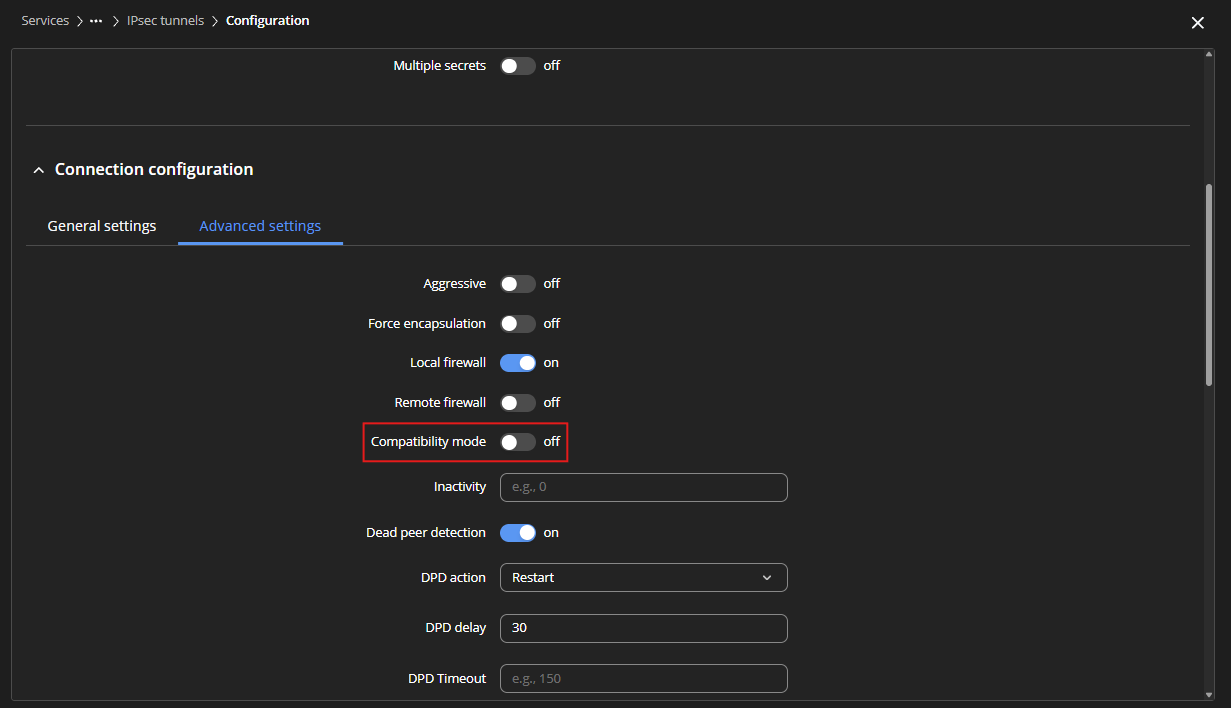
As a troubleshooting step, you can try enabling Compatibility Mode for the IPsec tunnel:
Edit your IPsec configuration under Services → VPN → IPsec.
If this doesn’t fully resolve the issue, an alternatively, instead of configuring one IPsec instance with both 10.173.7.0/24 and 10.40.1.0/24 as remote networks, you can configure two separate IPsec instances/connections on the RUT956.
Please let us know if this helps and whether the issue persists.
We appreciate your patience and look forward to your response.