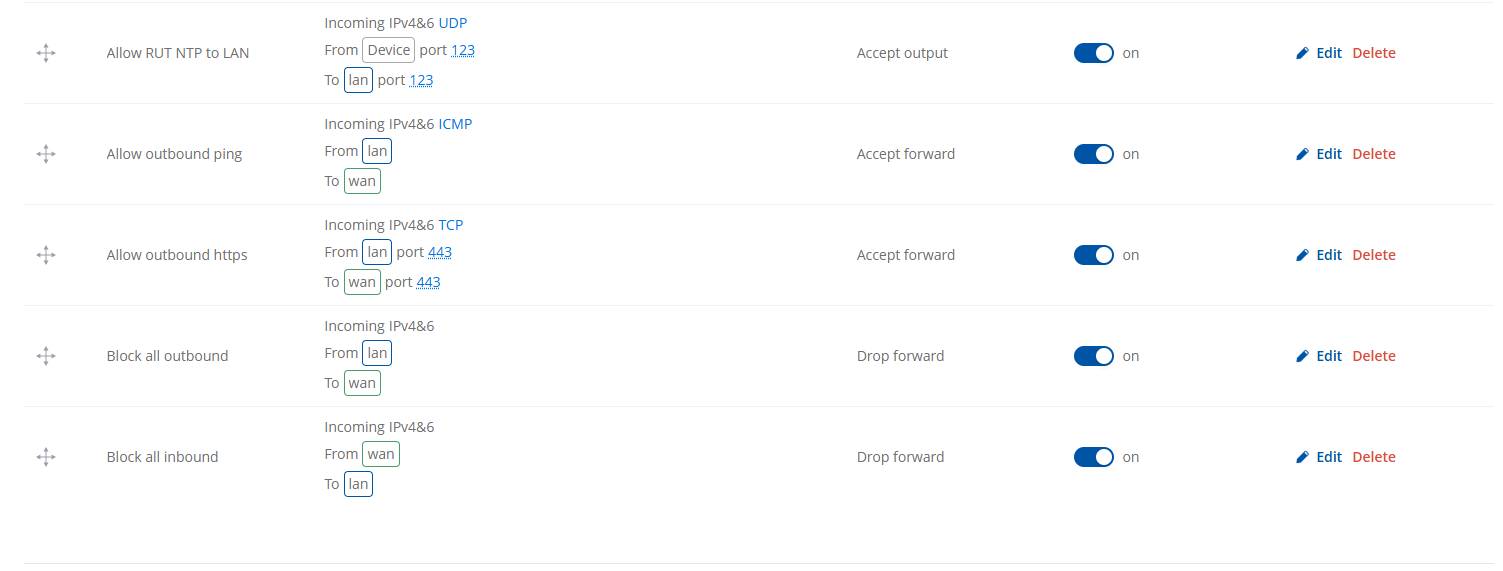
These rules have worked fine for weeks but all of the sudden they stopped working on new devices, devices that already worked remain working but new devices that are enrolled with the same config break.
First it looked like an issue in the new firmware 00.07.16.3, so i downgraded to 00.07.15.4 as this was the version i created the master config with but it remained broken.
Am i doing something wrong here? When i disable the block all outbound rule then i can access our services again.
Thank you for reaching out. Your request is currently under review and analysis. Once the evaluation is complete, I will get back to you with an update and further information, findings, or suggestions.
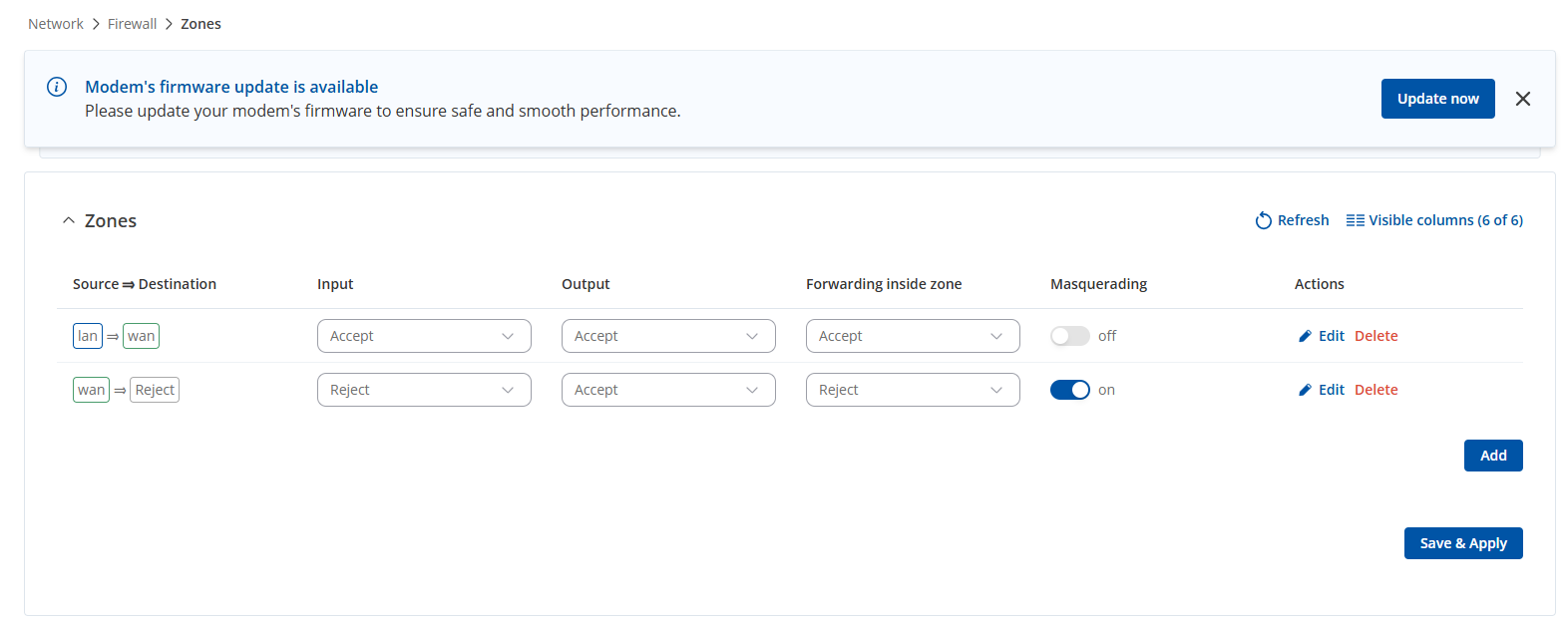
Apologies for the delay. I was unable to replicate similar firewall behavior on my side (FW 7.17.3). Could you please provide a screenshot from the Firewall Zones page (Network → Firewall → Zones)?
Additionally, if feasible, you could try updating firmware to 7.17.3, if preferred, without Keep Settings selected, reconfiguring traffic rules, and making them appear at the top of the traffic rules page.
I seem to have found a fix, so if i add http to the allow https rule then it works again, but when i remove the http port again it keeps on working just fine.
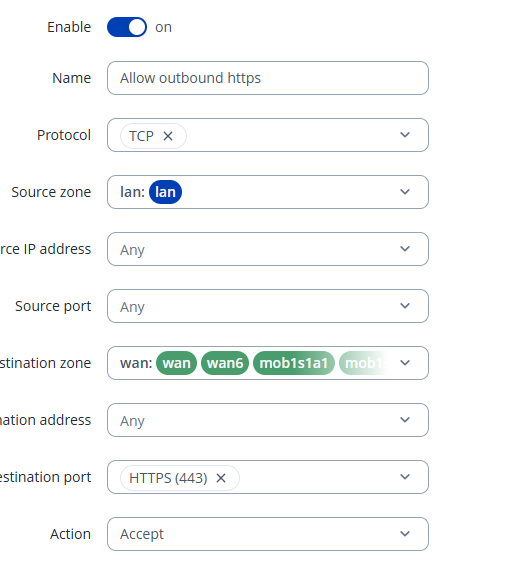
From the first review, it seems your “allow outbound HTTPS” rule is not defined correctly. On the LAN side, port 443 should not be specified, since an outbound connection does not originate from port 443 in NAT.
Yes, if necessary, UDP can be added as well. With this corrected rule, it should allow forwarding HTTPS outbound traffic from LAN. Let me know if it works.
Can confirm that only setting 443 at the destination port fixed the issue, but i find it weird that sometimes it works just fine I have noted it down and want to thank you for your help!



 I have noted it down and want to thank you for your help!