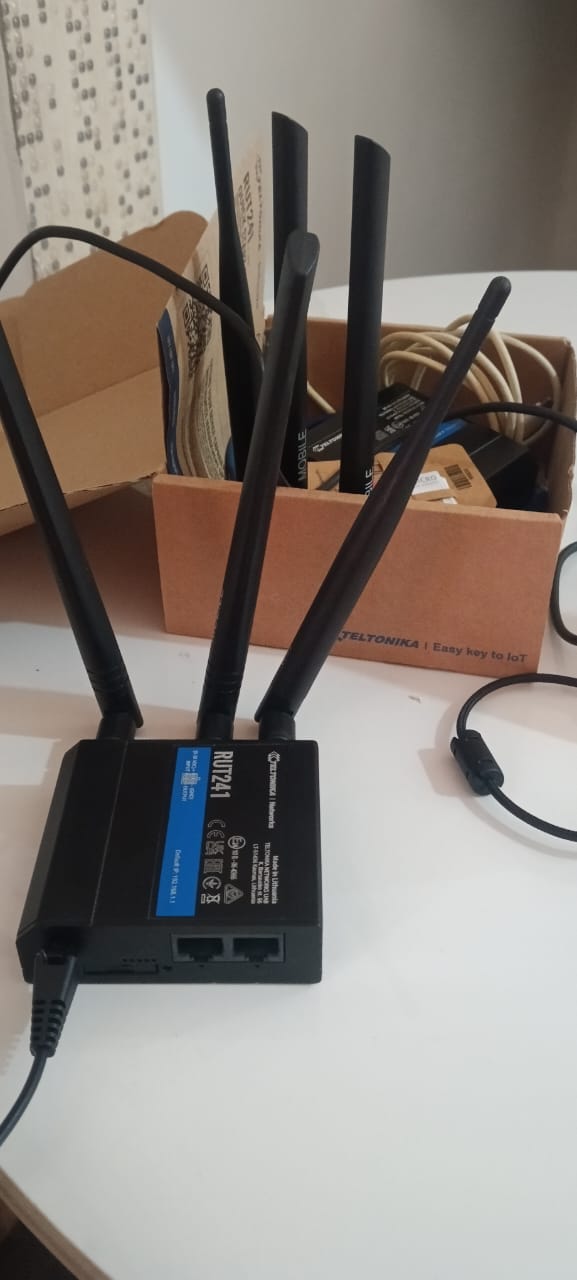
Hi i live in indonesia I have 4 devices. All four devices cannot connect to the internet, showing a “disconnected” message. I happen to be using a SIM card from Korea, and I have tried all local GSM ISPs in Indonesia, such as XL, INDOSAT, and TELKOMSEL. However, I still cannot get an internet signal. I have set the APN according to each provider. I am tired because the situation remains the same. Is the Teltonika 241 device not compatible with Indonesia?
I need a solution and a quick response to this problem, because my project could be delayed due to this issue.
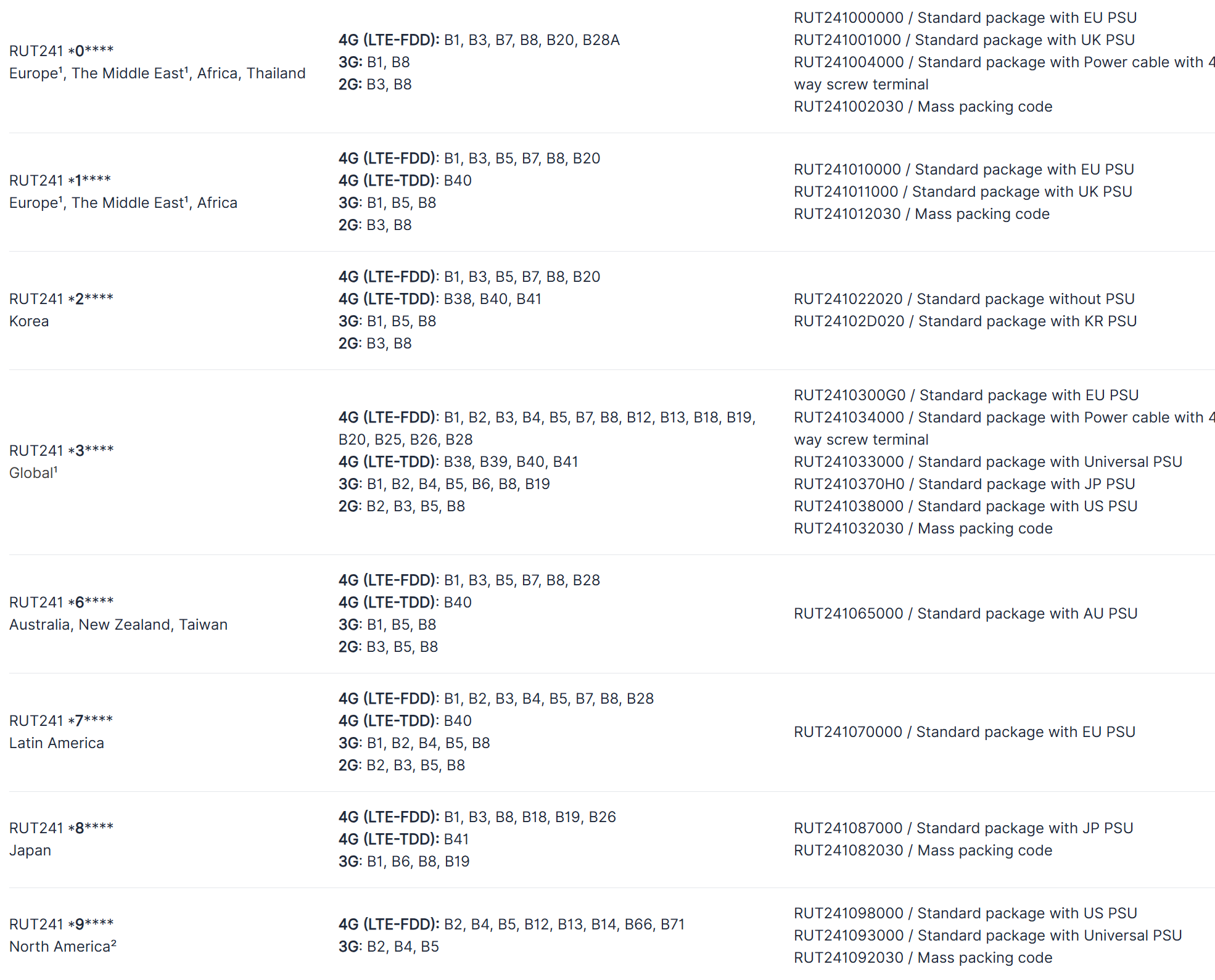
My code Number is RUT2410300G0. Based on your data, my device is classified as global. Does this mean that global devices can be used in Indonesia, and does the IMEI number on my device also affect connectivity with local providers?
Is each SIM card activated with data service and verified to have data available (not just SMS/voice)?
Have you confirmed data connectivity by testing the SIM cards in a smartphone or other cellular device in the same location?
Signal & Modem Status
When the SIM is inserted in the RUT241, what do the mobile signal LEDs indicate (e.g., steady, blinking, no signal)?
Can you check Status → Network → Mobile on the Web UI and provide screenshots showing signal strength values (RSRP, RSSI, etc.) and modem connection state?
Network Mode / Bands
Have you tried forcing specific network modes (e.g., only 4G/LTE, or specific bands) to match what local carriers broadcast in your area?
Some carriers in Indonesia may use specific LTE bands that need correct configuration.
IMEI Registration / Operator Compatibility
Some mobile operators require that the IMEI of the device is registered on their network to allow data connectivity. Can you confirm with each Indonesian provider whether the RUT241’s IMEI needs to be registered or whitelisted?
Modem Firmware Version
What modem firmware version is currently running on the device?
Sometimes older or incompatible modem firmware can cause connectivity problems — verifying this can help rule out software issues.
Location / Signal Coverage
Are you able to check whether the cellular signal strength differs by location (for example, outdoors vs. indoors)?
Poor signal or misaligned antennas can prevent connection even if APN settings are correct.
Network Registration / Operator Access
Does the device show as being registered to the mobile network (even if not accessing the internet)? If so, which operator name appears?
Network Lock / Roaming
If you are using a SIM from Korea in Indonesia, is international roaming enabled on the SIM account and data roaming allowed on the router?
If not, test with a local Indonesian SIM card again, ensuring data roaming is properly configured.
This information will help me to investigate further,