Greetings,
I hope this message finds you well,
ISSUE 1: INDEX VALUES STARTING AT 1000
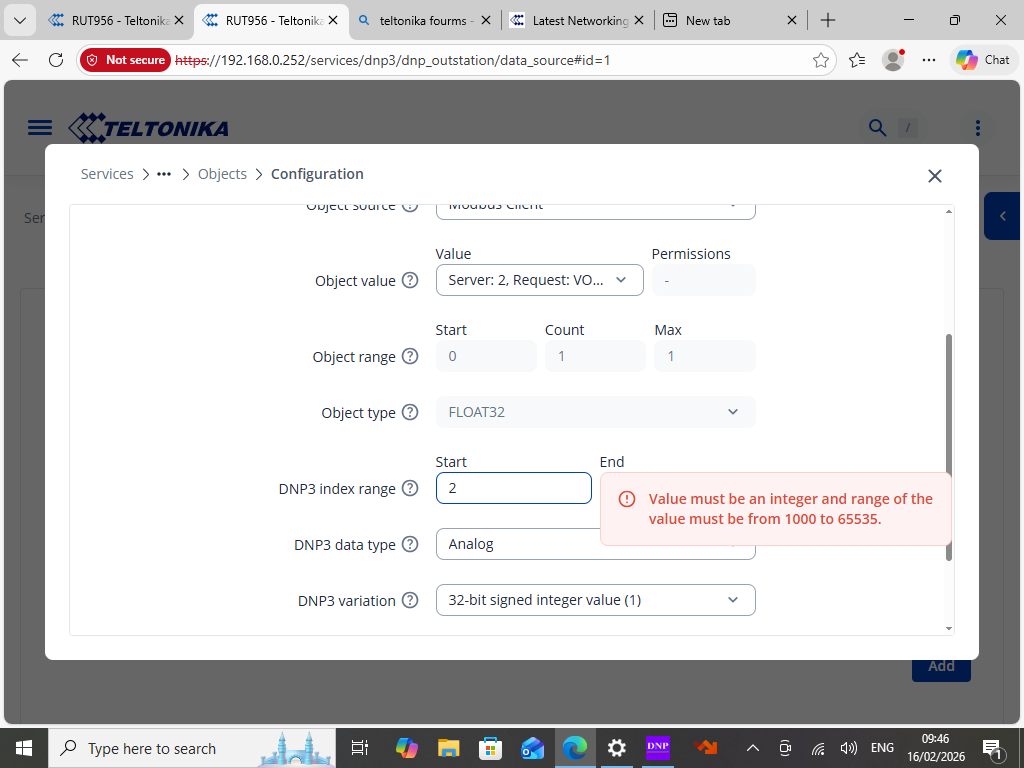
When you map a value into the RUT956 DNP3 Outstation via the Data Sources configuration, the index range is intentionally restricted to 1000–65535. This is by design. The RUT956 firmware permanently reserves indexes 0–999 for the router’s own built-in system telemetry (Uptime, Signal Strength, Hostname, Connection State, etc.), and those cannot be overwritten by user-defined mappings.
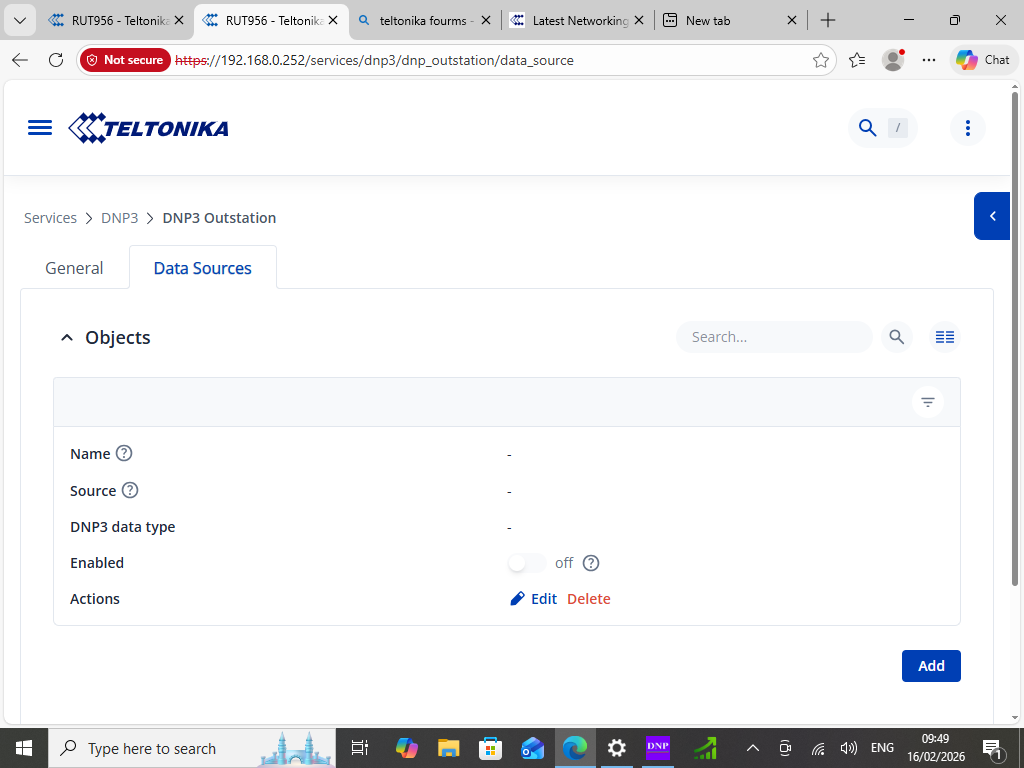
The 1000+ range is specifically designated for externally sourced data objects - values ingested from another protocol client running on the same device, such as a Modbus TCP/RTU client or an M-BUS client. So if you have, for example, a Modbus client on the RUT956 polling a field device, those collected values would appear as available sources here and would be assigned indexes starting at 1000.
In short: the UI is not misbehaving - it is protecting the reserved system range and correctly routing your custom mappings into the external data zone.
ISSUE 2: MASTER PICKING UP DATA OBJECTS WITH NOTHING CONFIGURED
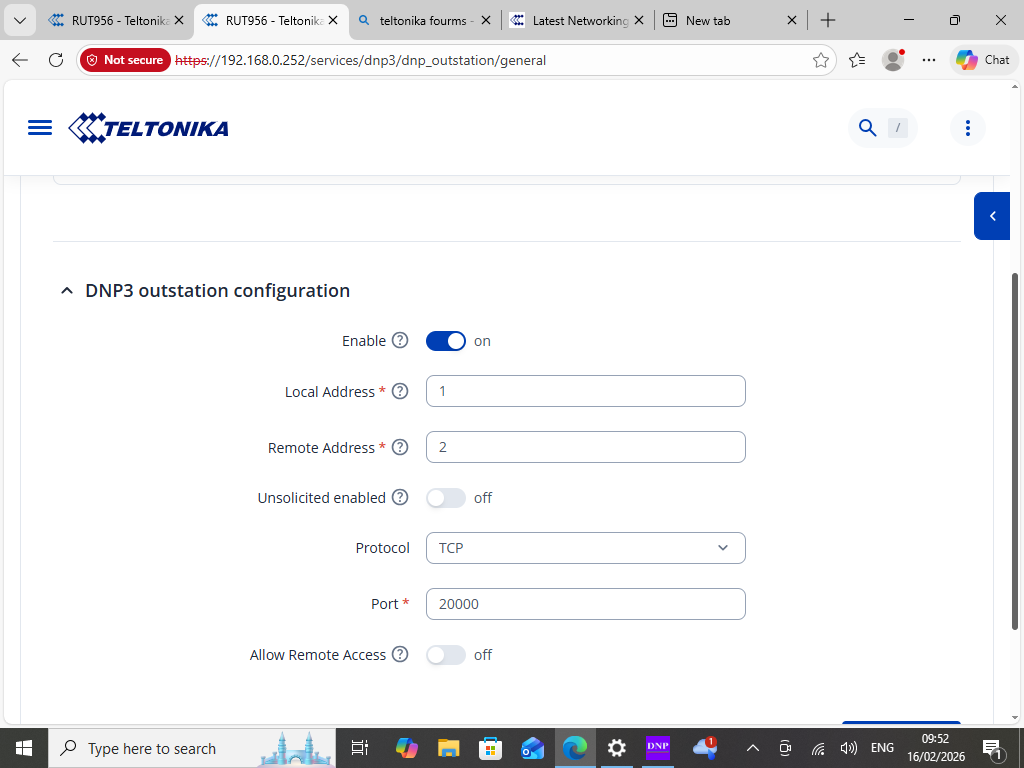
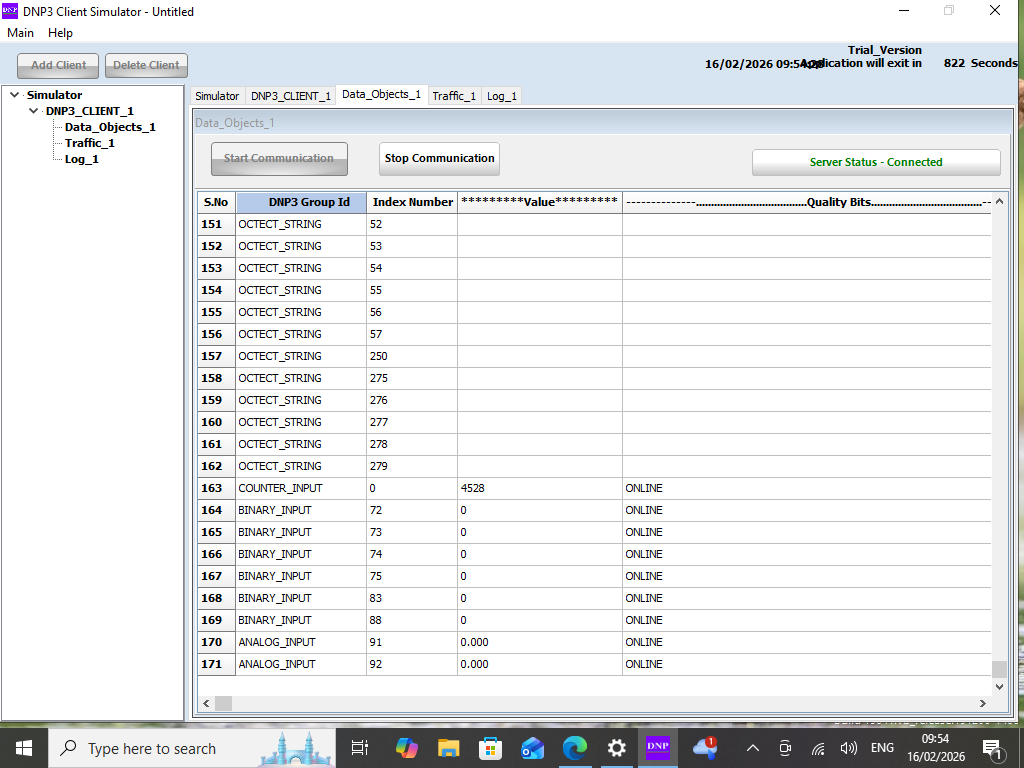
This is also expected behaviour. The moment the RUT956 DNP3 Outstation is enabled, the firmware automatically publishes its full set of internal system parameters - regardless of whether you have manually added any data objects. Your master software is performing an integrity poll (a standard DNP3 startup behaviour) and receiving all of these auto-published objects in response.
These are real, live values from the RUT956 itself - things like mobile signal strength, uptime, operator name, and data usage counters. They are always present and served automatically. This is not a misconfiguration; it is the router exposing its own telemetry over DNP3 by default.
If your master software should only see specific data points, you have two options:
-
Configure your master to explicitly request only the indexes you care about, rather than performing a full integrity poll across all object groups.
-
Check whether your firmware version includes an option to suppress the automatic internal object publishing under Services → DNP3 → DNP3 Outstation.
SUMMARY
• Indexes 0–999 - Built-in router telemetry, auto-published, read-only, always present.
• Indexes 1000–65535 - Your custom data objects fed from Modbus/M-BUS/other clients.
• Master seeing unexpected objects - Normal integrity poll response; filter on the master side or suppress on the outstation side if needed.
I hope this answers your question,
Best regards,
V.