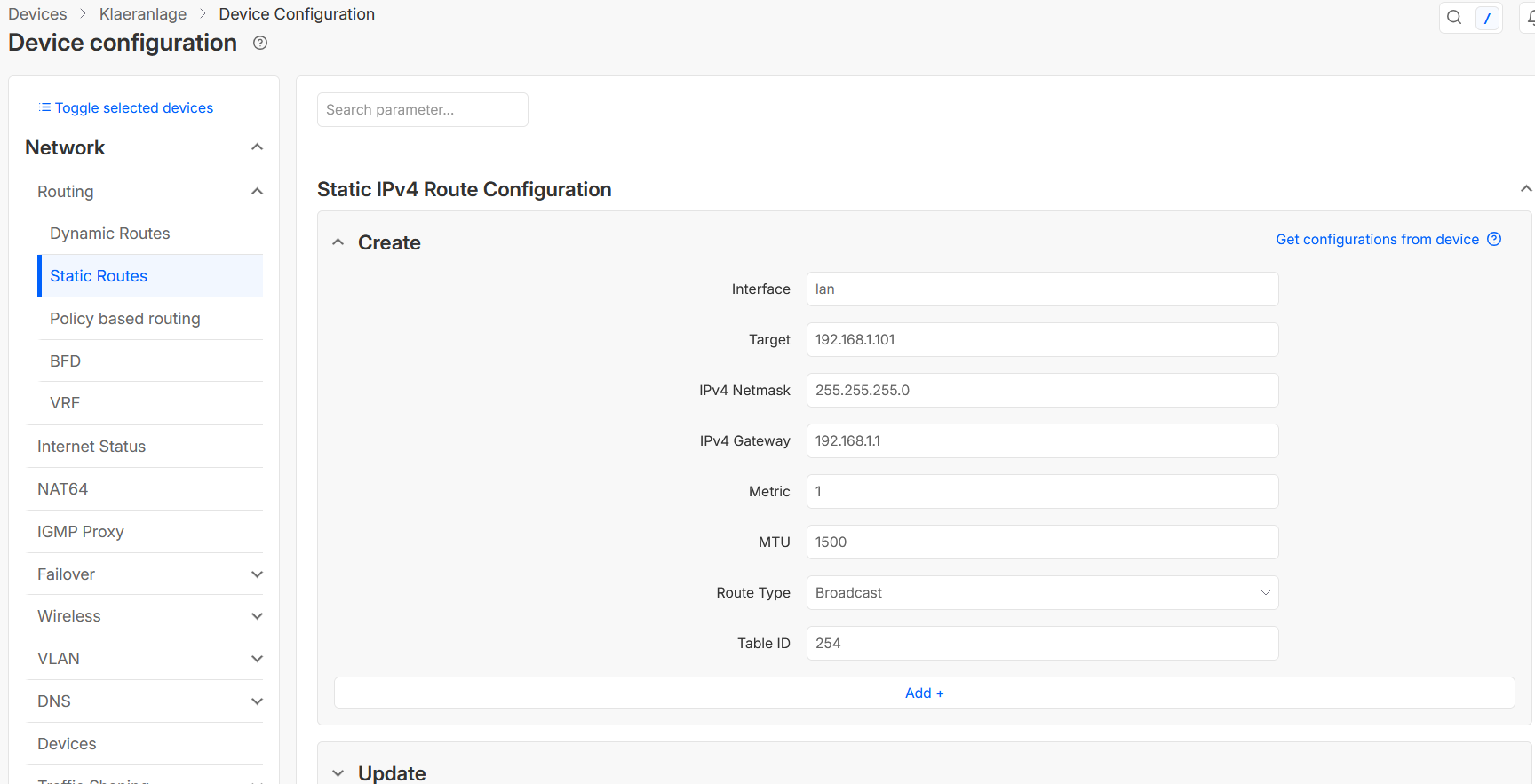
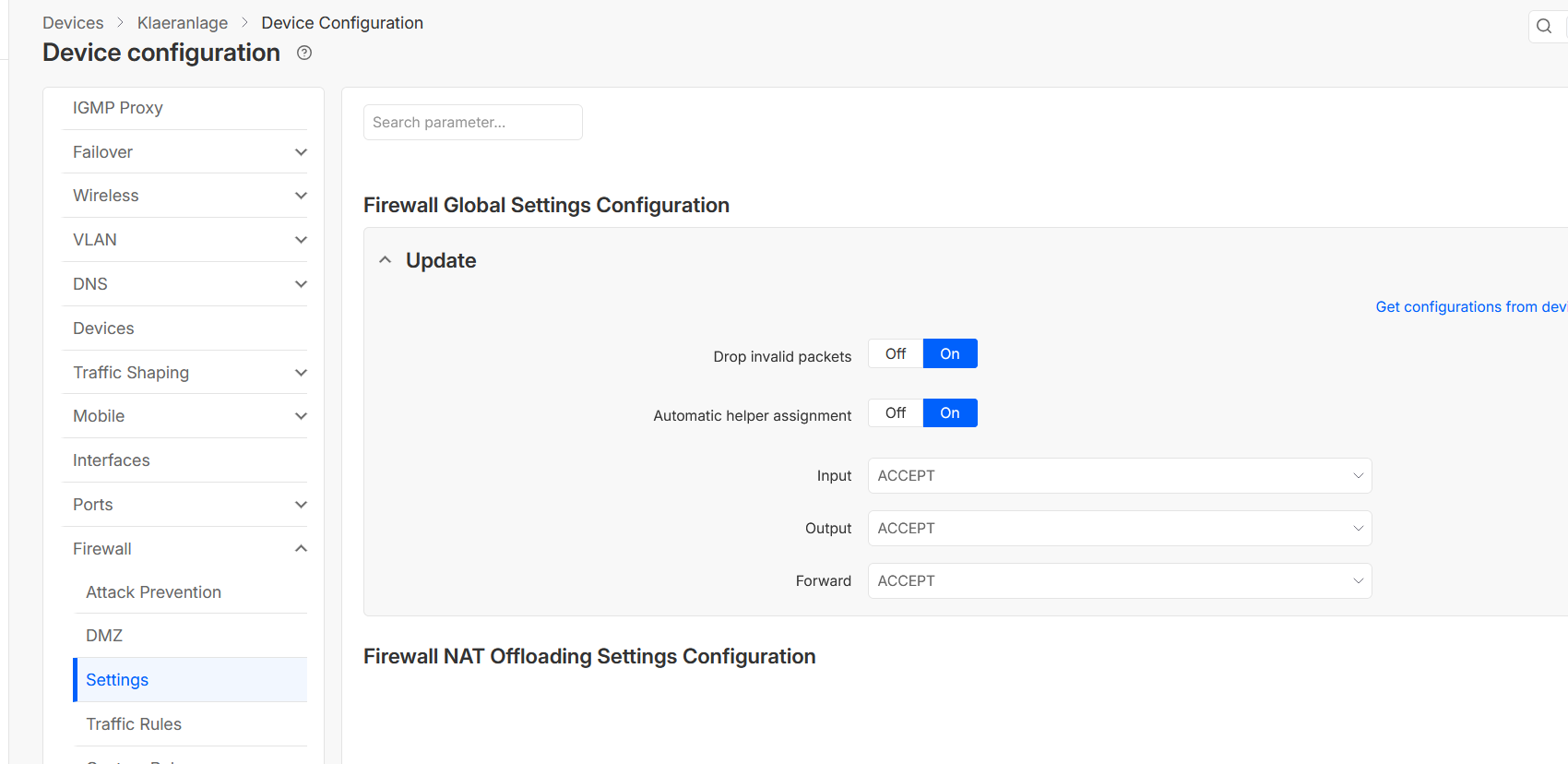
The VPN connection to the RTU200 has been established.
Routing to the device via the LAN port has also been set up.
Nevertheless, the device is still not reachable.
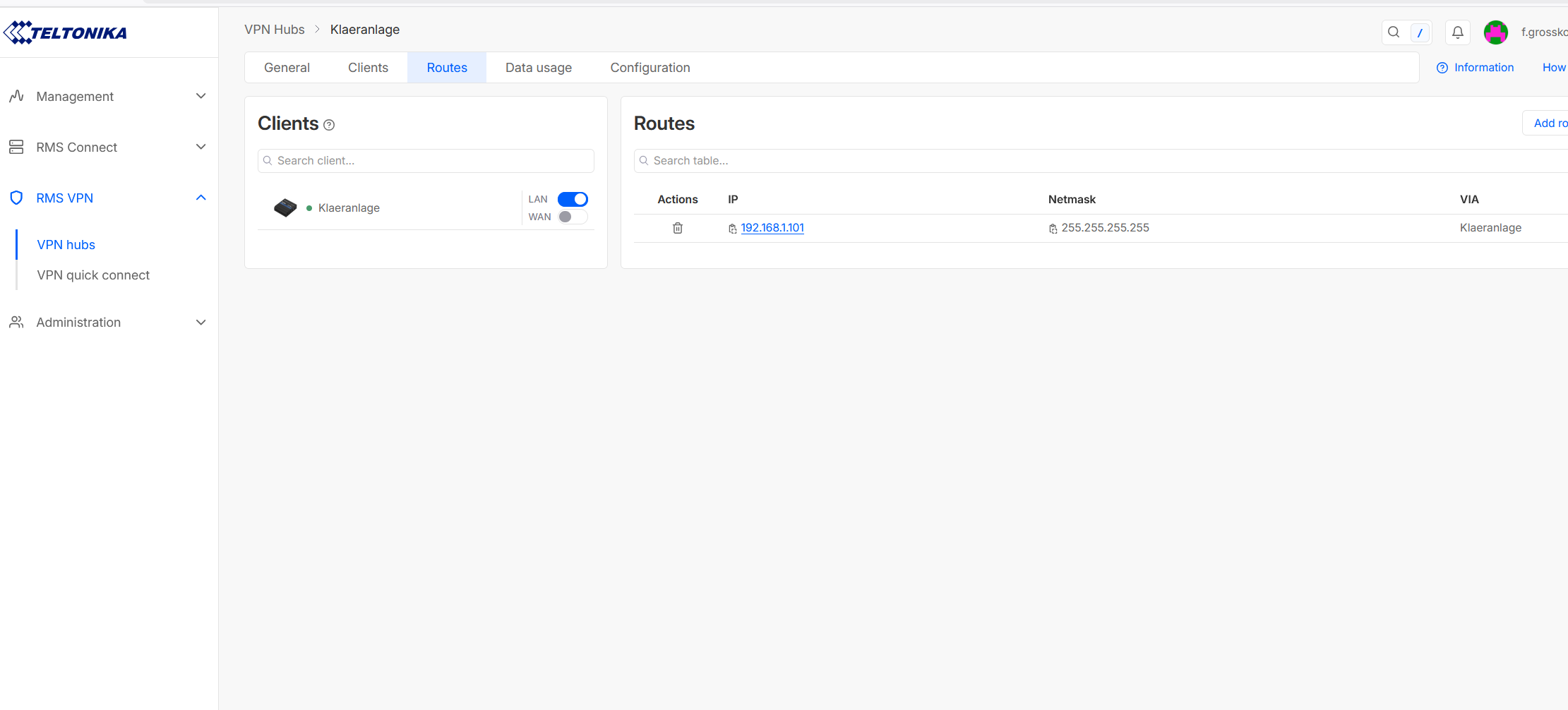
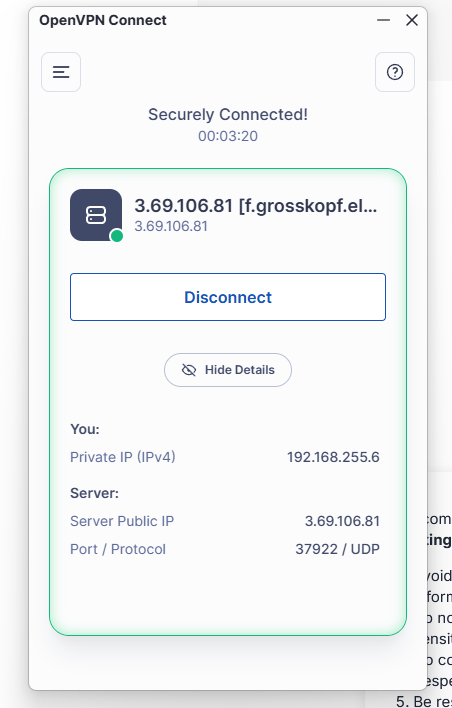
Seems everything alright. The device works, so what?
The VPN connection to the RTU200 has been established.
Routing to the device via the LAN port has also been set up.
Nevertheless, the device is still not reachable.
Seems everything alright. The device works, so what?
Greetings,
Could you please remove the static route from the router? It is not required, as the router already knows how to reach its LAN devices.
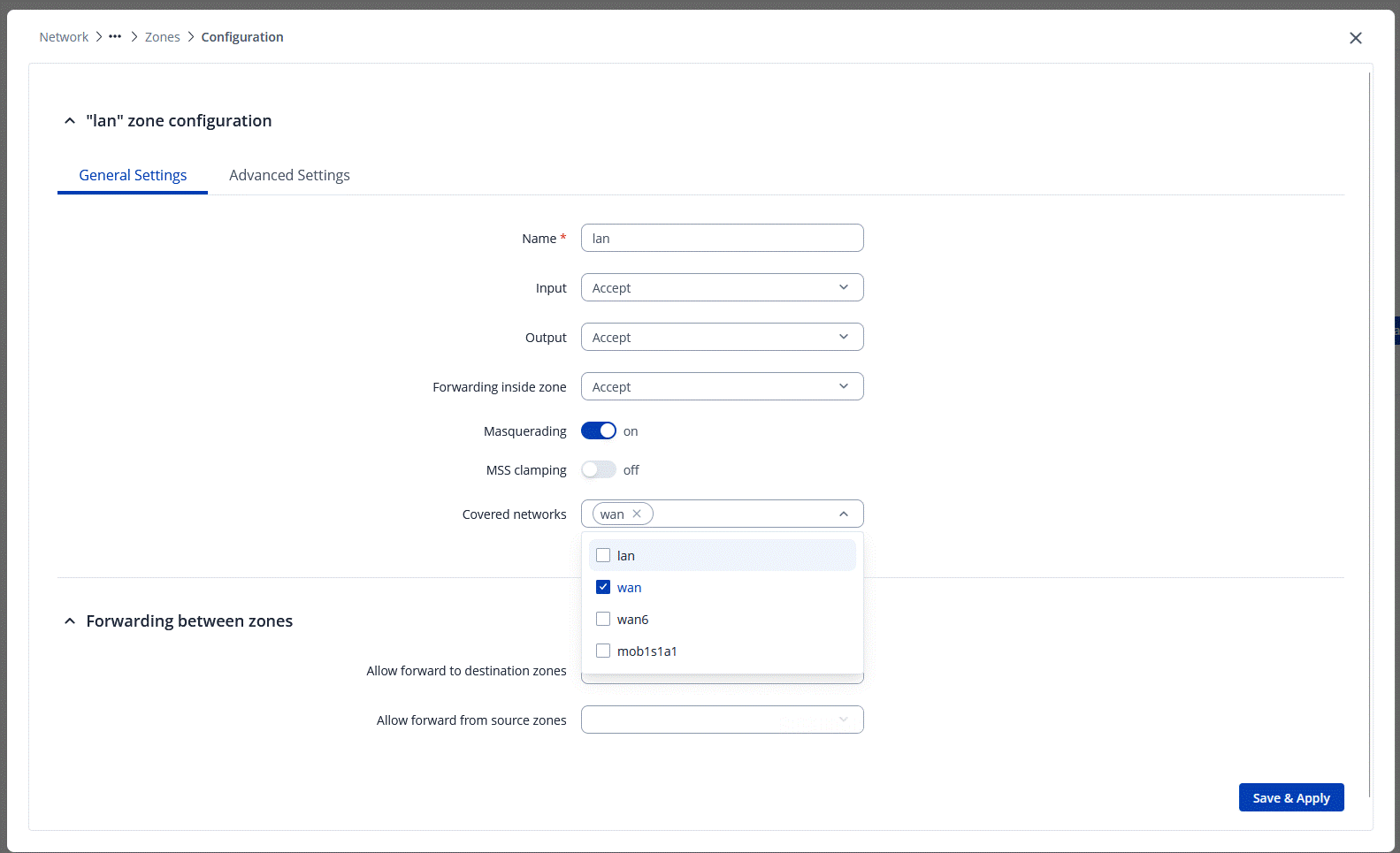
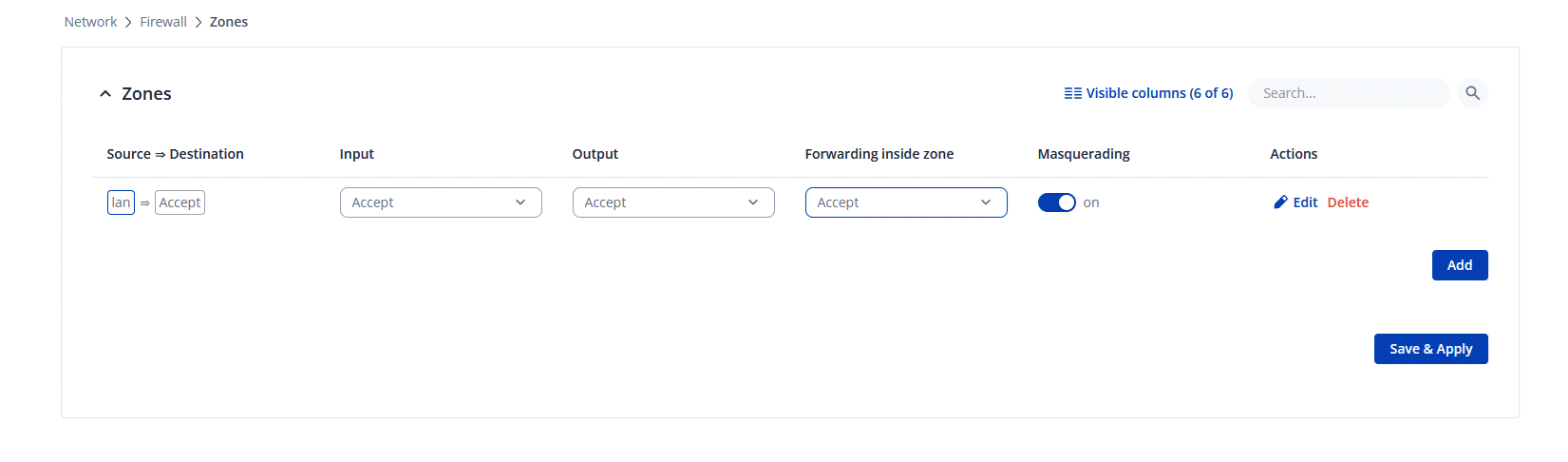
Additionally, please navigate to Network → Firewall → Zones and enable Masquerading for the LAN zone (see image below).
Lastly, could you confirm whether the gateway of the end device you are trying to reach is set to 192.168.1.1?
Best Regards,
Justinas
Thanks for answering
Using the WebUI
First: I removed the static route.
Second: I cannot edit the zone this way, because in the field destination, i choose wan, but it doesn’t change, and i cannot choose openvpn and wireguard
Third: my end device has to be configured. The RTU200 has the address 192.168.1.1, so I thought this would be right.
Some ideas ?
Greetings,
For troubleshooting purposes, we will require more sensitive information from your end, such as the troubleshoot file, which may contain passwords, public IP addresses, serial numbers, and such. To avoid leaking this information, we have sent you a form to fill out, which you will receive in your e-mail inbox that you have registered your account with in the forums. In the Ticket ID field of the form, please enter the ID of this thread, which is 17171.
Best Regards,
Justinas
Perhaps i should declare more exact what i’m doing
The following configuration works:
pivpn installed on raspberryb4 as openvpn server.
The router in the home network is a Fritzbox7590. DDNS and port forwarding are okay.
Access as a client via openvpn with Android works, participants in the home network are reachable.
OpenVPN client installed on a Teltonika RUT200 router (mobile communications), connects to the pivpn server.
I can access the internet with the network behind the RUT200, I assume via the VPN (really? - how can I check this?).
The VPN tunnel seems to be ready - but:
Problem: I cannot access my home network from the remote network and vice versa.
What/how/where do I need to route? How can I set a route in the RUT200
Hello,
I’m quite confused by your configuration as you began your topic with RMS VPN Hub, and now you seem to be using 2 or even 3 separate VPNs for your setup? Could you clarify?
If you are using RMS VPN Hub to route to your end-devices (whatever they may be) - then additional configurations on your Teltonika device (RUT200 for example) are usually not required. You may sometimes need to enable Masquerading under WebUI → Network → Firewall → Zones (or General Settings for older firmwares) for the LAN=>WAN zone, but that’s about it. No additional routes, traffic rule changes, openvpn client changes are needed.
You must also ensure that your end devices are pingable from your router (RUT200) first, before attempting to ping them from the VPN Hub.
I can already see from your previous replies that you’ve most likely deleted a pre-existing zone, since by default, there’s supposed to be 2 of them, which is already not a good start for your configuration to be up & running.
My recommendation for a conclusion: Reset your RUT device, and re-do the VPN Hub settings step by step:
*Side note - as mentioned earlier, ensure that your device is pingable from our RUT200 to begin with.
Regards,
M.
This topic was automatically closed after 60 days. New replies are no longer allowed.