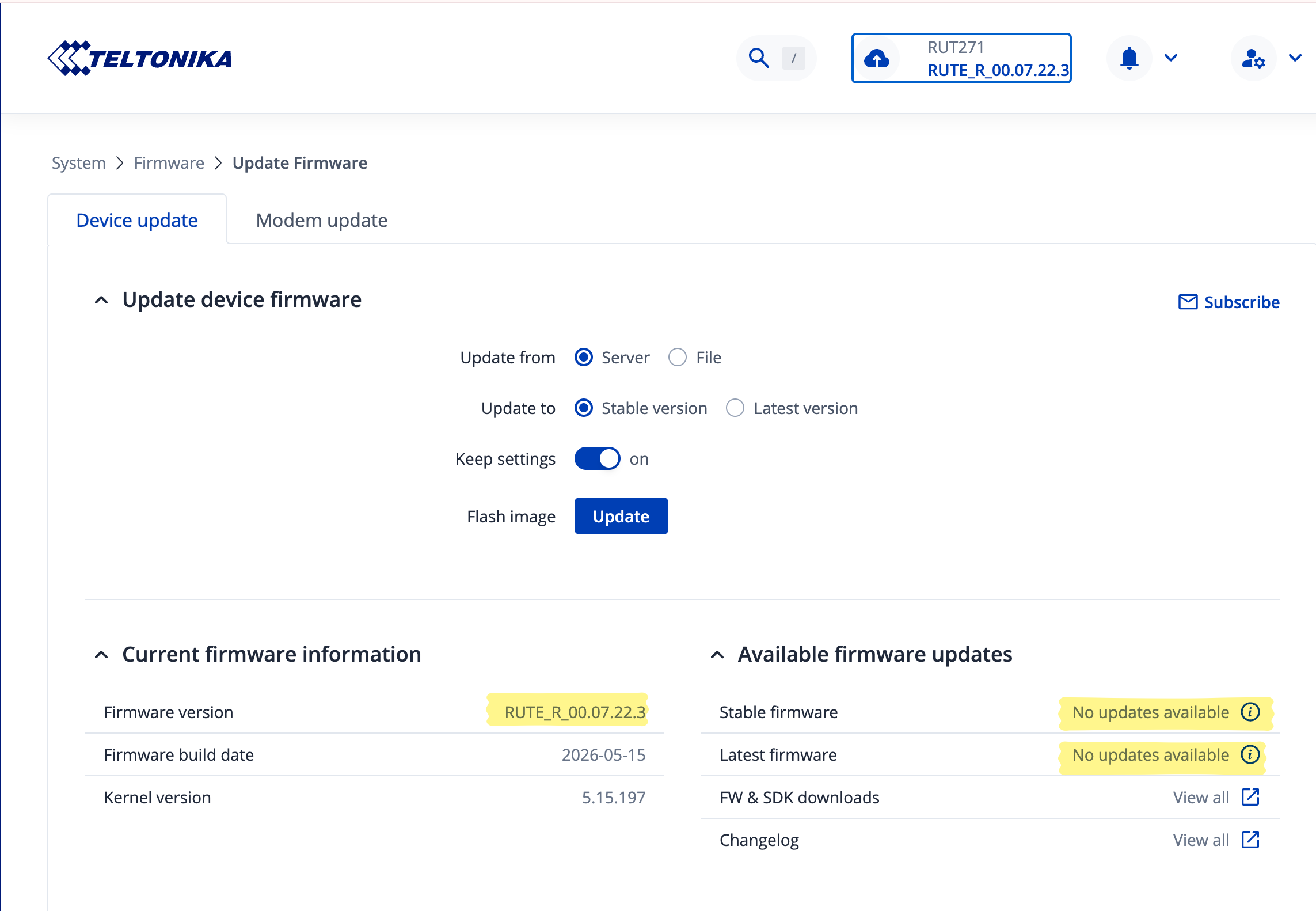
I am using a RUT271 which i bought ~2 months ago. In general it works totally fine, but now and then suddenly the network is gone. And when looking in to admin tool, I see that the SIM card pin is no longer available. So it seems the device forgets the pin. After entering the pin again, the device works as expected.
Bevor that device, I had an older 4G version of the router where i did not see this behaviour.
Could you please let me know which firmware version is currently installed on your RUT271?
If it is older than the latest stable version, 7.22.3 , please upgrade your device and check whether the issue still occurs afterward.
At the time of writing, the latest release firmware version is 07.24.1, while the latest stable firmware version is 07.23.7. During later releases, there were some changes made, that might help you to resolve this issue.
Could you please try upgrading the device to either of these firmware versions and check whether the issue persists?
You can download the firmware here:
If the issue remains after the upgrade, please let me know. I will then forward the case to our R&D team for further investigation.
Could you please confirm whether the router currently has an active internet connection? If the device is unable to reach the FOTA server, it will not be able to retrieve and display the available Stable and Latest firmware versions.
Additionally, could you clarify whether the SIM PIN is the only setting that is lost after a reboot, or if the router reverts all configuration changes after restarting?
This information will help us narrow down the possible cause of the issue.
for whatever reasons after my reply I saw the option to upgrade to 7.23, so i did perform the upgrde
It worked fine for the evening. Then the next day, suddenly the router did no longer worked properly: No device (Phone, iPad, Macbook) was able to connect to the internet. Only pings where successful, either from the connected device (e.g. Macbook) or from the router itself. Then for a short period of time it worked again but switched of again. On the router I saw no error message. I switch the router multiple times on and off. I also upgraded to 7.24 but to no avail.
I am now back on 7.22 and hope it remains stable.
So I am not really know what to do now. But even with then 7.22 I did not get the “missing pin” error in the last days. Could this be a technical issue with the router?
For troubleshooting purposes, we will require more sensitive information from your end, such as the troubleshoot file, which may contain passwords, public IP addresses, serial numbers, and such. To avoid leaking this information, we have sent you a form to fill out, which you will receive in your e-mail inbox that you have registered your account with in the forums. In the Ticket ID field of the form, please enter the ID of this thread, which is 19689.