Hello,
I am trying to setup some device segregation and running into a wall. The application I am working on is as follows; I want to have one main VPN Hub that I can connect to that belongs to the Parent / 1st Level Company that can see every device downstream. So all 1st and 2nd level devices spread across mullite different sub companies under one hub. I then want to have separate hubs for all sub companies that I can grant access to so that the end user only has VPN access to their devices. Is there a way to achieve this?
Hello!
Thank you for your post!
Whilst this may seem complicated, we do have a solution for your case.
You will need to create seperate VPN hubs meant for the sub companies, and they will be able to add their devices as “custom users” or the device itself.
Since a device can only be under 1 VPN hub, the “custom user” option allows for it to be in several hubs, allowing you to add it to your own hub as well.
Here’s how to add a custom user:
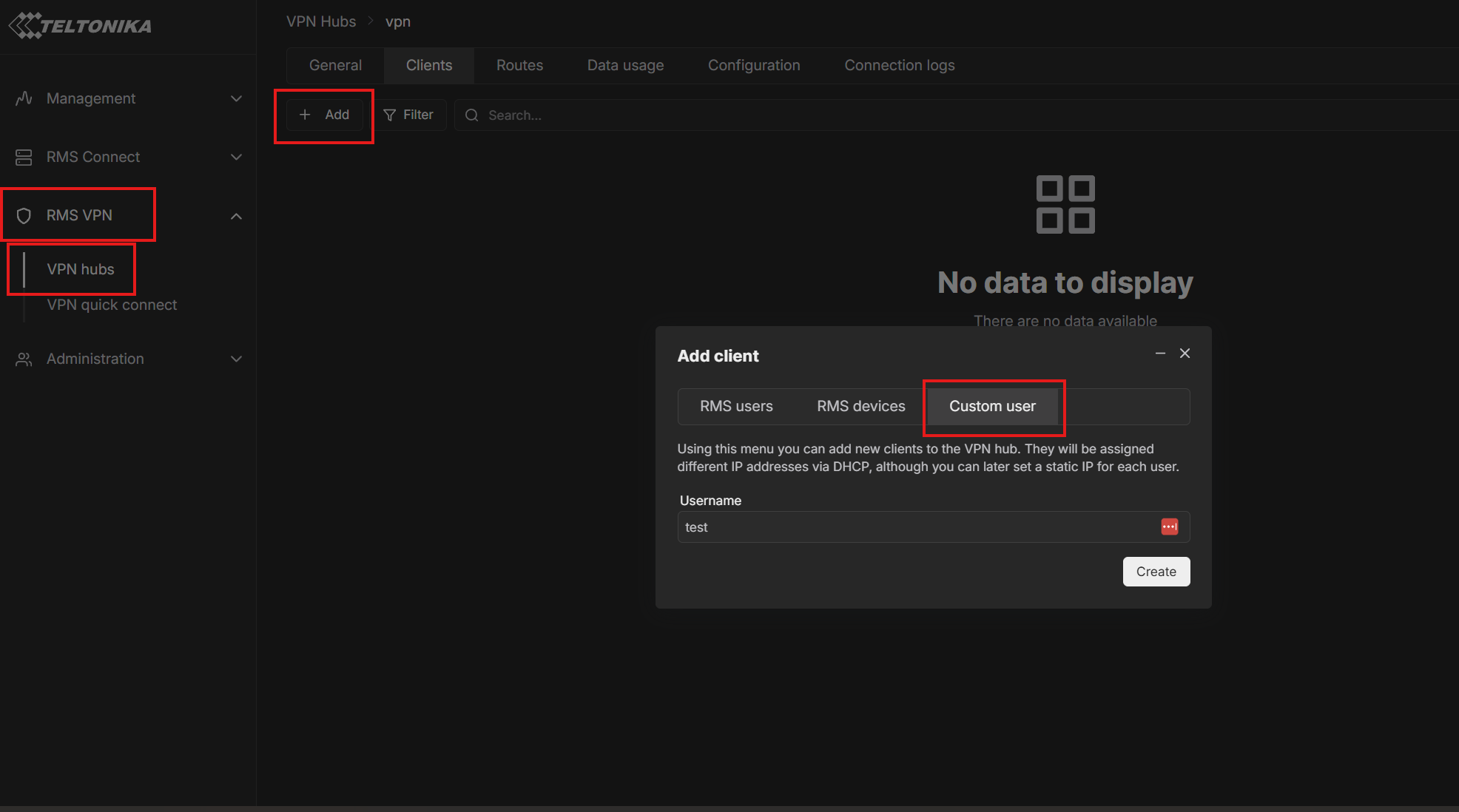
Inside of the VPN hub, navigate to “clients” → “Add” → Custom user.
Choose a username and click “Create”.
Once it appears under “Clients”, click “Download VPN configuration file”. Ensure the client is “enabled”.
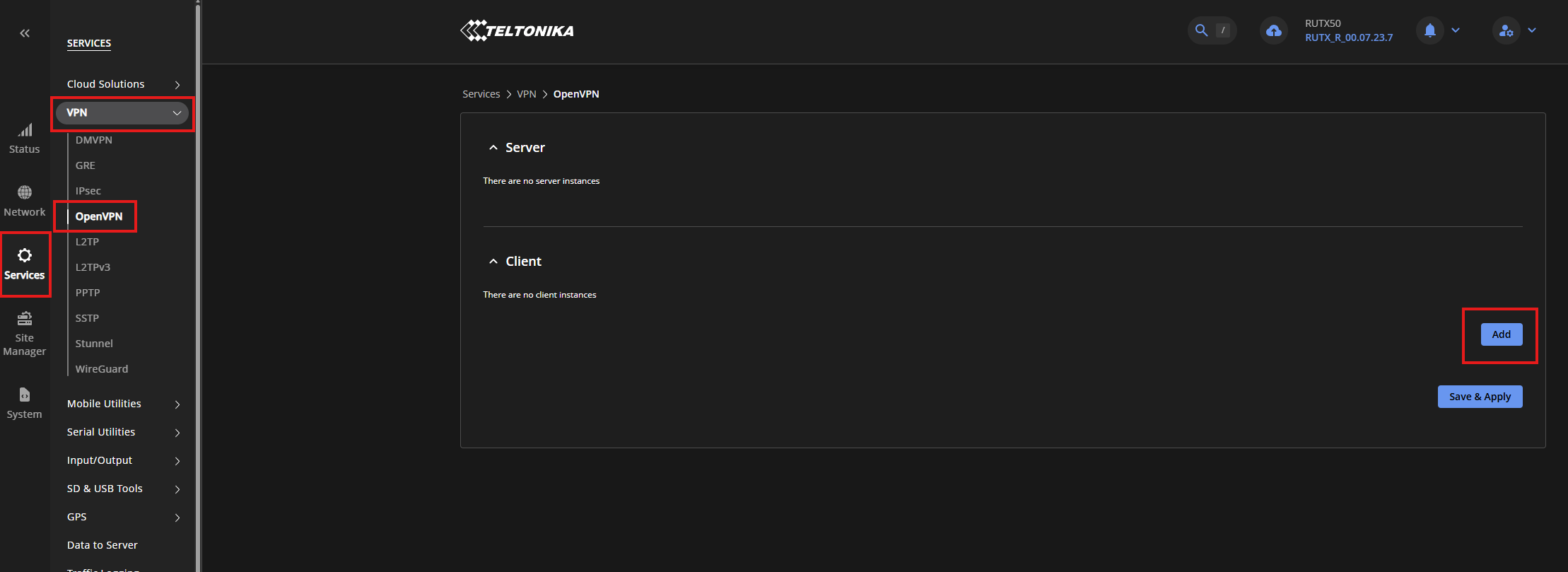
Then, access the WebUI of the device you wish to add and head to “Services” → VPN → OpenVPN → Add.
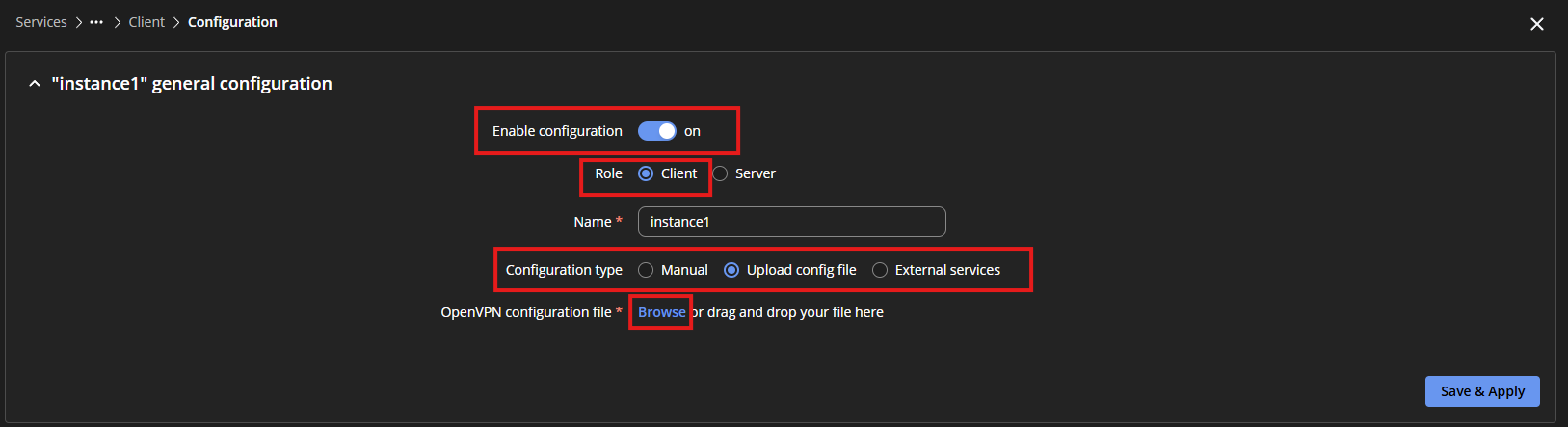
In the window that shows up, select: Role → Client; Configuration type → Upload config file; Browse → And upload the file you downloaded from RMS.
Let us know if this answers your question!
Kind regards,
Laura.
Hi Laura,
Thanks for the response. I have moved all device ownership to my first company as you suggested. From there I have created my two VPN hubs, one for my first company and another for the second company. In my second company I have two custom users in the client tab both set to DHCP, one is my user profile that I imported to OpenVPN Connect the second is for my RMS Device. I downloaded the device profile as you did in your example with no issues. I was able to connect with OpenVPN connect and access my end device using RDP as I intended to do. However when I add the RMS device to my first company VPN Hub the second hub connection no longer works. I have a feeling this is linked to having two profiles under the client tab in the device service page.
Hi again,
I was able to get everything working by enabling parsing on both of the OpenVPN profiles in the client tab of the service page directly on device. So everything is working as I wanted. Thanks for all of your help!
Hello, @Jschmude!
Thank you for your response!
We are happy to hear that everything works as you wished originally.
Additionally, enabling parsing on the profiles is exactly the step needed to resolve the issue you expressed in your previous reply.
If you encounter any issues or require further assistance, don’t hesitate to let us know.
Kind regards,
Laura.