Hi,
Suggestion:
In RMS device management, i would like use table search to find contents of tags.
Now i have to use top corner search to find tags and it has too many clicks and scrolls to be effective.
Thanks.
Hi,
Suggestion:
In RMS device management, i would like use table search to find contents of tags.
Now i have to use top corner search to find tags and it has too many clicks and scrolls to be effective.
Thanks.
Greetings,
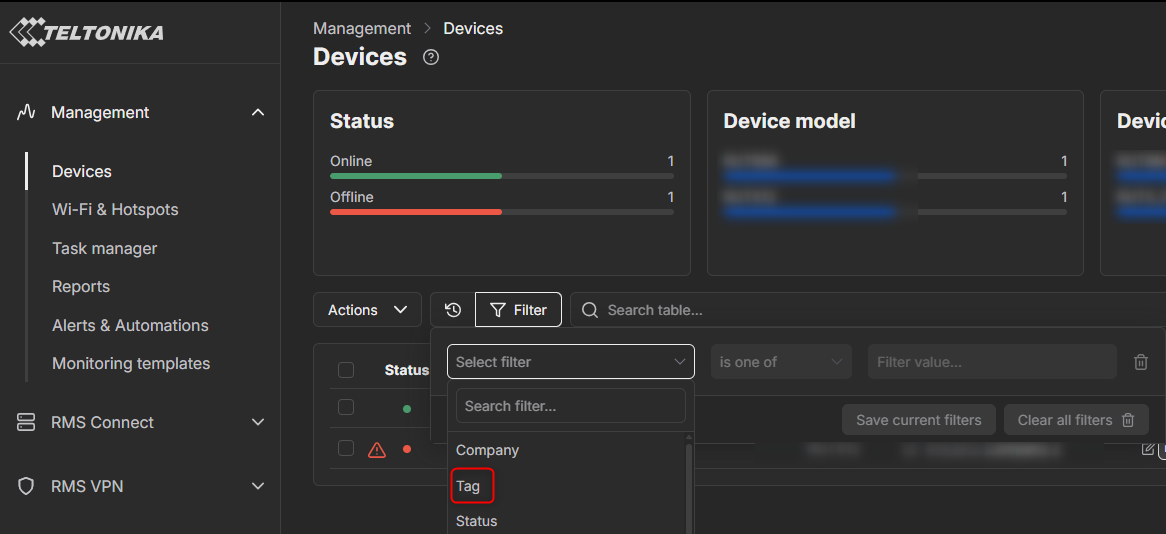
You can filter the devices by tag as well, it is more convenient, here is how you can do so:
Press Management → Devices then press Filter and click on select Filter, you will see Tag there
Then you can search for tags you want in the Filter value box.
Best Regards,
Justinas
i know. too many clicks. just index the content of the tags and be done with it.
Greetings,
Thank you for this suggestion. I will relay it to our R&D team, and they will evaluate it and decide on implementing the feature.
Best Regards,
Justinas
Greetings,
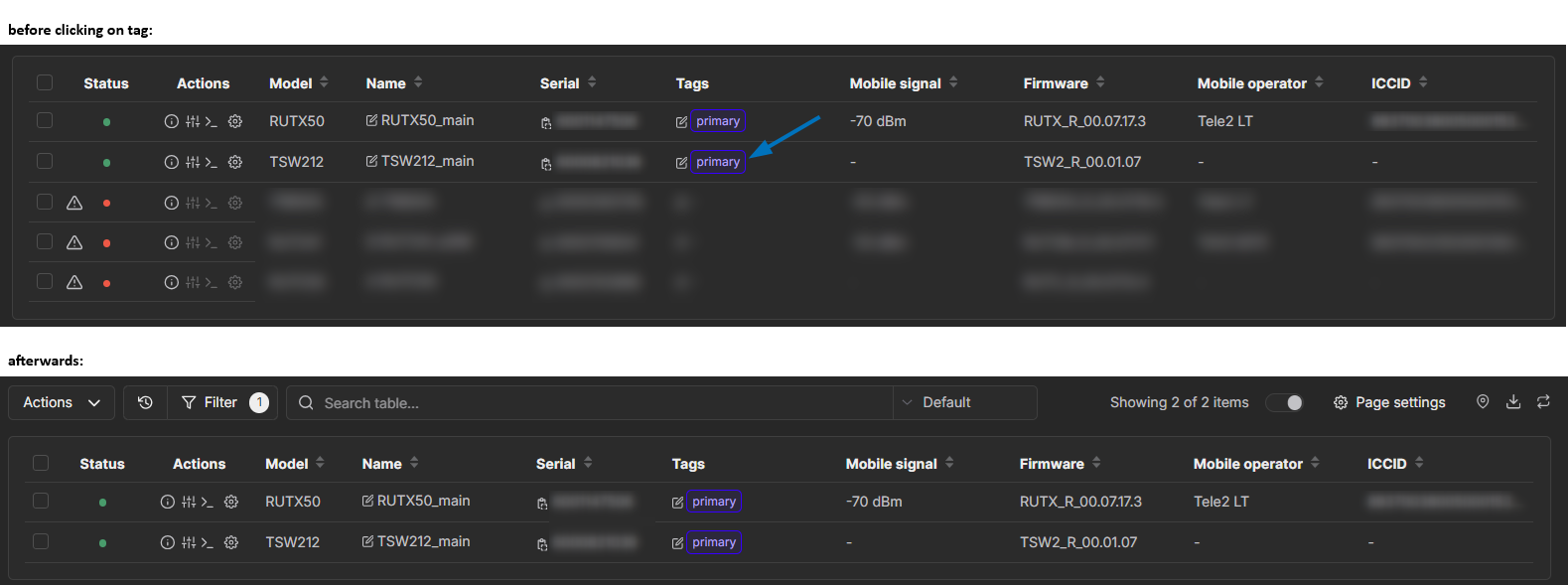
I have got a reply from our R&D department, try out these features, perhaps they will be more convenient for you.
I believe for easier device management/filtering by “Tags”, the client could utilize an already created and saved tag query, which would require only two clicks for filtering:
Alternatively, a simpler method, consisting of a single click and not requiring to write the tag index in search bar, would be to add a “Tags” parameter to the current table preset. Once clicked on, the table would automatically refresh to filter devices by the selected tag:
Best Regards,
Justinas
This topic was automatically closed after 60 days. New replies are no longer allowed.