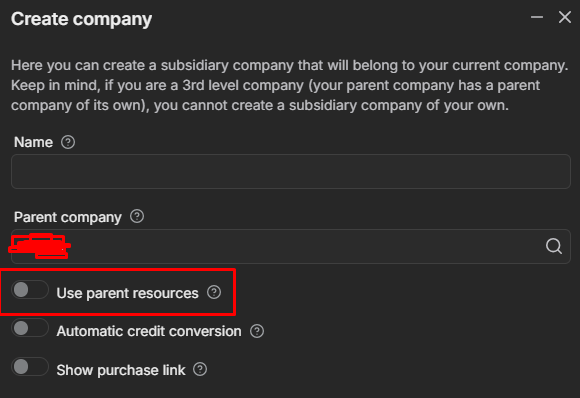
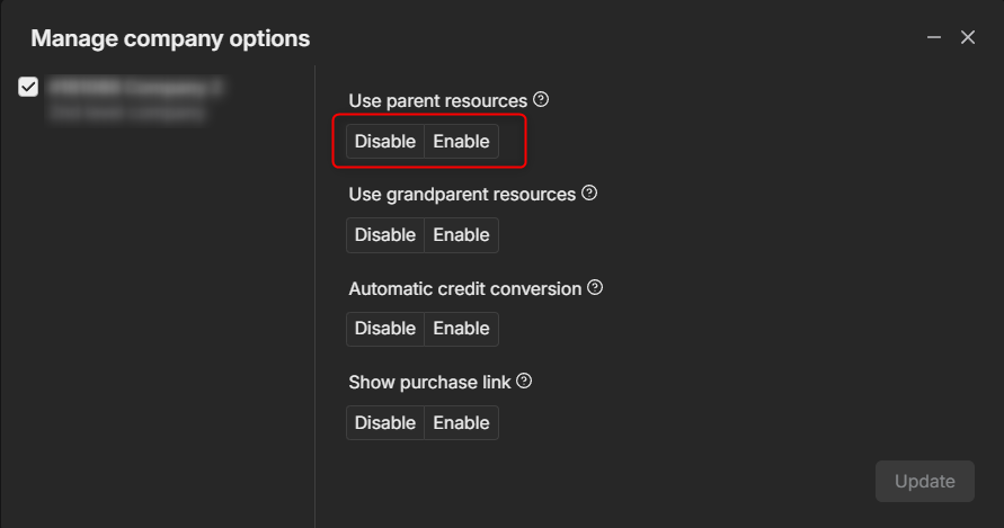
We do have several question regarding this option “Use parent resources”
-
When we open this option is it automatically used the parents resources even there will be new device that we will import on RMS teltonika?
-
How can we turn off this option if we manage to create a company and turn on this option?
-
If we remove the device and insert again is there will be a credit included on it?
Greetings,
Apologies for the delayed response.
To answer your questions about RMS device settings and credit usage:
-
When a new device is imported into RMS, it automatically receives a 1-month free trial. If the Auto Extend setting for the devices is enabled, once the 30-day period expires, the system will automatically consume 1 credit from your available credits to keep the service active. When Use parent resources is turned on, the parent company resources will be used if the subsidiary company resources are empty.
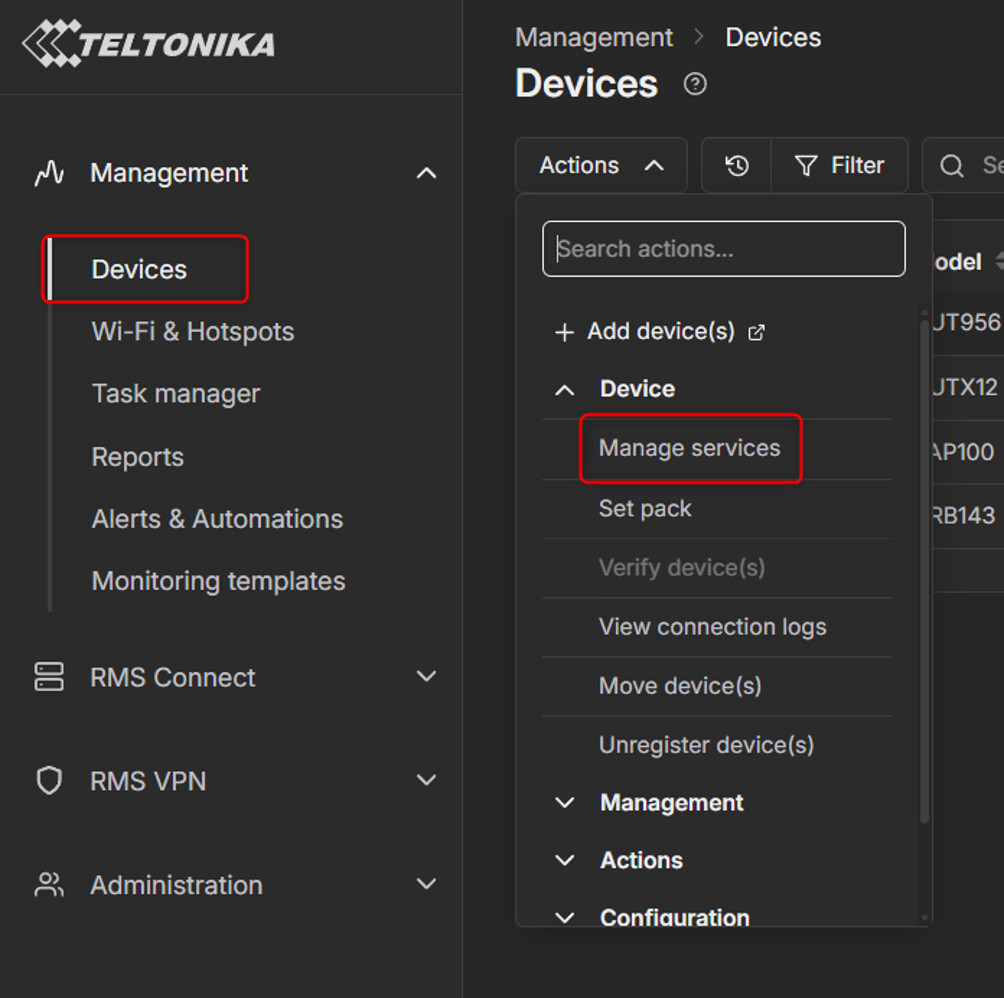
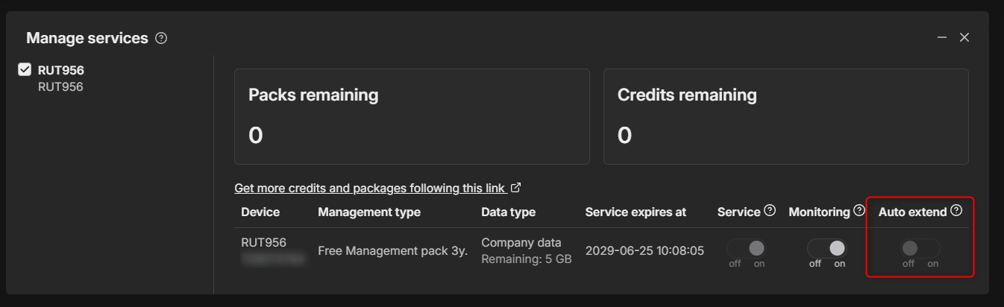
If you do not want RMS to automatically use credits for a device, you can disable the Auto Extend feature. To do that navigate to the left side bar to Management → Devices. Select the device(s) you want to disable this feature on and go to Actions → Manage services → Auto Extend → Disabled.
With Auto Extend disabled, credits can instead be activated manually when required.
-
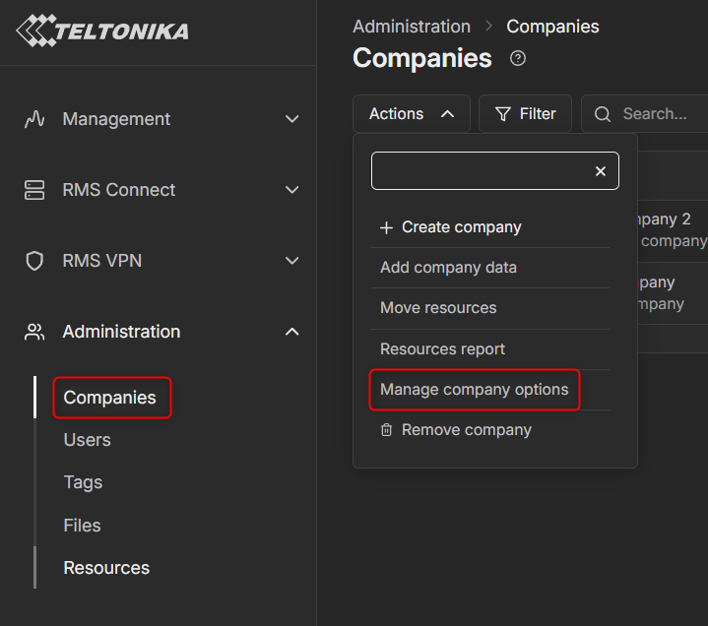
You can turn off the Use parent resources setting after it has been enabled by navigating to: Administration → Companies. Select the company you want to configure and click on Actions → Manage company options.
There you can enable or disable the option that allows the subsidiary company to use resources from its parent company.
-
If you unregister a device that still has an active credit or pack, the resource is not lost. RMS resources are tied to the device itself, based on its serial number and MAC address/IMEI so any existing active resources associated with that device remain available.
I hope this clarifies how RMS handles credits and resources. If you have any other questions, please feel free to reach out.
Best regards,
Martyna