we have some RUT LTE devices RUT955 RUT240 and RUT241.
We use them on our Harvesters to connect them to the internet. Now I ve seen, that we can reach our harvester computer via VNC protocoll directly via RMS, that works fine.
When connecting a windows pc to the local network of the machine, I can interchange data (parameter files and pdfs) via ftp connection.
The RMS service supports only the SFTP standard, is there a way to fix that or run a connection via VPN?
Via Quick VPN I tested it but I can’t get a connection.
Second Question:
The RUT240 is currently realy slow, if we use the SIM card in one of our phones the internet connection is really fast also if we deactivate 5g and use only 4g.
I’ve done severall factory resets to solve it but I don’t get a solution for this issue, the other RUT devices works fine.
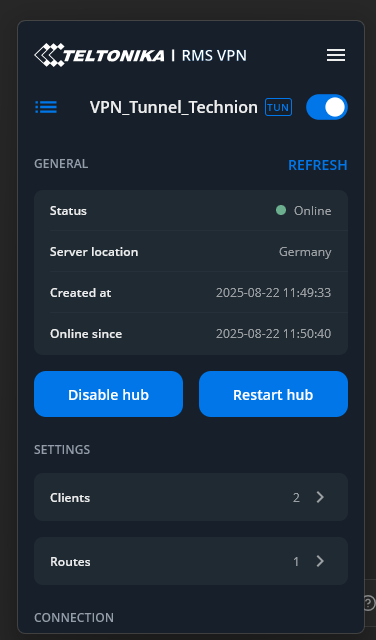
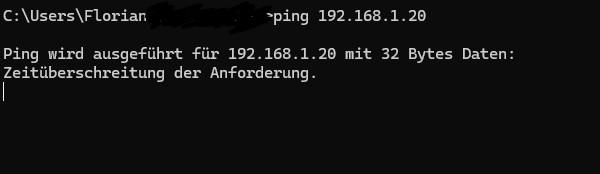
When a VPN connection is established and a route to the required machine is created (I’d recommend setting this up via RMS VPN Hubs), are you able to ping the machine from your end? Once basic VPN connectivity is confirmed, you should be able to use the required protocol over the VPN tunnel.
Regarding slow LTE speeds on RUT240:
Please note that the RUT240 has a Cat4 LTE modem, which does not support carrier aggregation (CA). Modern smartphones, on the other hand, support more advanced LTE technologies (such as Cat6 and above with multiple CA bands). This is usually the reason why you may observe a significant difference in speeds between the RUT240 and a smartphone using the same SIM card.
More detailed information can be found in the following articles:
If we use the RUT241 on the same place, the internet is really fast compared with the older RUT240, in the past the RUT240 works a lot better, but I don’t know why.
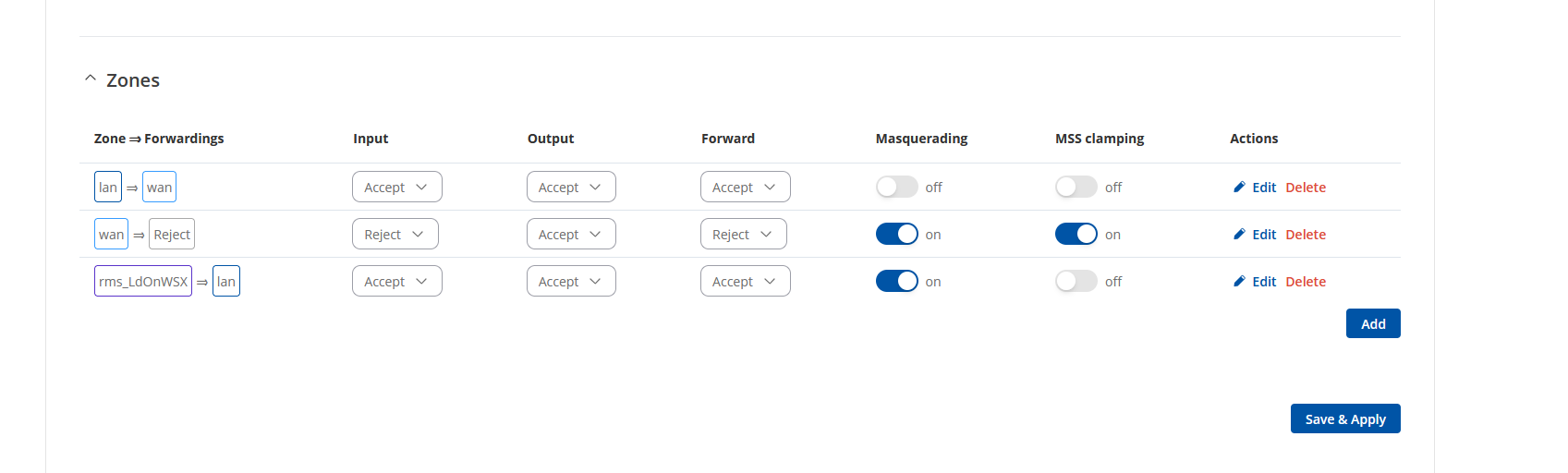
May I kindly ask you to check whether masquerading on the LAN zone is enabled in the RUT’s firewall zone settings (Network → Firewall → General Settings)?
If this is not yet verified, I also recommend reviewing RMS VPN Hubs configuration example available on our wiki article here:
Regarding the slower performance and internet speeds, since this device is end-of-life and based on older hardware, it’s normal that RUT241 provides much better speeds compared to RUT240. Currently, it is difficult to determine the reason behind the reduced speeds without additional information. In this case, could you please:
Provide a screenshot from WebUI Status → Network → Mobile page (with any of sensitive/private data, such as public IPs, IMSI, ICCID, cell ID, etc., hidden);
Confirm that the antennas are attached and placed optimally;
Confirm that the correct APN is selected;
Share the internal modem firmware version found under Status → System page
I tested it with and without masquerading on all firewalls there is no change in the behaviour.
Interesting fact, if I use the Teltonika VPN Windows client I get a connection, if I use Open VPN with the certificate file, I get a timeout and no connection.
To the RUT240, the next days I will change the rut240 against my 955 and be able to test the 240 on my desk myself.