Hello team,
I’m unable to connect my RUT200 to my RMS account. The connection fails when I add a device.
Hello team,
I’m unable to connect my RUT200 to my RMS account. The connection fails when I add a device.
Greetings, @ThomasMEG,
Welcome to the Teltonika Community!
Thank you for your post. I have removed the screenshots you attached, as they contained sensitive information (such as the serial number and MAC address). Please keep in mind that this is a public forum, and sharing personal or device-identifying information is not recommended.
To help us investigate the issue more effectively, could you please clarify the following points:
This information will help us narrow down the possible causes and provide more accurate guidance.
I look forward to your reply.
Warm regards,
V.
Hello,

My internet connection is good.

I have credit on my account.

I updated the RUT200 to version 7.19.4.

I'm still experiencing the same problem.
Thank you for your swift response.
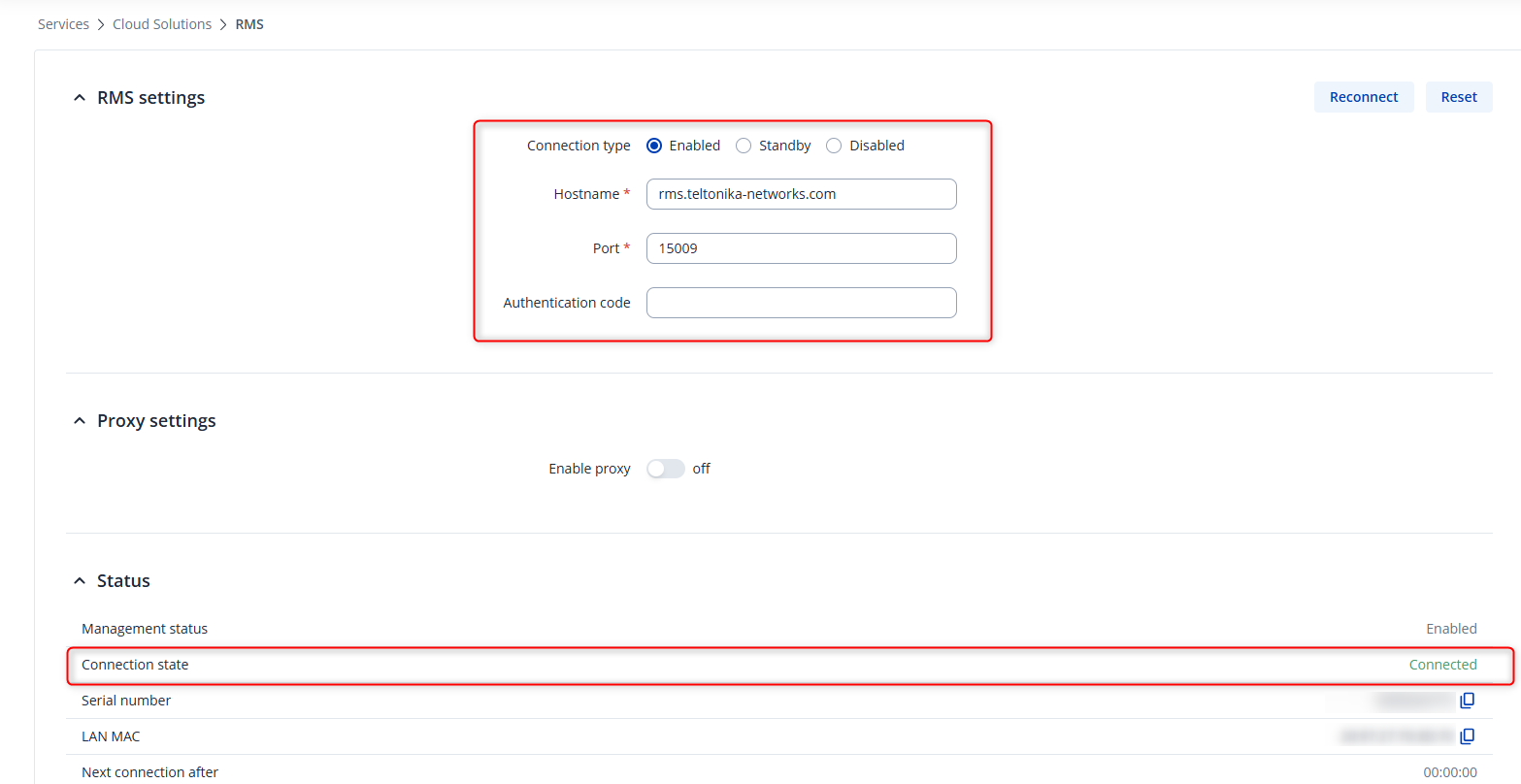
Please make sure that under Services → Cloud Solutions → RMS, the connection type is set to Enabled.
Additionally, could you check whether any error message is displayed in the Connection state field?
Furthermore, please confirm the device status in RMS. Specifically:
For reference, the following wiki article covers the most common reasons why a device may appear offline or not activated in RMS and outlines recommended troubleshooting steps:
Please let me know what you observe after checking these points, and we can continue troubleshooting accordingly.
Warm regards,
V.
This topic was automatically closed after 60 days. New replies are no longer allowed.