I have a need for a BMS system to send emails and I would like to turn those into a SMS message to deliver to customers. This needs to be done offline and/or not involve an external dependency & weakness. How do I do that?
I see how I can do it with a post/get API call and some systems I have can do that but not all of them.
I found the email relay package and I thought that might do it but I don’t quite have that figured out.
Could you please clarify this part of your question? To read emails, an internet connection is normally required unless you have access to a local mail server.
To send SMS, the SIM card in the router must support SMS functionality.
If your goal is to forward emails as SMS messages, you can follow the instructions here:
If you instead want to send SMS messages directly using the API, you can use a command like this:
api POST /messages/actions/send '{"data":{"number":"<Phone_number>","message":"Test","modem":"3-1"}}'
To retrieve the modem ID, run:
cat /etc/config/simcard | grep modem
You can find more information about the API here:
And here are the instructions for logging into the router’s CLI:
Direct answer to your question, BMS system sends email alerts out via SMTP. Teltonika needs to receive that and send contents out via SMS.
Introducing a mail server over the internet or even local appliance is a weak link I don’t want. This is a feature competitors equipment can do but I can get Teltonika via my usual supplier much easier.
It appears you can combine the on device email relay as “proxy” and the Email to SMS gateway. Is anyone doing that?
and
It would be the more modern RUT241 I get now but I’ve got an older RUT240 on my desk I’m playing with.
I just need to get a SMS capable SIM, don’t have one yet.
Right now I’m stuck on simply sending a SMS utility message, I get a sent indicator but two numbers I’m testing with don’t show up.
SMS utility example shows +37000000000 which is too short for a US number? Anyway I fed that a number formatted like +1803563xxxx and sent a couple messages. I got a green popup saying successful but I never received anything on two test numbers.
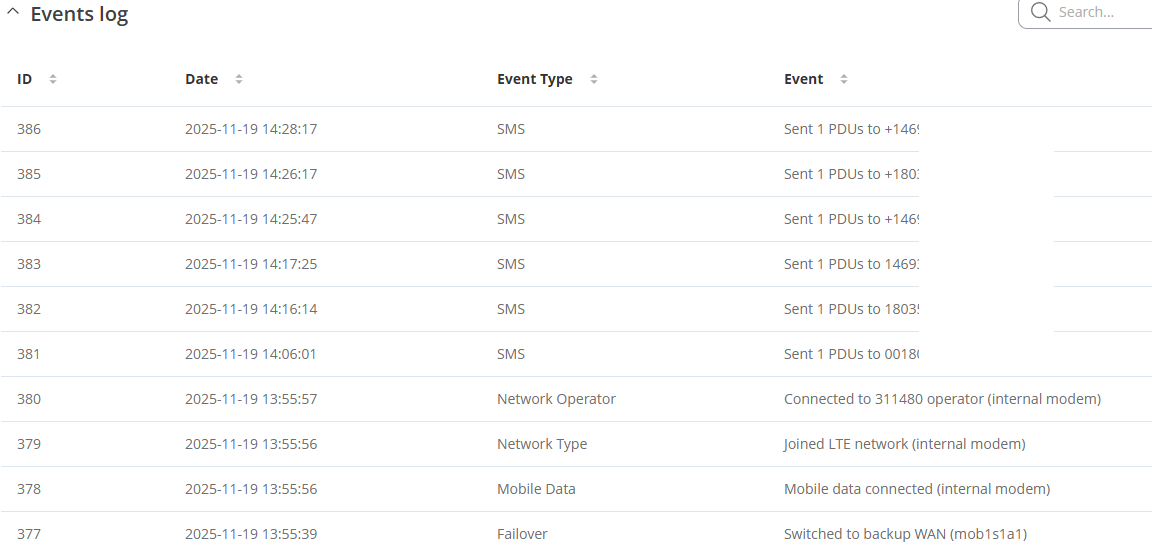
Log seems to indicate it was sent. I’ll ask Verizon about this.
I can also see the BMS connecting and sending email. What I don’t see on that one is it then going out as SMS. That could be the problem I linked in my last post but I’m not sure where to figure that out.
Could you please clarify, were you able to send the SMS utility message successfully? If not, did you receive a response from Verizon?
For further troubleshooting of the email to SMS, we will require more sensitive information from your end, such as the troubleshoot file, which may contain passwords, public IP addresses, serial numbers, and such. To avoid leaking this information, we have sent you a form to fill out, which you will receive in your e-mail inbox that you have registered your account with in the forums. In the Ticket ID field of the form, please enter the ID of this thread, which is 16399.
Thank you for reminding me I need to follow up. Before I left on vacation I was able to modify the cellular plan with verizon for this line to send/receive SMS, and I tested that on a android phone successfully. Now I need to double check settings and try again on Teltonika.
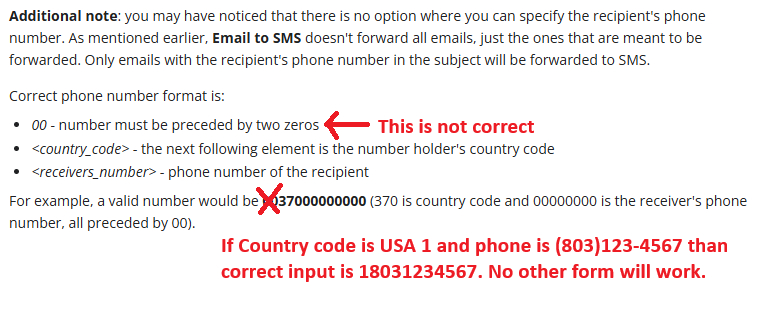
I’m doubting my formatting of the subject line phone number. If my phone number is 18031231234 how should that be formatted? Currently I have it as 0018031231234.
Documentation; For example, a valid number would be 0037000000000 (370 is country code and 00000000 is the receiver’s phone number, all preceded by 00).
Provided eight digits phone number is not the same as us number minus country code which is 3+3+4=ten digits.
To review this is what I have configured
services; Email Relay
SMTP 25
Pop110
TLS off
authentication smtp & pop has a username and password I made up
Services; mobile utilities, SMS Gateway, email to SMS
pop3 server; localhost, 110, login credentials from above
Inside WebCTRL the test connection to the SMTP server mail relay above = successful
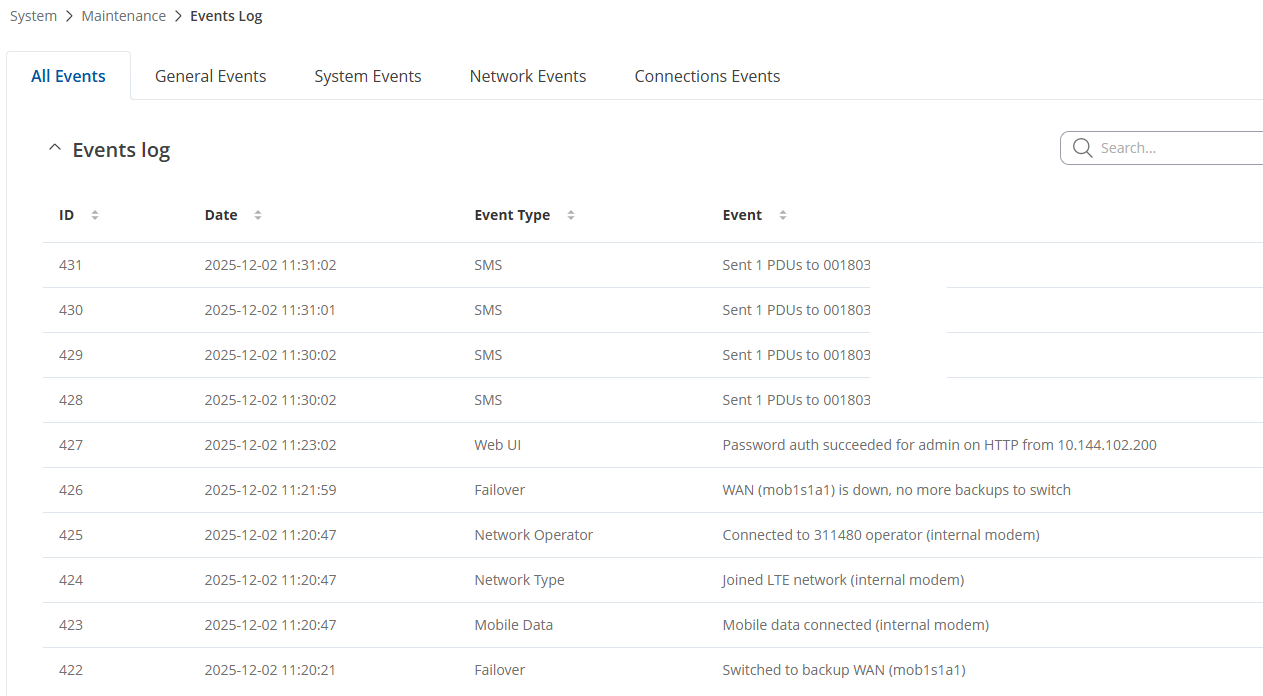
Sent four alarms from BMS system with subject 001803xxxxxxx (my phone number)
Contents would be something like
Time; 12/02/202511:30:10AM State; NORMAL Message; Low Capacity has returned to normal.
I did not get anything at my phone number.
The logs in the router look pretty good though, seems like it’s trying and I don’t see errors.
EDIT; you’ve got some problems with this message board, I was initially told I couldn’t post a link to the Teltonika help documents (like I did above) so I had to delete that just to get this post in. Now I’m being told this message was hidden because it’s spam??? So I’m editing it again as asked and marking this as the solution.
This is kind of important to follow up later guys, do not know why you are making this so hard.