Hi,
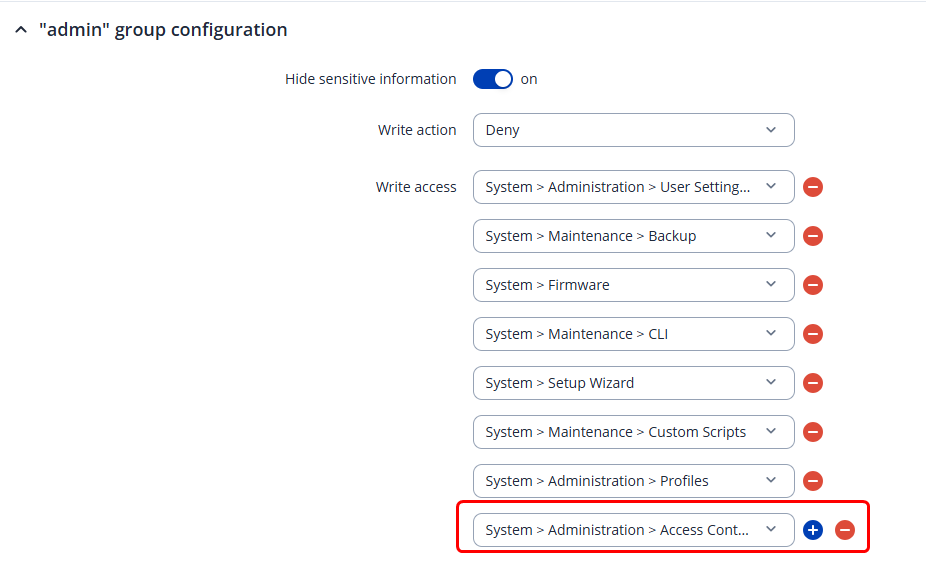
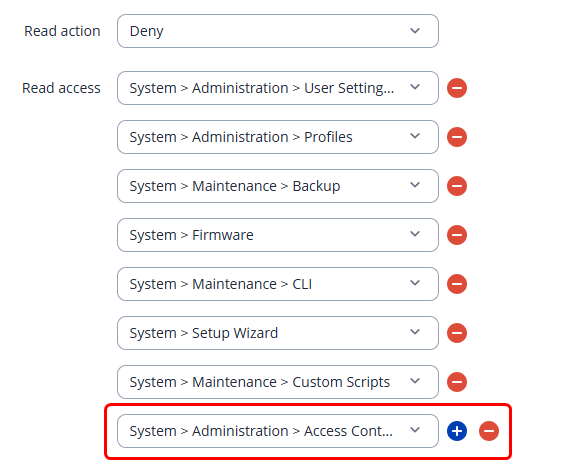
when a new Teltonika device is unpacked, there is one account, admin, member of the group root. That allows that user to create other users (System > Administration > User Settings) and to allow Access to WebUI and CLI from the WAN (System > Administration > Access Control). The password of the admin user can also be used to log in as root via ssh and to the CLI with the RMS.
In our devices, I like to set the admin password to router individual passwords. The RMS can do this very conveniently with a single operation. This allows us to give the admin password to site personnel in recovery situations without compromising all devices’ security.
For our daily work, we use an account that is created during initial deployment of the device. That account is in the admin group (the root group is not available in the “Add New User” dialog.
Is it possible to allow a user account in the admin group to log in via ssh, and to access System > Administration > Access Control?
It is somehow annoying to have to unpack and decrypt the csv file with the “admin” passwords just for a small debugging session
Greetings, Marc Haber