Problem accessing port 80 services via the WAN interface

Hello
I use RUT951 with RutOs version RUT9M_R_00.07.17.5. I can access my three services (three servers with different IP addresses) that are broadcasting on port 80 from my local network, for example, http://192.168.2.183:5. But I can’t access them via the WAN. When I try to access them, I’m redirected to my router’s connection dashboard. How can we solve?

My Port Forwards config

Greetings, burkinar,

Thank you for your message.

Based on the information and screenshot provided, the issue seems to be caused by a port conflict between your router’s web management interface and your port forwarding configuration.

Currently, your RUT951 is set to forward incoming traffic from the WAN on port 800 to a LAN device (192.168.2.183) on port 80. However, when you access the router’s public IP using port 80 or without specifying a port, the connection is handled by the router’s own web interface rather than being forwarded to your internal servers - which explains why you’re being redirected to the router’s login page.

To address this, please check the following on your RUT951:

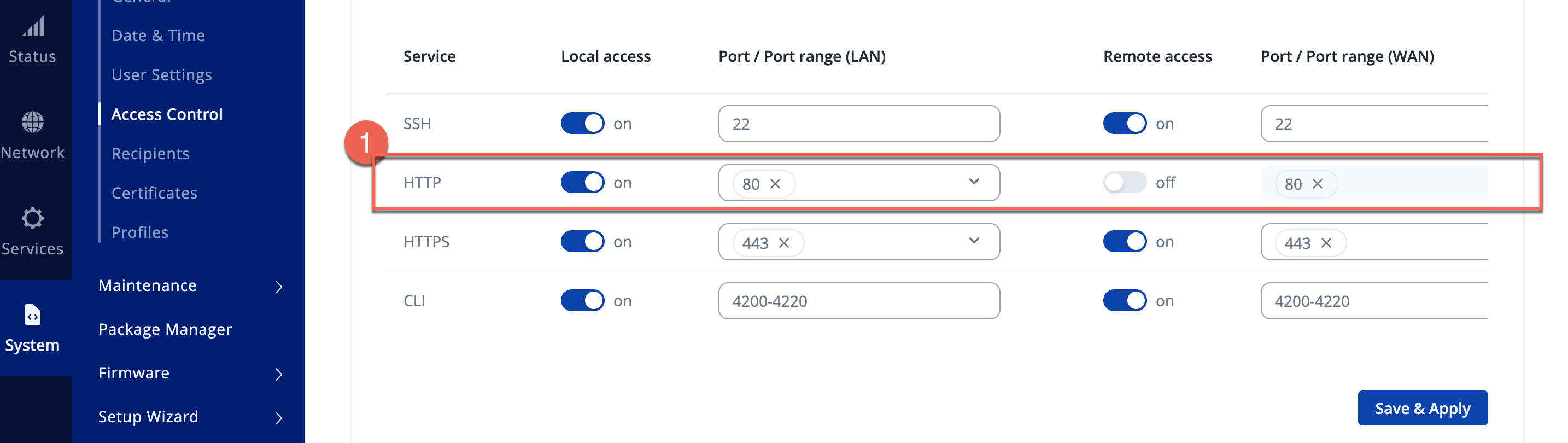
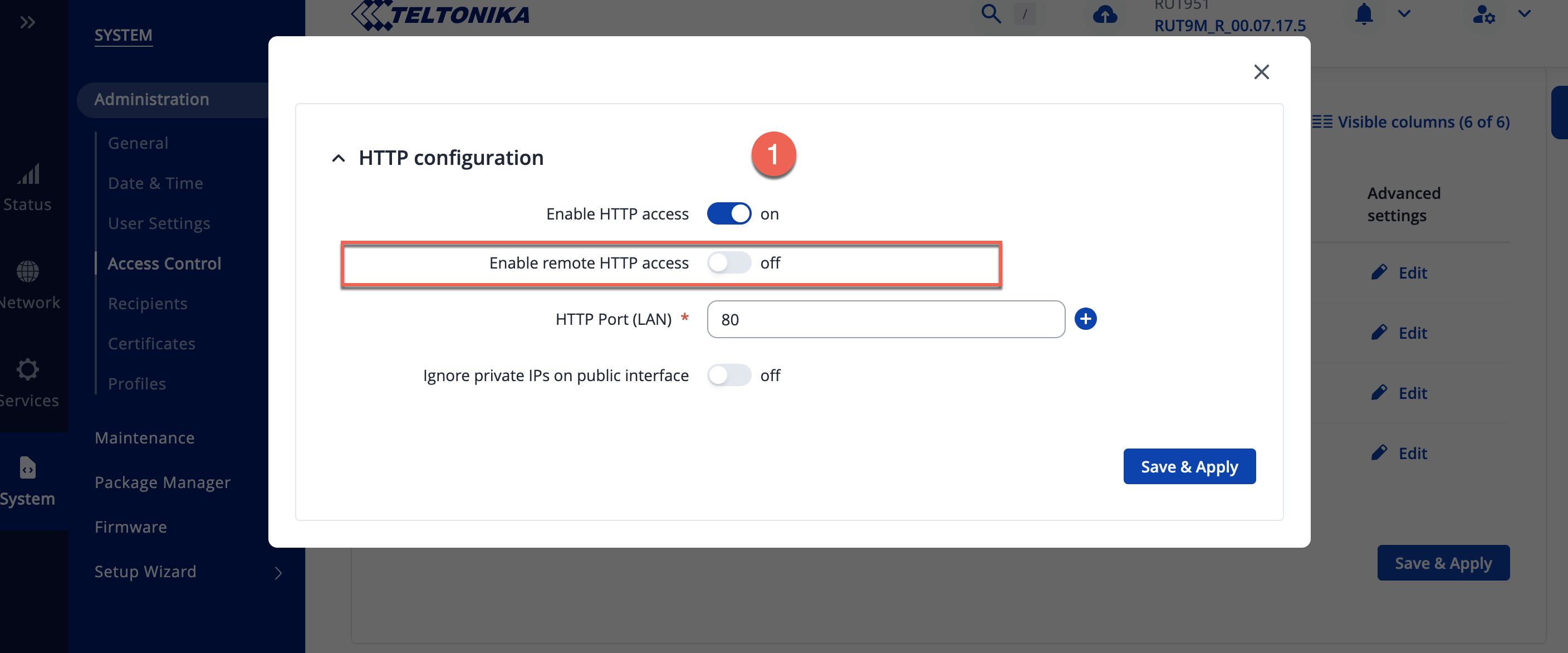
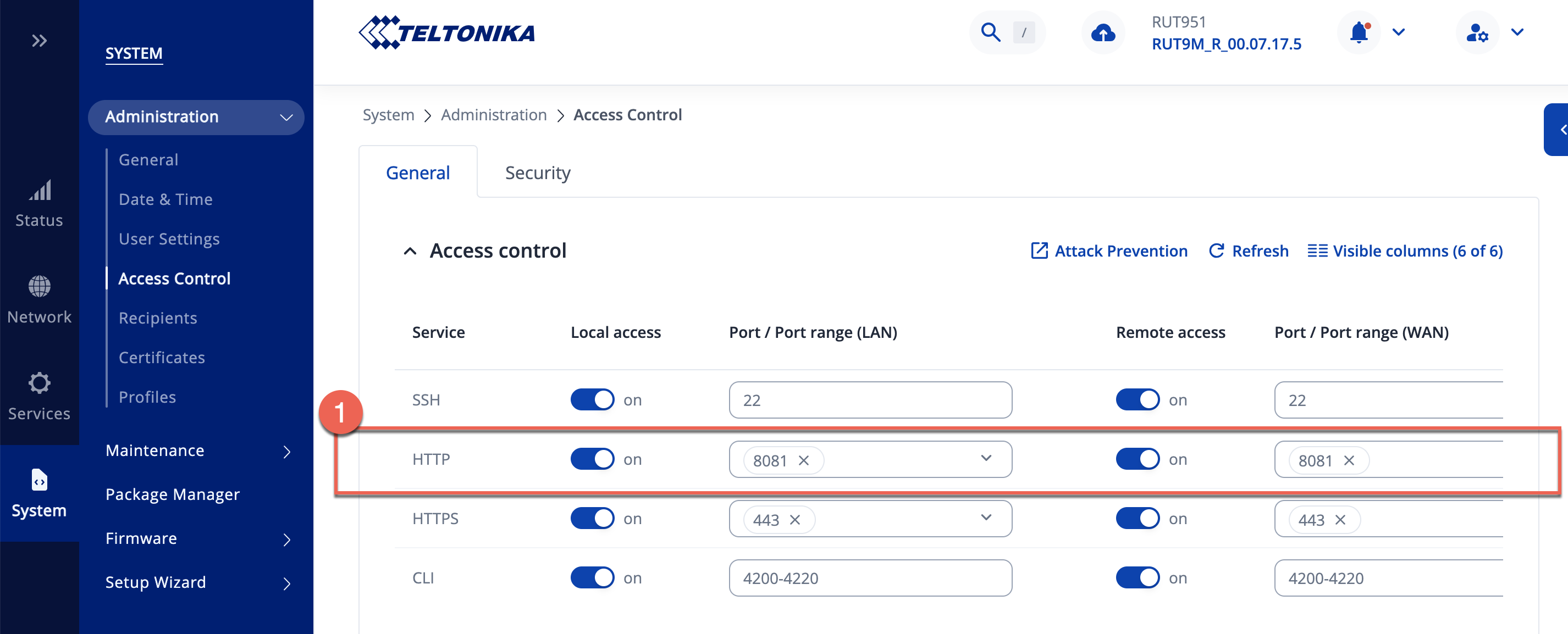
  1. Router Remote Management – Disable “HTTP remote access” or change it to a different port (for example, 8081) to avoid conflict with your port forwarding rules. This can be done in System → Administration → Access Control settings.

  1. Port Forwarding Rules - Ensure each internal service has a unique external port (e.g., 8001 → 192.168.2.183:80, 8002 → 192.168.2.184:80, etc.).

For more information you can refer this article, that contains an example of how to set up port forwarding:

Once these steps are applied, you should be able to access each internal service from the WAN using your router’s public IP and the corresponding external port (e.g., http://<your_public_ip>:8001).

In case you need any additional assistance, please let me know!

Kind regards,
V.

Hello @Vilius.G ,
Thank you for your support, you have perfectly understood my reasoning but i’m unable to get WAN access to services working via port 80. I’ll show you, with Mac screenshots, the two options you recommended.

Option 1 : I disable “HTTP remote access”

Etape 1 : deactivation of “HTTP remote access”

Etape 2 : forwarding port added

Resultat : http://<my_public_ip>:8002

The redirection always takes place to the teltonika login dashboard page

NB; After each configuration, I restart the router for the changes to take effect, but it still doesn’t work.

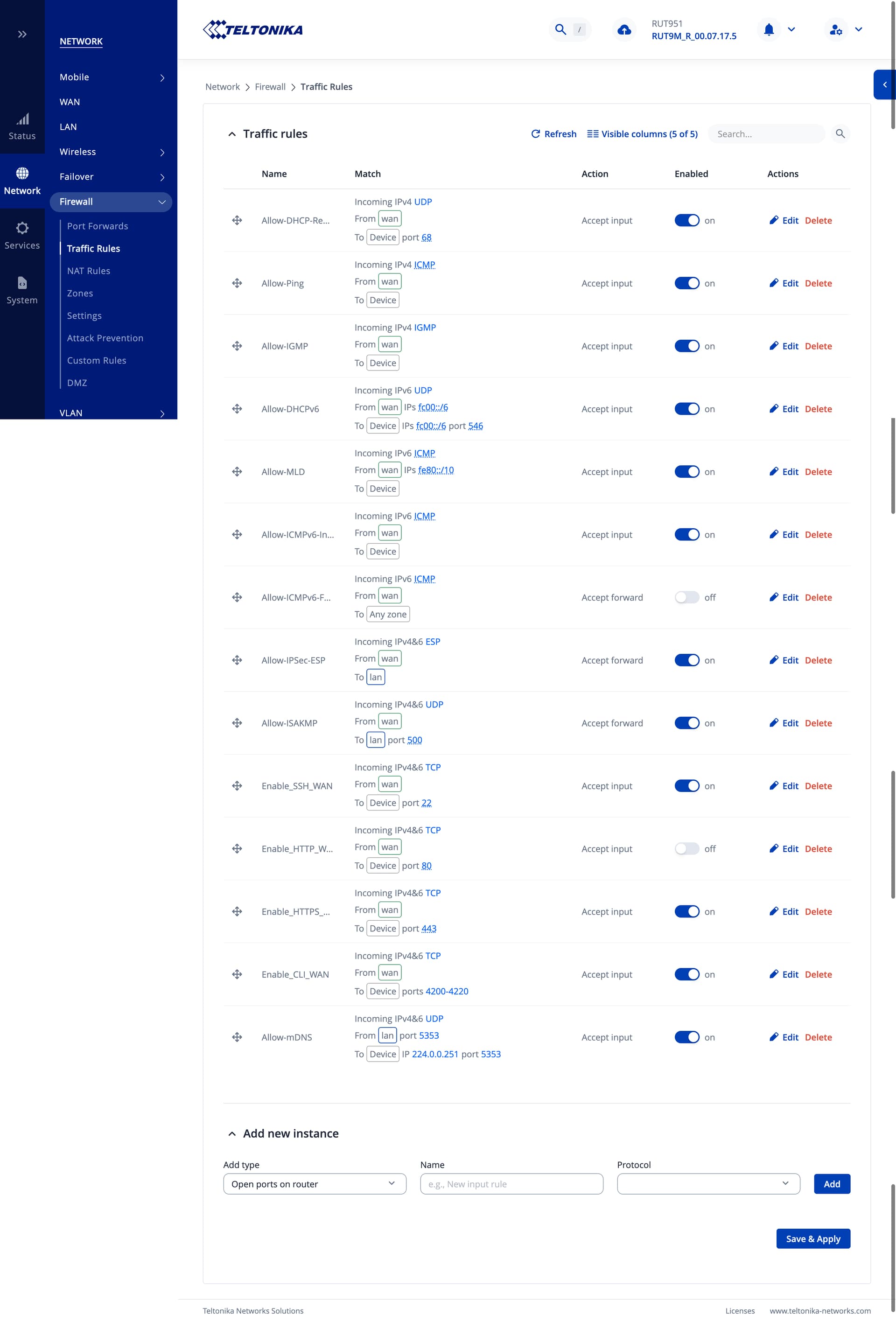
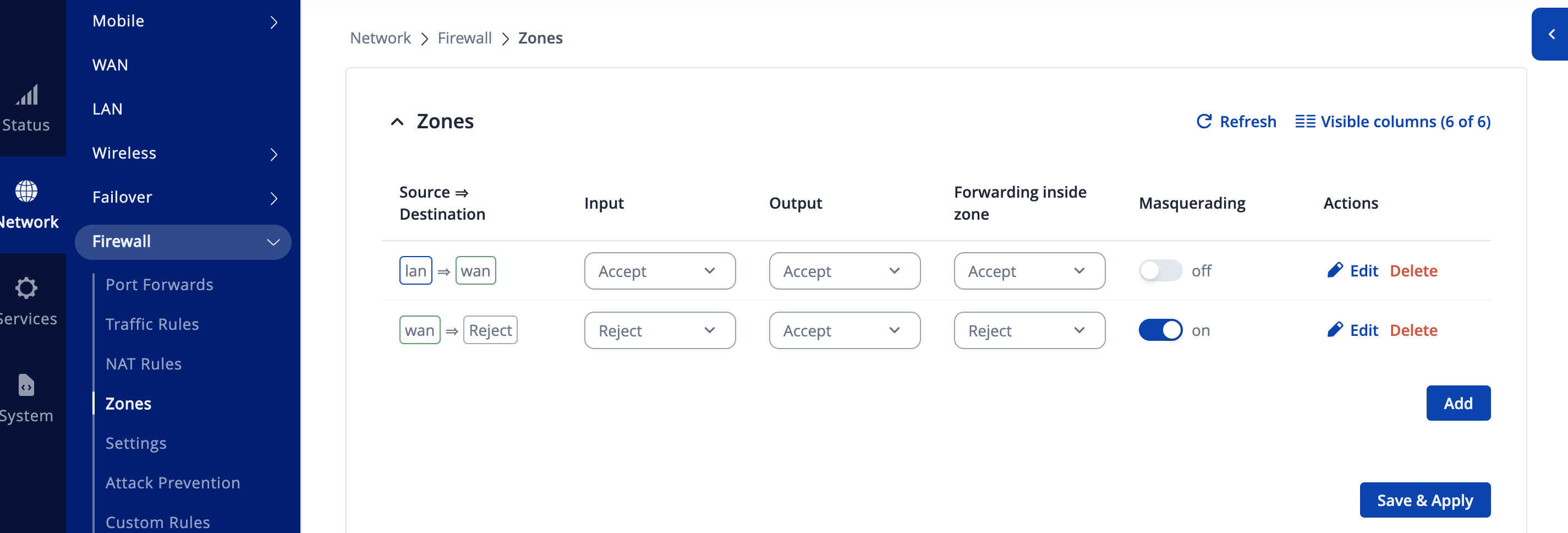
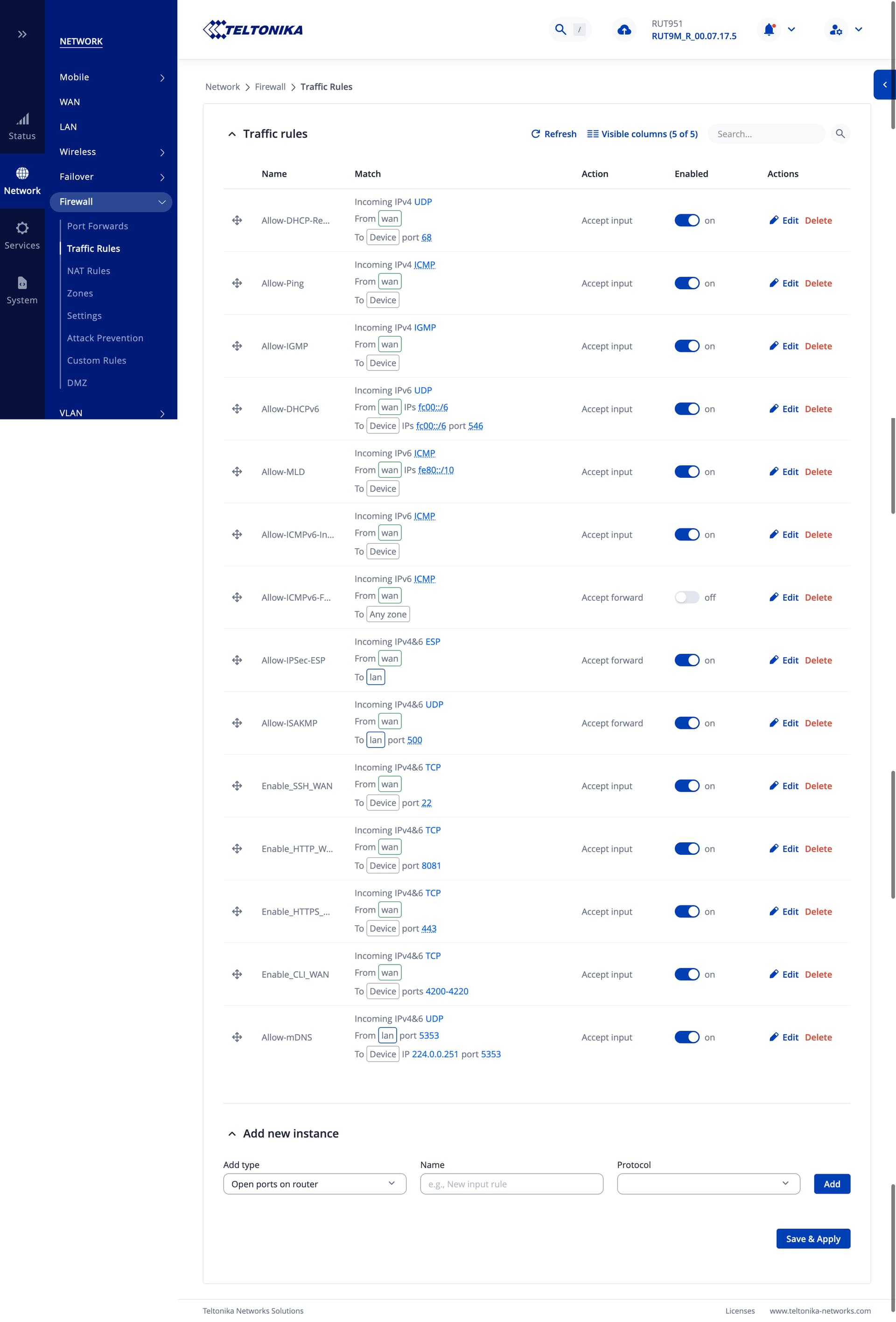
As a reminder, here are my “trafic rule” settings and “Zone” settings.

Option 2 : Changing to a different port 8081

Etape 1 : Changing to a different port 8081”

Resultat : http://<my_public_ip>:8002

The redirection always takes place to the teltonika login dashboard page

NB; After each configuration, I restart the router for the changes to take effect, but it still doesn’t work.

As a reminder, here are my “trafic rule” settings and “Zone” settings.

After completing all these configurations, I would be happy to give you administrator access via private message for a quick resolution of the problem. Thank you for your reply.

Greetings, burkinar,

Thank you for your swift response,

After investigating your screenshots, I came up with additional solution. You can try editing HTTPS access and removing “Redirect to HTTPS” option.

In case this will not help. For troubleshooting purposes, we will require more sensitive information from your end, such as the troubleshoot file, which may contain passwords, public IP addresses, serial numbers, and such. To avoid leaking this information, we have sent you a form to fill out, which you will receive in your e-mail inbox that you have registered your account with in the forums. In the Ticket ID field of the form, please enter the ID of this thread, which is 16200.

Let me know how it goes,
V.

Hi @Vilius.G
The third solution you shared with me didn’t work. So I sent information about my router in the form I received. Thank you.

Greetings,

Here’s a refined summary of our remote session:

We reviewed the port-forwarding issue that was causing incoming requests to be redirected to the router’s WebUI login page. During the session, we updated the firmware, adjusted the port-forwarding configuration, and changed the remote access ports. After testing several scenarios, we confirmed that the redirection is not coming from the router itself but rather from the DDNS provider.

I recommended reaching out to the DDNS provider to request that they remove or adjust the redirection on their side.

Kind regards,
V.

This topic was automatically closed after 60 days. New replies are no longer allowed.