Hi There,
Are there any RUT routers that can be powered via their WAN port (rather than LAN1) ?.
Here the application is a large campus network which has PoE but will be treated like a WAN for individual RUT devices.
Thanks in advance.
Steve
Hi There,
Are there any RUT routers that can be powered via their WAN port (rather than LAN1) ?.
Here the application is a large campus network which has PoE but will be treated like a WAN for individual RUT devices.
Thanks in advance.
Steve
Good afternoon,
Teltonika routers that support PoE, are designed to be powered via their Lan1 port rather than Wan port.
There is an option to use lan port as wan, however the hardware powering capability is tied to lan1.
A device with a slightly different configuration is OTD140 and OTD500, as with them, you simply have one port to power the device, and another to for PoE out purposes.
I also wanted you to clarify, when you mention that you need to connect the PoE, via a Wan port. Please expand on the use case, are you looking to provide PoE and internet to those devices?
Regards,
Arturas
Hi @anon46660955 - appreciate the insight. Use case is for a simple Campus overlay network made up of multiple (many) Teltonika devices. Here, the Campus network is treated as the ‘WAN’ and overlays a software defined ZeroTier network. The Campus network provides the power (PoE) and treated like a ‘WAN’.
Single devices are then connected to the Teltonika boxes and mapped to the associated ZeroTier overlay. These devices do not need PoE.
If LAN1 can be treated as a WAN then, perhaps, that is the way to go. I have a RUTX09 but could only see an option to swap WAN for LAN but not the other way around….
Will look further and many thanks.
Hi, Steve,
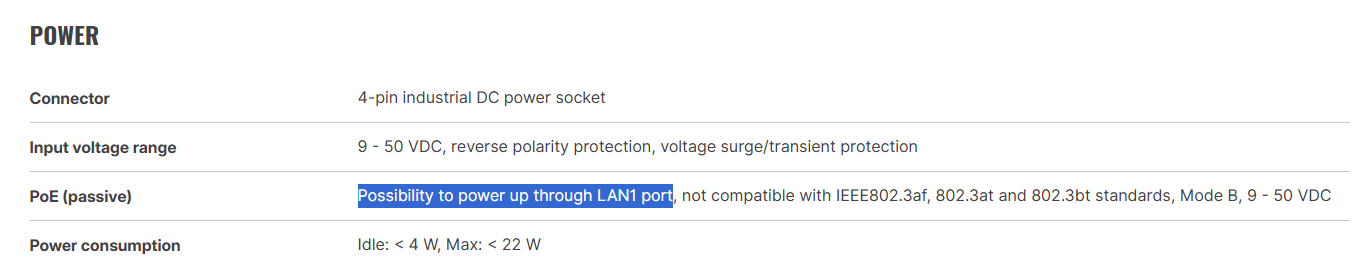
Unfortunately, if a router supports the powering option via PoE, it’ll be only via the LAN1 port and not via other port.
This information can also be found on our website, under the “PoE” section under “Features”:
The website link: https://www.teltonika-networks.com/products/routers
Regards,
M.
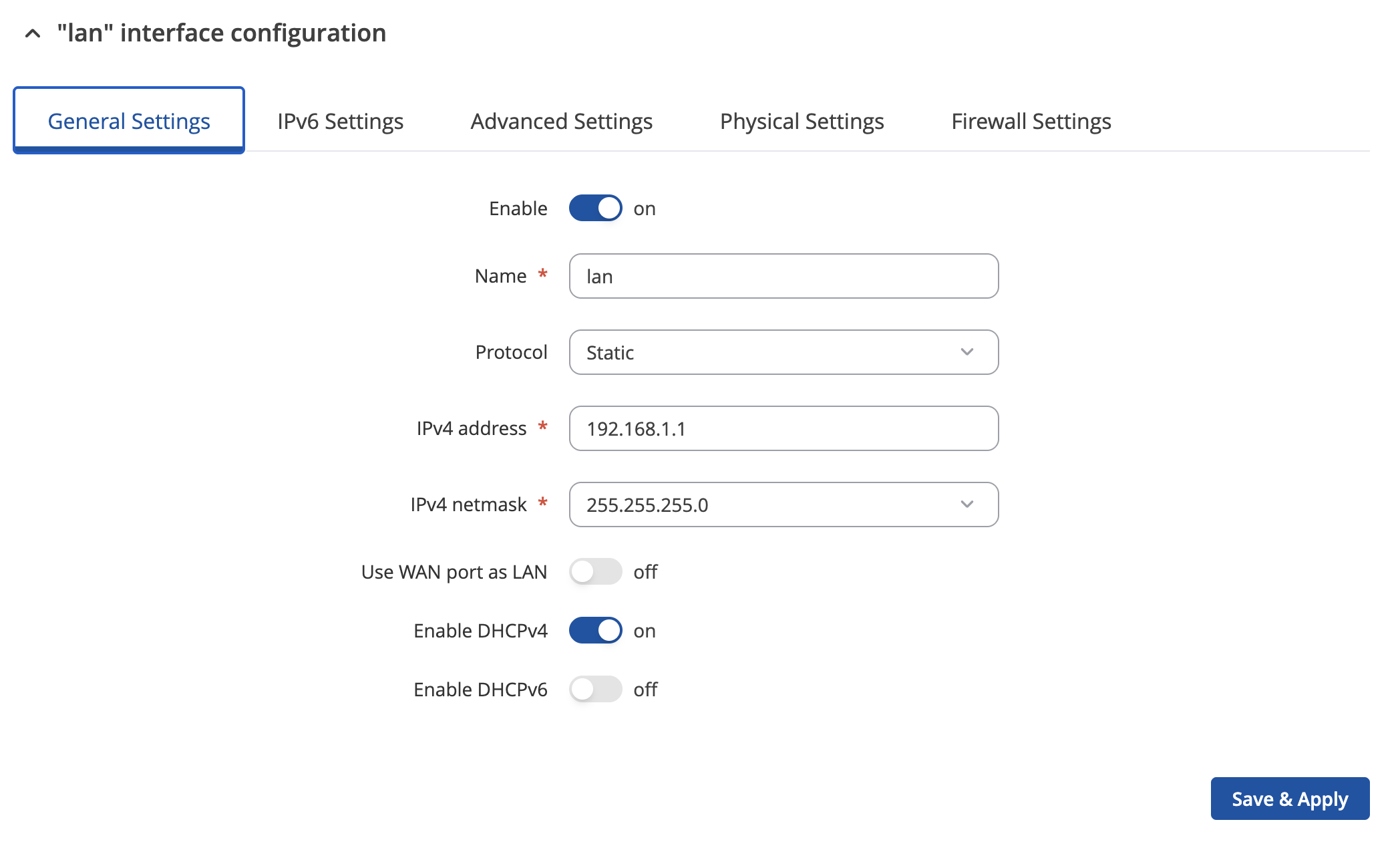
If I may add on top of that, setting up LAN as WAN and vice-versa is the same exact process, it all comes down to this one switch:
More information here:
Regards,
M.
This topic was automatically closed after 60 days. New replies are no longer allowed.