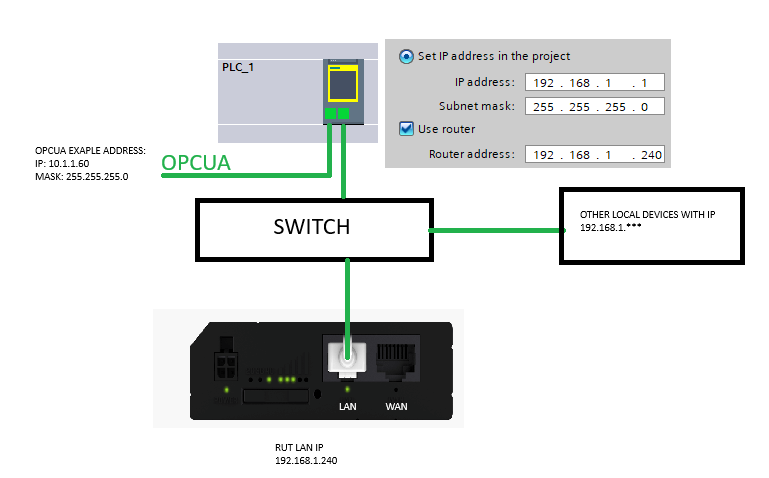
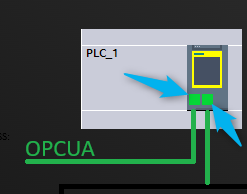
We have a rut240 connected to the LAN port of a Siemens PLC controller. We use rut for remote access to the machine. The controller on another port is connected to the opcua server. Unfortunately Siemens doesn’t allow us to set 2 separate gateway, so we have remote control by rut or connect with opcua with losing our remote access.
My RUT has a LAN IP address 192.168.1.240, PLC 192.168.1.1 (Gateway 192.168.1.240) port 1 (RUT) and 10.219.**.** (Gateway 10.219.**.**) port 2 (OPCUA)
Can you help me configure RUT as a NAT device by WebUI step by step ?
For clarification purposes, could you please provide the topology of your desired network? Please include the IP addresses (avoid including Public IP addresses if there are any).
Could you also confirm how you are remotely accessing your device? Is this done through some type of VPN, or via the Public IP address of the device?
The opcua protocol also requires the router to be configured. Siemens does not allow two routers to be set up on different ports (Option: Use router). In order to communicate correctly with opcua, I must select the router option on the opcua port (address example : 10.1.1.1) and disable the router on the RUT communication port with the PLC with losing our remote access.
Remotely accessing is by VPN.
I would like to use the WAN port on the RUT to communicate with an external opcua.
The network topology in the above post only provides us with remote access to the machine. Our client needs to receive some data from us (PLC) for their MES system. We require remote access to the machine’s service. We tested communication with the MES system (via OPCUA) with the router set up correctly, and everything works fine. However, remote access is a priority for us, so we returned to the settings on the PLC controller as above on topologu, abandoning communication with the MES system.
Nothing is connected to the WAN port of the RUT240 device.
I’m usign OpenVPN Connect.
I read something about setting up a router as a NAT device, but i’m lacking some networking knowledge.
Are these bridged so they’re under the same subnet always, or are they separately configurable somehow?
Additionally, would changing the router’s network to match the OPCUA server’s network work for you? I feel like this would be a straightforward solution to the issue you’re experiencing.