I have a switch connected to the RT240 (firmware: RUT2_R_00.07.06.19) but after some time port is phiscally goes down (port led goes off as well on switch). Only disconnect switch from power and reconnect the power solves the issue for some time.
It looks like that after DHCP lease expire the port goes down. I also tried using the RJ45 WAN port as lan but that one is dead already for some time.
Taking the power off from the rut240 and putting it one, will result thet the LAN port goes up on the rut240 as well as on the switch. When the port is down there are no leases seen in the rut240 which is odd as the leasetime is 48 hours.
Greetings,
You could try to use our bootloader menu to update the device firmware and see if that resolves the issue. This is a last resort recovery option, and it is used to differentiate between software and hardware issues. Keep in mind, this will reset the device to factory settings. Instructions can be found here: RUT240 Device Recovery Options - Teltonika Networks Wiki
Best Regards,
Justinas
Thanks, will try that out. If I make a backup of the config, can I restore it?
Does reflashing the bootloader change anything with the Ethernet NIC firmware etc that affects physical link? I am asking because I have a very similar problem at one site with a RUTX11, the WAN port constantly loses its link and needs a reset…
Hi Justinas,
I followed the procedure, I couldn’t uploaded the bootloader image (I only could find the firmware release, so I have used that one). I did the firmware upgrade (to the same release it was on) .
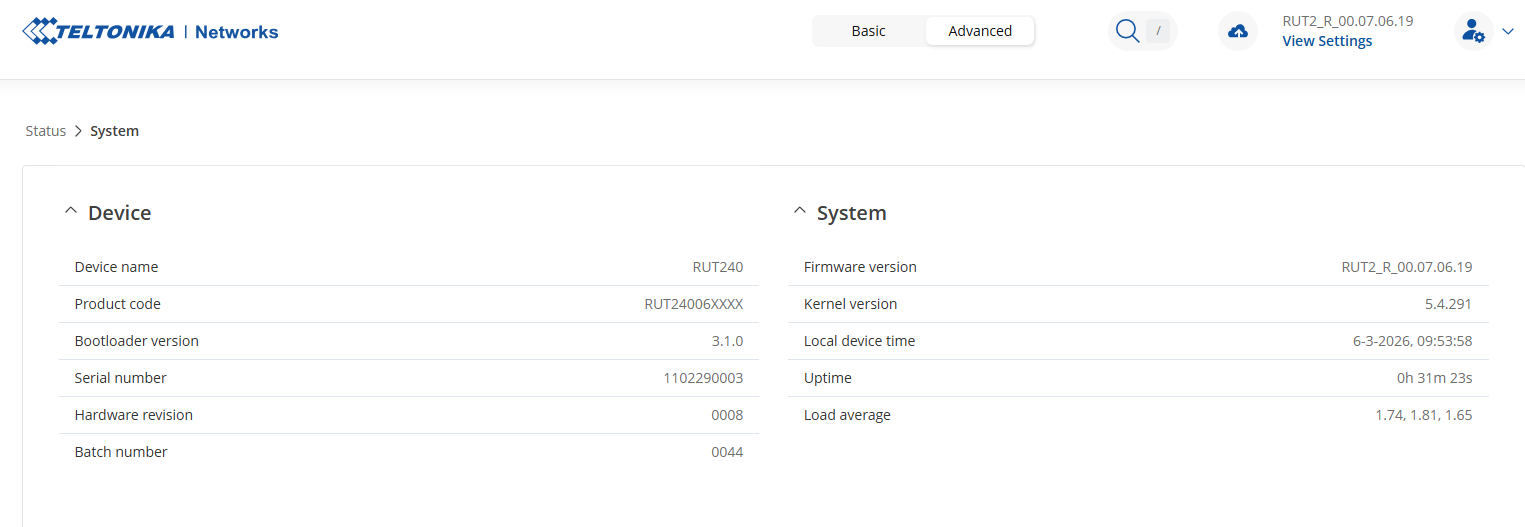
That is the information from my device.
BTW, the manually how to config to use WAN as LAN port is not correct. I assume eth0 is LAN and eth1 is WAN, both configured as LAN and assigned to the Bridge,
Kr.
Johan
Hi,
I my case, the LAN was connected to a switch and it looked like that the ethernet port on the RUT device went down. On the switch I had more connections on with green lights, so, I used one of these ports and the light was off. Meaning dead port on the RUT device. I also used a cable tester to look if the cable is okay. The cable past all tests. After power down the rut device and power up again, port was on again.
Greetings,
@jjvalstar Could you please confirm whether the same behavior still occurs after performing the firmware update via the bootloader menu, or if the issue has been resolved?
@luckman212, the bootloader is a last resort recovery option used to differentiate between software and hardware problems. It essentially reinstalls the entire firmware. It’s worth trying, as the issue could be caused by software migration problems that sometimes occur during firmware upgrades.
Best Regards,
Justinas
The issue still resist, only now it will run almostr 48 hours without issues.
It looks like when the lease time expires the interfaces goes down. I have resetted the router yesterday at 06:25 and is still working and I assume that will not be thje case tomorrow morning,
Best Regards,
Johan
Greetings,
For troubleshooting purposes, we will require more sensitive information from your end, such as the troubleshoot file, which may contain passwords, public IP addresses, serial numbers, and such. To avoid leaking this information, we have sent you a form to fill out, which you will receive in your e-mail inbox that you have registered your account with in the forums. In the Ticket ID field of the form, please enter the ID of this thread, which is 18082.
Best Regards,
Justinas
Any update? I shared the logs via the e-mail already some time ago!
Greetings,
Apologies for the delayed response.
Could you please clarify whether you still require assistance or if the issue has already been resolved?
Best Regards,
Justinas