I have one issue and one question that I would like to ask for some guidance on. related to RED DA compliance I have been instructed by my team to configure the passwords on each device to be unique. I was hoping that I could use the same mechanic used in the default passwords on the devices as set to factory settings to force users to create unique passwords on first login. Basically the process would go as such:
Default sw delivered with standard user/password configuration. base configurations are set - device is not in factory settings - but upon first login of any user, password expires and user is prompted to select new password
user enters new password, unique to the device which is preferably set to never expire. ideally this mechanic exists both for the admin and lower level user separately, so that each group can maintain a distinct password database for their own access.
Would it be possible to implement this in our software, and if so what would the process be?
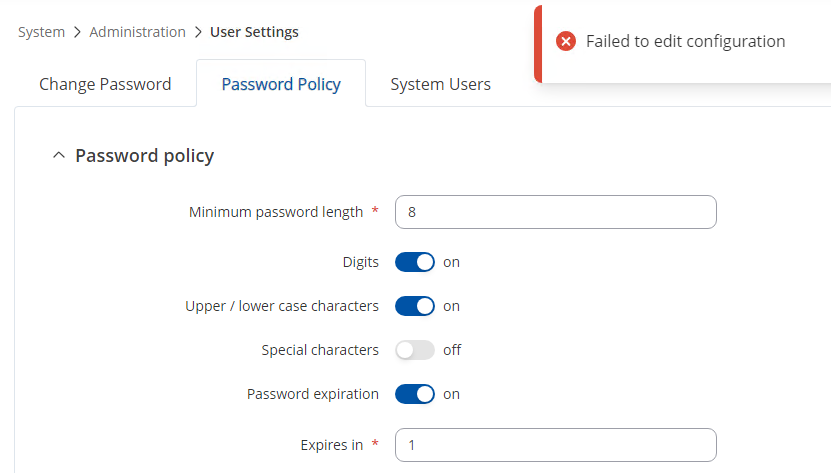
Additionally I have been trying to experiment with password expiry as a workaround in the even this isn’t possible, but it seems in the latest firmware password expiry is not working (see screenshot attached)
Your request is currently under review and analysis. Once the evaluation is complete, I will get back to you with further information, findings, or suggestions.
Could you please clarify this part of your request:
but upon first login of any user, password expires and user is prompted to select new password”
Do you mean for all default and created users (e.g., admin, test, etc.)?
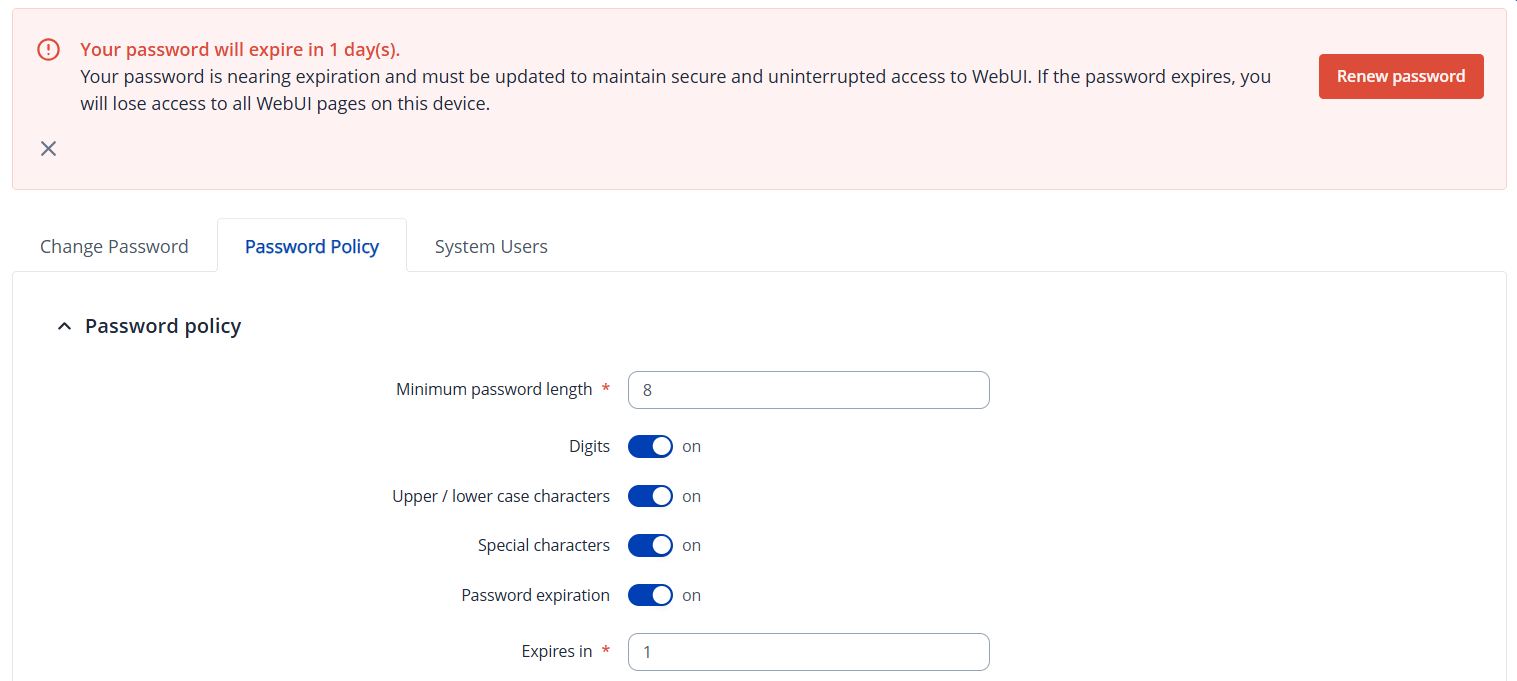
With the current password policy and configured expiration, an additional user needs to be created to allow setting the expiration period (for example, to 1 day). In this way, after 24 hours, every user who logs in will be prompted to change their password — but not directly on the very first login. Instead, while logged in, the user will see a notification alert reminding them to renew their password within the upcoming day (or the specified period):
After renewal, the expiration period will not change automatically; it remains in place until a user belonging to the admin group modifies it, for instance, by disabling password expiration.
As seen, I would like to prompt every user on their first log in to change the password from the “default” so every device has unique passwords for each user. I would like this to work at minimum for admin (in that case we would define the unique admin password and provision users after. It is important though that this is in the sw as provisioned, because we would need the network settings already configured. After setting this there would be no expiration.
Implementing a feature that prompts every user to change their password upon their first login to the WebUI would likely require a custom development project (CDP). For this, we recommend contacting your sales manager to discuss the options available. If you do not have a dedicated sales contact, you can then complete the Contact Us form on the page here.
If a CDP is not a suitable option, you could consider setting up similar functionality using a RADIUS or TACACS+ server for user authentication management. More information about RADIUS server integration with RUTOS can be found in the wiki article here: