Welcome to the Teltonika Community, and thank you for reaching out!
The package you are referring to is not included in the firmware by default. Could you please confirm whether you have already attempted to install the DDNS package through the Package Manager?
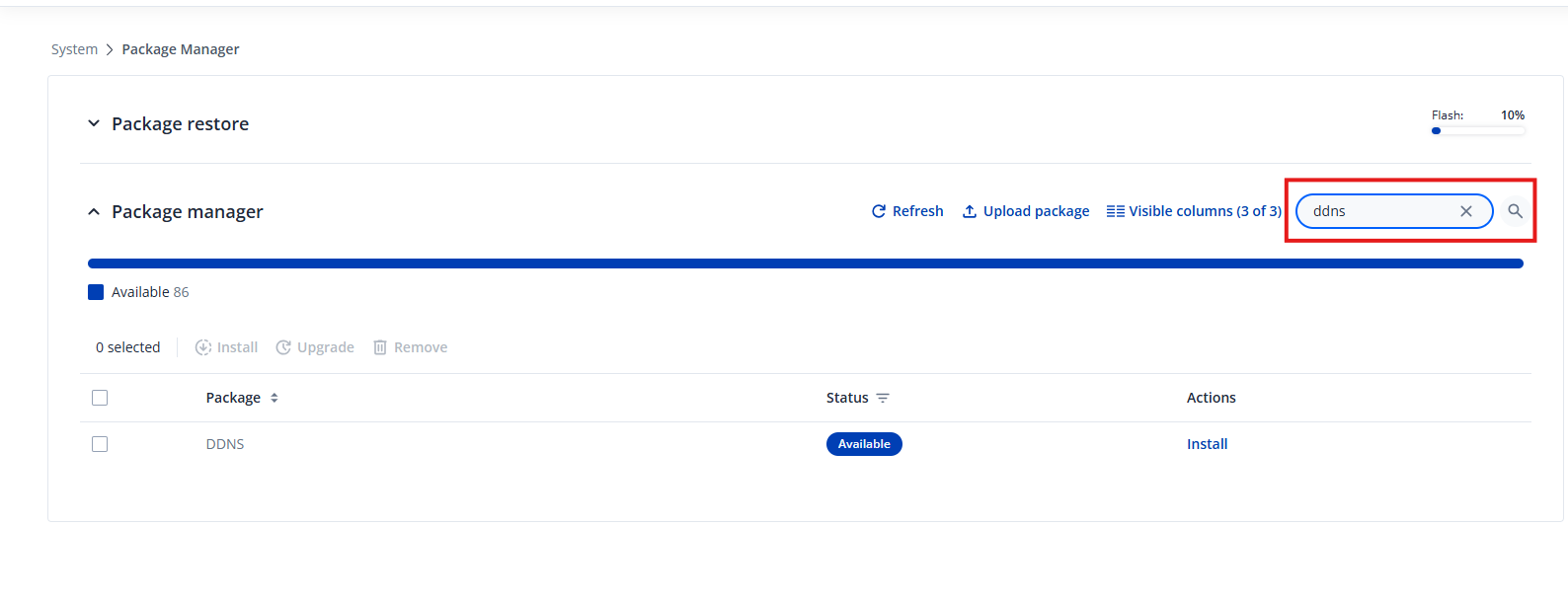
To install it, please navigate to System → Package Manager, then use the search bar and enter “DDNS”. The package should appear in the list, similar to what is shown in the screenshot below.
Once installed, the feature will be available under Services → Dynamic DDNS.
For detailed configuration instructions, you can refer to the following article:
And here, you’ll find configuration examples for several DDNS providers:
I hope this points you in the right direction. If you have any further questions or need assistance during the setup, feel free to let me know — I’ll be happy to help!
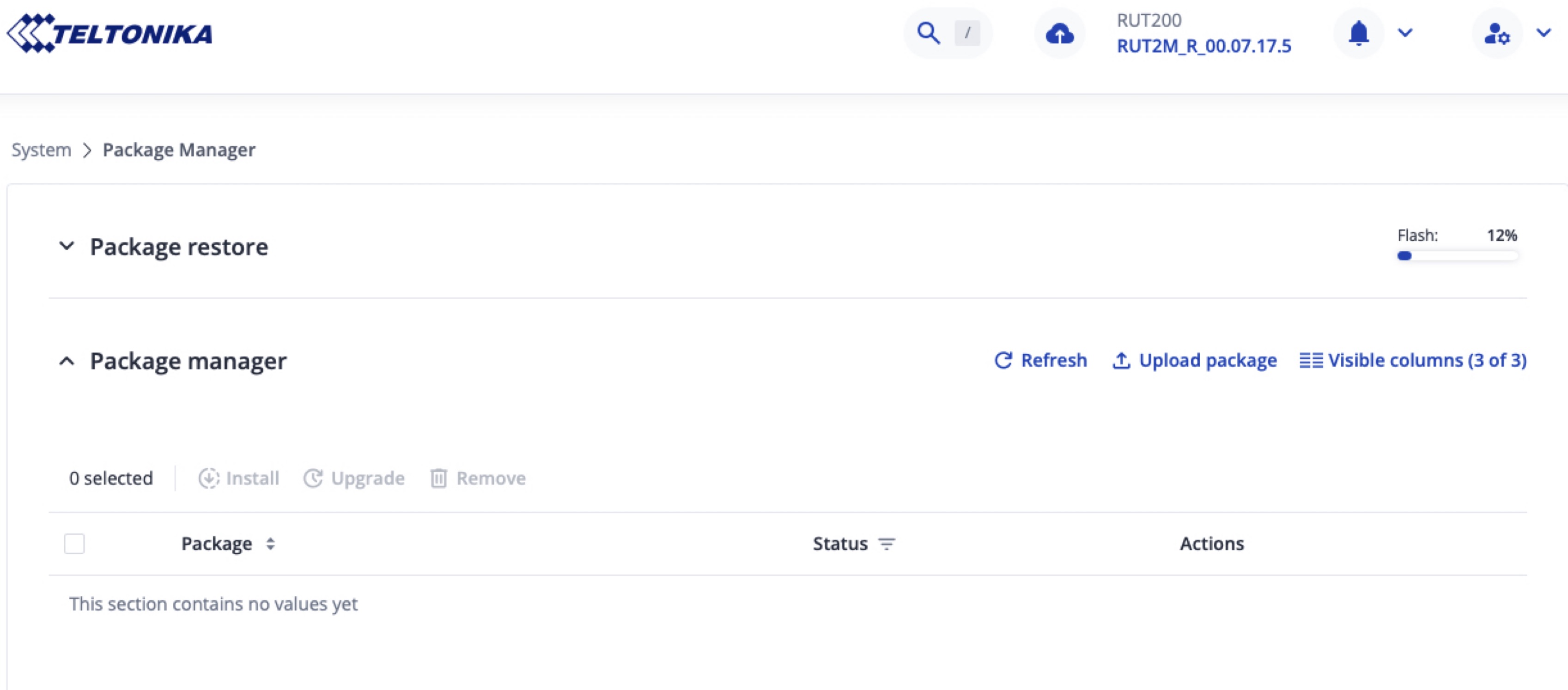
In the example I provided earlier, I was using firmware version 07.17.5. If your device is running an older firmware release, that may explain why the search bar is missing in the WebUI’s Package Manager. Updating to a more recent version should resolve this. You can download the latest firmware here:
For reference, here is the full list of installable packages for the RUT200:
The package you need is Dynamic DNS.
I hope this helps. If any questions come up during the update or installation process, feel free to reach out - I’ll be glad to assist.
After reviewing your screenshots and testing the behaviour on my side, it appears that the device currently does not have an active internet connection. The package list (including the search bar) becomes available only once the router is online and able to retrieve the package index.
As soon as the router has a working internet connection (mobile, wired, or wireless), the list of available packages should load normally, and the search bar will appear as expected.
Please check the connectivity status and let me know the outcome. If the issue persists, I will be glad to assist further.
You say “that the device currently does not have an active internet connection”
but Currently I am connected to the webUi of RUT200 via it’s public IP adress on TELCO operator , from a distant place. So the routeur must be connected to Internet !!
I don’t understand understand why there is still no search bar .
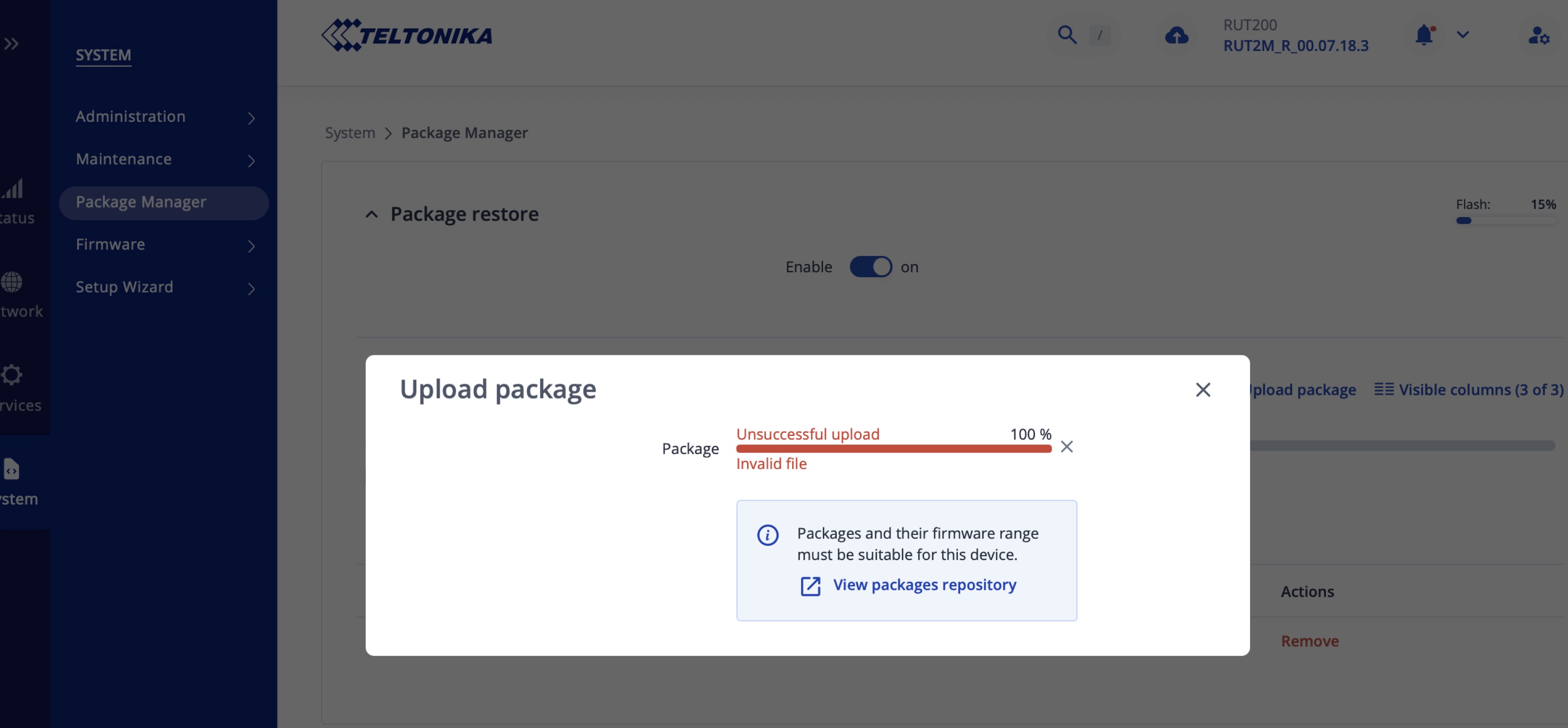
As a secondary method, I upload the ddns.tar package from teltonika website and then I drag and drop the ddns.tar file on the upload window. The result is as shown in the screen copy below : “unsuccessful upload . invalid file” .
I tried several time to download on my laptop the ddns.tar file from teltonika, and it appears that the file is not corrupted.
As a final troubleshooting step, you may try reinstalling the firmware using the bootloader menu. This method is used as a last resort for device recovery and helps rule out any firmware-related issues. You can find a detailed step-by-step guide here:
Please let me know how it goes, and if you need any further assistance, I’ll be happy to help.
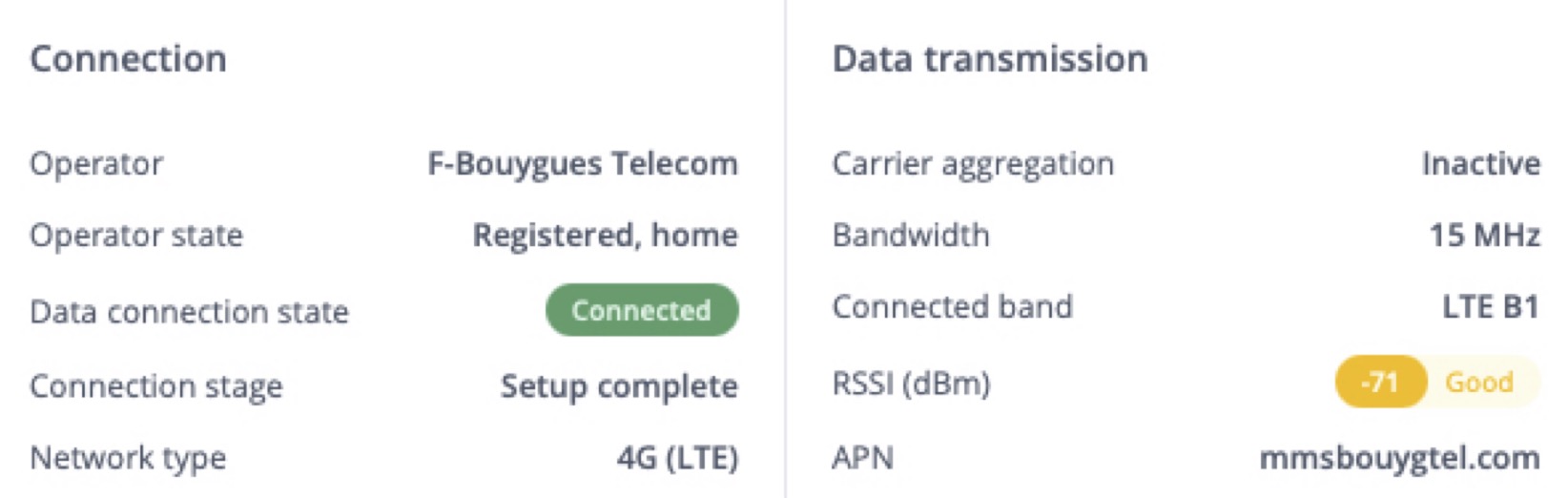
The router is connected as you can see in the screen shot below.
But there must be somewhere in the router a configuration issue for not seeing the search bar. Two DNS are automatically configured from the TELCO server.
The router has a public address, I can access tote from internet via WebUI.
I rebooted the router, nothing changed.
This is not normal for a brand new device !
Can’t you try to access the device remotely and check it with your expert view ?
Let me clarify an important distinction between a standard reboot and the bootloader menu, as this is a common point of confusion:
A reboot simply restarts the device without changing any settings or firmware.
The bootloader menu is a dedicated recovery environment. It can reinstall the firmware from scratch and will wipe all existing configurations, restoring the device to a clean state. It is also used when the router becomes inaccessible or when a deeper reset is required.
I recommended using the bootloader method to help rule out any firmware-related issues that a normal reboot or factory reset would not address.
If you would like assistance performing the firmware recovery via the bootloader, I will be happy to guide you through the process step by step.
You can also refer to the detailed instructions here:
Please let me know how it goes, and we will continue from there.
I try the bootloader method following your advice and I followed exactly the steps. After the leds blink rapidly , they never stop blinking rapidly (I stopped after 15 minutes long , which seems normally enough for rebooting). SO the process failed, I made 5 retries with the same result.
Anyway, RTU has keeped its firmware 7.18.3 (the last stable one), and the internet connection is OK because my laptop which is connected to the Ethernet LAN port can access to Internet easily (google, and so on ..) via the router 4G LTE connection but despite of that there is still no ‘search bar’ for package manager menu and moreover I got this message in the notification bell upward the window :
“ Internet connection required
Queued packages require an internet connection for installation. If your device is offline, please download them manually and upload them for installation.
Is’n’t that crazy !! there is a valid internet connection !
Moreover again, when I upload a package manually that I got from teltonika site on my laptop, it reads the file (ddns.tar) and then tells me : “unsuccessful upload, invalid file”
I’ll be goin crazy with this damned router !
Is it a black ship router ? DO I have to send it back to Lithuania ?
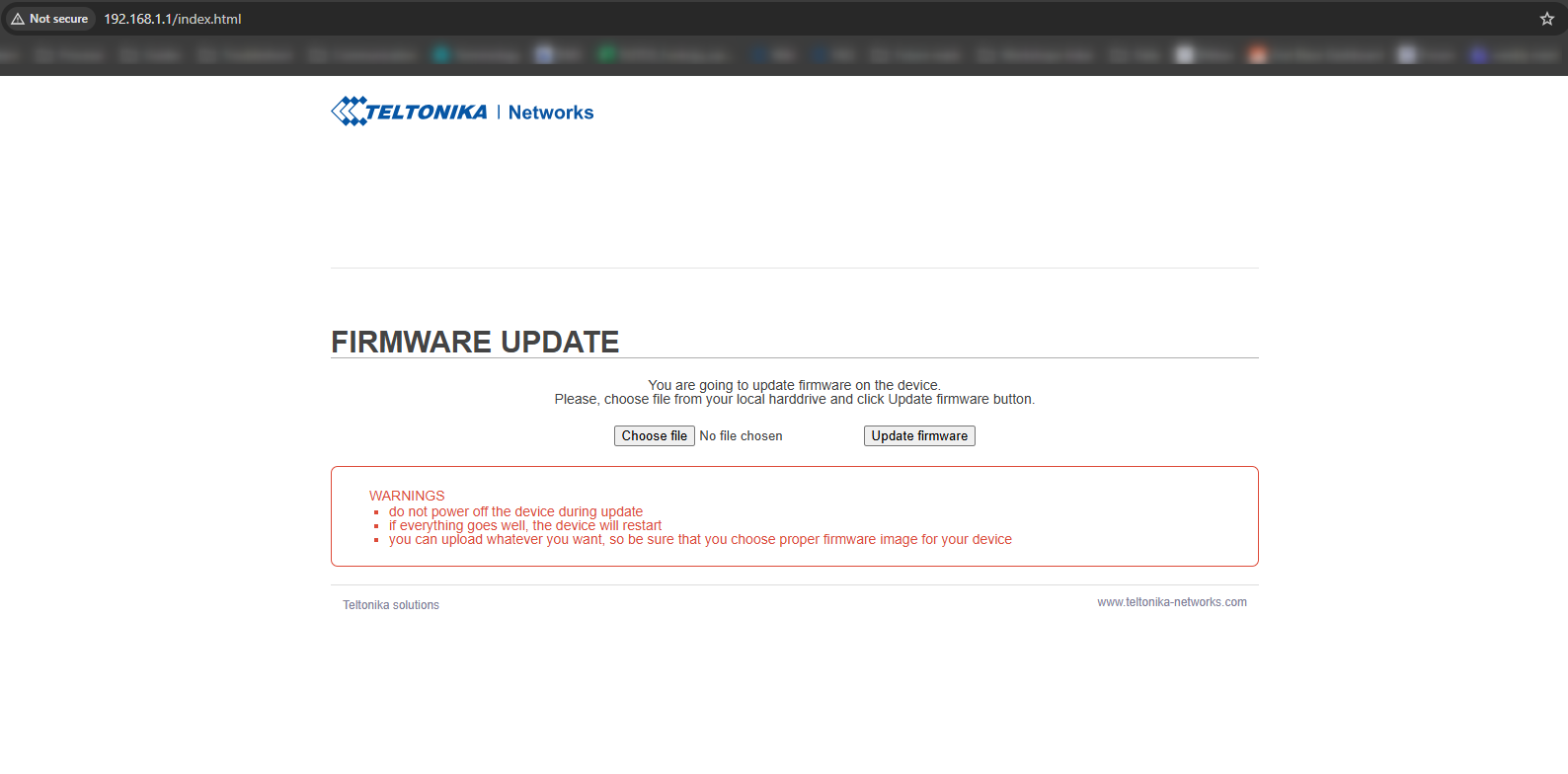
From what you described, it sounds like the device did enter bootloader mode, as the flashing LEDs indicate that state. However, to proceed with the firmware upload, it’s important to confirm that you were able to reach the actual bootloader interface.
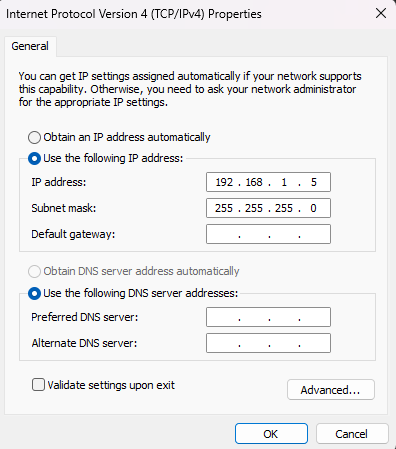
To access it, your computer needs a static IP address within the 192.168.1.0/24 range, in this example I am using 192.168.1.5: